

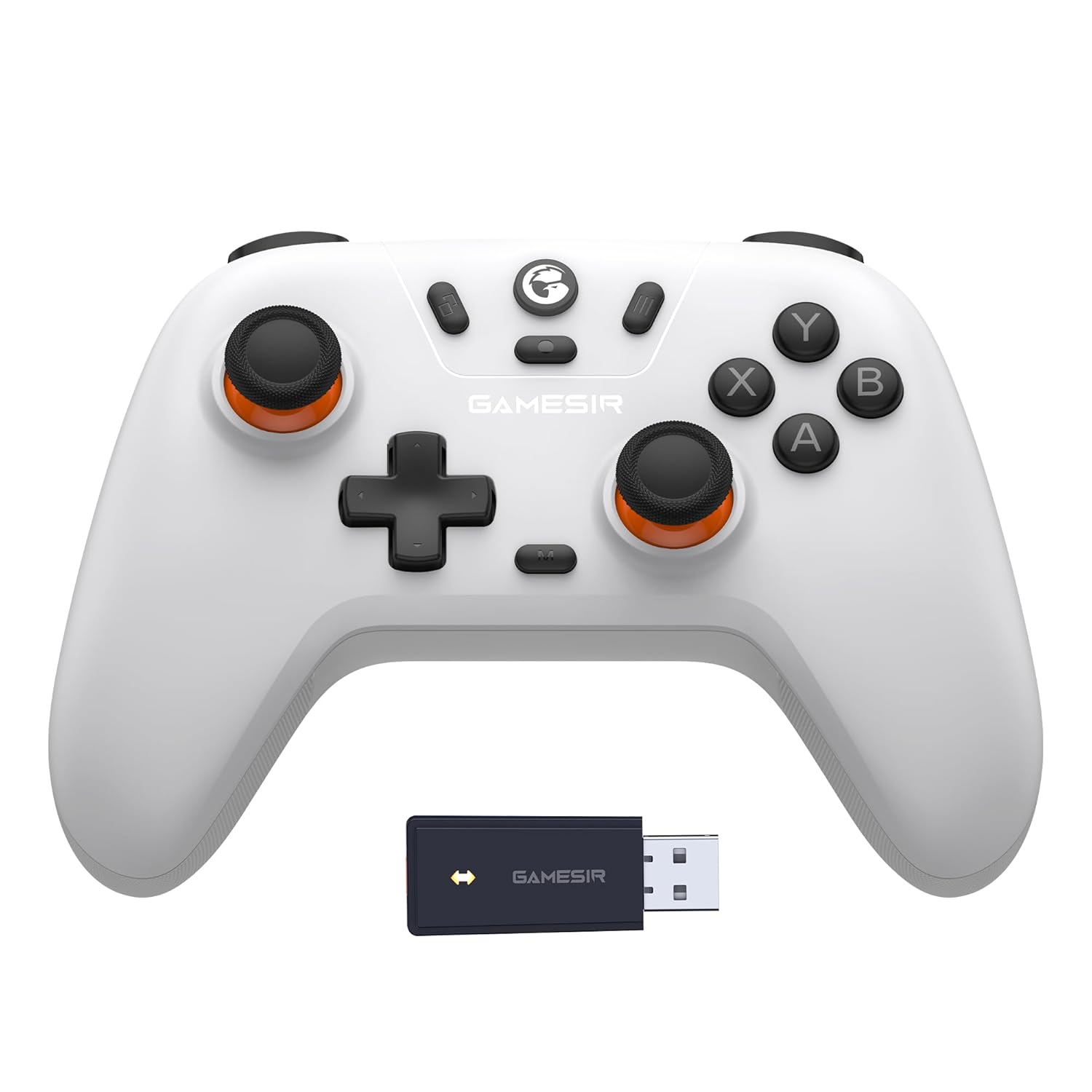
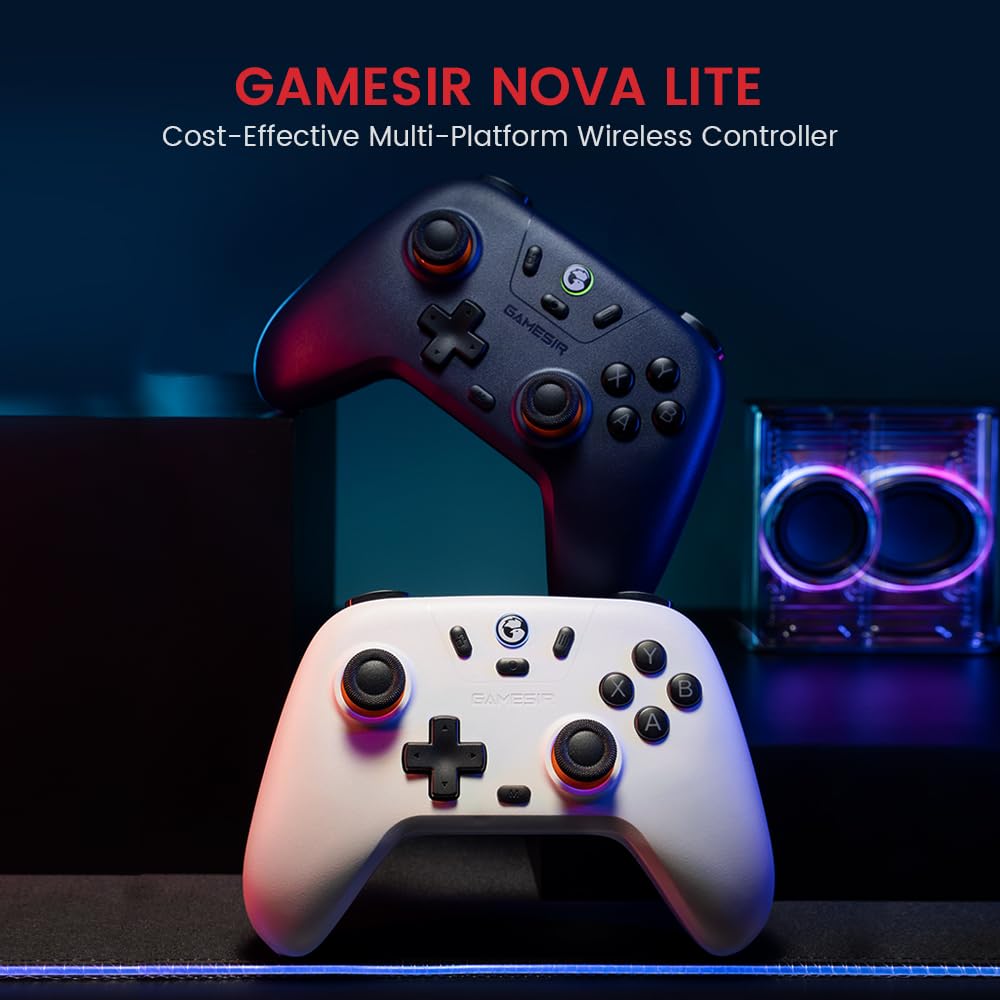

GameSir Nova Lite 2.4g Wireless Controller for Windows PC, iPhone, Android, Switch & Steam Deck, Bluetooth Controller Gamepad with Hall Effect Trigger,Turbo,Rumble Vibration(White)
$24.99
Price: $24.99
(as of Feb 14, 2026 23:13:30 UTC – Details)
Product description


GameSir Gaming Controller
Add to Cart
Add to Cart
Customer Reviews
4.2 out of 5 stars 2,719
4.4 out of 5 stars 1,174
4.4 out of 5 stars 2,204
4.0 out of 5 stars 486
4.3 out of 5 stars 732
4.0 out of 5 stars 1,997
Price
$24.99$24.99
$29.99$29.99
$49.83$49.83
—
—
—
Working Platforms
PC/Android/iOS/Switch
PC/Android/iOS/Switch
PC/Android/iOS/Switch
Switch/PC/Android/iOS
PC/Android/iOS/Switch
PC/Android/iOS/Switch
Wirelss or Wired
Wirelss
Wirelss
Wirelss
Wirelss
Wired
Wirelss
Triggers
Hall Effect Sticks
Hall Effect Sticks
TMR Sticks
TMR Sticks
—
—
Hall Effect Triggers
✘
✔
✔
✔
✔
✘
6-AXIS GYRO
✘
✘
✔
✔
✔
✔
Turbo Function
✔
✔
✔
✔
✔
✔
USB Receiver
✔
✔
✔
✔
✘
✔
Custom Button
None
2 Customizable Button
2 Customizable Button
2 Customizable Button
2 Customizable Button
4 Customizable Button
Battery
600mAh
600mAh
860mAh
1200mAh
—
600mAh
GameSir Nova Lite wireless game controller is compatible with Windows 10/11, Switch, Android, iOS and Steam Deck.(2.4G dongle is included.) No data cable included.
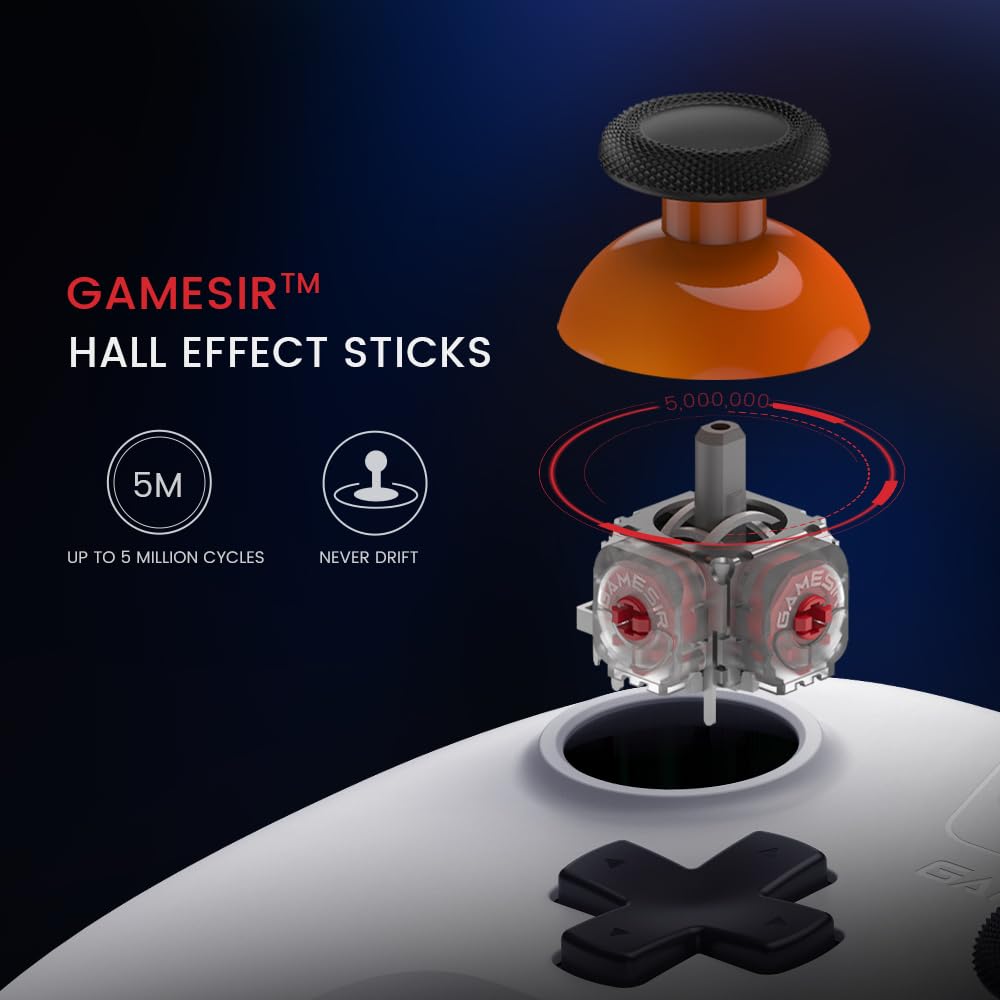
The GameSir Hall Effect joysticks specifically for No Dead Zone and No Drifting joystick performance.
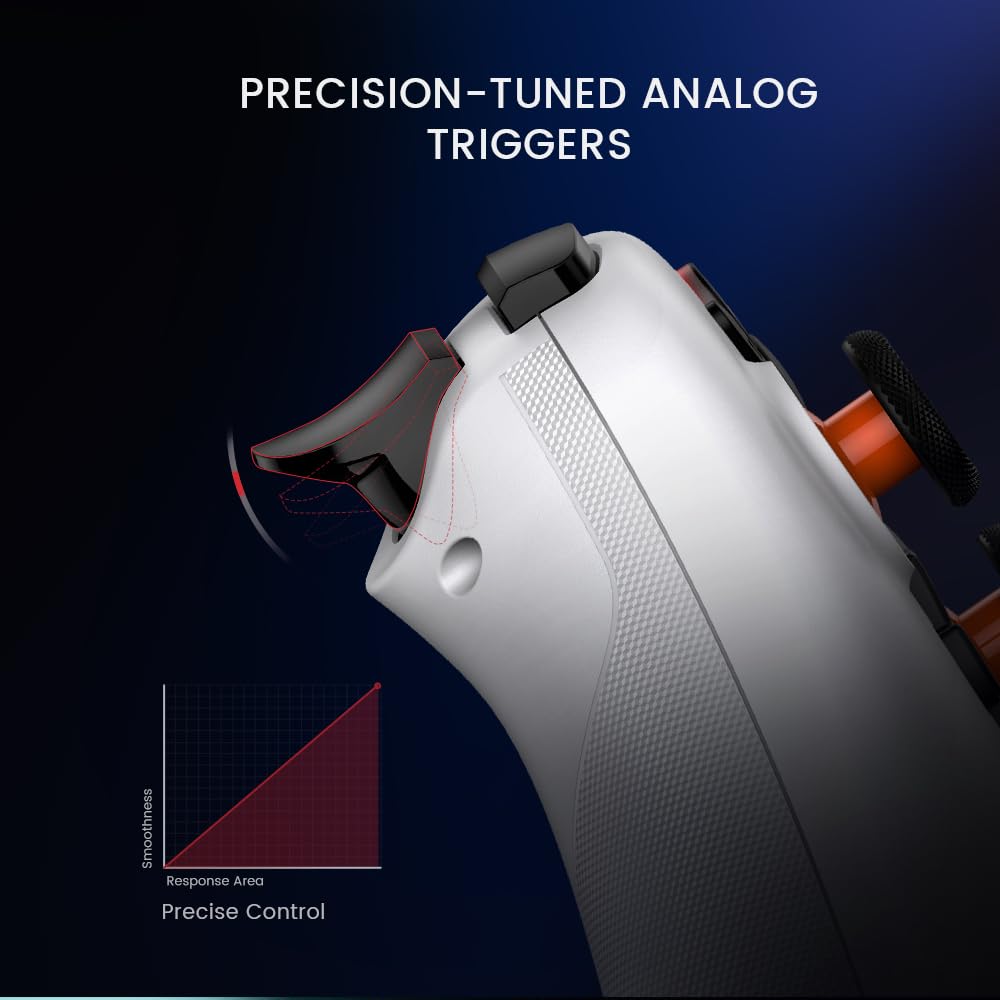
The Nova Lite pc controller offers the same precise and immersive experience with linear triggers as the popular PS5 controller, enhancing gameplay enjoyment.
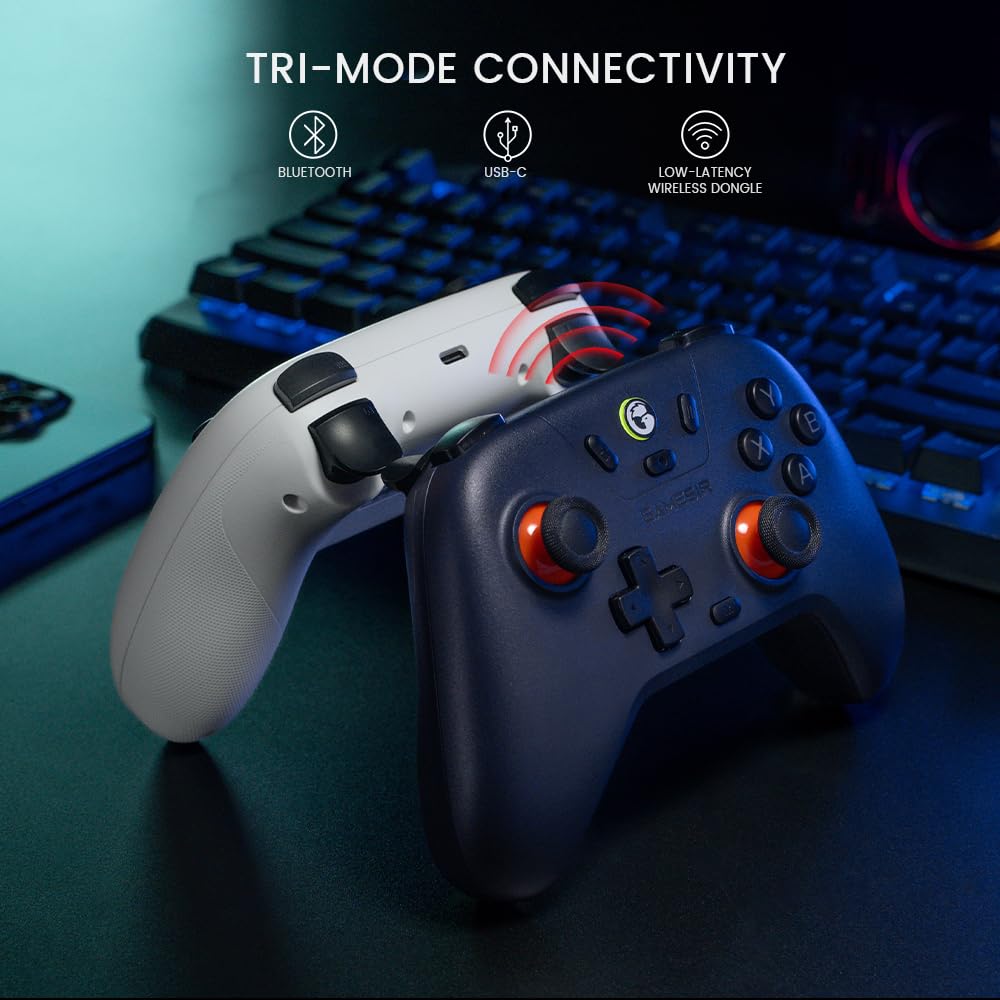
Enjoy unparalleled flexibility with three connectivity options—Bluetooth, 2.4G Wireless Dongle, and USB-C. Switch between devices effortlessly for a hassle-free gaming experience.
The Bluetooth Controller features a 20Hz Turbo function with customizable buttons, including A/B/X/Y/LB/LT/RB/RT. Gamers can easily activate or deactivate the Turbo function by pressing the M button, providing a convenient way to enhance gameplay. Free your fingers and fully immerse yourself in the gaming experience.
Nova Lite bluetooth controller built-in 600mAh battery, lasts for up to 10 hours of playtime when fully charged in 2 hours.
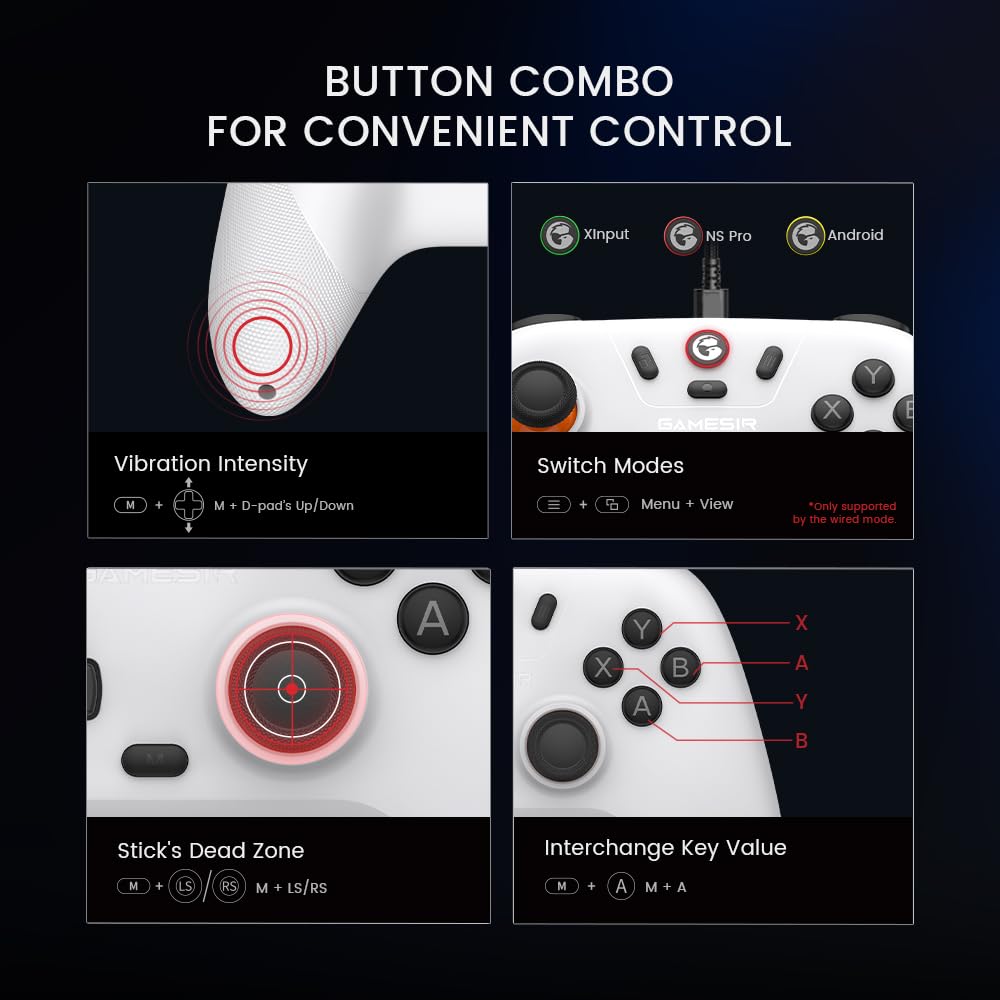
Multi-function M button for convenient control: Seamlessly adjust various settings with the multi-function M button, from vibration intensity, ABXY layout to sticks’ deadzone.
13 reviews for GameSir Nova Lite 2.4g Wireless Controller for Windows PC, iPhone, Android, Switch & Steam Deck, Bluetooth Controller Gamepad with Hall Effect Trigger,Turbo,Rumble Vibration(White)


Related products

Blue Light Screen Protector for iPhone 16e iPhone 13 iPhone 13 Pro & iPhone 14 (6.1inch), Eye Protection Tempered Glass Film, Scratch-Resistant, No Bubble with Easy Installation Kit, 2 Pack


Kaistyle for Magsafe Car Mount【20 Strong Magnets】Magnetic Phone Holder for Car Phone Holder Mount Dash Mounted Holders Cell Phone Holders for Your Car Accessories for Women Men for iPhone 17 16 15 14



Premium Smartphone Holder/Vertical and Horizontal Tripod Mount Adapter Rotatable Bracket with 1/4 inch Screw/Adjustable Clip for iPhone, Android Cell Phone, Selfie Stick, Camera Stand


SENSYNE 62″ Phone Tripod & Selfie Stick, Extendable Cell Phone Tripod Stand with Wireless Remote and Phone Holder, Compatible with iPhone Android Phone, Camera

Kris –
Not expensive and works pretty well
It’s a pretty decent controller, I really haven’t run into any issues yet and I’ve had it for a while now. It’s easy to figure out the buttons and pretty straight forward, none of the buttons have stopped working and the sticks work well, no drift and the sticks don’t get stuck. Will update review if I have problems but it’s a pretty reliable and works well with all the games I’ve played since getting it.
nick –
Perfect for a PC user who has specific games they prefer a controller with no cables.
I’ll start by saying I bought a gamesir T7 I use every single day and have for roughly 6-8 months and works flawlessly I wanted something, inexpensive, wireless, and wouldn’t be worried about stick drift. This ticks every box! The T7 I use primarily on my Xbox now it’s still fantastic, but using a wired controller on my PC for specific games was a bit annoying, but with this controller it fits my needs perfectly, my mic headset and now this already use USB c charging it won’t last you multiple days per charge but for my uses it’s 100% fine. I use mouse and keyboard for 90% of my PC games but there are very specific circumstances I will use a controller for and this thing delivers, to me it fits and feels very natural all the buttons are where a traditional Xbox layout controller is. Some people complain about the rumble??? I have no idea as to why it’s a nice deep thick rumble not a crappy tinny weak cheapo brand rumble plus it’s adjustable between 3 levels low, medium,high or off entirely…. This controller hopefully should last me many years but when or if it eventually does break, gamesir will probably recieve my money again.
Alec $ –
Great deal
Works great wired or 2.4g modes. Bluetooth does have noticeable latency. The controller feels very high quality in the hands. For the price this is great. I did have trouble with getting the controller connected in 2.4g mode because the instructions only briefly gloss over how to do that. Reconnection has been a bit of a headache but once you know what to do it’s not a big deal.
Julian –
Solid Build, Simple Setup, Decent Connection
I bought these controllers for playing co-op games on my computer with my family. The setup was simple, though I had some difficulty getting one of the controllers to pair. After resetting the four controllers that I bought, they worked great with the wireless USB adapters. When you’re near the adapters, such as sitting at the computer, they’ve got no noticeable input lag. However, once you’re ten or fifteen feet away, the connection starts to have issues. When I cast my computer’s screen to the TV and we sit in the living room, these controllers have pretty significant input lag. I didn’t expect them to do well over a distance, so I’m not entirely disappointed, and it works well enough for the party games that we usually play. The overall build of the controllers is solid, and the cases are a pretty nice bonus, especially for keeping dust off of the outsides. The controllers are very similar size to an Xbox controller, and they feel good int the hands. I recommend you get a USB hub with an extension cable and connect it to your pc while routing the adapters closer to your play area if you’re any distance away, but for close use, these are perfect!
MJ –
Good controller
The controller works great. I’m using it with my firestick. It took me a little while to figure out how to pair it directly to the firestick without using the dongle, but now it is working just fine. I’ve only had it for fwo days so I can’t comment on reliability yet. The protective case is a nice touch.
Zer0Cool –
Problematic Setup So Far
On first opening the box I was initially impressed. Well packaged, came with a protective cover/case (thin plastic), felt well made…then I tried to use/connect it to various devices.Pairing is a pain, it has 3-4 pairing modes. Depending on what firmware you might be on and what source you look at for directions it can be tricky to tell what mode you’re in, what modes you have or how to get the mode you want. It seems at some point in the firmware updates they replaced/changed from xinput (Xbox) mode to a PlayStation/dual shock for one of the modes.Various topics online and in reviews saying to roll back firmware to 4200 to get XB mode back. Here is where my next disappointment came in. Both on iPadOS and Win 11, wired or wireless I could not get the Gamesir software to see the controller despite the OS and other software seeing the controller and being able to use it. Tried 2.4Ghz, every Bluetooth pairing mode and usb c connection on both iPad and Win11 PC.My primary intended use for this was on AppleTV. I can discover the controller as a dual shock controller, Gamesir controller or switch pro controller. Dual shock seemed to work but in some apps would double input (1 key press = 2). Gamesir mode would not register any inputs.Currently Pro mode works sometimes and other times also does double inputs. I just got the controller and have already spent more time trying to get the controller working than I should have. If it continues to be inconsistent connecting to and working with my AppleTV’s I will have to return it.I will update my review if I can get firmware upgraded/downgraded or if it starts working better. Until then I would recommend looking at something else, maybe spend more for ease of mind.
Bradley –
Great Christmas Gift — Works on Everything!
I got this GameSir Nova Lite 2.4G Wireless Controller for my son for Christmas, and he absolutely loves it! We use it with his PC, and it also works seamlessly with his iPhone, Android, Switch, and Steam — super versatile.The quality is excellent for the price. The buttons are responsive, the joystick feels smooth, and the overall build is sturdy. The size and grip fit comfortably in his hands, even for long gaming sessions.For a Christmas gift that works across multiple platforms, this controller is a winner. My son has been using it non-stop, and it exceeded our expectations!
abryanna brown –
obsessed 💕
this controller is amazing i’ve had it for about a week now and im very heavy handed and no drifting in the controller doesn’t feel cheap at all i recommend this to anyone is doesn’t want to spend 70 plus on an ps and xbox when this works better and lasts so much longer also i haven’t had to charge it once the battery lasts so long
Iron Man –
Très bonne manette sans fil. C’est la 2ème de cette marque que j’achète, et elle semble de bonne qualité. Elle est livrée dans une coque rigide de protection qui épouse la forme de la manette, avec un emplacement pour le dongle USB de connexion sans fil qui est très pratique pour la protréger. Les charnières plastiques tiendront-elle? L’avenir le dira, mais au pire, il est possible de la réparer en bricolant avec du scotch…La précision des sticks est parfaite, le fonctionnement des boutons est aussi impeccable, et les gachettes sont sensibles et précises, c’est parfait pour les jeux de rallye par exemple. Je n’ai pas encore testé la fonction turbo, et on peu inverser les boutons selon le style auquel on est habitué ou le jeu/appareil.Pour le prix, c’est une manette “light” qui est ma foi moins “light” que certaines plus chères!Le temps dira si elle tient bien dans les mains de mon fils…
astursito –
Me parece un buen mando, fácil de sincronizar y con tacto agradable. Los botones tienen buena sensibilidad para el movimiento. Me parece un gran detalle que venga con un estuche (igual que el mando) para guardarlo si no se va a utilizar en algún tiempo. Mandos más caros que este como los propios de Xbox, no lo traen. Así que es un gran punto a su favor. En general y a falta de utilizarlo más tiempo, considero que es un gran mando por un precio no elevado.
techno –
公式でスイッチ2対応を謳っていますが、そのままでは正常に使えませんでした。2025年7月付けのファームウェアの更新が必要です。「Nova lite farmware」でググるとトップにでます。要注意点としてこの公式サイトでは日本語説明に遷移してくれるんですが、書いてある手順に一部問題があります。PCと接続する際に、コントローラーのボタン(M+X+B)をあらかじめ押した上で、接続する必要があります。親切に動画でもガイダンスが用意してあって、文字で書いてあることより正確です。自分は届いたままの状態だと、ごくまれにスイッチ2がこの本体を認識することがある程度でしたが、ファームウェア更新でロゴボタン+Yで即認識されるようになりました。新しいファームウェアで一度繋げば純正コントローラーの様にロゴボタンを押すだけでスリープからも即復帰可能です。
K. Whyte –
I was recommended the Gamesir brand by a friend and they recommended the much more expensive wired option, but since i don’t use it much, i opted for this cheaper model. Really glad i did – this is probably my favorite controller i’ve owned – really premium feel, from the tactile buttons to the subtle grip of the body, this is a great controller to use.The bonus of the hard shell for transport is great.Connects easily to my PC and I can switch it to play with kids on the Switch as well. Battery life is good too.
khaled al ghamdi –
Good