

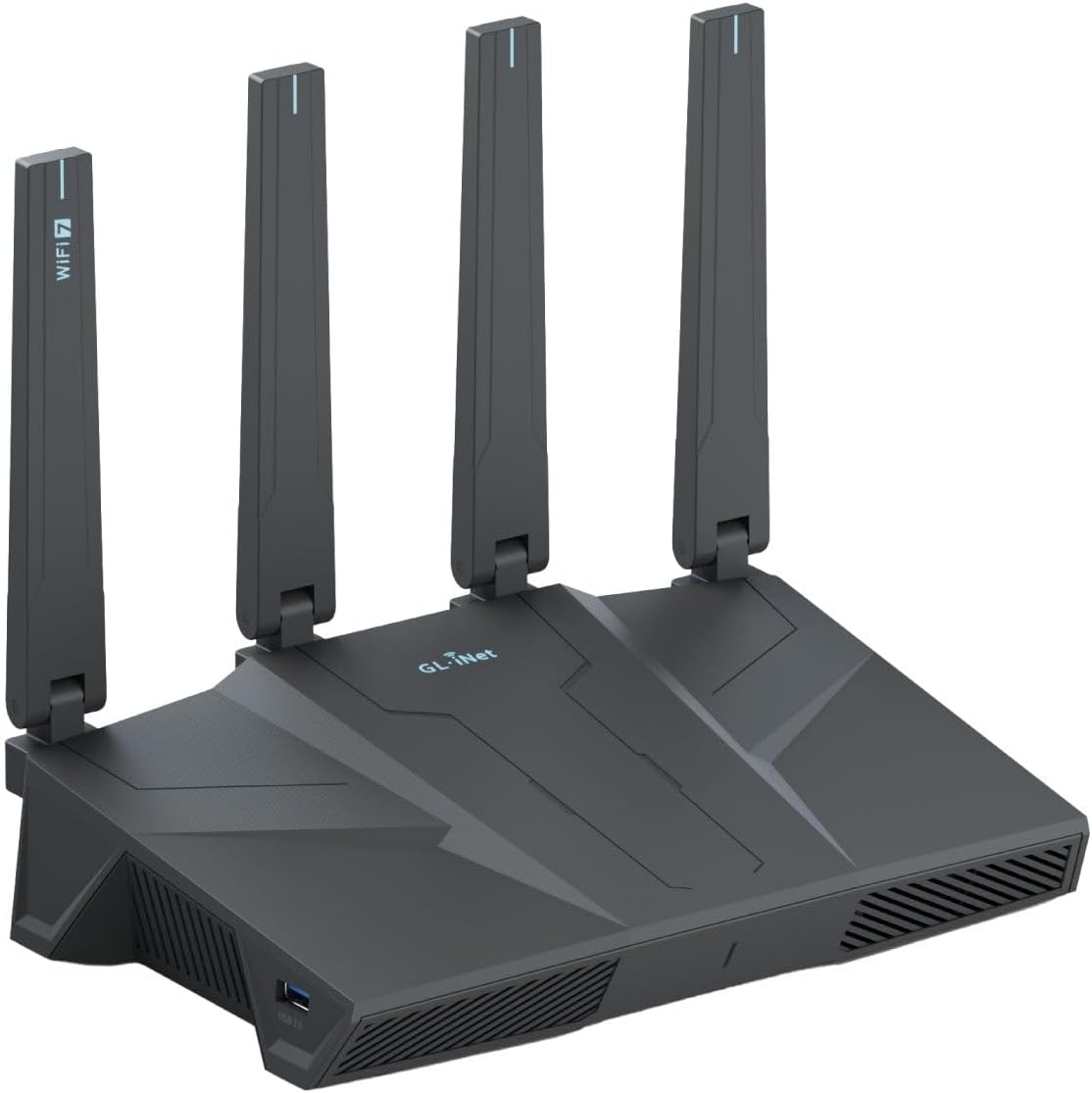
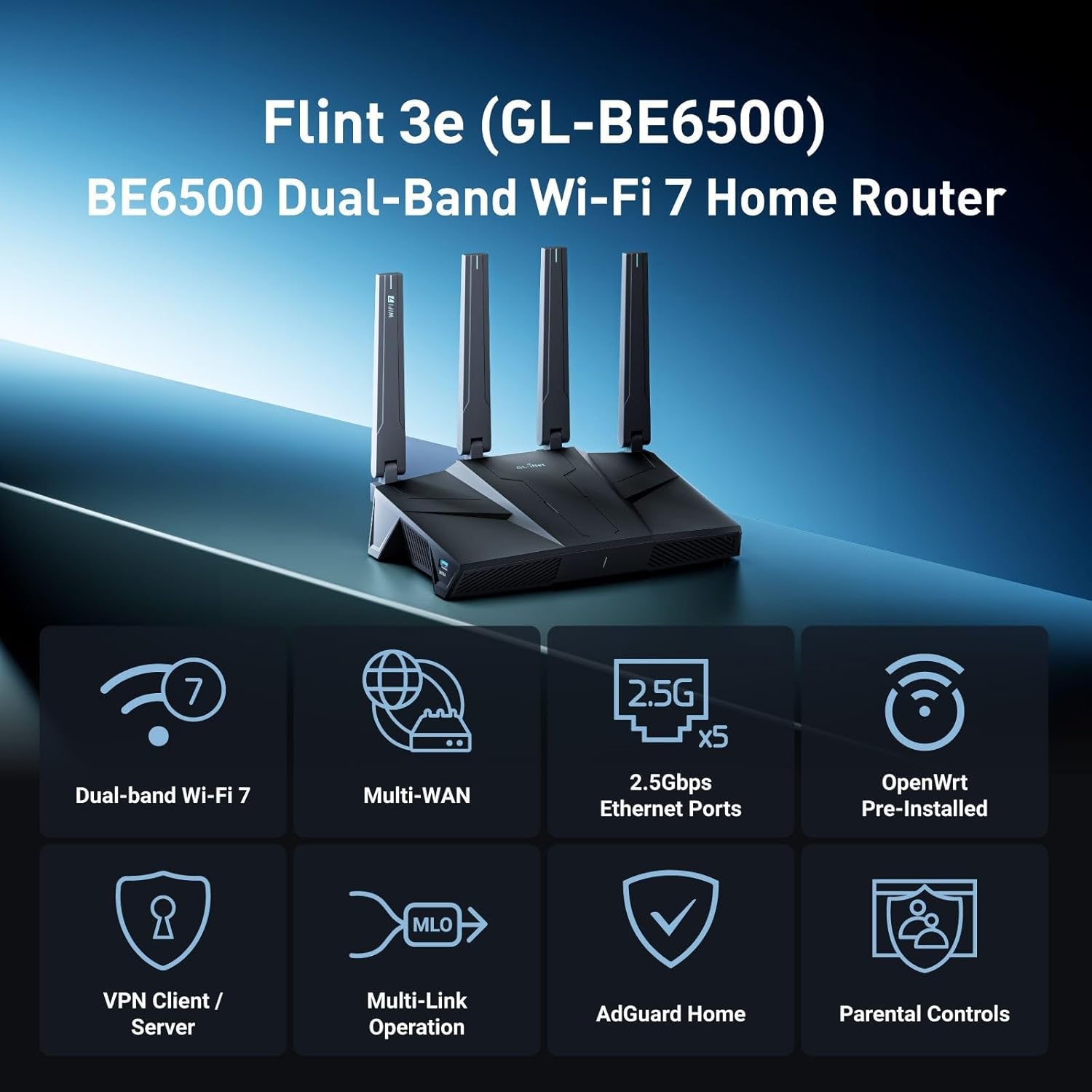


GL.iNet GL-BE6500 (Flint 3e) WiFi 7 Router, High-Speed WiFi Router for Wireless Internet w/VPN, 5 x 2.5G Ethernet Port for Fiber Optic Modem, Long Range Large Home, Business & Gaming Computer Routers
$169.99
Price: $169.99
(as of Feb 12, 2026 19:48:58 UTC – Details)
Product description
The video showcases the product in use.The video guides you through product setup.The video compares multiple products.The video shows the product being unpacked. be6500 showcase video Merchant Video


1 Remote Work Duo
2 Your Home NAS Gateway


1 Wi-Fi 7
2 MLO
3 4K-QAM
4 Multi RU


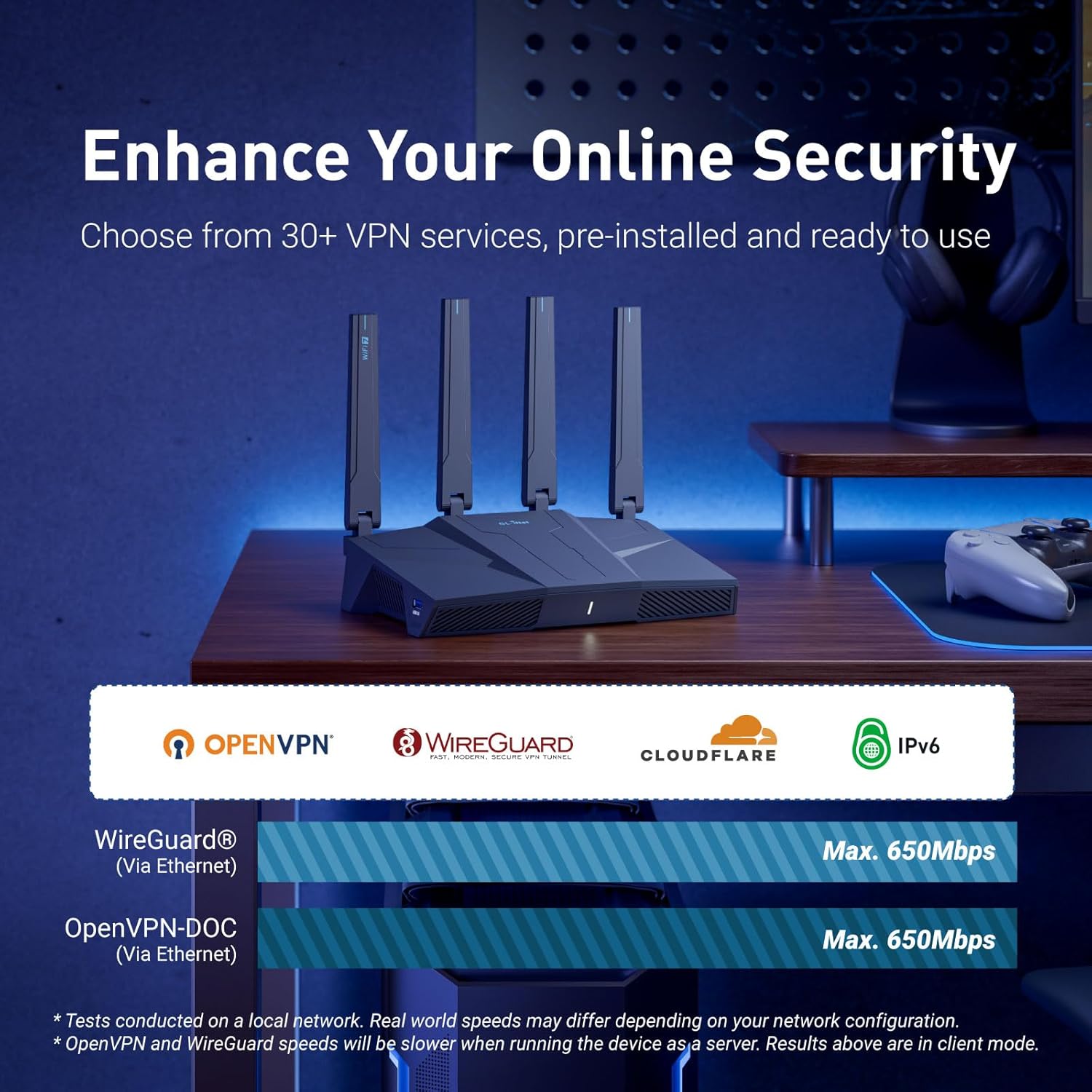
【Rapid OpenVPN & Wireguard Speed】Wireguard VPN and OpenVPN both deliver speeds of up to 680Mbps, giving you complete control over your gaming, streaming and working bandwidth. Actual speed may differ depending on internet service provider, network environment, VPN server location, VPN service provider, etc.
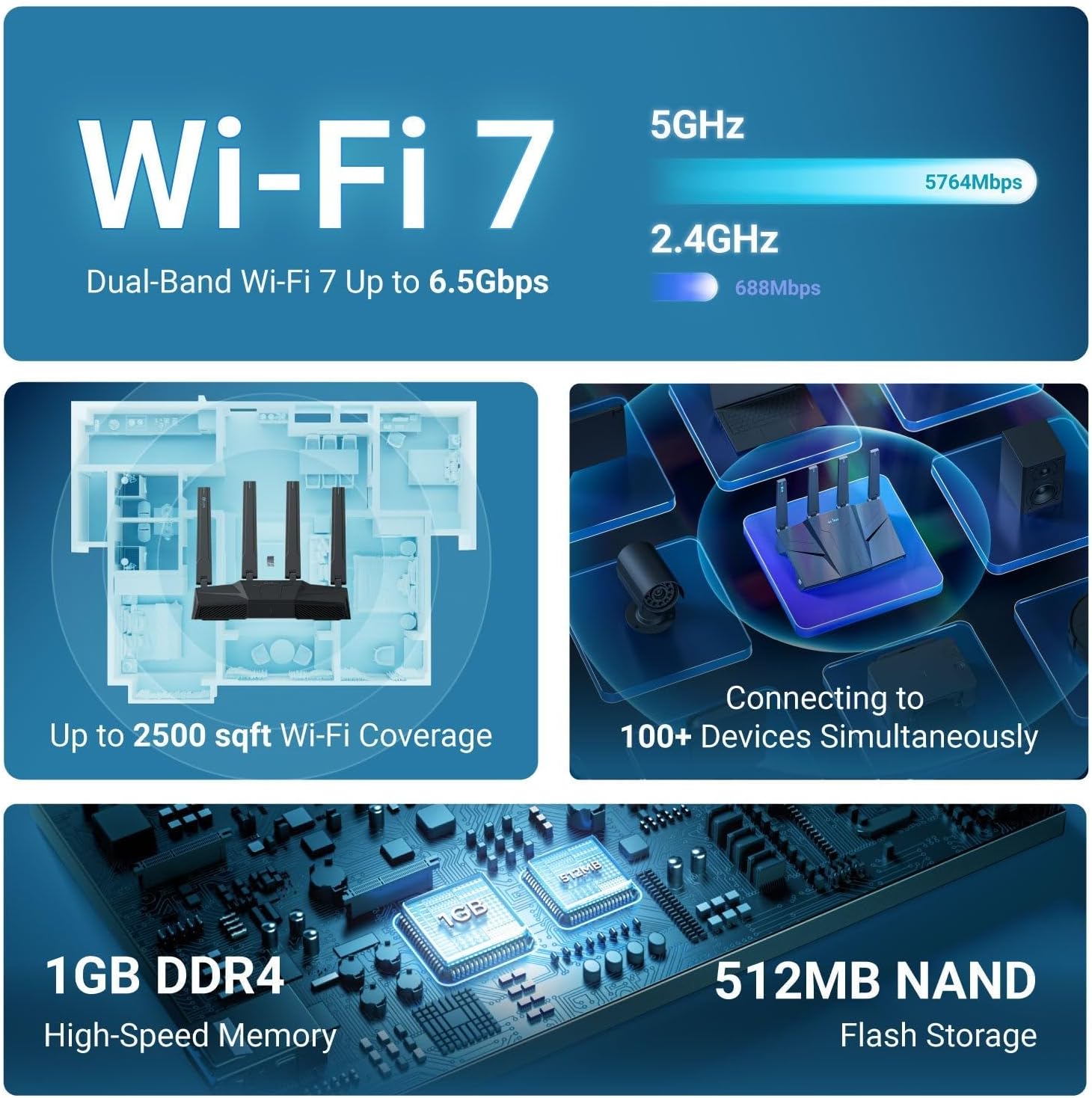
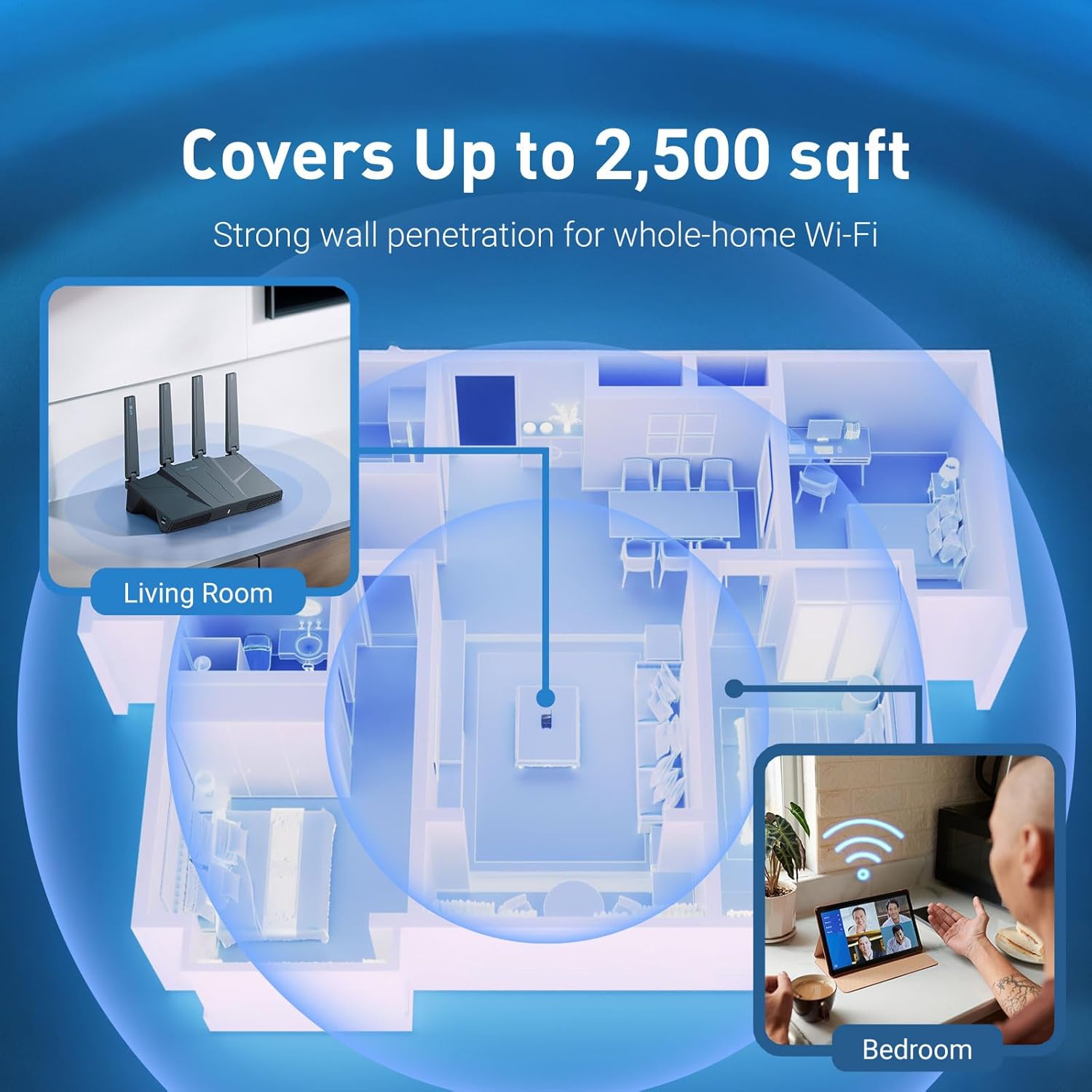
【Extensive Coverage】Experience seamless Wi-Fi connection throughout your home and workplace with performance designed for extra long range WiFi, modern connectivity. This advanced router system delivers strong, reliable signal strength for up to 2,500 square feet of coverage.
【Mass device connectivity】Experience enhanced online connectivity with our higher storage capacity, catering to over a hundred devices and fulfilling the requirements of DIY users seeking to install additional plugins. Enjoy stable and reliable connections, ensuring seamless performance and accommodating a wide range of digital needs.
【MLO + 4K-QAM Breakthrough】Flint 3e represents the future of wireless router, delivering ultra-fast speeds, significantly reduced latency, and improved connectivity in high-density environments through cutting-edge innovations like Multi-Link Operation (MLO), enhanced OFDMA, 4K-QAM, preamble puncturing and Multi-RUs.
【AdGuard Home Supported】Enables the use of a DNS server for blocking unwanted tracking and offers a convenient web interface for filtering selected digital advertisements. Users can take full control of their online experience and enjoy a clutter-free browsing environment with ease.
【Parental Controls】Flint 3e helps parents tackle screen time and online safety with integrated support for Bark, the award-winning child monitoring tool. Easily filter websites, enforce safe search, and set usage limits — all to create a safer, more balanced digital environment for your family.
【WiFi 7 Standard with ultra-low latency】Wi-Fi 7 speeds up to 6.5 Gbps to let you enjoy smooth 4k/8K streaming, low-latency gaming, seamless video calls and more, DDR4 1GB. One of the best Wi-Fi 7 gaming routers 2025.
【Easy Setup】Follow the Initial Set-up video tutorial on Amazon or connect BE6500 to your computer via Ethernet cable to access the web Admin Panel, easily connecting to high speed wireless internet.
13 reviews for GL.iNet GL-BE6500 (Flint 3e) WiFi 7 Router, High-Speed WiFi Router for Wireless Internet w/VPN, 5 x 2.5G Ethernet Port for Fiber Optic Modem, Long Range Large Home, Business & Gaming Computer Routers


Related products


etguuds USB A to USB C Cable 6ft, 2-Pack, 3A Fast Charging Type C Charger Cord for iPhone 17 16 15 Pro Max 16e 17 Air, Samsung Galaxy S25 S24 S23 S22 S21 S20 A17 A16 A56 A55 Flip Fold, Gray



Linsoul KZ ZS10 Pro, 4BA+1DD 5 Driver in Ear Monitor, HiFi Wired Earbuds, Gaming Earbuds, Hybrid IEM Earphones with Stainless Steel Faceplate, Detachable Cable for Musician(Without Mic, Black)


John –
Small but powerful WiFi router.
Just got this little power WiFi router. No issues so far. It has good range signal. This is my first device from this company.
Jeshua Bailey –
Great for the Price
Works well at a great price. It was nice that it integrated into my Tailscale network. I did have to console into the router to update the Tailscale version.
Ishan Patel –
Fantastic Product ( after 2 month use)
Fantastic signal throw and doesn’t force down a subscription on you. Also allows for band splitting!
D. Morgan –
Works fine
Installed easily and worked fine.
Ryan B. –
Amazing and fast
Solved my WiFi signal strength & speed issues in the far corners of my house. Great router! Setup was a breeze too.
Anthony Minier –
A small WiFi router that packs a punch
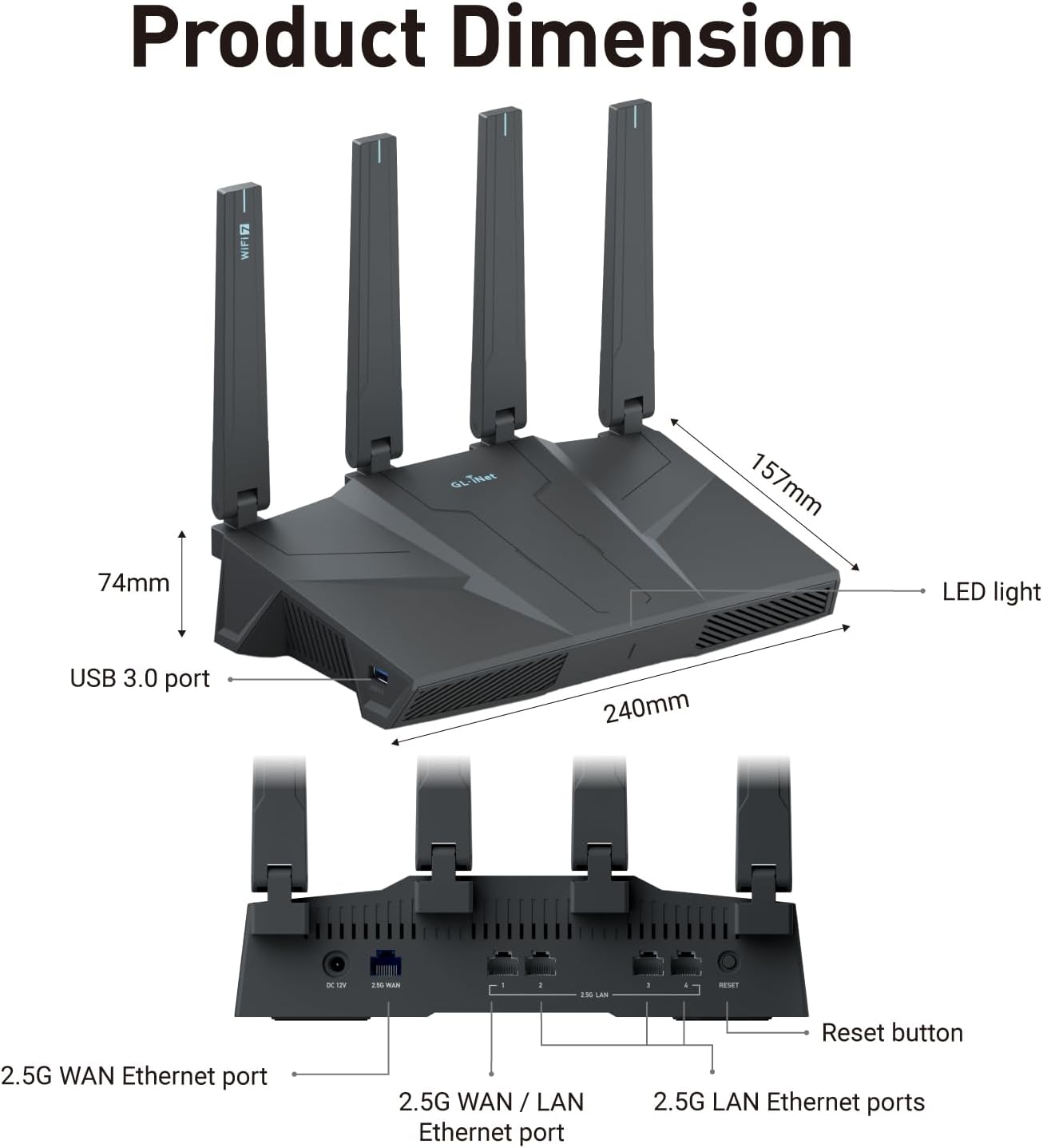
I am an IT professional that has been a Network Manager, Senior Systems Analyst, Network Technician & User Services Manager over a career in IT that has lasted over 40 years. I was even the sole individual who had to approve any IT related technology purchases for a major University. So, I have an extensive background in computer networking and am very knowledgeable in all things network infrastructure related. Given all of that, this small (4 Ethernet ports) WiFi 7 router managed to impress me. It is a dual channel (2.4 & 5Ghz) router although the same manufacturer does make a tri-channel version of this router that also has a 6Ghz channel. The router is a true WiFi 7 BE6500 router. It manages to pack in all of the great features that WiFi 7 has brought to home networking. This includes MLO, slightly increased range (over WiFi 6) and larger throughput. It only lacks the 6 Ghz third channel and if you are not a heavy gamer, you probably will not miss the 3rd channel. What it does have which is literally unheard of in small 4 port routers is all 4 of the Ethernet ports are 2.5 Gbps. Usually, routers of this size have only one 2.5 Gbps port with the remaining ports being 1 Gbps. The router is also using OpenWRT as it’s OS. OpenWRT is arguably the best consumer grade OS for routers. In fact, many professionals consider OpenWRT as Prosumer grade OS which is a step above consumer grade. The OpenWRT OS accepts plug-ins such as Adguard and parental control. This unit also has VPN as part of the OS. The VPN is both client and server. You can use the client or the server side of things or you can configure and use both. It is entirely up to you. The only negative thing I can say about OpenWRT is that it can be a bit confusing for many home networking novices. There are lots of options and someone who is new to home networking will probably get lost in all of the different levels of what seems like endless options. If you are new to home networking, having a knowledgeable friend help you setup your network is highly advisable. This might be a relatively small router but someone who understands what all of the bells and whistles do will really get this router to perform at surprisingly high levels. My only complaint about the physical hardware is the lack of LED status lights in the body of the router. If you have used home networking routers from brands such as dLink, Netgear, ASUS and Cisco in the past, you already know how handy having status indicators for the individual Ethernet ports can be. The lack of them on this router is a little bit disappointing but should not be a deal breaker. This little box packs in so much other wonderful goodness that it is easy to forgive the exclusion of status LED’s. If you are currently using a router that was supplied by your Internet provider, this router will definitely be an upgrade and a nice step up over the mediocre routers that your provider will gladly provide to you for free or a small monthly rental fee. Stop paying for mediocrity on a monthly basis and step up to the next level. You will be happy you did.
r w –
Easy to use and fast.
This wireless router has been working great. No issues. Easy setup.
Jane –
Great feature set and repeater mode works amazing for extending coverage.
I’ve been using the router for a while and I’ve been very happy with the connection reliability and coverage. The setup of the router was easy and straight forward as it was a guided setup as soon as I turned on and connected to the router.WiFi 7 benefits:I do have the router setup in an area that’s relatively congested with neighboring access points and the WiFi 7 protocol has helped with the connection stability so I don’t have drastic slowdowns or disconnections. I do have the feature enabled to use the wide channel width of 160mhz and I found that to be very helpful. For the 5ghz, I do see that it’s utilizing the channels between 30-60 and for 2.4ghz it’s using channels 5 through 9. The router works with all of my WiFi 7 enabled devices just fine, even with WPA3, and even my devices that have the 6ghz band (even if the router doesn’t support it). I have all of them running directly off of the MLO SSID network and I disabled the independent 2.4ghz & 5ghz network. I appreciate that I can choose which networks to keep on so that the router uses less resources and I don’t further congest the airwaves with more SSIDs.Features:I really love the feature sets included with the router. In the router settings I have setup: AdGuard Home, wireguard VPN, and encrypted DNS. For AdGuard Home, I set it up and it was easy to do. Since the router has 1GB of ram, I was able to use a large blocklist including the big OISD filter. I also have the router setup as a wireguard client so that all of the internet traffic from my devices go through the VPN tunnel. There is a convenient option to independently choose which devices go through the VPN tunnel or not. Then as for the encrypted DNS, there is a setting to be able to force connected devices to use a specific encrypted DNS provider and there’s quite a few to select from. It’s been very reliable as I did some leak test to make sure all of the DNS requests are to my specified servers and not through my ISP.Repeater mode:There is a repeater mode which is pretty useful. I have it enabled, just in case the wired connection stops working and the router would automatically switches when needed. The main ethernet connection is connected to my ISP modem and the repeater is connected to my cellular hotspot. The repeater mode can be used independently, without a wired internet connection. I’ve used it in this configuration for a bit a time and I’ve been very pleased with the results. Of course, it won’t be as good as wired as the speed is a little slower, but it’s very reliable and the connection has been stable to connect from the router to my main WiFi 7 access point. Both access points are WiFi 7 with a 4×4 MU-MIMO setup so they’re very compatible and I can take advantage of the wifi 7 features.Overall, I’m very happy. The features works great and the connection reliability has been spot on. It helps with my disconnection issues and the coverage is far enough to cover most of my home indoors. The repeater function has been great as I can provide coverage to the middle and back of my home, when the main router is setup in the front of the house.
SecondHandMedia –
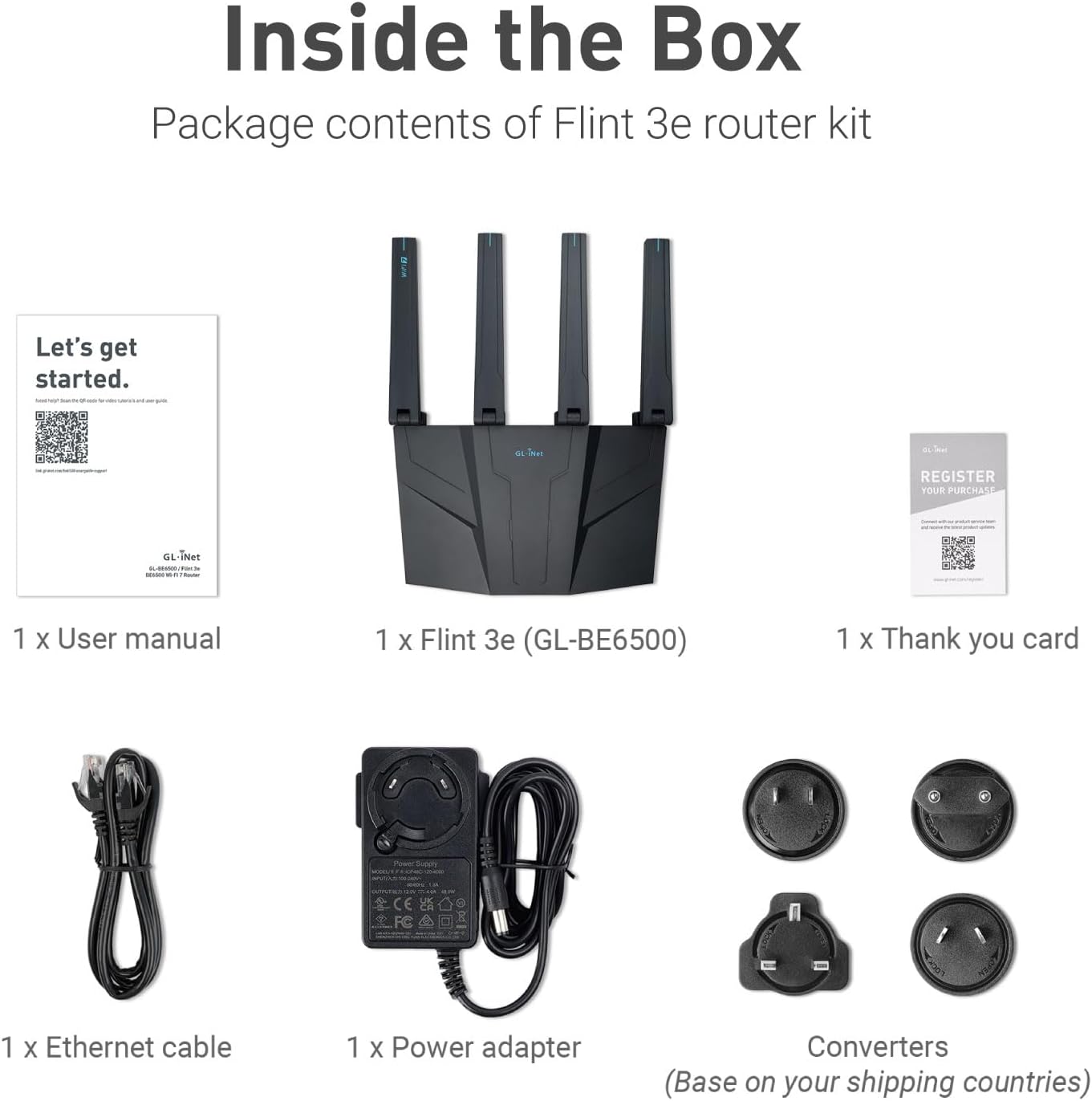
Der WLAN-Router “GL-BE6500/Flint 3e” von “GL.iNet” kommt in einer handelsüblichen Verkaufsverpackung aus Karton, mit folgendem Inhalt: 1 x Router GL-BE6500, 1 x Schaltnetzteil, 2 x Netzteilsteckeradapter, 1 x Ethernetkabel, 2 x englischsprachige Infokärtchen.Man könnte durchaus sagen, dass der hier angebotenen Wifi7-Router der kleine Bruder des ebenfalls von GL.iNet angebotenen Wifi7-Routers “GL-BE9300” ist. Die beiden Geräte entstammen eindeutig einer identischen Produktreihe, wobei der hier getestetet Router für einen Preispunkt unter dem Flagschiff “BE9300/Flint 3” entworfen wurde.Was aber nicht bedeutet, dass es sich nicht um einen der besseren Wifi7-Router handelt, die man derzeit kaufen kann. Insbesondere verglichen, mit kürzlich veröffentlichten WLAN-Routern großer Provider, die nicht mal in der Nähe des Funktionsumfangs eines Routers aus der GL-BE*-Reihe von GL-iNet sind. Auch dieses Gerät zielt auf Anwender, die mehr mit ihrer Netzwerkkonfiguration machen wollen als technikferne Normalbenutzer.Wie nicht anders zu erwarten, basiert auch die Firmware des “BE6500” auf OpenWrt (OpenWrt 23.05-SNAPSHOT), was zu den besten derzeit verfügbaren Router-Betriebssystemen gehört und schon von sich aus hochkomplexe Netzwerkszenarien ermöglicht. Anders als bei anderen Geräten, wird man aber nicht alleine gelassen bei der Konfiguration. Direkt aus der Administrationsoberfläche heraus hat man Zugriff auf die aktuelle Dokumentation und ein dynamisches Hilfssystem unterstützt bei diversen grundlegenden Konfigurationsarbeiten.Die Oberfläche ist, wie bei einem so mächtigen und weit verbreiteten Opensource Router-Betriebssystemen wie OpenWrt zu erwarten wäre, natürlich mehrsprachig und sehr gut ins Deutsche übersetzt worden. Da bleiben keine Wünsche offen. Die Konfigurationsmöglichkeiten im Vergleich zum Spitzenmodel “GL-BE9300” sind dann auch nicht wesentlich anders, es sind eher die technischen Leistungsdaten, bei denen sich die Unterschiede finden lassen.So machen die größten Unterschiede die Verwendung bei den WLAN-Funkbändern aus. Während das hier getestete Modell nur Dual‑Band (2.4 + 5 GHz) beherrscht, kann das GL-BE9300 Tri‑Band (2.4 + 5 + 6 GHz). Dadurch ergibt sich auch die maximal mögliche theoretische Datenübertragungsrate von ca. 6500 Mbps. Beim Spitzenmodell sind es ca. 9300 Mbps (688 + 2882 + 5765 Mbps).Auch die Wifi7 Unterstützung beschränkt sich nur auf alle wichtigen Standardeigenschaften dieses WLAN-Standards. Das Spitzenmodell beherrscht darüber hinaus beispielsweise noch MLO, 4K QAM, Preamble usw.Was Latenz, LAN-Anbindung und die generelle Performanz des mit einem “ARMv8 Processor rev 4” ausgestatteten Routers betrifft, unterscheidet er sich nur wenig von seinem großen Bruder. Die fehlende 6 GHz Unterstützung macht sich vor allem in Ballungsräumen bemerkbar, wo die beiden anderen Funkbänder von hunderten anderen Funksystemen bevölkert werden. Wer viele Daten über WLAN übertragen muss, ist aber schon mit Standard-Wifi7 sehr gut aufgestellt.Dieses Modell ist, wie sein großer Bruder, ein reiner WLAN-Router, welcher allerdings unterschiedliche Geräterollen einnehmen kann, ohne Modemeinheit, so dass man mit diesem Gerät nicht seinen VDSL-Router oder sein Glasfasermodem ersetzen kann. Über den WAN-Port kann man aber ein vorhandenes Modem ansteuern und in seinem lokalen Netzwerk die Arbeit diesem WLAN-Router von GL.iNet überlassen. Was ich z.B. derzeit mache, weil der vom Provider gelieferte DSL-Wifi7-Router netzwerktechnisch eine Katastrophe ist (Speedport 7).Das hat zusätzlich noch den Vorteil, dass man eine wesentlich höhewertige Wifi7-Implementierung bekommt, ohne Datenrateneinbrüche und Aussetzer.In der Praxis überzeugt die WLAN‑Abdeckung, die laut Produktseite bis zu 230 m² erreichen soll. Das ist natürlich abhängig von Wänden und Störquellen, aber die Kombination aus Wifi7‑Technik und ordentlicher Antennenleistung sorgt für stabile Verbindungen auch in schwierigen Ecken. Die Latenz bleibt niedrig, was man bei Spielen oder Videokonferenzen deutlich merkt.Besonders stark ist die VPN‑Integration. WireGuard und OpenVPN sind nicht nur vorhanden, sondern performant umgesetzt – laut Produktseite sind bis zu 680 Mbit/s möglich. Das ist für einen Router dieser Preisklasse bemerkenswert und mehr als praxistauglich für Remote‑Work, Gaming oder standortübergreifende Setups. Mehrere parallele VPN‑Profile, Zuweisung zu einzelnen Clients oder Netzwerken und die Möglichkeit, VPN‑Server und ‑Client gleichzeitig zu betreiben, machen das Gerät sehr flexibel.Die technische und physikalische Umsetzung, sprich die Fertigungs- und Produktqualität, ist wie gewohnt von GL.iNet, absolut makellos. Sehr ansprechendes Design, Features bis zum Abwinken, Produktsupport auch noch Jahre nach der Markteinführung, Funktionsupdates per Software und ein Support, der tatsächlich erreichbar ist und reagiert.Wie beim “GL-BE9300/Flint 3” kann man das hier getestete Modell “GL-BE6500/Flint 3e” nur wärmstens empfehlen. Wie sein großer Bruder einer der derzeit besten WLAN-Wifi7-Router auf dem Markt.
Andris Secis –
Best router ever. I looking all the time for some router who have not just fast wifi speed but also file transfer speed from Nas . This was easy setup just couple of the click. I replace my sky max wifi router and my speed with Nas server now is 60mb/s compared to sky router max 5mb/s if I’m lucky. Now I need also travel router to use like bridge for faster file access becomes MacBook wifi are old tech
Ermes Sgobba –
Il Gl inet be6500 è davvero un router che fa parlare di se. Presenta oltre ad un ottimo design e peso che già in parte sono sinonimo di qualità, delle prestazioni ed un software veramente interessanti. Oltre ad essere dotato di Wifi 7 e 4 antenne per la copertura, ha ben 5 porte ethernet a 2.5gbit l’una, peccato non ci sia almeno una porta da 5 o 10 gbit. Il software è davvero completo, l’installazione è semplicissima è ha veramente tantissime funzioni, se sei un gamer o un nerd avrai parecchio da smanettarci su. Inoltre ha la possibilità di aggiungere la vpn direttamente all’interno del router ed è compatibile con tantissime vpn e chiaramente tutte quelle più famose. La funzione più interessante è la possibilità di creare una rete MLO, ovvero sfruttare tutte le frequenze del router tutte all’interno della stessa rete in modo da creare una rete super stabile e prestante, anche se peccato che il modello flint 3e sia solo dual band e non triband, in ogni caso ottima quando ci sono tanti dispositivi connessi o ci sono troppe interferenze di canali sulle classiche frequenze. In dotazione sono presenti oltre al manuale e l’alimentatore (sia eu che usa), anche un cavo cat 6. Per quanto riguarda la copertura in wifi è ottima e la velocità sia in wifi che tramite lan è ottima. Personalmente lo consiglio, è veramente un router prestante.
Car –
La instalación es increíblemente sencilla, incluso para alguien que no es un experto en redes: solo hay que conectar el router, seguir unos pasos rápidos desde la app y listo.La velocidad es impresionante. Soporta perfectamente una línea de fibra de 1 Gbit, y los 5 puertos Ethernet de 2,5 Gbit realmente marcan la diferencia, sobre todo si tienes varios dispositivos conectados a la vez o si juegas en línea.La cobertura WiFi también es excelente: en toda la casa la señal llega fuerte y estable, algo posible gracias al protocolo WiFi 7 que soporta. Aunque no cuenta con la frecuencia de 6 GHz, realmente no se echa en falta.Me gustó especialmente la integración con VPN, que proporciona seguridad sin complicaciones. Además, la interfaz del router es clara y fácil de manejar, con opciones avanzadas accesibles sin resultar abrumadora. Este es uno de sus puntos fuertes: no resulta complejo, pero puedes añadir módulos como AdGuard (bloqueo de publicidad) y otros si necesitas funciones adicionales.Cabe destacar que viene con una versión personalizada de OpenWRT v24, lo que garantiza actualizaciones y mejoras continuas en las características del router.Si buscas un router que combine velocidad, alcance y facilidad de uso, este modelo realmente cumple. Lo recomiendo tanto para hogares con muchos dispositivos como para pequeñas oficinas o para quienes quieren jugar sin retardos.
Pandart997 –
Cosa c’è nella confezione?-IL ROUTER-IL TRASFORMATORE CON LE PRESE INTERCAMBIABILI-UN CAVO LANil Flint è un router Wi-Fi 7 POTENTE con porte 2.5 e tante funzionalità avanzate, ma ci sono due cose importanti da sapere prima di usarlo con la fibra:La prima è che, pur funzionando benissimo con la porta WAN Ethernet standard va collegato dopo un ONT di fibra (router non “direct-fiber”).La seconda è che non ha un porta telefonica (RJ11/RJ14) né supporto VoIP integrato. Quindi non gestisce direttamente il telefono VoIP come farebbe un router ISP con porta TEL.Peccato.Come si collega quindi il router alla fibra?il collegamento tipico è così:Fibra ottica → ONT GPONONT → porta WAN (RJ45) del RouterRouter → Wi-Fi + LANFunziona perfettamente per internet e rete datiMa non gestisce il telefono VoIP da soloQuindi, il telefono fisso?Siccome NON ha supporto VoIP/TEL, se si vuole mantenere il telefino fisso c’è solo questa opzione:Aggiungere un adattatore VOIP e configurarlo con i parametri della compagnia telefonica di riferimento.Non è sicuramente un Router plug and play e non è sicuramente il Router che fa per tutti ma, per la sua fascia è un ottimo strumento per andare veramente come si deve con la propria linea in fibra.Le velocità, così come la copertura sono ottime.Infatti riesce a coprire tranquillamente tutti gli angoli della mia casa, cosa che il vecchio router non riusciva a fare.In conclusione,lo reputo UN OTTIMO ACQUISTO!