

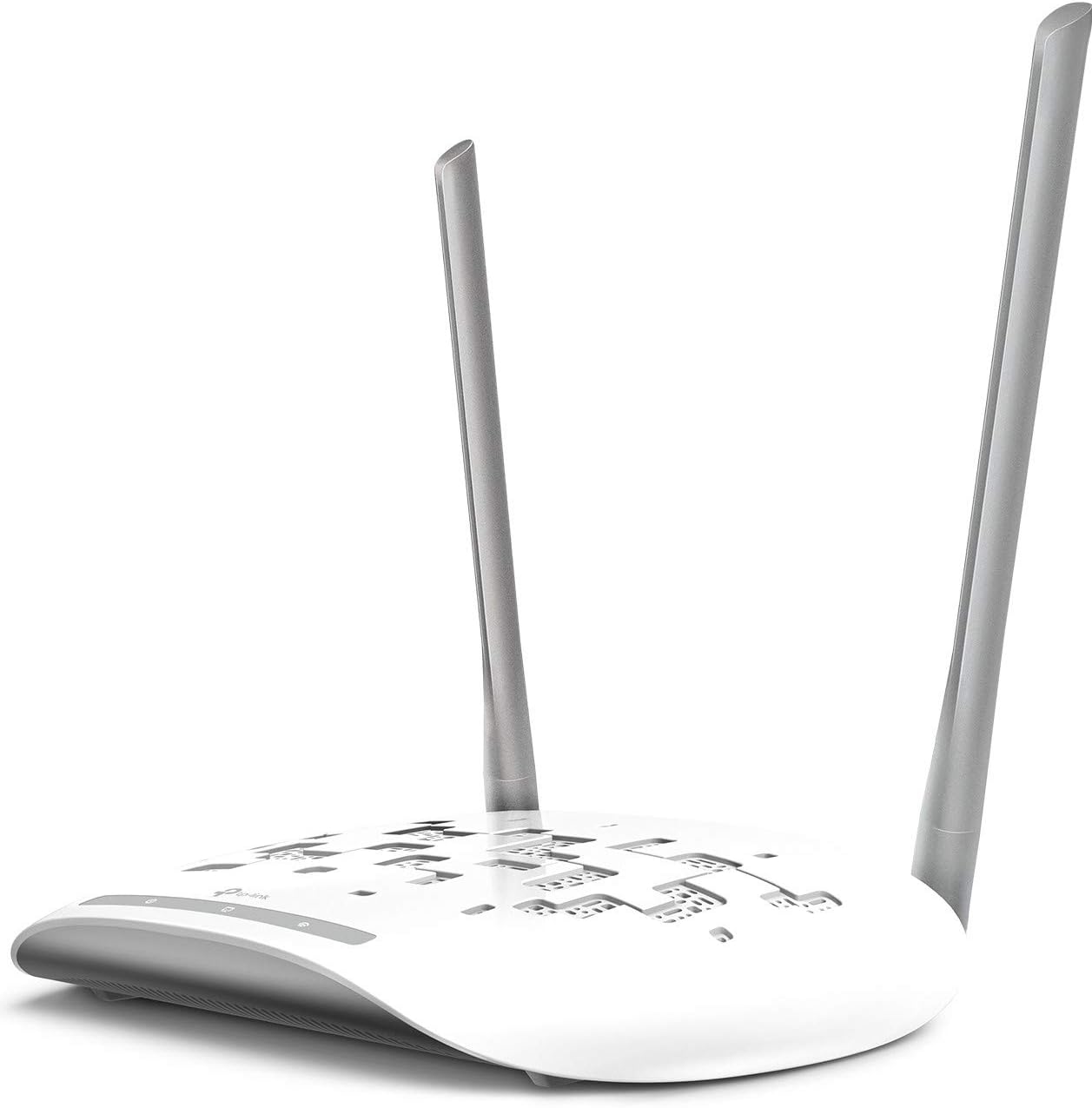
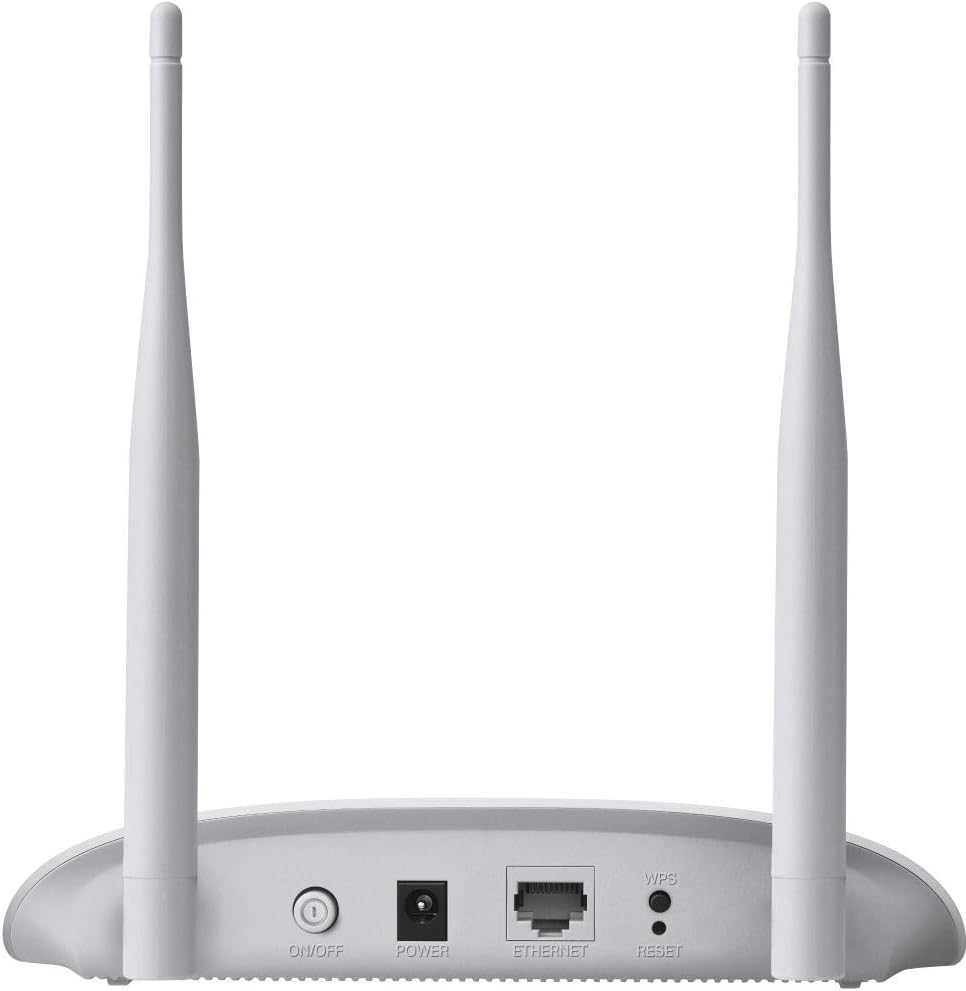

TP-Link WiFi Access Point TL-WA801N, 2.4Ghz 300Mbps, Supports Multi-SSID/Client/Bridge/Range Extender, 2 Fixed Antennas, Passive PoE Injector Included
$24.99
Price: $24.99
(as of Feb 07, 2026 07:43:04 UTC – Details)
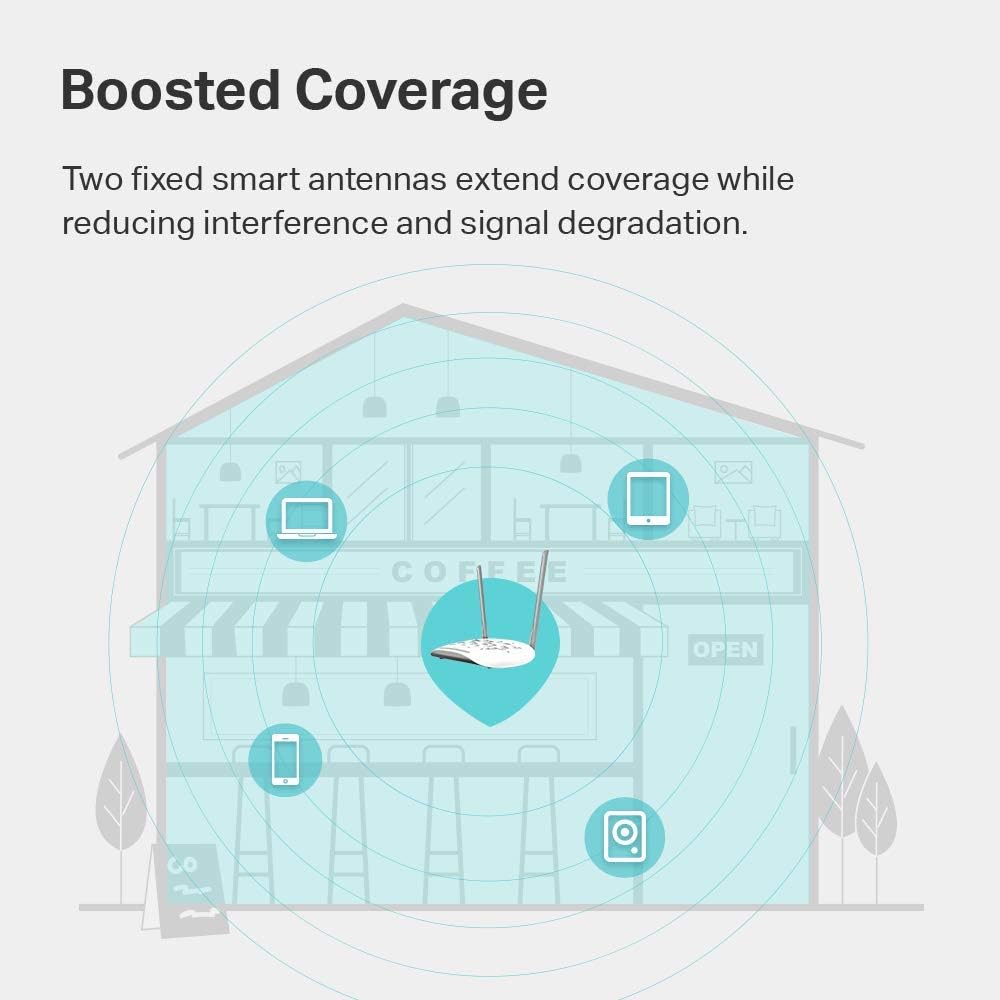
The TP-Link Wireless Access Point TL-WA801N is designed to establish or expand a scalable high-speed wireless N network or to connect multiple Ethernet-enabled devices such as game consoles, digital media adapters, printers, or network-attached storage devices to a wireless network. The AP supports a host of different functions that makes your wireless networking experience more flexible than ever before. Now, you can enjoy a better Internet experience when downloading, gaming, video streaming or any other applications that you may wish to use.
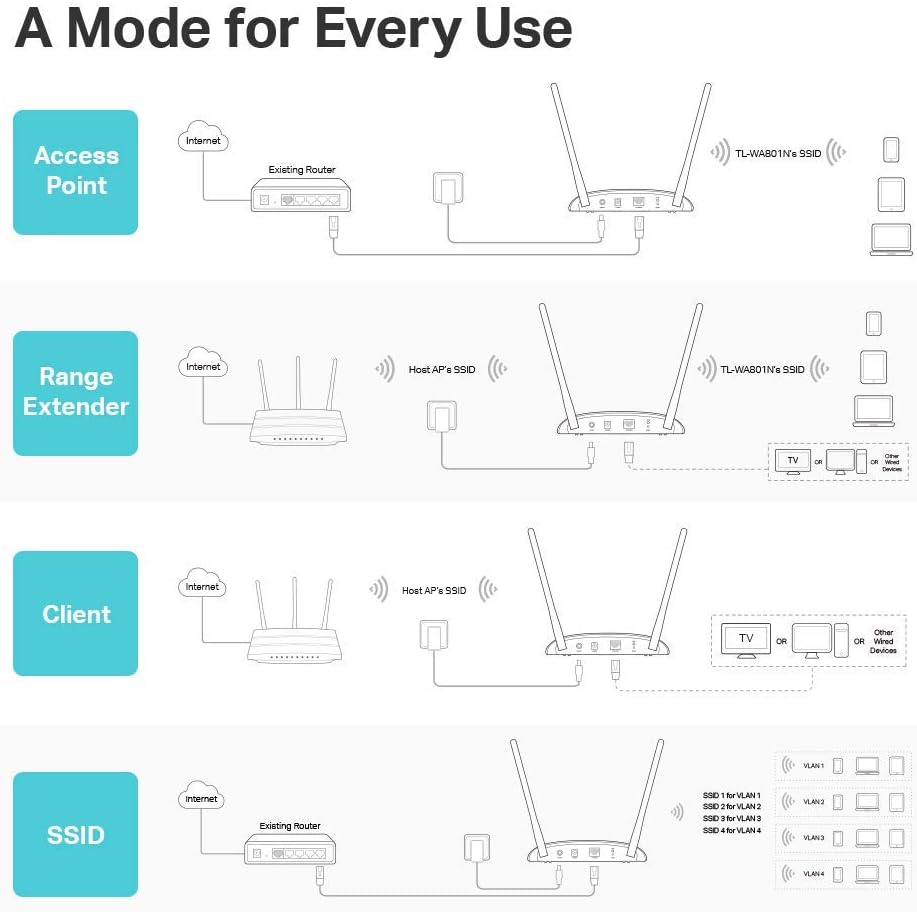
Multiple Modes: Supports WiFi Access Point, Range Extender/Bridge, Multi-SSID, and Client modes to meet any network needs.
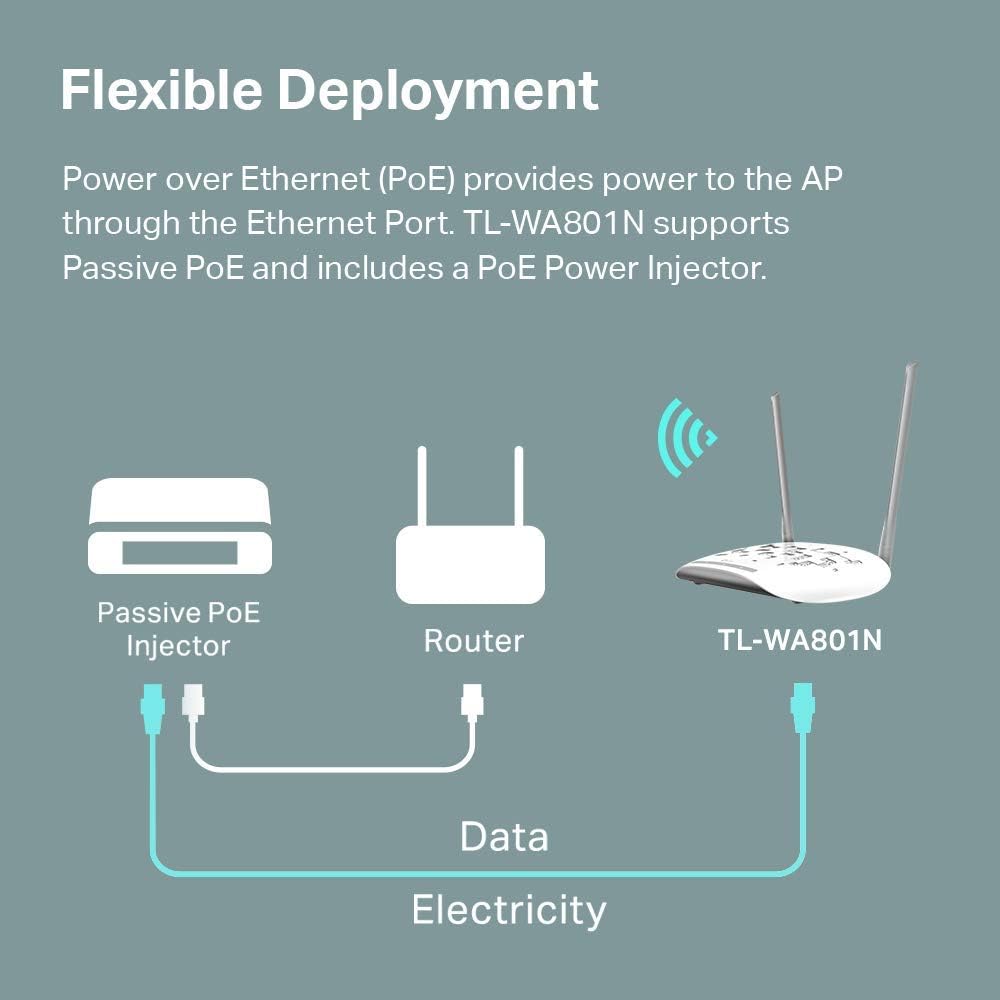
Flexible Deployment: Supports Passive PoE to carry electrical power and data simultaneously.Up to 30 meters (100 feet) of flexible deployment with included Passive Power over Ethernet Injector.
Fast WiFi: 300 Mbps wireless speed ideal for smooth HD video and voice streaming.
MIMO Technology: Transfer more data at a time with advanced MIMO technology.
Protects your home network with WPA2 encryption and makes quick connection with the push of a button
Industry leading 2 year and Free 24/7 technical support
10 reviews for TP-Link WiFi Access Point TL-WA801N, 2.4Ghz 300Mbps, Supports Multi-SSID/Client/Bridge/Range Extender, 2 Fixed Antennas, Passive PoE Injector Included


Related products


BAGSMART 15.6 Inch Laptop Case Sleeve Compatible with MacBook Pro 16 Inch,15.6 Inch HP,Dell,Acer Aspire,Asus Notebook, Lightweight Laptop Bag for Women with Shoulder Strap,Pocket,Handle, Pink


etguuds USB A to USB C Cable 6ft, 2-Pack, 3A Fast Charging Type C Charger Cord for iPhone 17 16 15 Pro Max 16e 17 Air, Samsung Galaxy S25 S24 S23 S22 S21 S20 A17 A16 A56 A55 Flip Fold, Gray



Mounting Dream TV Mount Fixed for Most 42-84 Inch Flat Screen TVs, UL Listed TV Wall Mount Bracket up to VESA 600 x 400mm and 132 lbs – Fits 16″/18″/24″ Studs – Low Profile and Space Saving MD2163-K


dj –
Excellent AP for the price
If your home has ethernet in it (or MOCA), don’t bother with mesh wi-fi. Instead, get an access point like this one, and set it up in a dead zone, or a place where your wi-fi signal is weak, AND where you have an ethernet wire that runs back to your primary router/gateway. (Often called “wired backhaul”).The instructions are unclear and missing a few steps. I followed them precisely but it wasn’t setting up, so I took matters into my own hands. Here’s how I did it, if you are trying to set this up in ACCESS POINT MODE (which they claim is the default mode):1. Plug the provided ethernet chord DIRECTLY into a PC that’s already on your network (wired or wi-fi, doesn’t matter), and plug the other end into the access point.2. Plug in the access point’s power, and wait a minute or two for the lights on the front to light up and stay on.3. Go to your computer and log in to your EXISTING router/gateway (NOT the access point), and in there, you should see some sort of “discovery” or “show all devices on network” button somewhere. Every router/gateway is different, so that’s about as specific as I can be.4. Once all connected devices are showing, you should see a new device, this access point – you can recognize it by its MAC address (12 characters, without the dashes or colons), listed on the decal on the bottom of the access point. Get the access point’s IP address (usually starts with 192.168 or 10.0.0 depending on what type of network protocol you’re running) and write it down. While you’re in there, you can reserve an IP address for your access point so it never changes again if you want to, but I don’t think it’s necessary or anything. (I reserve IP address to anything I can log into, like this access point, but that’s a personal preference).5. Next, log out of your existing router/gateway, and in Chrome (Edge didn’t work for me, but Chrome did), type in the address you wrote above, and hit Enter. It should load a generic splash screen about logging into the access point, showing a field for a username, and a password. On the bottom of the gateway is a decal with the user name (usually “admin”) and password to log into it. (I always take a picture of these labels with my phone in case I ever need them again).6. Once you’re in, change the password and/or user ID so it’s not the default, for security purposes. From here, what I did was I changed the default SSID and password to match my gateway (and the rest of my network), so that when the access point is set up, it matches. This way, your devices can roam about your house and will choose this access point if it’s the strongest one, and if you roam back to where your gateway/router is strongest, it will hop off of the access point and join up with that one, all seamlessly in the background. You can still use different SSID and passwords on the access point if you want, but I find the “hop” between access points is faster if they all have the same SSID and password.7. Save everything and log out of the access point, unplug it, take out the ethernet cable, and now to go the ethernet jack where you want your access point set up permanently. Plug the access point into the ethernet jack and plug in the power brick and then test using a smartphone (I like the Android app “Wi-fi Man”) that the access point is on and giving a signal. Mine worked on the first try.FYI, this thing also works with a MOCA setup (in case you can’t run ethernet in your house, you can instead use existing cable coax as a “network”), but setting that up is its own set of instructions not relevant here.Hope this helps.
LeBlorque –
Works great, POE adapter included.
fired right up, easy to set up. Worked perfectly right out of the box.
Robert Roscher –
Solid Access Point with One Quirk
This is a great little unit — reliable, easy to set up, and performs well as a WiFi access point. I gave it 4 stars instead of 5 due to one design limitation: although it supports passive PoE, it doesn’t work directly with a standard PoE switch. Instead, it requires its own included adapter, which you have to insert inline with the Ethernet cable and power separately using a dedicated power supply. That means two outlets are needed — one for the switch and one for the adapter — which adds a bit of clutter and complexity to the setup.Aside from that, it’s a solid performer and a good value for the price. Just be aware of the power setup if you’re expecting true plug-and-play PoE.
R. Leaf –
Stock firmware is unstable on 5GHz, but OpenWRT works great
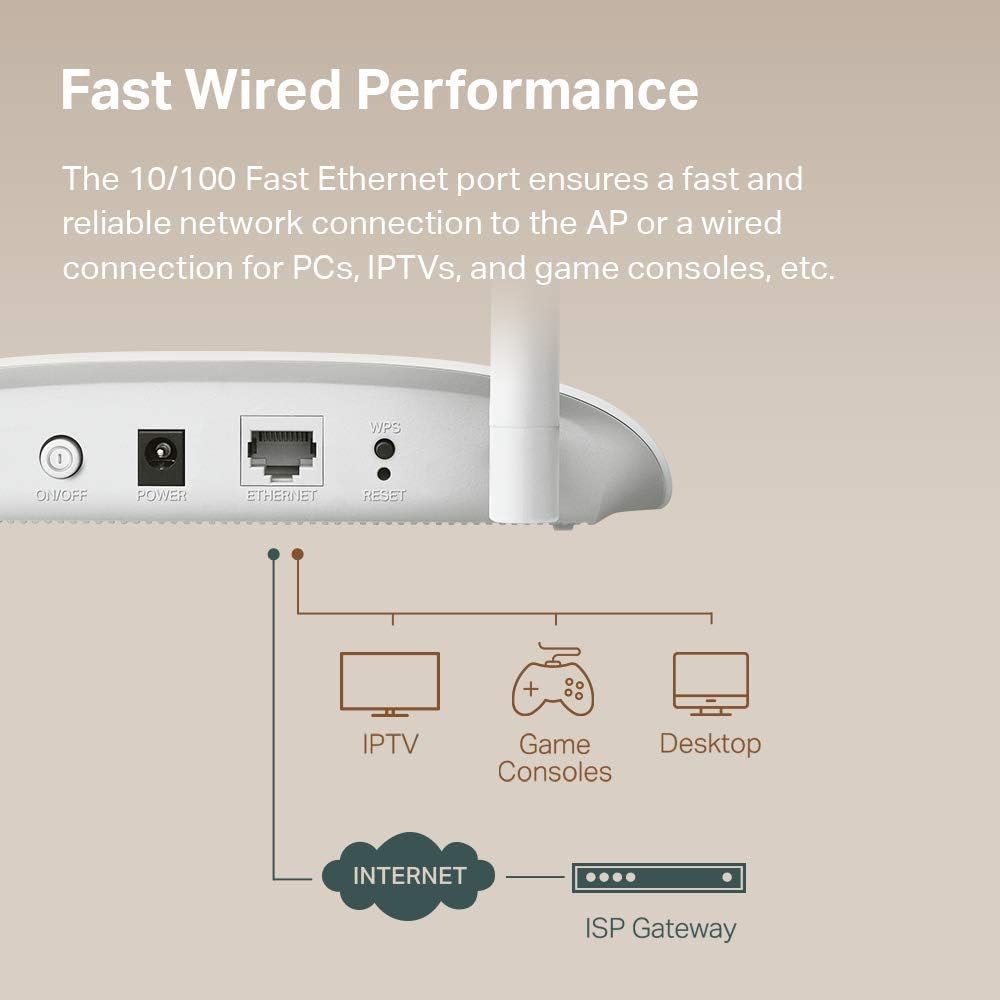
TL;dr — this AP is another case of good hardware, awful firmware. The OEM firmware makes this device unusable, but flashing OpenWRT makes it useful again.Full Review:I bought this access point to use as a wireless client bridge for a computer in my house that gets an extremely poor wireless signal. Initially, I was disappointed because I was limited to a 2.4GHz connection, as the 5GHz connection was too unstable to be used. I’d regularly run into issues watching YouTube videos, browsing the web, or making Zoom calls.The solution was to use the 2.4GHz radio instead. This meant that my connection was limited to ~45-60mbps, which pales in comparison to a typical 5GHz connection speed of ~250-300mbps. For reference, my iPhone 11 is able to pull ~560-620mbps when placed next to the hardwired access point.i initially considered returning the AP, but then I found someone online had ported OpenWRT to this access point. Although this may void the warranty, it solved my issue. No longer do I have stability issues with the 5GHz radio, which means that I have both a reliable and fast connection to the Internet again my home office.OpenWRT is great, although it’s far more complicated of an interface than the default TP-Link one. I would not recommend using this device in this configuration unless you’re familiar with more advanced networking concepts or are willing to learn.Pros:- Inexpensive- Supports wireless client bridge mode.- Supports PoE using the provided injector. This is extremely beneficial to my setup, since I can place the AP where I best receive a signal, even though I don’t have a power outlet nearby.- The Qualcomm Atheros QCA9886 802.11acn wireless radio has excellent performance- Gigabit LAN port (to the reviewer claiming it doesn’t have one, this is simply not the case; there’s no way I’d be able to pull 300mbps if it had a 10/100 interface).- The default firmware supports bridge mode with DHCP & NAT disabled, which means that every device connected through this AP has its real Ethernet MAC address exposed. If you plan to use this on a college campus or want your connected device(s) to be bridged to the parent network, this is very useful. If you use this mode, you can still control the AP’s settings using the assign IP address for the access point itself.Cons:- Default firmware means that the 5GHz radio is unstable. I also had problems with controlling the LEDs and updating settings.Bonus Pro-tip:I only used this device with one computer, but you could easily use an Ethernet switch with the single port on the back of this device to connect multiple computers/devices.
Citizen Arkane –
Fantastic piece, it’s the BOMB!
This piece is the BOMB !! TP-Link TL-WA-1201 I had let two different ‘range extender’ pieces drive me nuts, their software was hard to use, but once figured out it still didn’t work, signal was lame and choppy. So drilled into web and learned superiority of Access Point. Thought I’d try a base monel to learn on. Trust me, TP-Link really knows what they’re doing. Instructions were clear, everything I was sent to look for was there, the steps made sense, their website fed back reliably, and within a couple hours IT WORKED! And it waxs LOUD! Signal next to it 76%, outdoors 30-ft from unit is still 65%. Amazing, Software is brilliant, now that I did one, doing the next will take about ten minutes, it’s a breeze to work with. BUY THIS, even if you don’t need it. Yet. You will, it’s a spoiler.
Massimiliano Sica –
Proprio quello che cercavo, funziona molto bene, ha fatto gli aggiornamenti firmware appena collegato, supporta il multi ssid sia a 2,4 che a 5 ghz tramite vlan, ottimo per la sicurezza, unica pecca forse è che non si può impostare indirizzo ip statico. Soddisfatto
Sylv –
J’ai acheté ce répétiteur pour avec la wifi en extérieur et également pour des caméras de surveillance extérieure.J’en suis très satisfait.
Josefien Mulder –
Werkt heel goed
R A Wilson –
Excellent item delivered very quickly. Very easy to set up.
glabib2010 –
a much cheaper product wr840n does a better job, same transmit power with additional AP capabilities, DHCP etc, just install it in a weather proof box and it becomes OUTDOOR