


GL-X300B (Collie) 4G LTE VPN Industrial Wireless Gateway, External Full-Band 4G Antennas, Hardware Watchdog, at Command, DNS Encryption, 2.4GHz ONLY (RS485)
$99.99
Price: $99.99
(as of Feb 13, 2026 05:53:00 UTC – Details)
4G LTE Industrial Wireless Gateway
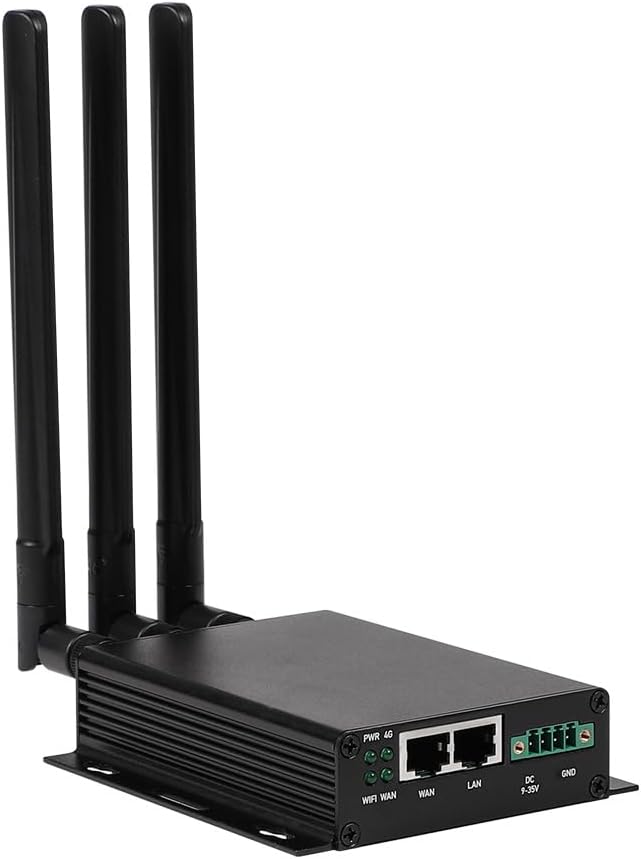
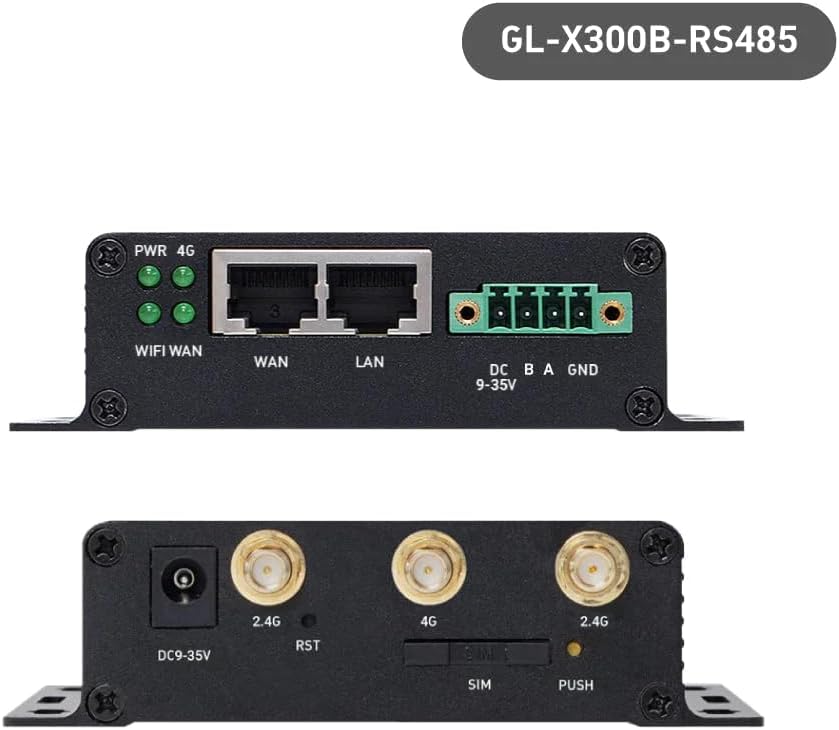
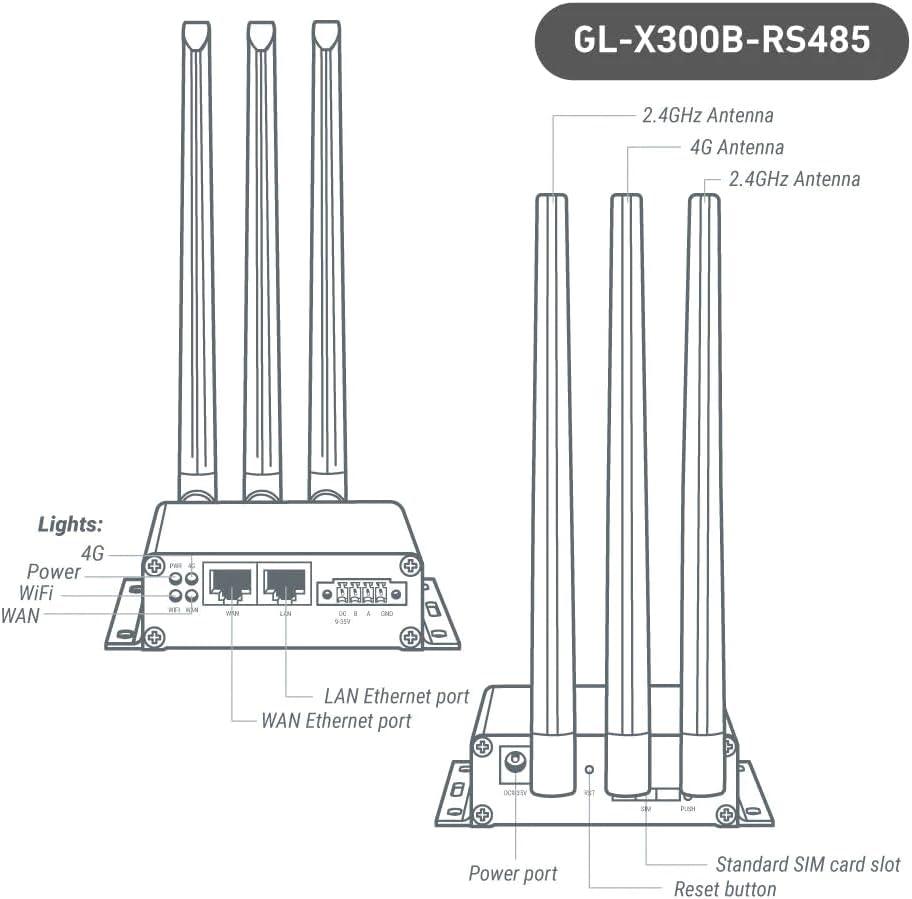
Collie is a compact and cost-effective industrial 4G router. Equipped with the external full-band 4G antennas, the aluminum alloy shell and the hardware watchdog, the mobile router ensures stable LTE connectivity in harsh and hazardous environments. Collie can also serve as a smart industrial Internet gateway with the functions of RS485 interface for a range of IoT applications including vending machines, charging piles, smart agriculture, metering, and more.
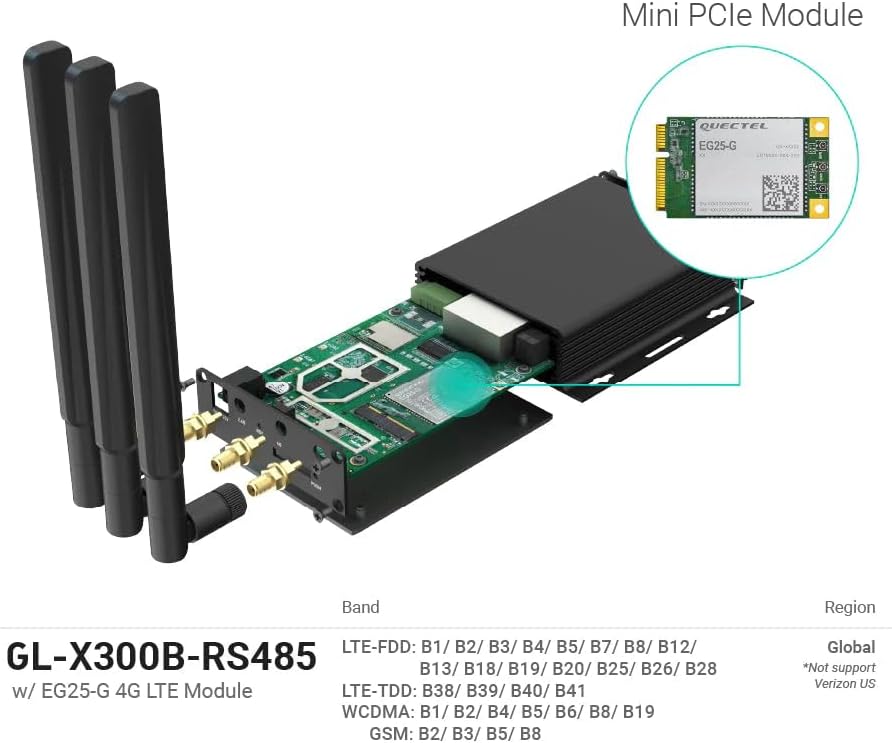
【Built-in 4G LTE Module】 With a standard SIM card slot that supports the 4G LTE network. It can move into 4G LTE wireless network if the Ethernet Internet fails, in order to ensure constant data transmission in the critical facilities. (Not support Verizon Network in the US)
【Industrial Hardware】 Qualcomm QCA9531 chipset provides stable performance, it is commonly used within the industry, which is perfect for industrial users to avoid breakdown. The Built-in hardware watchdog ensures the stability. It’s dedicated hardware that can detect and trigger a processor reset if necessary.
【Open Source & Secure】 OpenWrt pre-installed. Perfect for developers or IoT integration development. It supports 30+ VPN service providers, including OpenVPN & WireGuard.
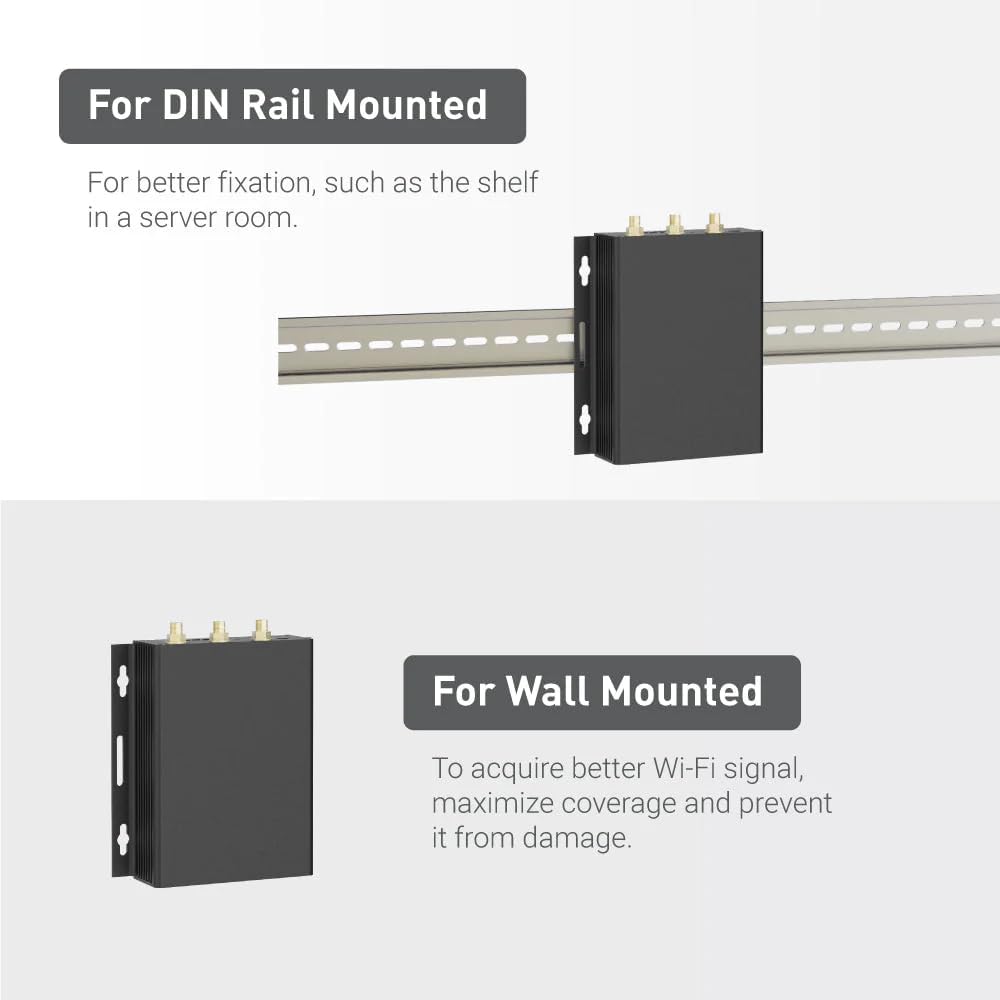
【Compact Design】 Its aluminum alloy shell, optional wall-mounted design, and wide range of operating temperature are designed for easy installation, storage, and operation in tough industrial environments.
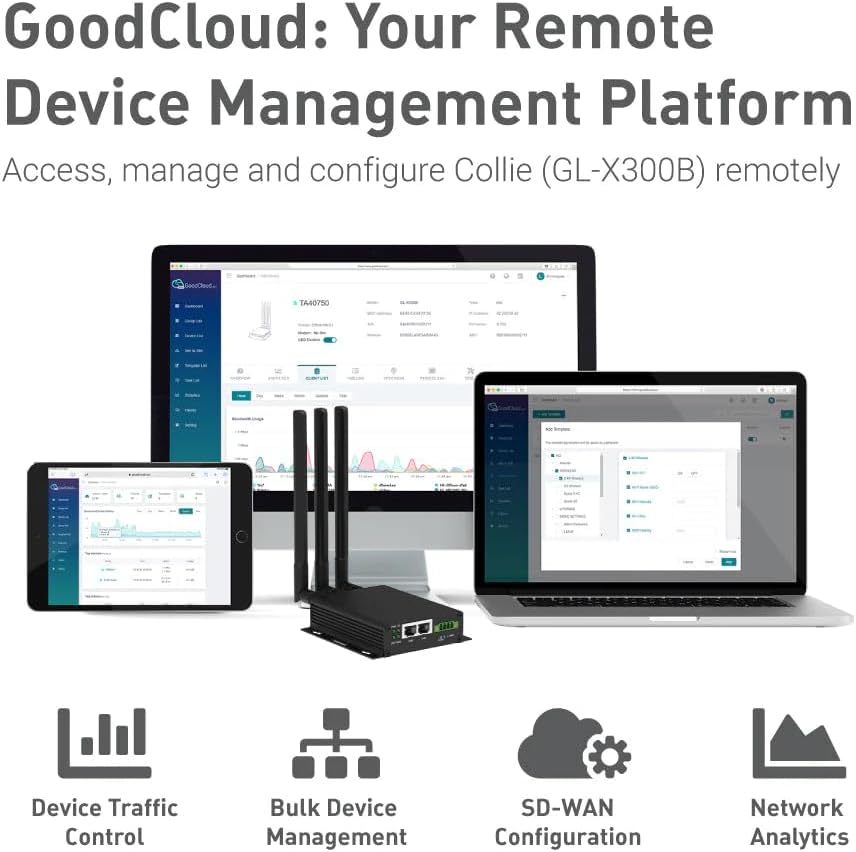
【Easy Configuration】 Supports AT command, manual/automatic dial number, and signal strength checking in our new admin panel for better management and configuration.
The cellular feature in this product is restricted in Russia, Belarus, Cuba, Iran, North Korea, Syria, and the Crimean Peninsula due to modem limitations.
11 reviews for GL-X300B (Collie) 4G LTE VPN Industrial Wireless Gateway, External Full-Band 4G Antennas, Hardware Watchdog, at Command, DNS Encryption, 2.4GHz ONLY (RS485)


Related products


carlos trigo –
easy to use router
Im not a tech savvy guy but in my business I use a lot of routers. I have been buying lots of Peplink router and they are solid bullet proof routers but are very expensive and can be difficult to configure. I wanted to try something less expensive so I decided to try this little router. WOW.. Talk about easy to set up. I originally didn’t understand how to do it so i tinkered with it and simply installed the sim card, logged into the router hit cellular and it was online using a cellular connection just like i needed. I liked it so much I bought 2 more the new day. I am going to be using these exclusively and plan on buying 15-20 more. I wish I could offerer a more technical review but i cant. If you need something that you wont be trying to find tech support for this is your router.
KB –
Works excellent!
It was easier than I expected to get this working. I just put the sim card in, connected on the LAN network following the directions, and in no time it was working. It has a lot of features that I’m not using, but it does what I need perfectly.
jason marks –
Don’t buy
Could never get it to detect the SIM card second one if had this issue with using the SIM card recommended by the manufacturer
Lord Waffle of the Breakfast Empires –
Very nice, functional and using OpenWRT.
Update: Looks like this thing, on GPS-enabled models, phones home GPS data. This COULD be for a cloud offering/service related to Goodcloud – gps-telemetry.goodcloud.xyz is the destination domain for the phonehome. They also use an MQTT provider for some other telemetry data from the device.I’m inclined to think it’s basic telemetry you opt into, and a service they provide, but… Just something to be aware of.Rest of review pre-update follows:The shipped firmware is:OpenWrt 19.07.8, r11364-ef56c85848I like that it’s OpenWRT – That gives it a ton of possible features, and known reliability. Unfortunately that shipped version is pretty old, released August 7th, 2021. There’s a pending update that bumps it up to… Well… 19.07.8. It looks like the firmware update fixes an internal regression with SMTP services. I haven’t applied it yet as I write this.The SSH daemon is Dropbear v2019.78. There’s a couple not-great CVEs for this, but no 9.8s or anything.SSH is enabled by default. You define the root password on first login to the webui, and you use root and that password to login. Not idea, but… OK.There’s a single default password for the wireless network (goodlife), this is pretty bad. There’s also no prompt to change it on first UI login.The cellular side of this seems to work as advertised. I’m using a 5G/4G prepaid data SIM that I’m also reviewing. Upload and download performance is what I’d categorize as “pretty much not the worst” – It does what it’s supposed to.There’s an option for forwarding SMSes, which is also nice.The UI exposes the serial connection to the cellular modem, so you can send your own AT commands if you want to. There’s some predefined ones, and an input field. I’ve tested a few cellular bridges and routers, and none that I know of have exposed this. Very nice to see.The CPU is:system type : Qualcomm Atheros QCA9533 ver 2 rev 0cpu model : MIPS 24Kc V7.4It has 128MB RAM:root@GL-X300B:/tmp# cat /proc/meminfoMemTotal: 123584 kBMemFree: 62808 kBMemAvailable: 57664 kBIf this thing had a USB port, it looks like the firmware still has USB modem tethering enabled./www/cgi-bin/api is a fun looking binary, looks like there’s additional API calls you can make that aren’t exposed in the UI. I’m not too interested in digging too deep though.The above was captured on the shipping firmware. I then upgraded to the latest. This was compiled a couple years ago still… Well. OK. I THOUGHT I was upgrading to the latest, because I just followed the prompt to upgrade from within the UI. If you look up Collie on the vendor’s website (that’s the codeword-type name for the device) you’ll see a series 4 firmware is now out, and 4.5.17 was released 2024-06-06. This is much better than the impressions I was getting that this was another device that received a token fw update or two…You can go download the image from their site and open it up in 7zip, or a loopback mount, or whatever you’d like.Overall I’m pretty impressed with this thing, and I’m glad I had the opportunity to dig into it. The fixed Wifi password is a bit of a letdown, but times are changing and I don’t know for sure when this was manufactured. Hopefully newer releases or newer product lines ship with random passwords per device.I expect that nothing of what I wrote above about the software stands if you move to the 4.x firmware line.
Josh –
Easy setup, missing one feature
Setup was super easy, really just put in my SIM, plug in the power, and answer some questions. Going through the different menu options was pretty intuitive.It doesn’t have the fall back function I was looking for. I wanted this to be on my home network, and only switch to LTE if my cable went down. It only has that function if you hook it up between your cable modem and the rest of your network. For some cases that might be fine, but I don’t want to replace my high end router with this less expensive lower powered option.Also, the hardware watchdog appears to only be for the device itself. I was hoping I could connect it to another device and have the watchdog
drewchadwick –
Features of plenty, but ultimately disappointing
I was really looking forward to using this to spread my T-Mobile 4G LTE signal throughout my house. The T-Mobile hotspot we were given is a tiny little device and its Wi-Fi signal grades after about 15 feet. I was excited by this and its long range antennas. It has a lot of nice features going for it: compact, steel shell, weather, resistant, and easy to set up. As a wireless router, it has a basic web based interface you can access with the default IP connected to a PC via ethernet. It has all the software settings you would expect such as ability to set up multiple SS IDs, security settings, custom, firmware, Access control, limitations, and custom firmware. All these things are great and the included DC base control port is great for modders. You could easily connect it to your raspberry pi to set up automation steps.However, all of this is mute because I don’t think the SIM card reader works. Using my trusty T-Mobile SIM card from my home hotspot, I can see the device connect to the T-Mobile network and receive packets, but it will not provision on the network. I suspect this is a firmware issue, but it’s beyond me and most hobbiests. Perhaps somebody out there has more skilled than I and for those people this might work just fine, but I found it frustrating and after a week of play, give up on it. Your mileage may vary.
Paul Semicolon –
Well, it’s early days, but it seems pretty solid and functional. It even looks nice on my desk. So many consumer routers, etc are designed to stand upright, and of course then want to fall over, but this thing sits stable on the desk with the aerials sicking up. I like it.I’ve just been using it as a straightforward 4G wifi router to provide internet access, and it does the job. I have not explored any of the fancy functions.I was using another GL-iNet product, a tiny yellow ‘Mango’ mini-router with an iPhone tethered to it via USB. That worked, mostly, but the ‘Collie’ router gets a better 4G signal and doesn’t need frequent re-setting or re-initialising as the iPhone/Mango combo did.So anyway, I confess that I went for this 4G router over others because I was already familiar with the GL-iNet web-based control interface, so I thought I’d have less new stuff to learn to get it working. So I can’t say if it performs any better than any other 4G router, but it seems fine to me.I was considering dropping a star because the wifi range did not seem as good as most home internet routers I have come across, but I think that would be, …well, I would have given it 4.7 stars if I could, but 4 stars would be too low, so I gave it 5. it’s fine: I just had to be careful where I put it to get both a good 4G signal and deliver a good wifi signal where I needed it. But having found a good location, it now just works, so all is good.
Svarth –
Hab jetzt Failover im Homeoffice
Steve –
I received a used unit with with someone else SIM card in it, and had to do a complete reset because the default password wouldn’t work. And I am expected to pay full price?
Matthias Kremer –
Gekauft für unseren mobilen Hühnerstall – an dortige Solar-Anlage angeschlossen. Funktioniert mit Überwachungskameras einwandfrei und bisher stabil. Wertiges Metallgehäuse – robust. Einfache Installation/Inbetriebnahme. Versand und Warenzustand perfekt.
Yellow Monster –
It does the job fine and is versatile. However, it has very little storage space. 1.9Mb only available when running 4.x firmware for installing plugins. If you don’t need plugins, it will be fine. But if you want to install something like Cloudflared which is nearly 9 Mb, then look elsewhere.