

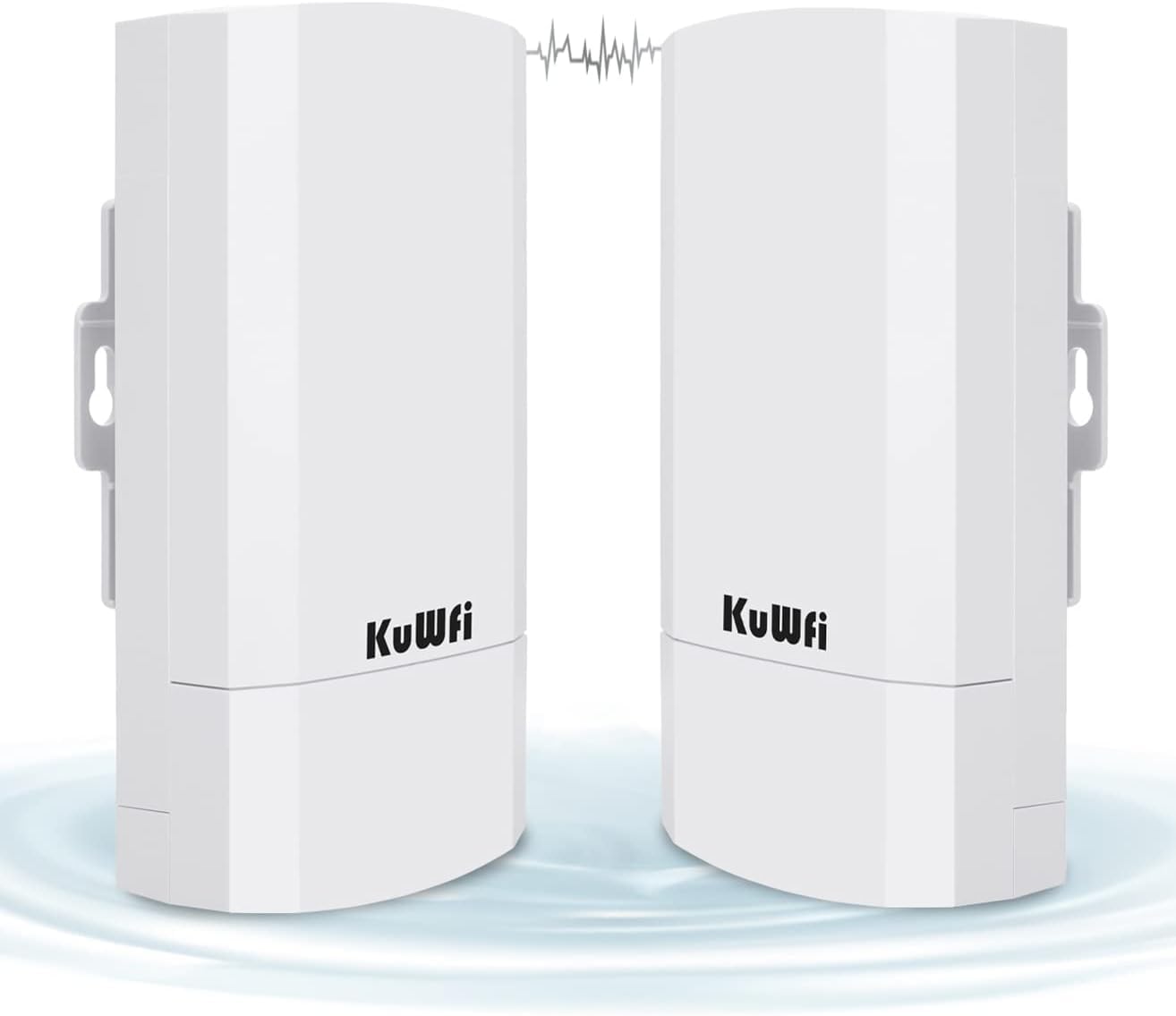
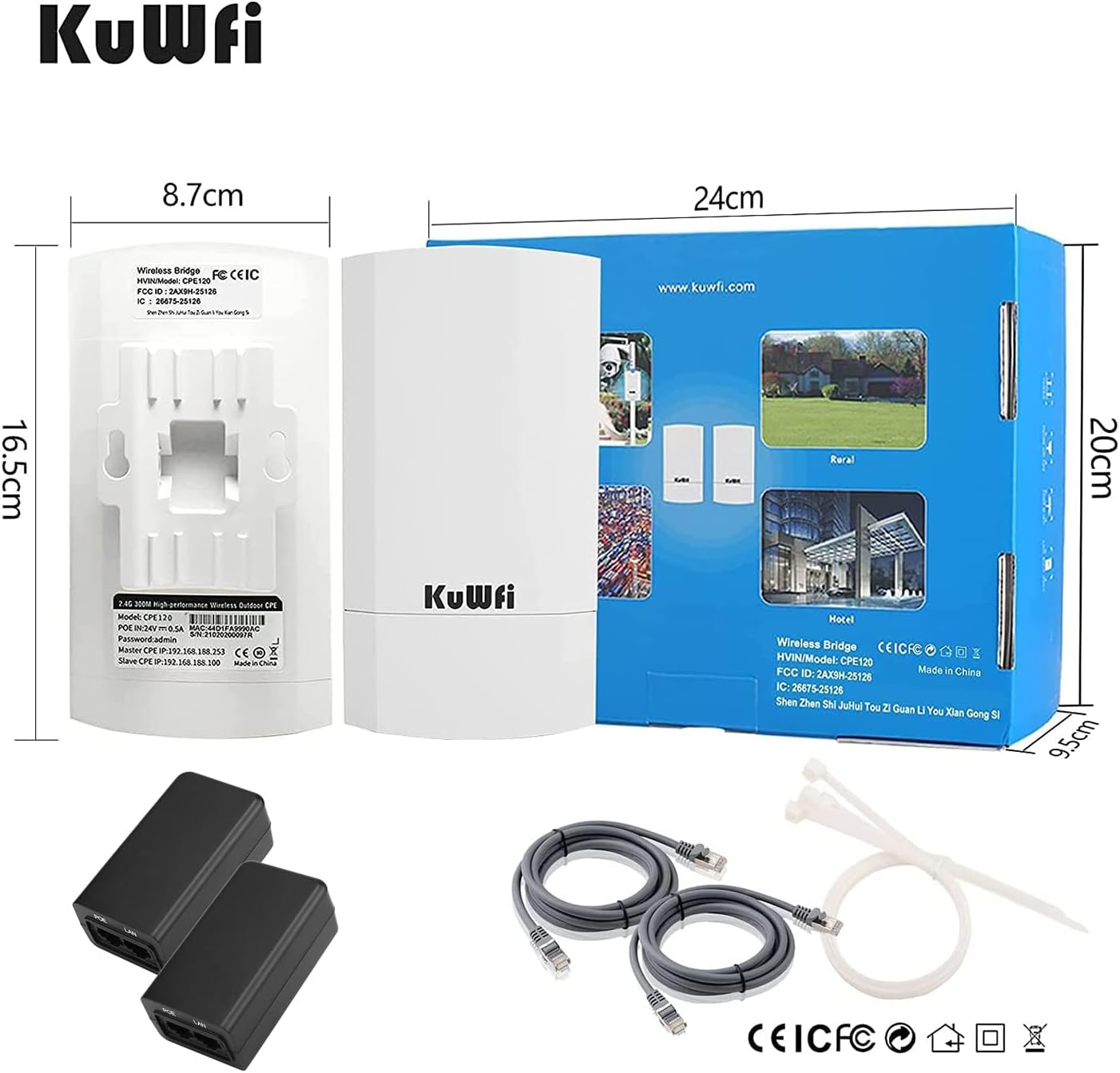
KuWFi 2-Pack 300Mbps Wireless Bridge, Outdoor CPE WiFi Kit Point to Point Wireless Access Point 2.4G Internet Bridge 1KM Transmission Distance Solution for starlink Signal
$56.99
Price: $56.99
(as of Feb 14, 2026 04:40:06 UTC – Details)
From the brand

What is the KuWFi brand
KuWFi Smart Wireless provider and technical solution facilitator which manufacture,sales and technical-support all in one.Providing competitive wireless network devices and solutions for customers all over the world
What is Wireless Bridge
Like a invisible network cable, transmitting network signals via wireless way. It uses wireless communication technology to transmit network data using air as a medium
How does it work
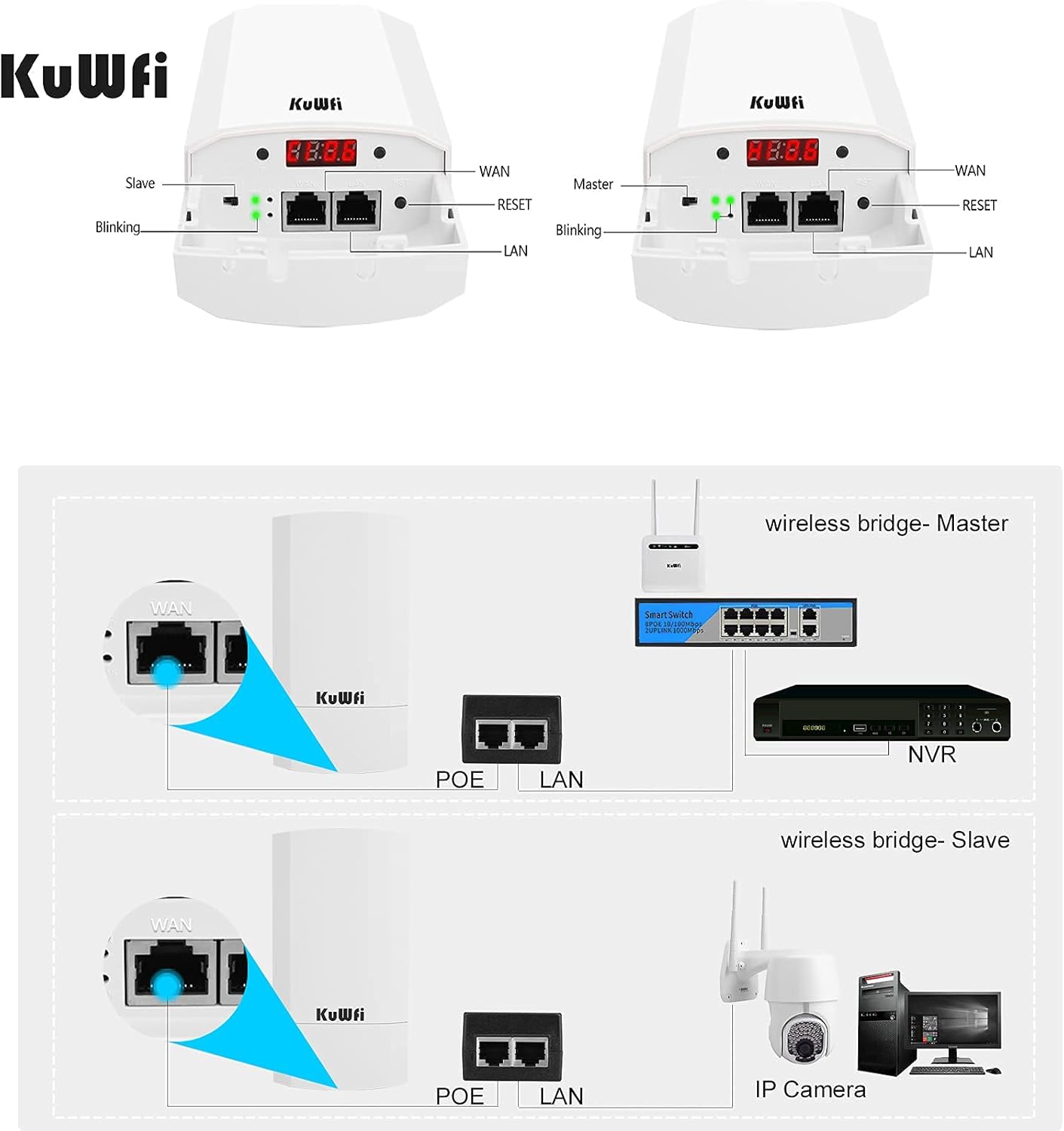
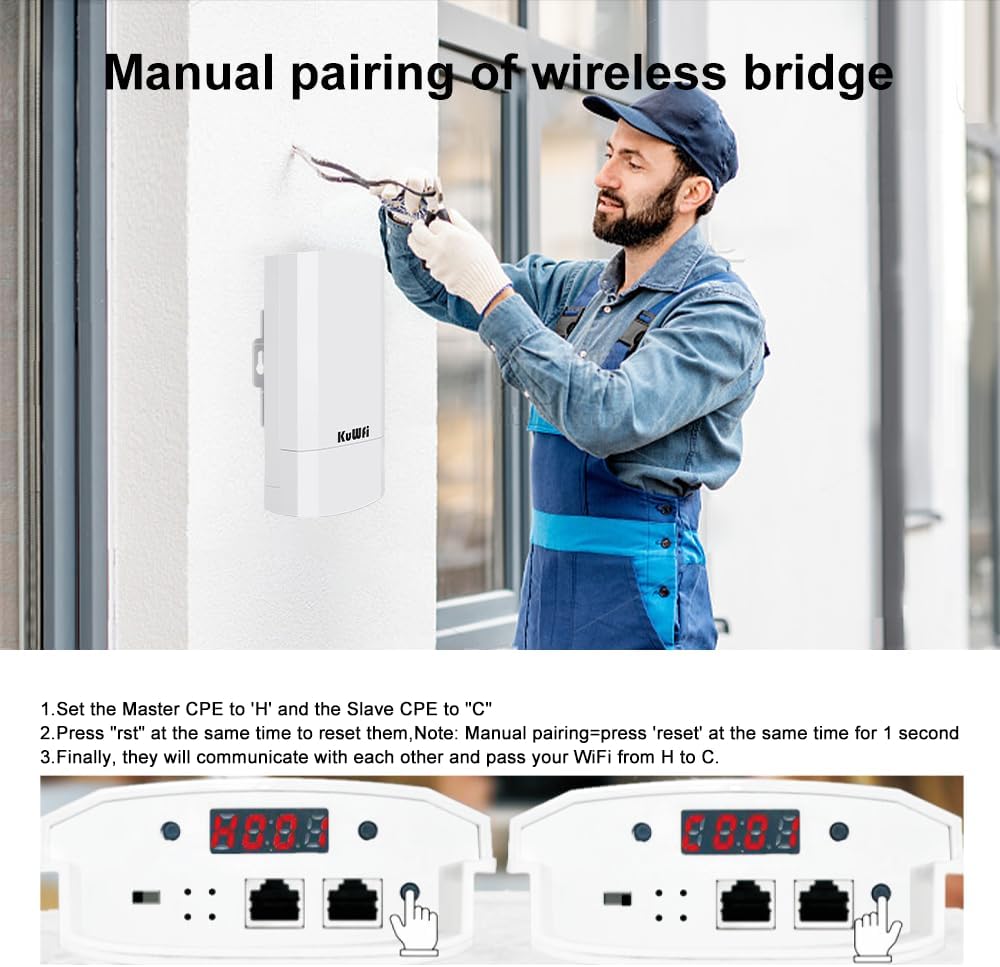
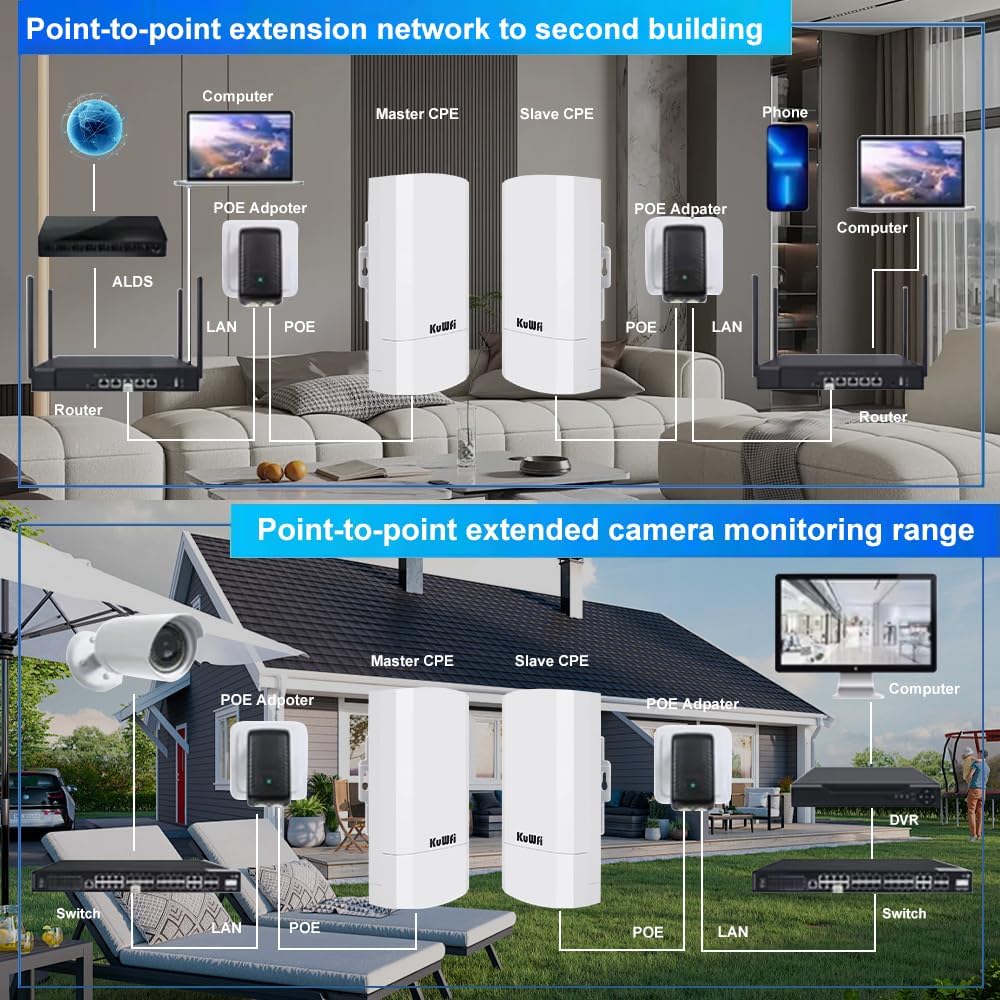
One set as master, another as salve, they will communicate with each other after successful pairing. It can extend the network to another building
KuWFi New Products

KuWFi Wireless Bridge
KuWFi Wireless Bridge

Elevator Monitor
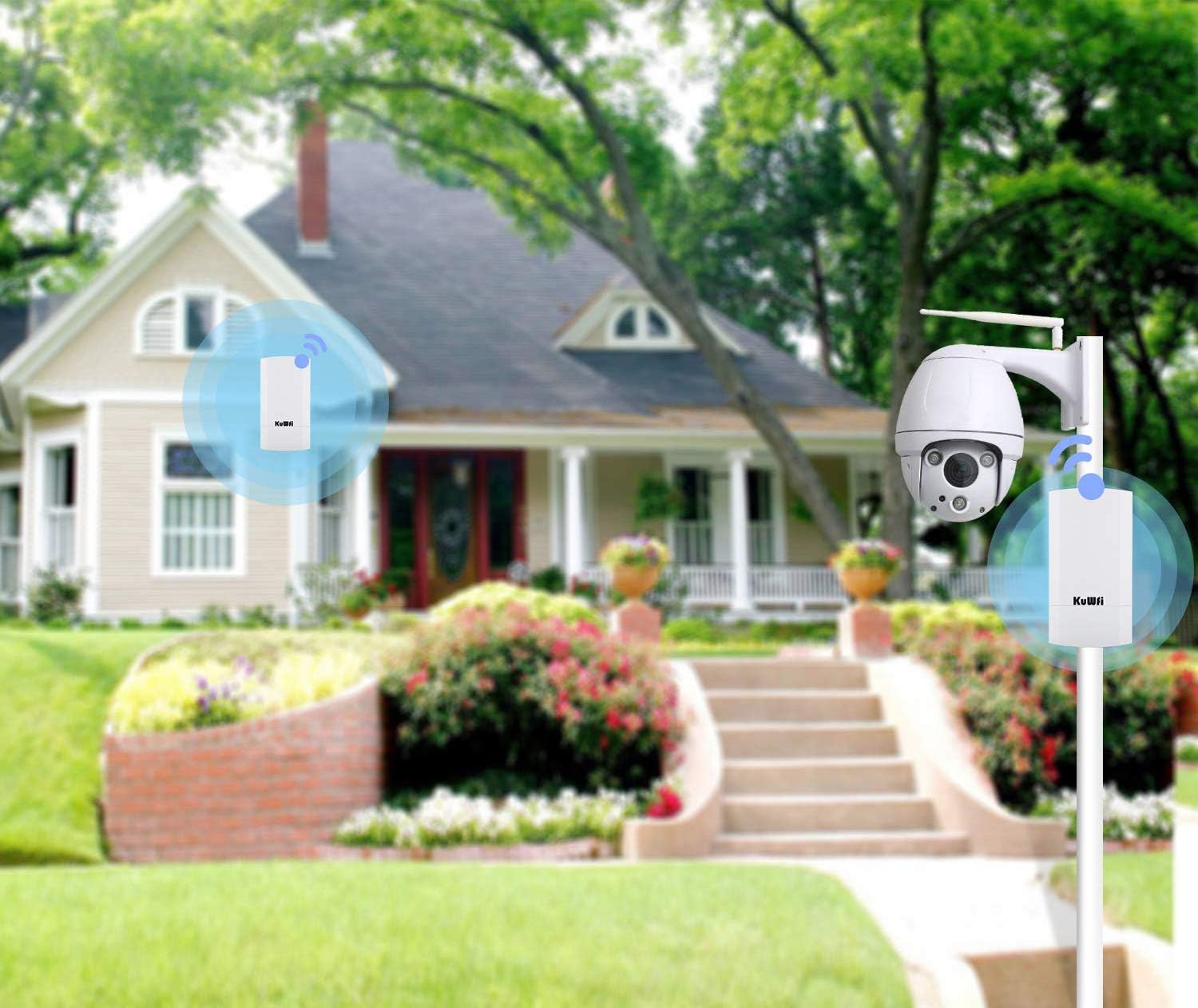
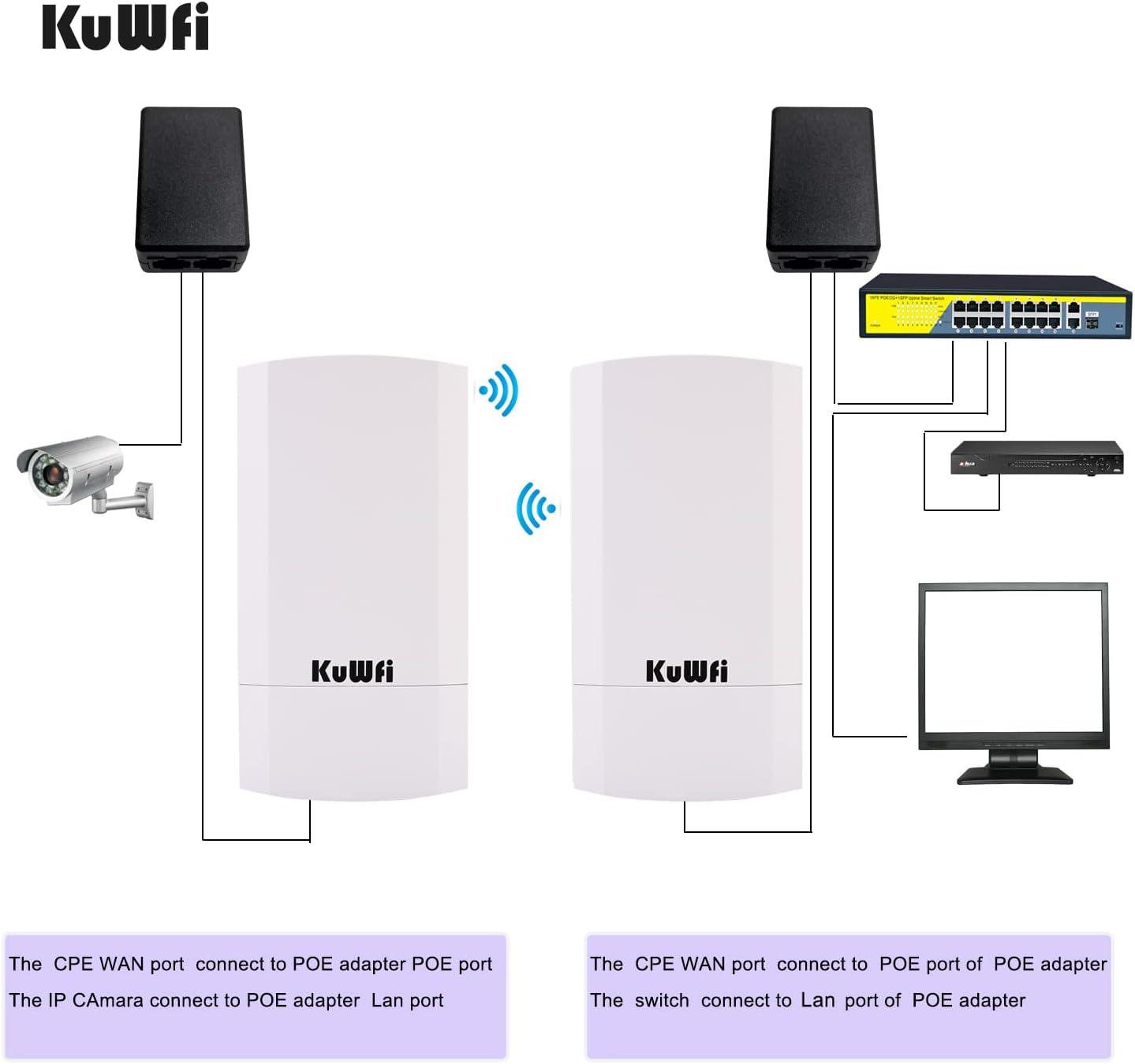
Connect ip camera to KuWFi’s port and utilize its long-range connectivity to send surveillance video back through the wireless network

WiFi Network Solution
Point to point extension of the network to your barn, garage, shop

Outdoor Surveillance Network
Point to point/multipoint Connection for IP camera, allows your multiple cameras to be easily and conveniently centrally managed
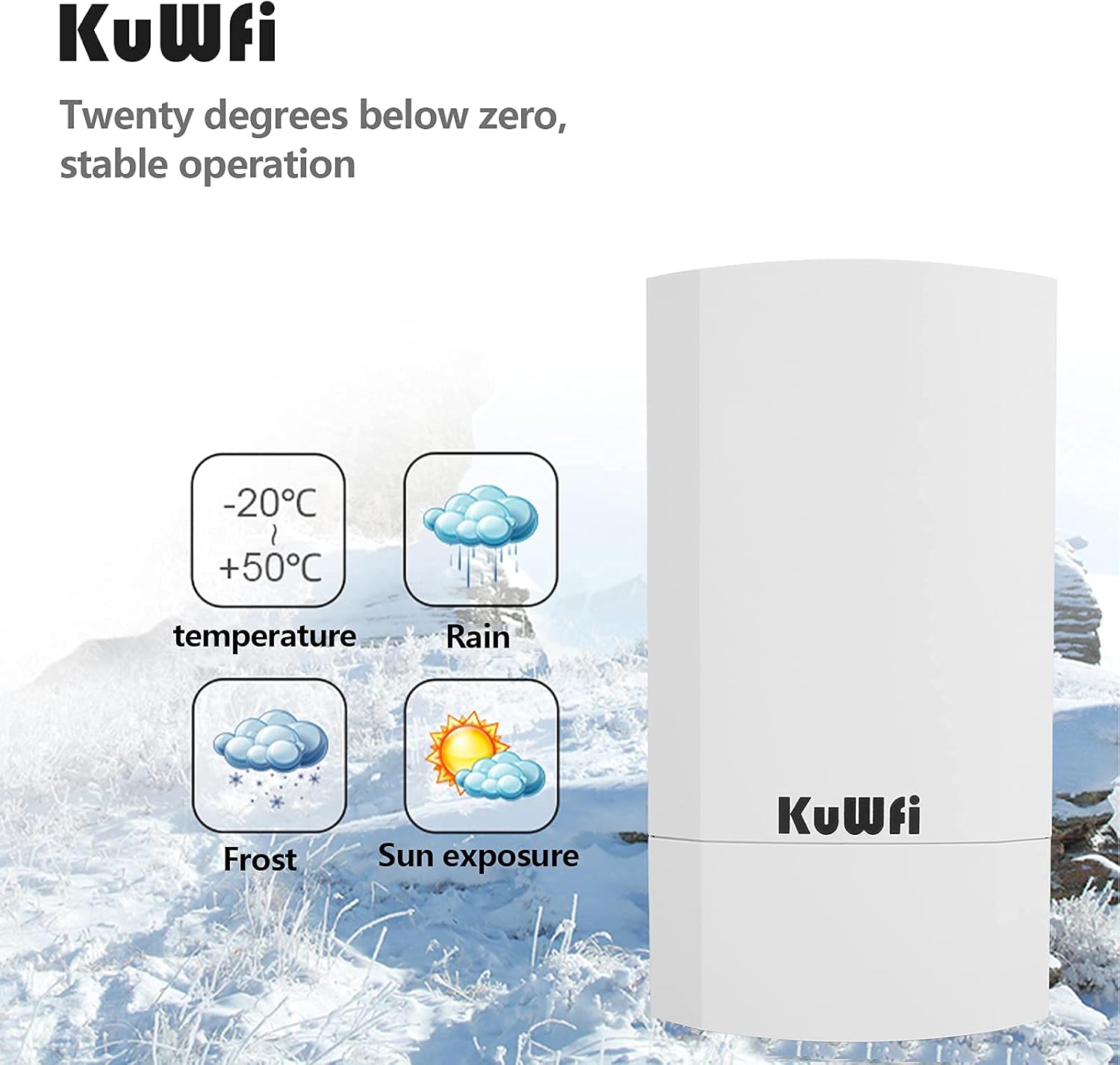
【What CPE120 is】This KuWFi CPE120 kit offers a robust 300Mbps outdoor wireless bridge with an impressive 1KM transmission range. Equipped with an LED display for easy configuration, it supports both AP and Bridge modes, ensuring stable connections for various Wi-Fi transmission needs. The device is fully weatherproof, dustproof, and lightning-protected, making it ideal for harsh environments. Operating Temp: -30℃ to 55℃; Storage Temp: -40℃ to 70℃.
【Versatile Operation Modes for Diverse Networks】Supports multiple operation modes including Point-to-Point (PTP) and Point-to-Multipoint (PTMP) connections, perfect for extending surveillance networks or connecting IP cameras. Easily set up your CPE120 with IP cameras and network DVRs for extended coverage, providing “eyes on” places you might not otherwise see. Ideal for elevator monitoring, security systems, and more.
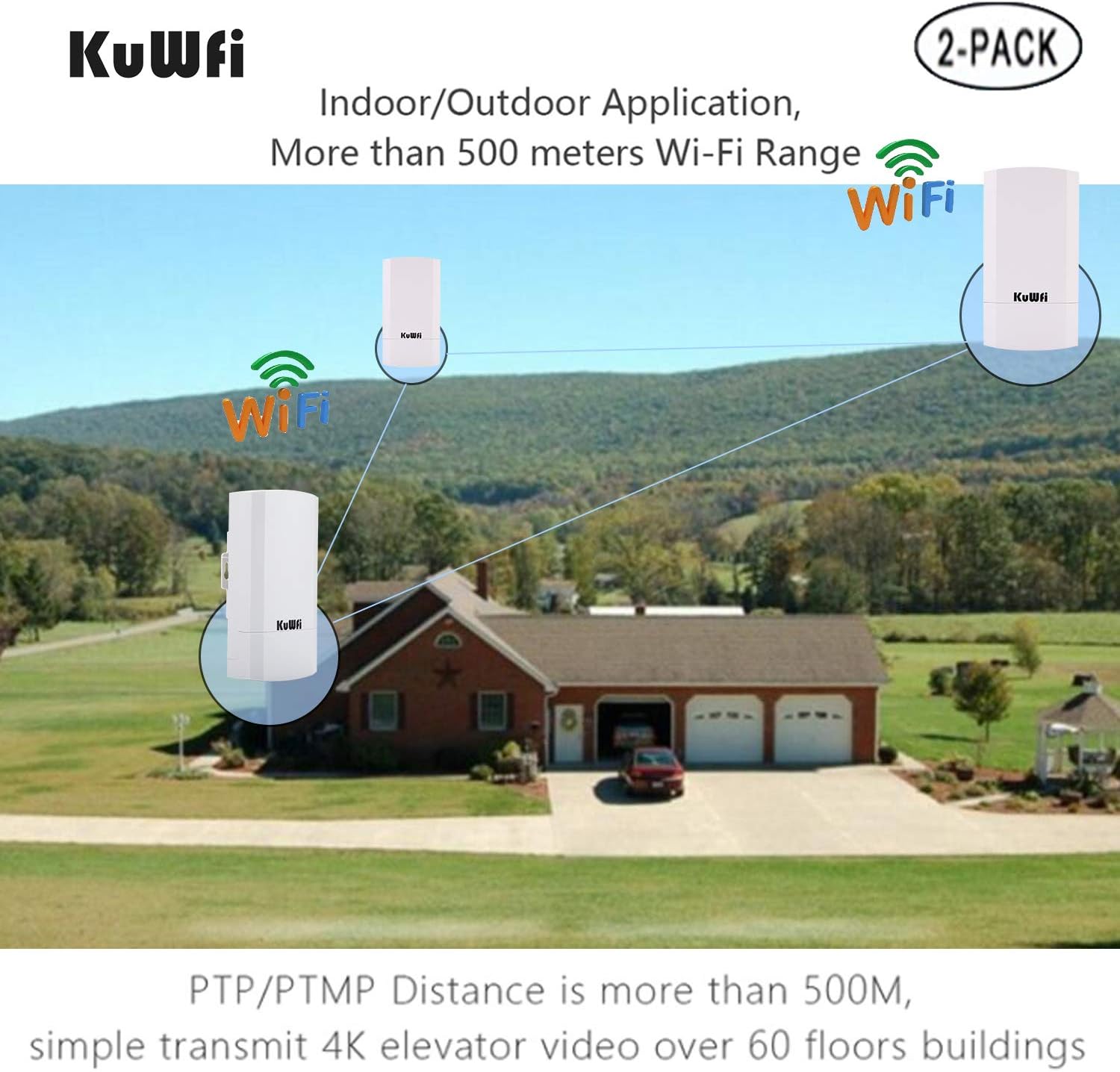
【Enhanced Wireless Coverage & Connectivity】This multi-mode wireless bridge features an Ethernet port and LED display, supporting AP, Repeater, and SSID broadcasting (up to 4 SSIDs). It can cover two houses within a 1KM distance, ensuring reliable Wi-Fi coverage. The built-in DHCP server simplifies network management, making setup a breeze.
【Compatible with Starlink router】Compatible with Starlink routers, this point-to-point wireless bridge integrates effortlessly with the Starlink satellite Internet system. Whether you’re using any generation of Starlink devices, this product ensures a reliable network connection, offering seamless connectivity and convenience.
【Reliable Warranty Service】Backed by our 30-day money-back guarantee and month free replacement, 1-year manufacturer warranty and professional technical support. You can use the Wireless WiFi Bridge with confidence. If you need any help, please contact us in time.
9 reviews for KuWFi 2-Pack 300Mbps Wireless Bridge, Outdoor CPE WiFi Kit Point to Point Wireless Access Point 2.4G Internet Bridge 1KM Transmission Distance Solution for starlink Signal


Related products


REOLINK Duo 3 PoE 16MP UHD Dual-Lens PoE Security Camera with 180° Panoramic View, Motion Track, F1.6 Color Night Vision, Person/Vehicle/Animal Detection, 2 Way Talk, Supports 24/7 Recording


SpaZZco –
Great Value compared to Ubiquiti
Great Value replacement for Ubiquiti. I have two pair of these radios. They are easy to use plug and play for those who are not tech savvy but they also have a full web GUI for those who are IT savvy. I was able to set the network setting the way I want them. I set these up to connect my detached garage to my main network. The radios do a great job sending the signal through a window and a wall as both radios are mounted indoors. I have IP cameras and I have no issues with my camera streams.
Christopher F –
Worked out of the box!
Amazing! They worked for my needs out of the box with no adjustments over 1000ft distance to add internet to another house. I put the master on my house with internet connected to one of my ISP router LAN ports and aimed it approximately toward other house. I put the slave on other house aimed at master. I used POE on both to power them over Cat 5 cables. Connected slave to a new cheap wifi router at other house. I followed new router instructions to set up wifi with password at other house. Everything worked with no issues and maximum speed at both houses.Warning that the instructions are hard to figure out if you have issues or need a different configuration, but for my needs it all just worked.
Danny A. –
These are fantastic, not just for the value
I have been building a complex wifi network in a remote area with many connecting areas that are each on average around 1200ft distance from each other. I purchased these, as well as the TP Link CE210 to compare the differences in features and quality. Both antennae’s perform about the same in connection speeds from my test. 1200ft with both antenna’s point towards each has been easy to reach with both the Kuwfi and the TP-Link. The CE210 is rated for 15km in comparison to the Kuwfi 2k, but I have yet to test at anything close to that range. It is still possible the CE210 will still reach farther distances for the kuwfi, but at the distances I generally need to go I don’t notice a difference between connection and speed between the two.Where they are harder to compare is in features. The kuwfi packs a lot for the value, but has a few quirks with the software and interface that I am still figuring out. Overall, the kuwfi has an easy to connect host and client mode that can be selected without logging in to the interface. This is super useful, as it also has an automatic pairing that makes connecting two together a breeze. Where I have had difficulties, is when multiples of the devices are connected, yet running independent from their pairing, I have ran into IP conflicts because each host wants to use the 192.168.10.253 IP by default. I was able to put them in a DHCP mode, but there are still little quirks I have been working out and the interface can be tedious to use. In comparison to other devices I have used, this seems less straight forward for some reason.Here is what I like most about these antenna’s. Two antenna’s in host and client mode can connect independently of broadcasted SSID name on each device. This means each end of the connection can host its own Wifi name, which can be matched to the area it is sitting in. I have not been able to do this on the TP-Link yet, as I have only been able to connect in repeater mode which requires it to be the same SSID. It is a small thing, but I really like having that flexibility for what I am using it for. Another feature I like, is the extra ethernet throughput port on the antenna itself. This means you can connect at the POE point, as well as link another antenna to another that is next to it, or hard wire into a security camera. The TP-Link in comparison only allows connection at the POE side. This can be fine for most things, but the kuwfi seems to be useful in more situations. However, the TP-Link is a solid choice to use if you are taking it straight into a home router anyway. The TP-Link has a very solid build feeling to it as well, and is a little more straight forward in certain ways if you are just wanting to use it in client mode. The web interface is very easy to use on the TP-Link as well. However, the TP-Link does not do multi SSD, so there is no access point when it is in client or repeater mode. This can be a good or a bad thing.Both units are excellent for different uses, and it has become difficult to chose which ones to get for upcoming projects. Both devices are great, and I have been very impressed with their range.
Katrina –
Difficult instructions, no support and cumbersome
Frustrated is an understatement. Their website states free support via whats app or email. Its been 5 days and I have yet to get a response. Im NOT new to networking. A bit of a hack but would rate myself intermediate or better. Also had my daughter who is studying Cyber security at the masters level on a zoom call. ISpecifics:If you have a home network, chances are it is set to 192.168.1.XXX. You will need to change your network address pattern to 192.168.188.XXX in order to see the KuWfi on your network. Not a big deal, but clunky that the bridge address only allows changing the last bank of numbers.They offer a Repeater Mode and an AP mode. I configured the units both ways yet the signal strength from the second ‘slave’ unit was poor at best. The signal strength on my phone even with the slave right next to the phone is no better than my wireless router from AT&T. Tested 40′ away through a window, the signal strength is diminished, almost identical between my AT&T wireless and the Kuwfi unit. I believe the hardware was operational as in Repeater mode both units show C001, with an IP address of 192.168.188.100. in AP mode the master has a different code.Only way I could get an internet signal to the bridge device was via a wired Lan connection to the master, regardless of whether units were configured as an access PT or in repeater mode. After hours of trying, I was unable to connect the master via wifi to my network. In fairness, instructions were not clear whether this was even supported BUT the whole idea with wireless is that you can connect to the bridge wirelessly as well as wired.Instructions were difficult to follow at best. Their english way better than my Chinese but not easy or intuitive, especially if you are unfamiliar. Main page titled “Quickly Installation Guide”. FAR from plug and play. There are some web videos that did help. The UI to configure was relatively simple and straight forward, but the units did not provide the extended range needed.In the end you can get a low price, you can get service BUT you can’t get both. These are going back to Amazon
juan pablo –
Bueno
matthew k. –
Bought these as a Christmas gift to run some remote cameras to watch cattle. Setup was easy as it gets, yes the instructions are lacking and there’s plenty of settings I don’t understand the function of, but I plugged them in and did the pairing procedure in the quick start guide, that only involves holding a button on each unit, and everything else took care of itself. One thing I wasn’t sure of when I purchased and couldn’t find a 100% answer online was whether or not these broadcast a wireless signal. The answer is Yes, these broadcast their own wifi network, you can connect cameras via cable or wirelessly without the need for a router. Been in use for 2 weeks now so durability can’t really be determined yet but I have high hopes.
Armando Martinez –
El producto funciona perfectamente a una distancia de 30 metros que es la distancia para que yo lo necesitaba , no tuve que entrar en el software para modificar algo , solo los puse para emparejamiento y fue muy fácil , en el que recibe la señal le conecté un módem y al momento tengo wifi 🛜 y excelente velocidad
Amazon Customer –
I was a bit weary when purchasing, but the product is perfect. I think the 300mbps is “fake news”, as the connection is rated 100mbps. I got full speed at a range of about 400ft, with zero hiccups. Set up was easy, despite the useless instructions that didn’t pertain to the product in the box – the instructions were for a different version, or different product all together. Half the switches/buttons and display examples were completely not-applicable to this product. However the GUI web-based configuration is totally intuitive if you know anything about network equipment.All in all – it works perfectly as a bridge, with perfect performance over the distance in my application.
Carlos –
Las utilizo para pasar internet de una casa a otra, con una distancia de 30 metros aproximadamente, no tuve que modificar nada del software, solo conecté y listo.