





4K HD Digital Media Player, TV MP4 Video Player for USB Drive/Micro SD Card, Digital Signage, Auto Playback, H.265/HEVC, Optical/HDMI/AV Output, Grey
$46.99
Price: $46.99
(as of Feb 13, 2026 23:23:23 UTC – Details)
Product description
 4K HD Digital Media Player
Connect to TV, monitor or projector to play videos, photos or music via micro SD cards, USB flash drives and USB hard drives.
 Two USB Ports and One Micro SD Port
Read USB drives, hard drives and micro SD cards. Two USB2.0 Ports can connect many devices (like USB mouse/keyboard/U disk/printer), only one drive can be read at a time.
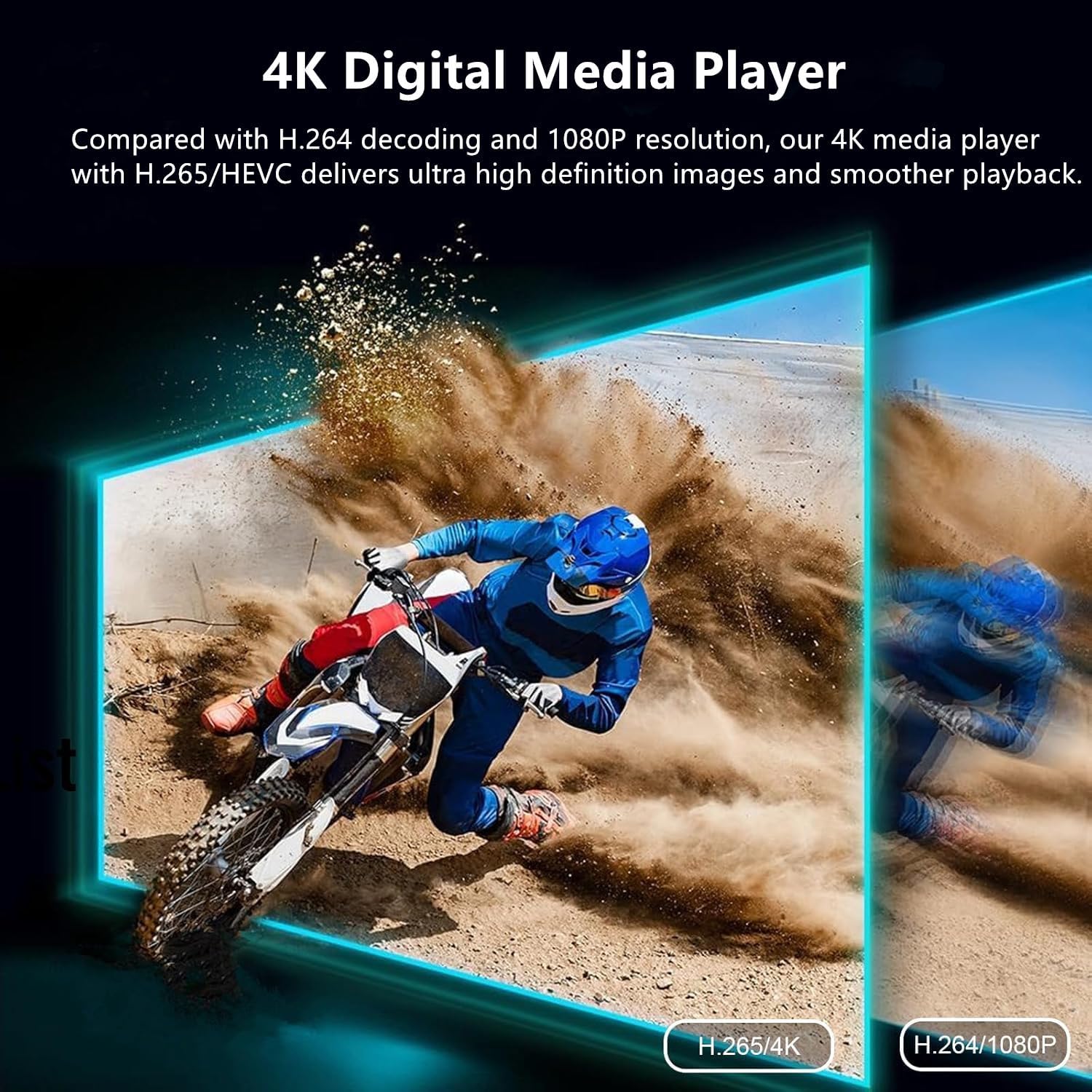
 Support 4K/H.265
4K HD Digital Media Player, TV MP4 Video Player for USB Drives/Micro SD Cards delivers ultra HD images, smooth playback and less bandwidth usage.
 Connect to speaker/amplifier Optical Output
Enjoy stereo surround sound, suitable for digital signage applications and home theater.


1 1
2 2
 HDMI Output
Connect HDMI output to TV/Monitor/Projector (HDMI 2.0 cable included).
 IR Jack
Connect IR receiver cable (not included) to IR jack, hide it into the cabinet, use it via a remote.
 AV Output
Connect AV output to old TV/analog TV (AV cable included).
1 HDMI Output
2 IR Jack
3 AV Output

Vidos Support Formats: H.265/HEVC(MKV, MOV, AVI), MPEG, FLV, RM, 3GP, MP4, WMV, RMVB, DAT, MPG, TS, M2TS. Vidos Support Modes: Subtitle display, shuffle play with repeat, resume from stop point, power on auto playback. Music File Formats: MP3, OGG, FLAC, APE, AAC, WMA. Music Support Modes: Automatically play music in sequential or random orders after power on. Photos File Formats: JPG, JPEG, BMP, GIF, PNG. Photos Support Modes: Automatically play slideshows/PPT in sequential or random orders after power on. File: PPT, word, excel, TXT, PDF Output voltage: DC 5V 2A Size: 3.15″L x 3″W x 0.63″H Audio output port: Optical Video output port: HDMI, AV Material: Zinc alloy
4K HD Media Player: The 4K media player allows you to play videos, music and photos from USB drives or microSD cards on any TV (old or new). Connect it to your TV, monitor or projector via HDMI to enjoy crisp 4K resolution, and hook it up to speakers or amplifiers using Optical output to experience up to 7.1-channel surround sound
Advanced H.265 Decoding: The hdmi media players for TV supports H.265/HEVC decoding, delivering smooth 4K@30Hz playback and data rates up to 200Mbps. Compared to H.264 decoding and 1080P resolution, The USB media player 4k provides sharp visuals, smooth playback and efficient use of bandwidth with minimal buffering
Dual USB Ports: Supports reading from micro SD cards, USB flash drives and USB hard drives. While it features two USB 2.0 ports for connecting multiple devices (such as keyboards, mice, flash drives and printers), only one drive can be read at a time. Compatible with FAT32, exFAT and NTFS file formats (MAC-formatted drives are not supported)
Versatile Playback Options: Photos and videos can play in sequence, while music supports shuffle mode. The digital video player supports auto-play, resumes playback from where you left off, and offers repeat and shuffle playback. The mini and portable media player is perfect for home theaters, offices or digital signage
Customizable Advertising Subtitles: During autoplay video playback, you can set the subtitles by adjusting position, size and color. The scrolling text runs in a continuous loop, perfect for promotional content. The hdmi player features a high-end zinc alloy casing for excellent heat dissipation and long-lasting durability
Note 1: Some high-capacity USB hard drives may require an external 12V power source due to varying power demands. Please consult your drives’ seller for assistance. Note 2: The package includes Only One Media Player, not two ones
6 reviews for 4K HD Digital Media Player, TV MP4 Video Player for USB Drive/Micro SD Card, Digital Signage, Auto Playback, H.265/HEVC, Optical/HDMI/AV Output, Grey




Steven J. Potts –
If your TV will not play your videos from your external HDD’s, BUY THIS!!!! IT REALLY WORKS!!!
This device is awesome!! Just what I have been looking for! I like to play videos off of large external hard drives – something that my Roku TV at times has a problem doing, especially with external HDD’s that are larger than 5 TB in size. I decided to take a chance on it since the price was right (just over $40 with a coupon I used). Very, very easy setup – and plus the power supply for the unit and all the cables you would need (HDMI, USB and RCA tri-prong) are included, except for the 2 AAA batteries for the remote. You can adjust the video display size, ratio, and rate, as well as the audio output. You can also use it for a type of slide-show for any photo files you might have. I hooked my 22 TB hard drive (full of large video files – I like to watch videos of game playing, Minecraft, Fortnight, Overwatch, etc.) to the device, and from the device, the HDMI to my ROKU TV. It took about 30 seconds for the little device to read all 600 files on my hard drive, but it did and did it perfectly!! And it played the video perfectly!! Trying to play it on my ROKU TV (without this device) would cause my TV to go “ape-doodoo,” and lose its mind. The only very, very minor squeak I have is trying to work the “fast forward/fast reverse keys.” Perhaps it will improve with practice, but instead of skipping time ahead in the current video, it skips ahead to a different one. As I said, maybe it’s me, and I need more practice with it. Other than that, I can’t recommend this little guy enough!! Once this winter storm hits and things get back to normal (delivery-wise), I want to order another one to use as a kind of a “jukebox” for my audio files.
Ira –
Crisp 4K video, random play from USB SSD works!
Firstly, I read all the bad reviews including a few AI on YouTube that listed 5 reasons NOT to buy this thing. 😁If I don’t read a sesstemic issue I buy the item and make my own decision as I did with this item.I wanted to be able to set random mode for my media .mp4 and .mp3 folders stored on my Sandisk 1TB SSD portable drive.Read on: Features important to me that I didn’t have when connected to my Sony BD player:1. YES 👍 the randomize mode really works.2. Can quickly drive scroll file lists and still see every file name fly by – no black screen or need to wait for directory to be updated as with my Sony BD player (with same SSD connected).3. Able to memorize remote keys into my Sofabaton Universal Remote (fantastic product) purchased at Amazon, too, as nearly everything I buy 😁Note:A. The manual is poorly written, is useless, it’s more of a joke and there’s nothing visually or grammatical clear. Don’t bother searching the web or the mfg home page. The good news, you don’t need a manual to understand this device, just 20 min playing with it.B. IMPORTANT TIP! To retain desired picture size and many other settings pause on one image or video, click settings, make desired changes. This method is saved even upon power cycles. This took me awhile to realize.C. I believe by ALL such devices mfg’d by other companies are the same and not worth my time order few and go thru each, returning all but one or sending them all back.This one is a keeper for me and what I should tell you at first it was to be “go back.”
Claudio J –
Muito bom.
Muito bom.
Danny Maldonado –
Works great!
Does exactly what I needed. Plays all my video formats flawlessly. The interface is easy to use. It resumes where you left off. No stuttering or lag. Great media device!
Glenda Sternberger –
Okay media player, but has it’s issues
An okay media box. It’s small and sleep and it does what it’s supposed to do. A couple problems however:It stretches any 4:3 videos to fill the tv horizontally, even if you have the setting selected to play videos in their original aspect ratio. I found an unorthodox away around that, but it stops working as soon as you turn the box off and I THINK it stops working if you change folders (not positive about the second part). Either way, that setting should work properly, period.Second problem is that it will not work with a high capacity USB HDD, even if it’s in a self powered enclosure. I have a 2tb 2.5″ drive with my movie collection on it and it will not see it, regardless of which enclosure I used. I put a 500gb 2.5″ drive in the same enclosure and that works, but I don’t know about anything larger than that. I’ve been using another much older media player for like 15 years and it has no trouble supporting a 2tb drive, or even more than one.Just be aware of those things, and a rather limited set of options and features, including no ability to move, copy, or delete files even though it has 2 or 3 different ports for USB or microsd. But as I said, if you just want to play videos or movies (or audio), it works.
Kris –
wow. plays everything i throw at it
great for watching downloaded shows on a memory card on a tv that doesnt have the best usb support, this thing works so perfect and super easy.,… great buy!