

Anycast Wireless HD Display Adapter Receiver 1080P Screen Mirroring Streaming Media Dongle Compatible with iOS/Android/Windows/Mac to HDTV Monitor Projector
$19.99
Price: $19.99
(as of Feb 12, 2026 22:21:24 UTC – Details)
Product description

Anycast Wireless Display Adapter – Mirror a small screen to a large one.

Anycast HD Wireless Display Adapter
What is an HD Wireless Display Adapter?
An wireless screen mirroring adapter that allows you to cast content from a small screen to a larger display.
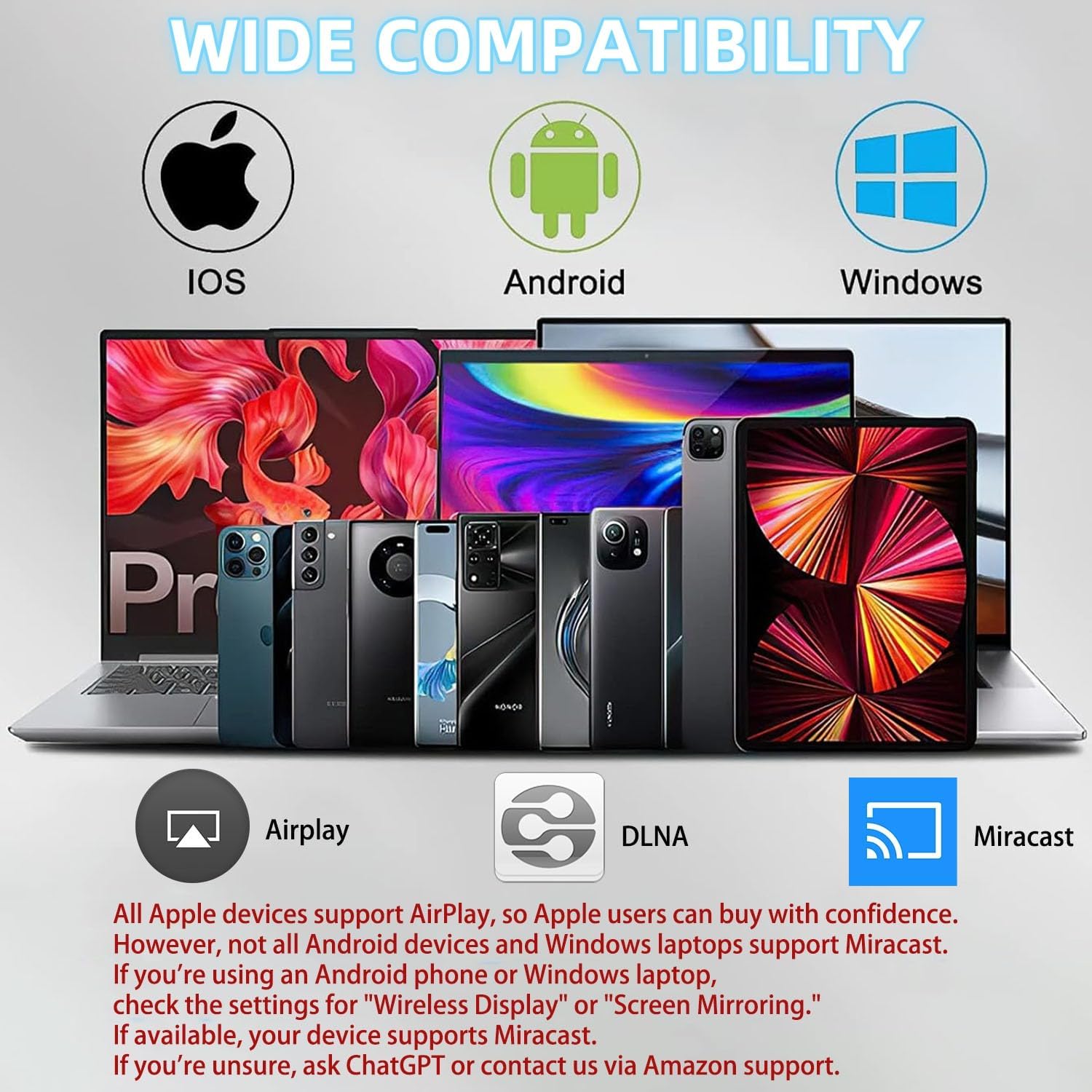
Your device must support either Airplay or Miracast to use this adapter.
Airplay-supported devices: iOS and Mac OS devicesMiracast-supported devices: Most Android and Windows devices
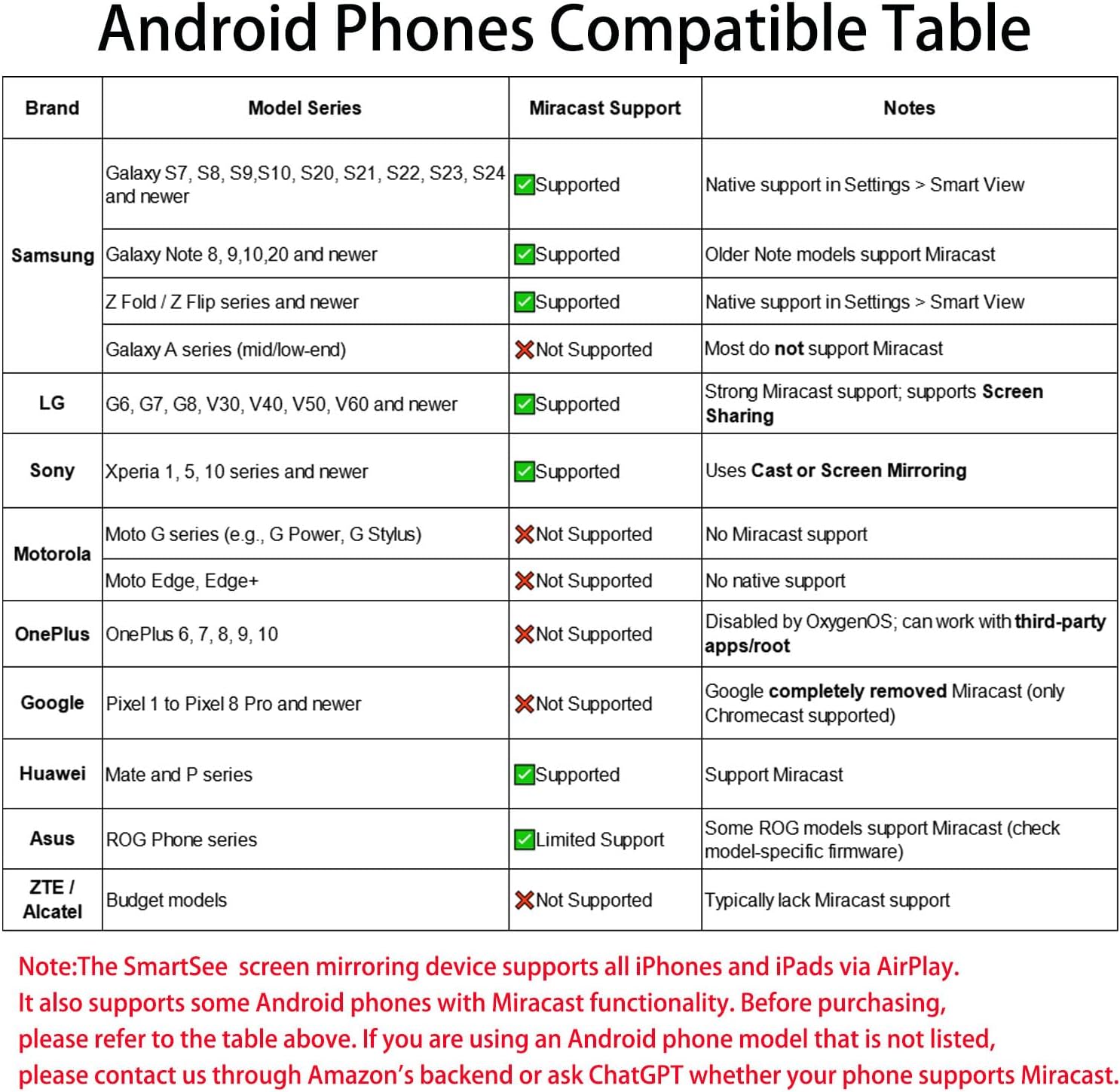
Note: Please verify if your Android or Windows device supports Miracast, as the Anycast adapter does not work with devices that do not support this protocol.
Your display must have an HD port, such as a TV, projector, or monitor. The Anycast adapter enables seamless screen mirroring from iOS, Mac OS, Android, and Windows devices.
The SmartSee Anycast Mirroring adapter supports two modes:
Airplay Mode (default) for iOS and Mac OS usersMiracast Mode for Android and Windows users
The firmware can be updated online once the Anycast mirroring receiver is WiFi connected to ensure compatibility with the latest devices.
Installation

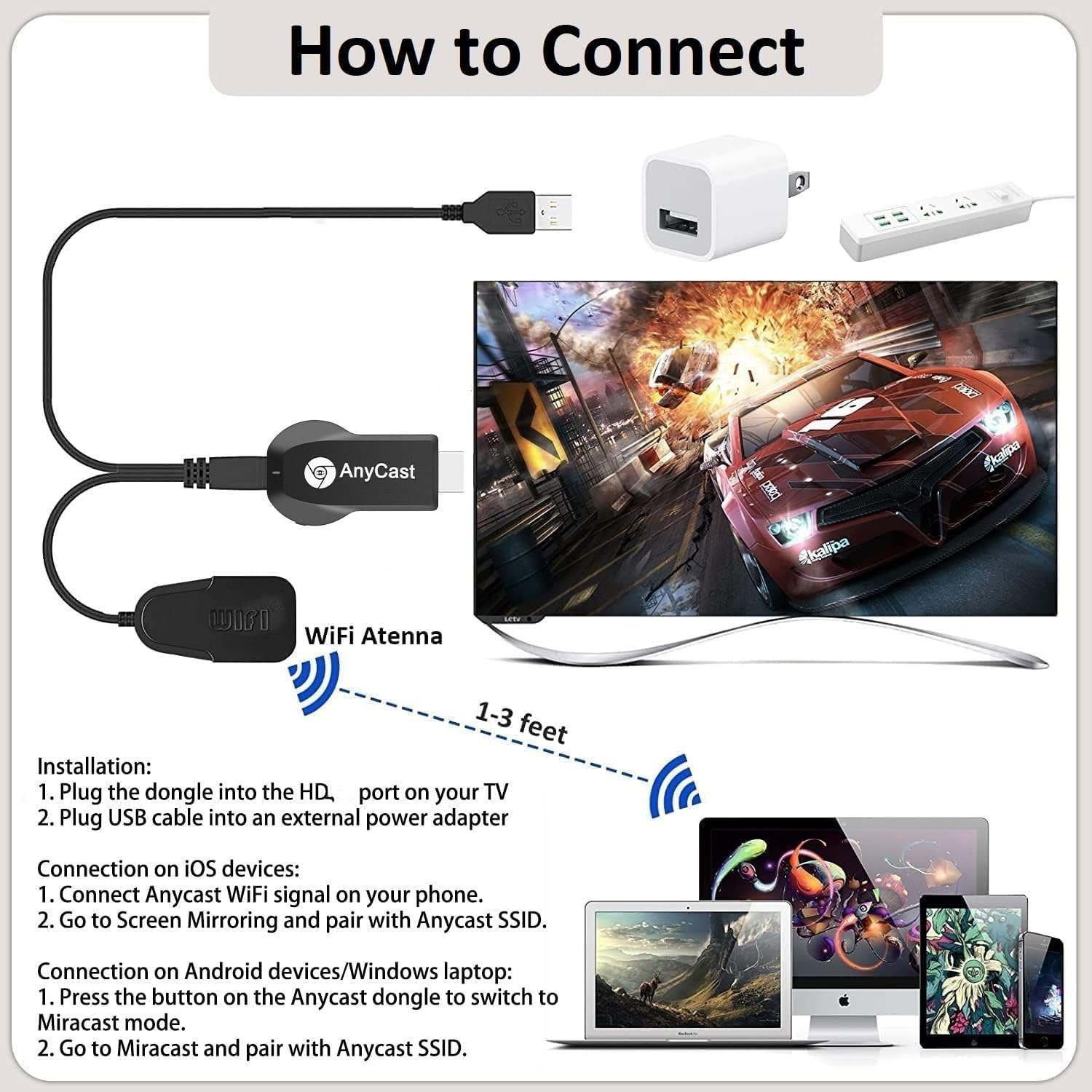
Plug Ancyast dongle into your hd display
Plug AnyCast dongle into HD port on TV and switch TV to the selected input source.

Plug USB cable for power supply
Connect WiFi cable (micro USB head) to AnyCast dongle. Plug USB cable into an external USB power adapter(power adapter is not inculded).

Anycast installed successfully
After connection, switch display to selected channel, and AnyCast page shows up on your display.
Connection Anycast Dongle with iOS Devices

Setup on your for iPhone/iPad/Mac
Step 1. Connect AnyCast SSID in WiFi Setting on your iPhone/ iPad/ Mac
Step 2. Go to Safari and input 192.168.203.1 to come to the setting menu
Note: In setting menu, you can connect your home wifi here by clicking “Internet” and Choosing your home Wifi to connect. Once connected, no need to reconnect again. Also, language , Anycast password, and Resolution can be changed by yourself in setting page.
Step 3. Pull up the Control Center on iPhone and go to Airplay mirroring, and select AnyCast dongle to start to mirror.
Please note while use:
1. Once the Anycast dongle connects to your WiFi network successfully, your WiFi name shows up on the right top of your TV.
2. Once the Anycast dongle connects to your WiFi network successfully, the IP address 192.168.203.1 goes invalid, this generates a new IP address on your TV to access the Anycast setup page if needed.
3. Once the Anycast dongle and your phone are connected to the same WiFi network, do Screen Mirroring directly for next use, no need to other connection.
MOST IMPORTANT: If you dont have WiFi network, Please skip the Step 2, only do the Step 1 and Step 3 above. In this way, you use Cellular Data to access the Internet.
Connection Anycast Dongle with Android & Windows Devices

Setup on your Android and Windows devices
For Android Users:
Step 1. Switch to MiraCast mode by pressing the button on the Anycast dongle.
Step 2. Find Miracast(wireless display/smartview/play to etc) on your Android device, and pair with Anycast to start mirror.
Note:
1. Miracast protocol has different names on different Android devices, please find your Miracast protocol correctly.
2. Not all Android devices support Miracast protocol, please check whether your phone supports Miracast protocol or not.
For Windows Users:
Step 1. Switch to MiraCast mode by pressing the button on the Anycast dongle.
Step 2. Press the Win + P key at the same time on your keybaord, select “Connect to a wireless display” and select AnyCast SSID to connect.
Note: Windows must be Miracast protocol certificated.
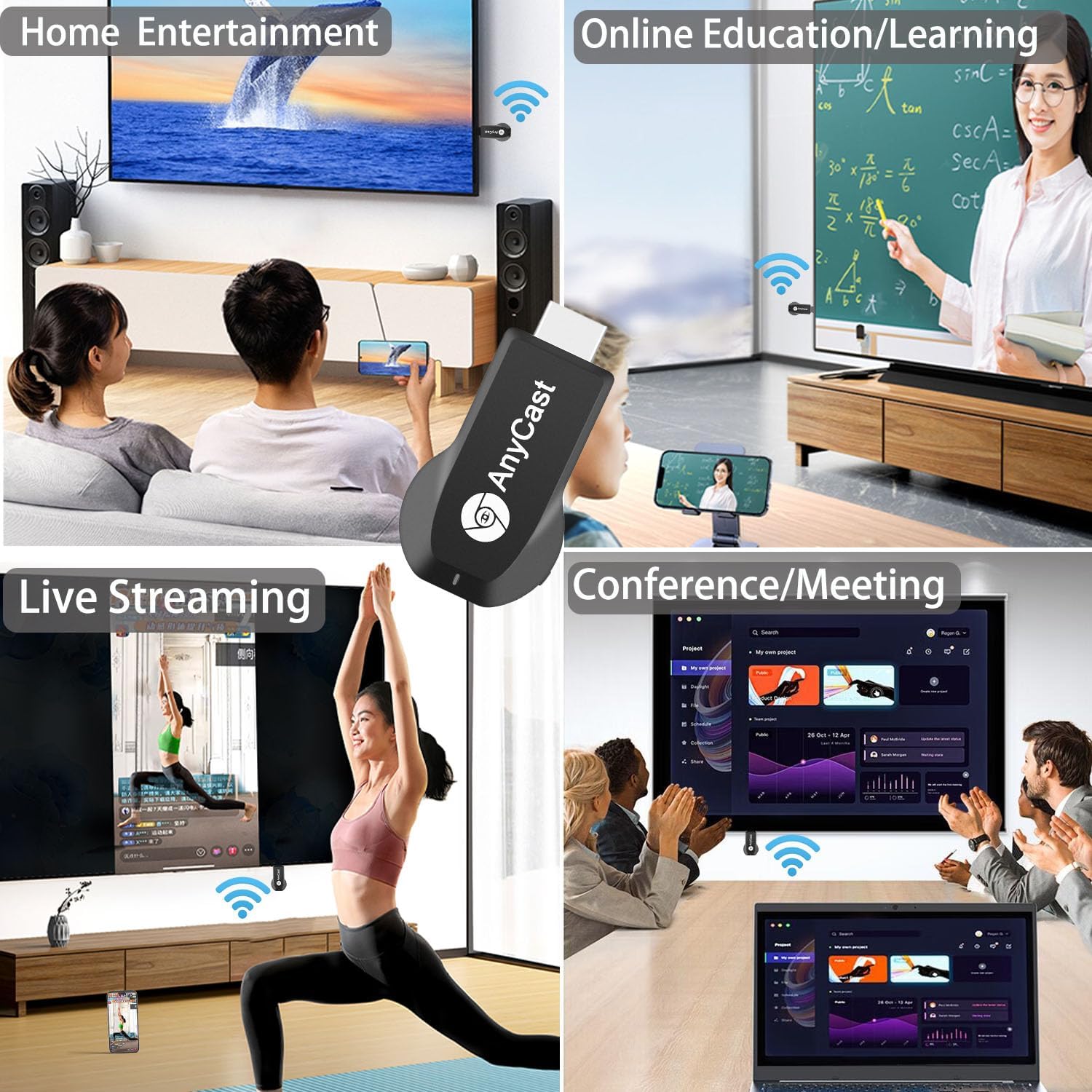
Screen Mirroring Wirelessly for Business Education Home Entertainment


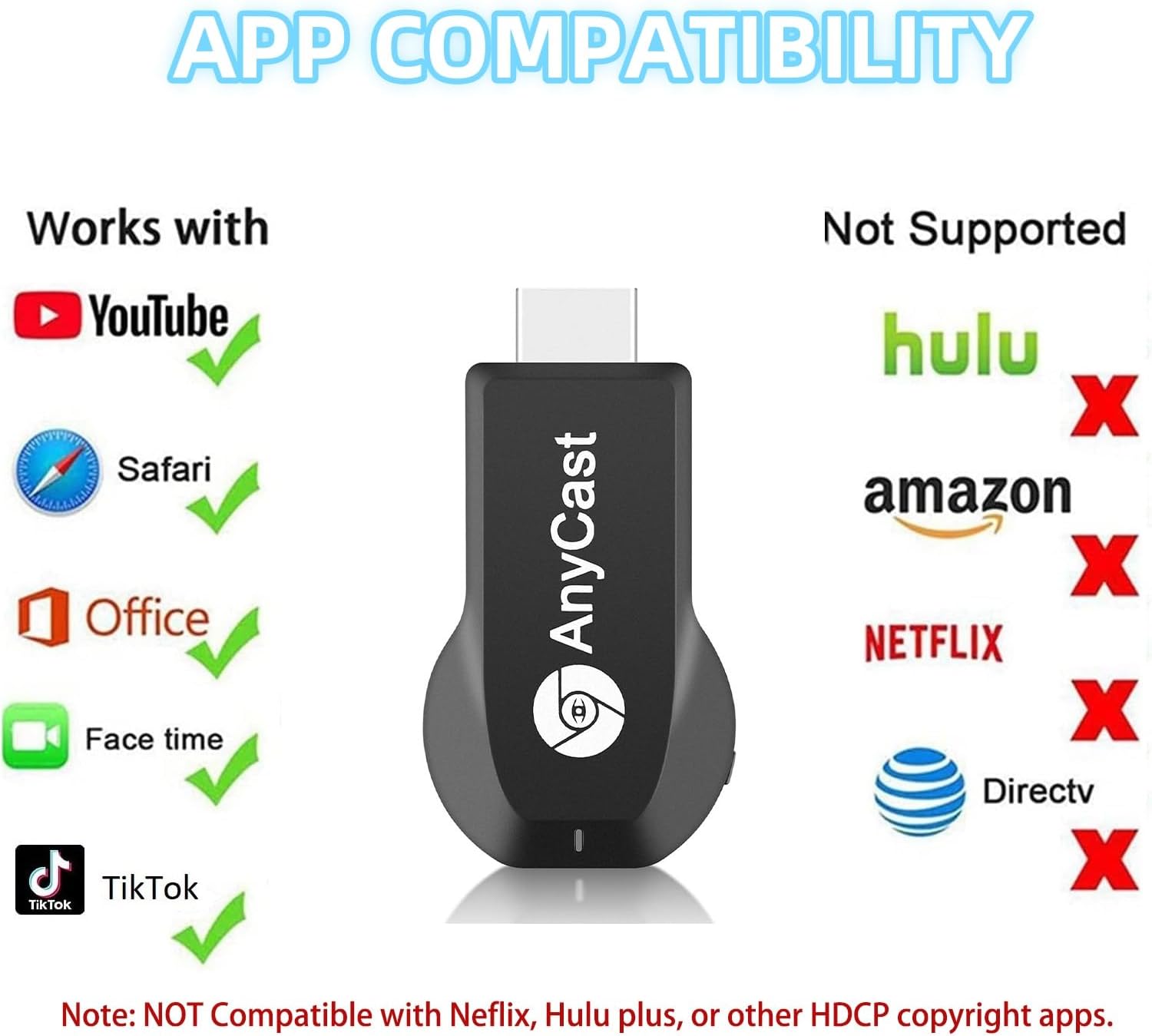
Note: Not compatible with the apps that have protocol protection, such as Netflix/ Amazon Video/ HBO go/ Hulu Plus sky go/DIRECTV etc.
Wide Usage:
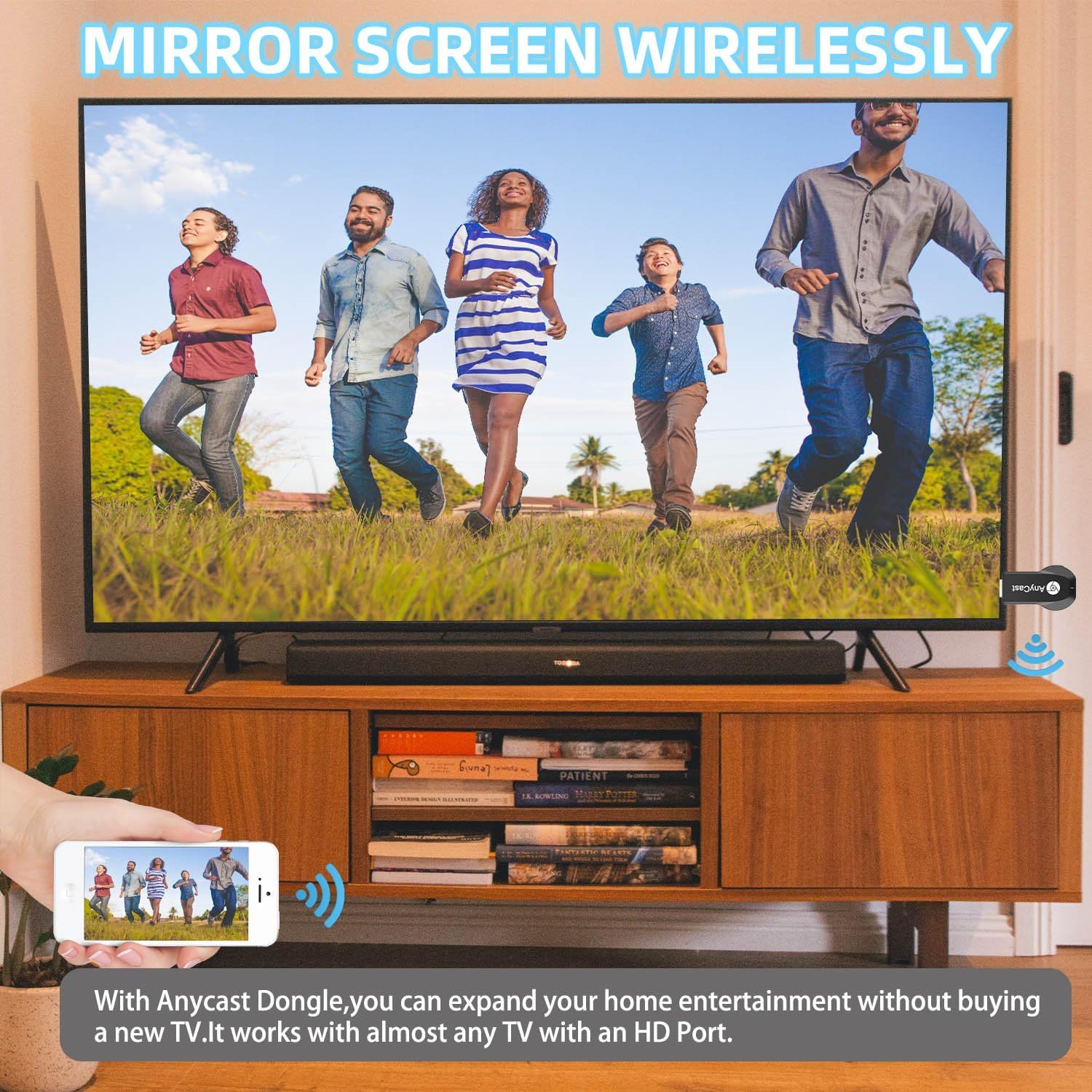
Watch with colleagues in meeting-Mirroring screen to projector, share PPT, mail, documents and other content wirelessly.
Share with students in classroom-Mirroring screen to big screen, share teaching content wirelessly.
Enjoy entertainment with your family at home-Mirroring screen to TV, share photos, videos, movies wirelessly. Carry it while travelling, share your phone to TV anytime.
There are more usages waiting for you to unlock.
Wireless HD Display Adapter: SmartSee 2.4G Wireless HD Display Adapter enables seamless 1080p screen mirroring. Wirelessly mirror the screen of your smartphone, tablet, laptop, or PC to any HD display, including TVs, monitors, or projectors. Share everything from photos and videos to apps, games, documents, and websites — making your TV a smart TV without any cables.
SYSTEM REQUIREMENTS: All-In-One. Supports Android 4.4+, iOS 9.0+, MacOS 10+, and Windows 8.1+ operating systems through Airplay, Miracast, and DLNA protocols. Supports YouTube, TikTok, Facebook, Twitter, and most online video apps for smooth wireless display. NOTES: 1. Not compatible with copyright-protected apps such as Netflix, Hulu, HBO, Amazon video, etc. 2. Android and Windows devices must be Miracast supported. 3. Not compatible with Google Pixel or Motorola phones.
Flexible Usage: No app or driver needed. Just pair with Anycast screen sharing adapter to mirror screen wirelessly. 2 Mirror Methods: Cast screen via WiFi or 4G/5G. Works even without WiFi network. 2 modes: Airplay mode (for iOS and Mac) and Miracast mode (for Android and Windows). Switch between Airplay and Miracast mode with a single button press. Recognize your IP address and match your local language automatically.
Wide Range of Applications: Onto HDTV, monitors, projectors. In Meetings/Conferences: Wirelessly share presentations, documents, and more by mirroring your screen to a projector.In Classrooms: Project teaching materials, lessons, and documents wirelessly onto a larger screen.At Home: Enjoy family movie nights or share photos and videos by mirroring content to your TV. While Traveling: Conveniently mirror your phone or tablet screen to any TV, anywhere you go.
Satisfaction Guaranteed: We will regularly update the firmware from the cloud server to add features and improve compatibility, connect this dongle to your wifi and it will be upgraded automatically. All SmartSee products come with a 30-day money-back guarantee and a 1-year warranty.
9 reviews for Anycast Wireless HD Display Adapter Receiver 1080P Screen Mirroring Streaming Media Dongle Compatible with iOS/Android/Windows/Mac to HDTV Monitor Projector


Related products


Anpviz 6MP PoE Camera, Turret 6MP UltraHD IP Camera Outdoor with Mic & Speaker, 100FT Smart Color Night Vision, PoE Security Cameras with AI Human Vehicle Detection, MicroSD Slot (U Series)


TP-Link Deco 7 BE25 Dual-Band BE5000 WiFi 7 Mesh Wi-Fi System | 4-Stream 5 Gbps, 240 Mhz | Covers up to 6,600 Sq.Ft | 2X 2.5G Ports Wired Backhaul | VPN,MLO, AI-Roaming, HomeShield, 3-Pack


TP-Link Tri-Band BE9300 WiFi 7 Router (Archer BE550) – 6-Stream, Full 2.5G Ports w/ 6 Internal Antennas, Up to 2,000 Sq Ft, Add Easy-Mesh Device for Extended Coverage, VPN and Free Expert Support


ZOSI 3K Lite 8CH Security Camera System Outdoor with 1TB Hard Drive,AI Human/Vehicle Detection,Night Vision,H.265+ 8 Channel 5MP Lite Video DVR Recorder,8X 1080P HD 1920TVL Weatherproof CCTV Cameras

Karen Showell –
Great product
Product as described
Violet –
Froze too much to be usable.
I wound up returning this item because it wasn’t ultimately useable. It technically worked, but it froze so much and so often that it wasn’t functional or practical.It was easy enough to set up and get “working,” as far as it would work, and everything was included in the box, but that’s about as much good as I can say about it, unfortunately. I wouldn’t recommend it based on my experience.
Ramon Acosta –
A Perfect Travel Companion
I travel a lot for work, and the Anycast Dongle has been a lifesaver. I often find myself in hotels with old TVs that don’t support modern streaming apps, but with the Anycast Dongle, I can cast from my phone or laptop in seconds. The connection is solid, and I’ve had no trouble streaming content in HD. It’s lightweight and compact, making it easy to carry around.It’s an affordable, portable solution for anyone who’s constantly on the move. Whether it’s for Youtube Tiktok in your hotel room or giving a quick presentation on a rented projector, this dongle does the job. Very happy with it!
Adam Valadez –
Low quality, not the best, but works
This item works for what it’s meant for. It doesn’t do any ultra high definition, the resolution is a little lackluster and the colors are splotchy and off on the tv. The manual is also a tad complicated but just look up a YouTube guide, it’s easier. Works for it’s purpose but isn’t great 4/5
TIBBERS –
CHEAP CHINESE GARBAGE
Cheap Chinese Garbage. Doesn’t even connect. save your money and the hassle of time and having to return it.What do these Chinese think is going to happen when they put this crap out? They know it doesn’t work, and yet they keep making and selling it.
Som –
Able to cast my phone easily on tv now
Works well. The initial set was took a bit but was able to figure it with the help of manual. Didn’t see any lag. Just connected the usb 2.0 to my tv itself for powering up and connected the hdmi to hdmi slot of the tv, so didn’t need another power plug for this.
Boogie –
Affordable IT adapter
Item works well when casting with minimal lag however does not support extended display as advertised (Basic Operator Knowledge so this could be due to user error.) Device connects well with Android devices. A few extra steps for Apple Devices (again could be due to user error). Great item just couldn’t use it specifically for the purpose of purchase but still have this for future use.
Lo. Smith –
Cable without modem
This product came in really handy when I installed a new smart TV and didn’t have an extra modem. Many many channels, brilliant color, works just as well as a modem without all of the annoying programming. Definitely a great bargain.
Faisal fouad –
المنتج اللى جه مختلف و جودته سيئه جدا