

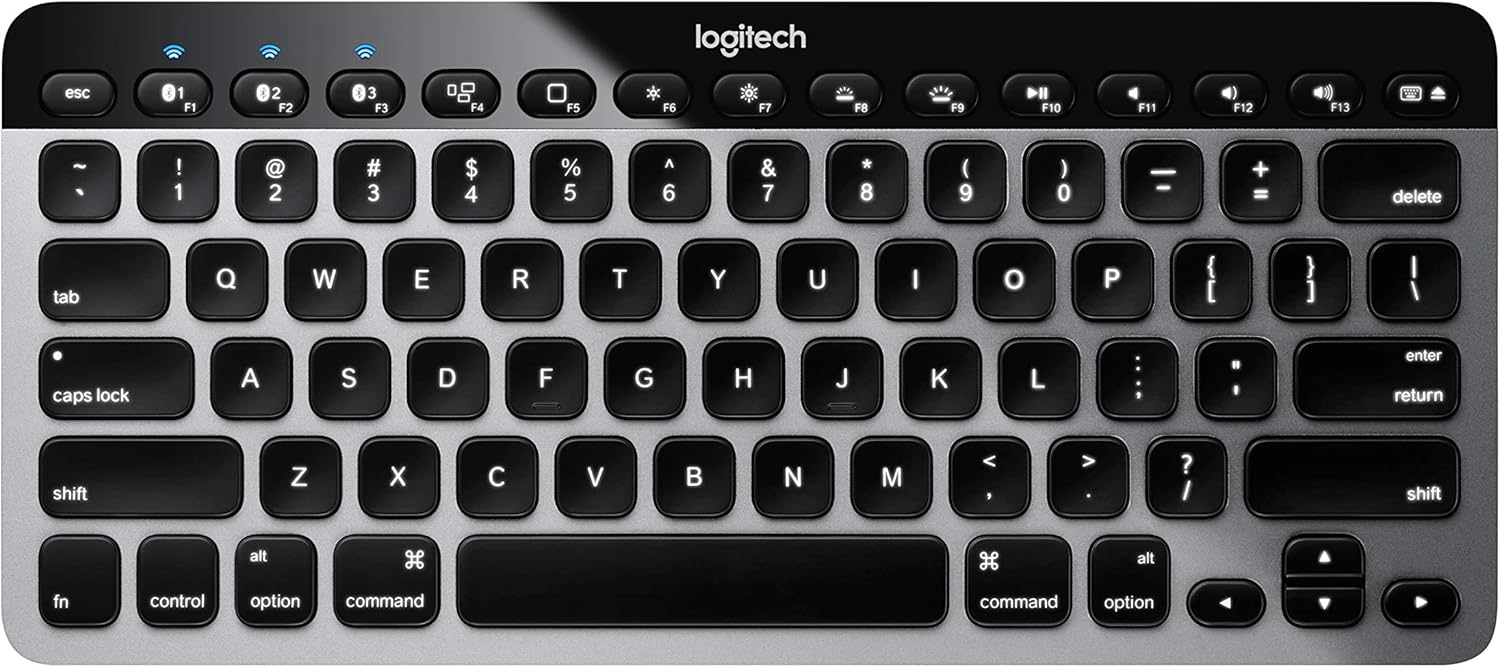
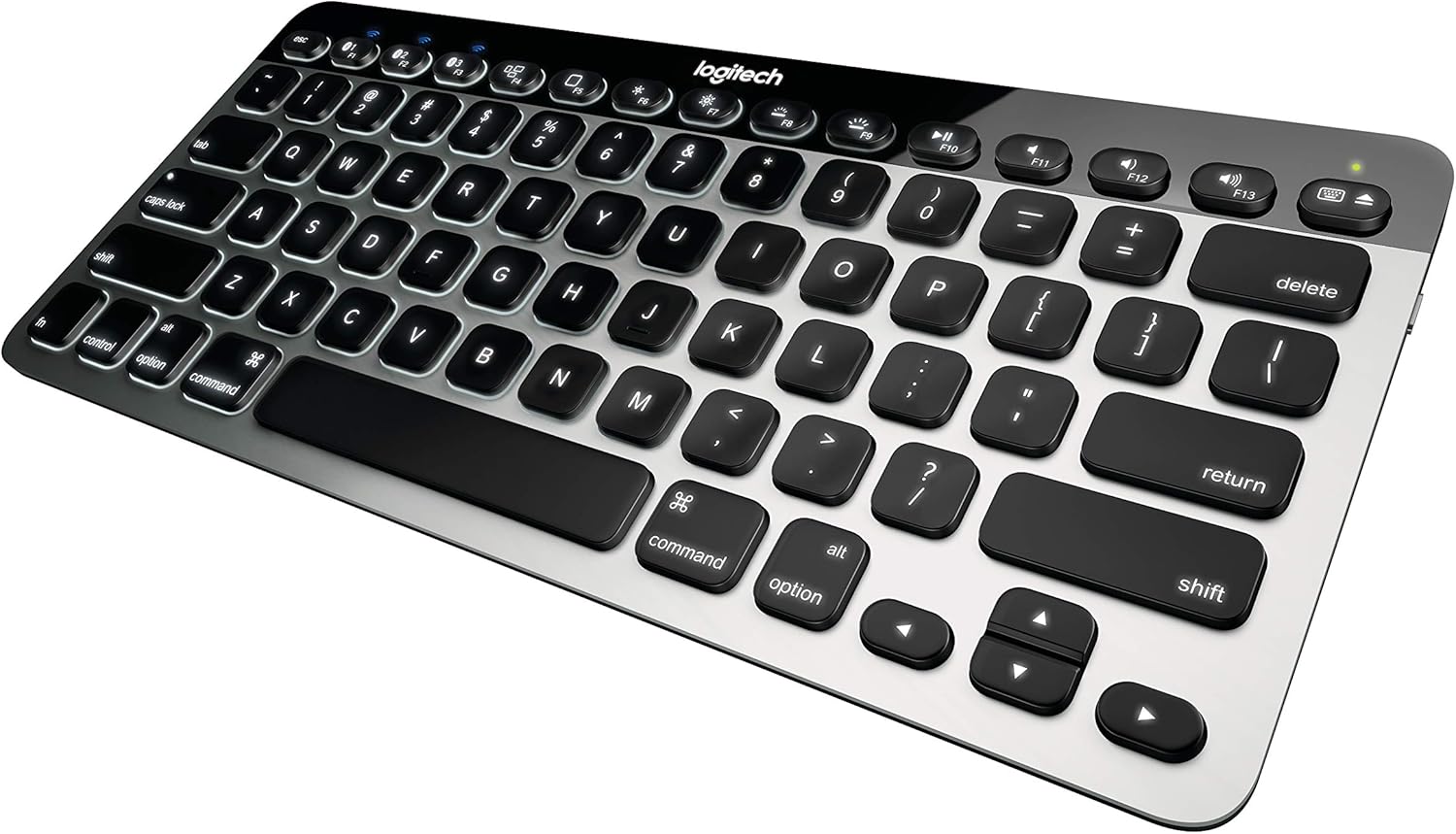
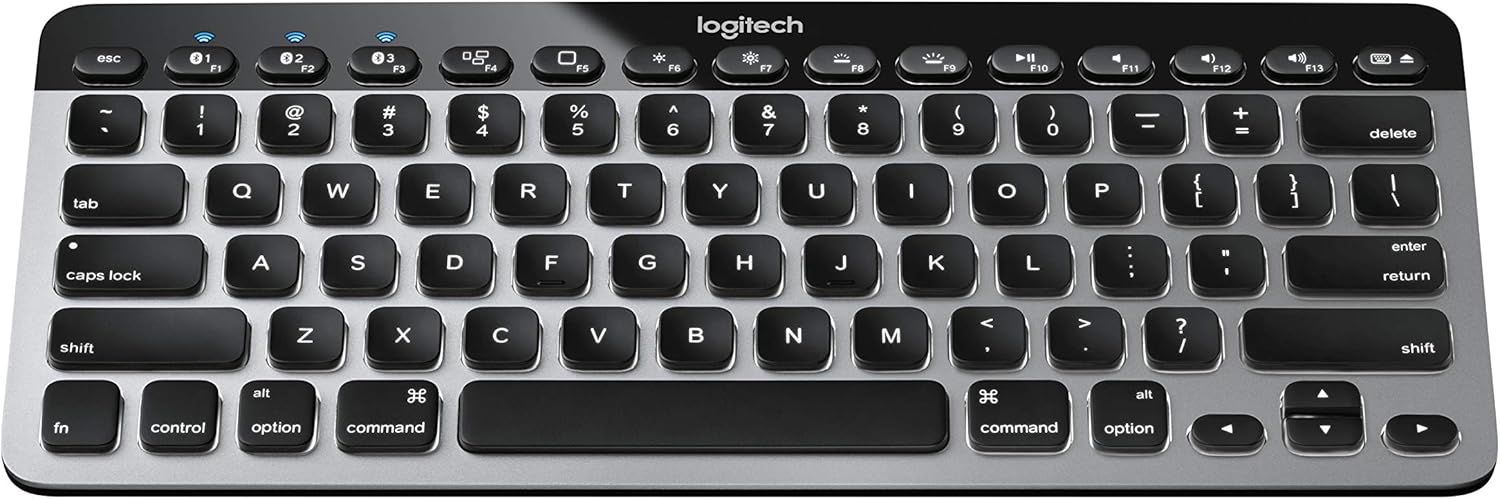


Logitech Easy‑Switch K811 Wireless Bluetooth Keyboard for Mac, iPad, iPhone, Apple TV
$392.49
Price: $392.49
(as of Feb 15, 2026 20:36:16 UTC – Details)
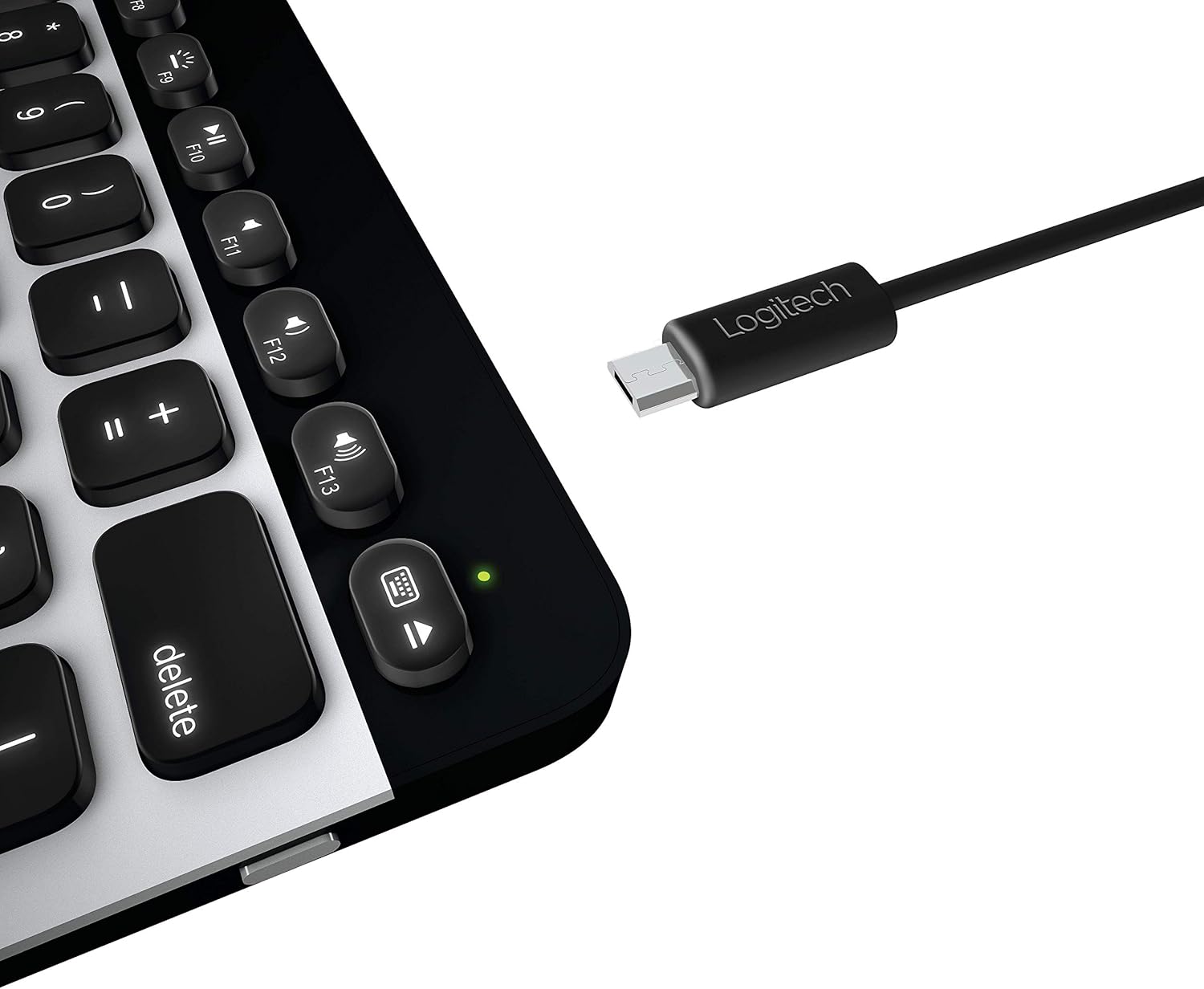
The Logitech Bluetooth Illuminated Keyboard for Mac, iPad, or iPhone brings your creativity to light. Keys are sharp, bright, and easy to read.
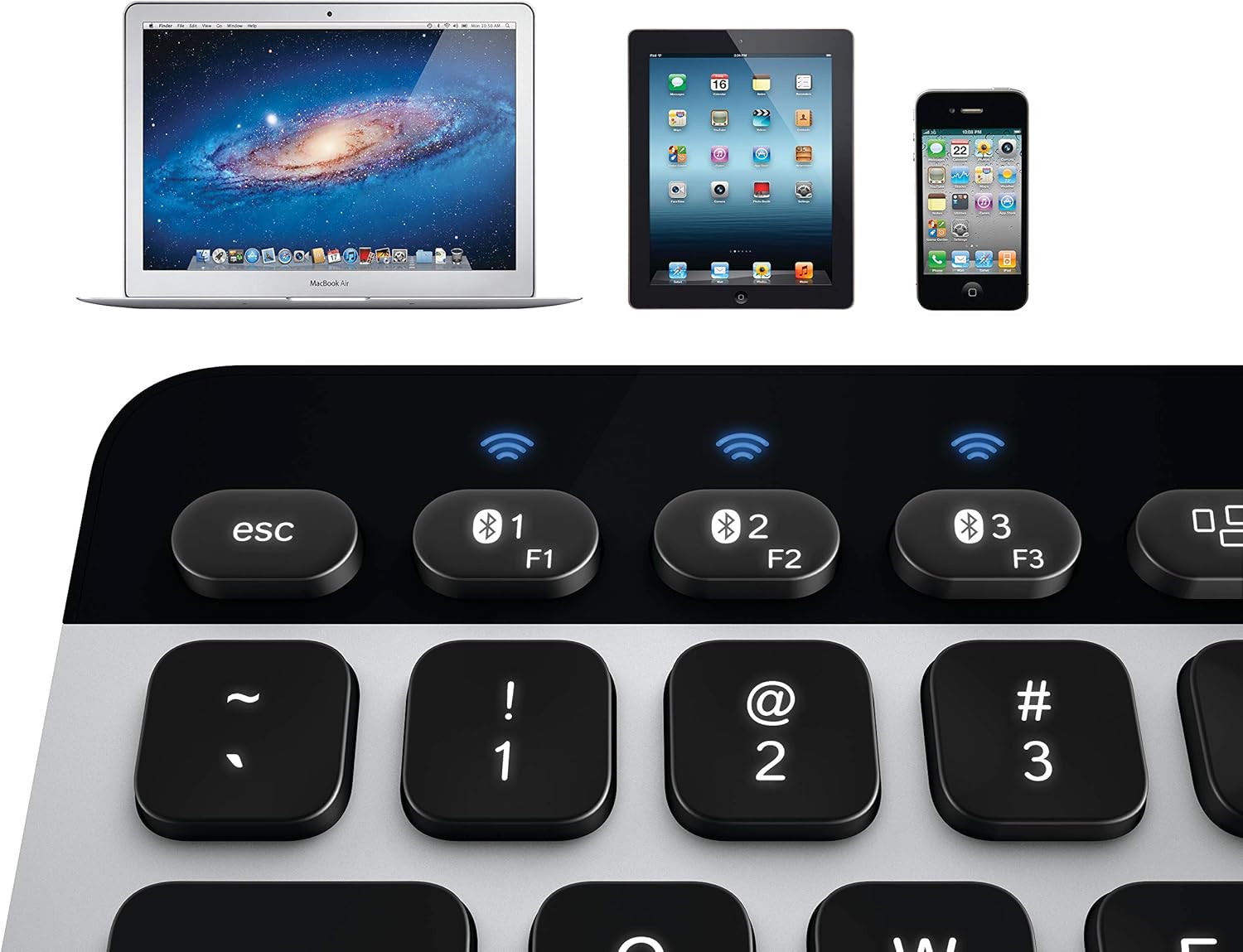
Logitech Easy-Switch Bluetooth technology: Press one button to instantly toggle between typing on your Mac, iPad and iPhone. Range: Upto 30 feet (9 meters) of your devices
Sharp, bright backlit keys: Type easily, even in the dark. Keys are always easy thanks to the auto-adjusting illumination;Sleek and ultra-thin
Rechargeable: No battery hassles. Use the USB cable to recharge, even while you type. Hand proximity detection
Specially designed for Mac: Compact and slim with a real aluminum finish and familiar Mac layout.
Type more comfortably: Unique Logitech keycap design for comfortable, whisper-quiet typing. System Requirements: Mac OS X 10.6 or later (Intel only)|iPad or iPhone with iOS 4.0 or later|Internet connection (for software download)
7 reviews for Logitech Easy‑Switch K811 Wireless Bluetooth Keyboard for Mac, iPad, iPhone, Apple TV


Related products


Analog CCTV Camera HD 1080P 4-in-1 (TVI/AHD/CVI/CVBS) Security Dome Camera Outdoor, 2.8mm-12mm Manual Focus/Zoom Varifocal Lens, Weatherproof Metal Housing 36 IR-LEDs Day & Night Monitoring (White)


etguuds USB A to USB C Cable 6ft, 2-Pack, 3A Fast Charging Type C Charger Cord for iPhone 17 16 15 Pro Max 16e 17 Air, Samsung Galaxy S25 S24 S23 S22 S21 S20 A17 A16 A56 A55 Flip Fold, Gray

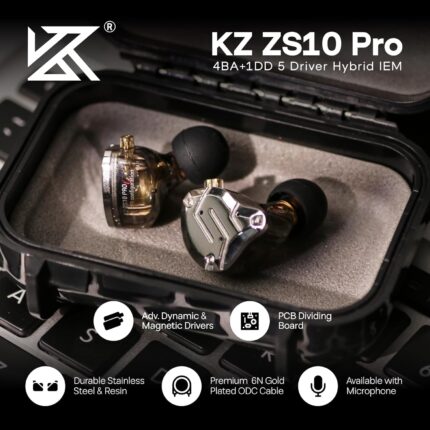
Linsoul KZ ZS10 Pro, 4BA+1DD 5 Driver in Ear Monitor, HiFi Wired Earbuds, Gaming Earbuds, Hybrid IEM Earphones with Stainless Steel Faceplate, Detachable Cable for Musician(Without Mic, Black)


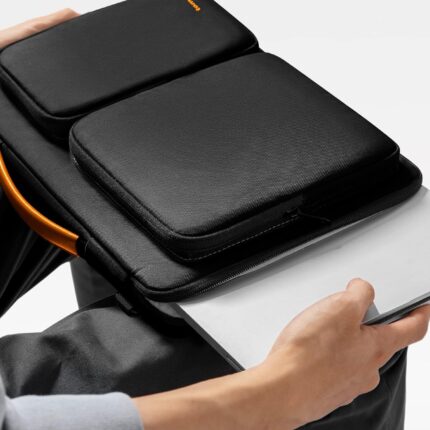
tomtoc 360 Protective Laptop Shoulder Bag for 13 Inch 2025 MacBook Air M4/A3240, M3/A3113, M2/A2681, M1/A2337, MacBook Pro M2/M1, 13-in Surface Pro 11th AI/10/9, Water-Resistant Accessory Case


USB 3.0 Hub, 4 Port USB Hub Splitter, USB A Expander Portable USB Adapter Multiport Data Hub for Laptop, iMac Pro, MacBook Air, Mac mini/Pro, Surface Pro, USB Flash Drives, and Mobile HDD-Black


Gabby –
Whoa – they hit it out of the ballpark with this one
We 15-yr+ Mac users have been screaming for a dang backlit keyboard for years. Word on the street is Steve was about to fire the one Engineering VP that saw that ANY backlit keyboard was kept out of production. This same lady also prevented a backlit keyboard on the first MacBook Airs, most of which were returned for this reason. In fact, the time between the Air-1 and the Air-2 beat all records at Apple of only 3 months because of the non-backlit keyboard issue. Time between full design changes is usually 15 months at Apple.In any event, Steve didn’t last long enough to toss this nepotistic (wife of a board member) idiot before he passed, so she’s still there – and jokes around the office indicate she leads the Apple “Sales Prevention Team”. She fights hi-res screens, backlit keyboards, thin bezels, and connectivity standards to this day.Seeing a huge opportunistic hole in Apple’s marketing arrogance, Logitech quietly built this and had it on the market before anyone at Apple had a clue what they were doing. And as many others have done in the past, they beat Apple at their own game. This keyboard is the latest blockbuster to kick Apple in the but(t).First off it’s designed by Americans, and as usual assembled in China. But Logitech rides herd on the Chinese to force quality assurance – a rare thing indeed. In order to be successful with Asian products nowadays, you’ve got to succeed at both good design and Chinese discipline. Logitech supposedly keeps an American QA engineer on-site, much to the aggravation of the Communist Chinese. The Chinese have an insatiable perversion for plastics, and a financial one for child labor. So to force them to keep to original design specs of aluminum was a real chore, believe me. The Chinese insisted this unit be made of the usual cheap injected plastics, but that was halted early on during initial tooling – and it remained a very high quality CNC’d aluminum. Again to the chagrin of the Chinese. There was even a design for Carbon Fiber, but that was dropped as the prototypes were just too light (and slightly more expensive). In any event that REALLY freaked out the plastics crowd so they settled on aluminum.The designers also put level 10 LEDs in the unit (the best quality diodes available), and put enough light channels and bulbs inside to light it well and uniformly. There’s no dark areas, no gaps. And it’ll go surprisingly bright if you want it to. They also put excellent proximity sensors in various spots on the top of the keyboard to turn on the lights even before you hand touches it. They also have a movement/inertia sensor that turns it on when picked up. The keys are solid, and feel like an Apple keyboard (which of course are mostly un-lit except for the MacBook Pro’s).And to top it all off, they made it rechargeable with a *STANDARD* USB port. They used NiMH instead of NiCads. They brag the battery lasts 10 days of normal use (2-3 hrs/day), but I’ve found it lasts more like 3 weeks – 1 month and I’m a heavy user. It charges in about an hour unless it’s really blinking red, then it’ll take 2-3 hours.If I had a gripe about this unit is it’s size. If you use it in your lap it’s nearly impossible to keep it still while typing. It’s the size of a standard MacBook Pro’s keyboard, but the laptops have enough support around the sides to keep those keyboards still. So I use a laptop board while this unit connects to my iMac. If Logitech would have included a arrow/directional keypad with a numeric keypad, it would lengthen/widen the unit to where you could use it anywhere with stability. And, of course, you’d have a full keyboard as well. They could at least have put a mousepad out there or SOMEthing – anything to lengthen it.But watch – since this thing is selling faster than they can make them, I’ll bet they’ll build extended units with a touchpad and/or a numeric keypad within a few months. And if they can get enough power out of the new wave of solar panels, it may not even need charging once/month. So we’ll watch to see – unlike Apple, one thing Logitech DOES do well is listen to the customer, especially when they comment by the tens of thousands about the same issue. In the meantime, find a desk or a laptop board to accommodate it’s dinky size. But at least it’s BACKLIT, Apple. I’m sitting in a dark room right now and I couldn’t type this without the backlight on this keyboard. The only place you can use a non-backlit keyboard is in a well lit office. I know this infuriates you guys at Apple who are fuming that the customer won, but they’re used to that.Thanks for a superior unit, Logitech. I’m waiting for a longer one, but in the meantime you beat Apple at their own game. I’d give this unit a 6 if Amazon would let me – every now and then a tech gadget comes out that just trumps everything – and this is it
W. N. –
Good alternative to my Mac keyboard,
Three year update: I’m still using this keyboard interchangeably with two MacBook Pros (2011 and 2017) and occasionally with my iPhone. Still works great. Holds a charge even when I don’t turn if off and forget where I’ve left it for a month. I velcro’d it to 1/8″ luan plywood, with a gel wrist rest. On the right side I have a 7″x7″ area (same plywood, epoxy or urethane coating, buffed with steel wool so it’s slick for using a wireless mouse. My attached mousing pad pivots closed so the whole thing fits in my day-bag. Just a terrific keyboard. Reliable. I can kick back and type with the keyboard in my lap or switch and use the new keyboard on the MacBook Pro. The distance between the keys is the same so there’s no confusion.I’ve been having some shoulder issues lately and noticed that arm rests on my office chair, and typing on desk tops are uncomfortable or hurt. I noticed years ago that the arm rest in my car were uncomfortable.I wanted to get an ergonomic keyboard that I could use in my lap. For the Mac I didn’t find any that I liked.This one has high customer reviews and it looks like the keyboard on my MacBook Pro….. The ergonomic keyboards I found had much longer movement of the keys. It was like going back in time.So I taped this one to a thin piece of plywood (9″ x 18″ mouse area to the right), found a tattered old wrist rest, and tried it out. Works Great! Absolutely no learning curve. I think I type at least as well using this in my lap starting this weekend as I’ve typed on various MacBook Pros for the past 8 years.Now when I type on the MacBook keyboard I notice it’s just not comfortable. It’s OK, but this is better. I really like this keyboard. They’re about the same, so the difference is where the keyboard is sitting.It’s also small enough, (5″ x 11.5″ 13 x 29 cm) that it’s going in my computer bag. I’ll figure out my board later.Another big plus is how easily it switches between my MacBook and my iPad. I’ve never before considered the iPad to be anything more than a toy. It’s still a toy, but this keyboard makes it more useful. I’ve got other blue tooth devices that try to connect to everything at the same time and usually nothing most of the time. This absolutely works.Now Logitech, make one that splits in two so it can be more ergonomic. (Is there anyone who could cut one of these in two and solder wires to reconnect the circuit board shorts?)Update: How to turn off Caps Lock keyGo to top bar, Bluetooth symbolSelect Logitech K811 >> Open Key Board Preferences (this can aslo be reached by opening System Preferences, selecting Keyboard)In the Keyboard window, select the Modifier Keys button (bottom right)When this pops up at the top there’s a button: Select Keyboard (the default is the computer’s) click on this button and select Logitech K811Then item Caps Lock Key, click on the button and choose menu item Do Nothing. Then OK, and close. That’s it.Now the Caps Lock key does nothing, it won’t even light up.Hope this helps. I personally loathe the caps lock key, I’d rather have an inverted thumbtack glued in its place. I’ve pried them off, hot glued them.Some manufacturers do not have this feature or knowledge. I added this because I sent another keyboard back because either it lacked this feature or I couldn’t find it.
MBo –
This keyboard is great. Pairing is super easy (for Macs, iOS, Windows and Android), and the easy switch feature is really nice. You can switch between three paired devices, and it only takes about 2 seconds. It pairs better with OS X and iOS devices, but it works with Windows and Android fine too. The connection is always stable. I like the black keys on aluminum base, they have decent travel and their somewhat concave shape makes it great for typing a lot. The backlighting comes in very useful at night. The battery life is super, super long (we’re talking months) and charging is easy, using a Micro USB cable.My two complaints about this keyboard (you have to have some): finger oil gets easily on the keys and it makes them shiny (same problem happens with the MacBook keyboards) and the media controls are lacking (you only get Play/Pause, no Next/Previous Track available).
Vaddadi Kartick –
I’ve been using this for a week, and I can comfortably say it’s the best keyboard I’ve used. In the list below, advantages are depicted with a plus sign, and drawbacks with a minus:+ The typing experience is excellent, second only to the Apple “Magic” Keyboard, and better than Apple and Microsoft USB keyboards.+ It pairs with up to three devices, so I can use it with both my iMac and iPad. And if I buy a third device, I can pair it with that as well. In today’s multi-device world, having a keyboard that works with only one device makes no sense. Particularly for the “Magic” keyboard, which costs ₹8000. You’ll have to buy two keyboards for ₹16000, and clutter your desk. The Logitech does it much better.+ It’s backlit, so usable at night, especially by people who are not touch typists and need to see the letters before typing.+ The backlight has a few adjustable levels, so you can set the level you want. I chose the dimmest, which works well for me.+ The backlight automatically goes off during daytime, so it doesn’t waste battery.+ The backlight goes off after a short while of you using the keyboard, so it doesn’t distract if you’re watching a movie. This is a problem I’ve had with the Macbook Pro: the backlight stays on, and is bright against the dark screen, distracting you from what you’re watching. The Logitech doesn’t have this problem. Once the backlight goes off, it comes back on when your finger comes close to the keyboard, even before you touch any key.+ The keyboard charges over micro USB, unlike the “Magic” keyboard, which uses Apple’s crappy proprietary Lightning connector. Unless you like paying ₹2000 for a charging cable, you’ll like the Logitech keyboard.- After charging the keyboard fully, it lasted 4-5 days despite me never bothering to turn it off when I’m not using it. I don’t know when it will run out, because it doesn’t show a percentage charge, either on the keyboard or in macOS (like the “Magic” keyboard does).+ The keyboard is not angled upward, as many keyboards are (the function keys are higher from the desk than the spacebar is). Angled keyboards aren’t ergonomic, and cause strain in your wrist. The Apple “Magic” keyboard isn’t angled much, but the Logitech is even better.+ The keyboard doesn’t have a number pad. Having a number pad isn’t ergonomic because it puts the mouse farther away from you, requiring you to stretch.- The arrow keys are half-height, which is irritating, but common nowadays on most keyboards.- Most Apple keyboards use the F1 and F2 keys to control screen brightness, so I press F2 to increase brightness, out of muscle memory, but on the Logitech keyboard, that unpairs the keyboard from the computer and tries to pair it with a second (non-existent) device. This has happened multiple times and is irritating.
HCH –
Lo uso por horas todos los días y funciona de maravilla. Lo único que le falta es botones para “siguiente” y “regresar” – p.ej. “siguiente canción”.
Night Buyer –
Sadly this took much longer to be delivered than it should have as the customs guys held it back and the seller had to go through the tedious process of retrieving it. Very happy with this Keyboard as I got tired of having to swap out the AA batteries from my magic keyboard on iMac. Since I have received it I charged it only once, amazing battery back up and it also has back lighting for the keyboard keys. Overall I prefer it to the wireless keyboard that came with my iMac.
lauren –
Awesome keyboard. The keys have a nice tactile feel. They’re a bit taller than the normal Apple keys (I have an older macbook pro as well as a macbook pro retina) but that only makes it feel more substantial. The build quality is solid and it looks super sleek. The backlight looks great and even the Logitech logo glows. Overall, I’m very happy with the purchase, though the price was a bit steep considering the K10 is only 80 bucks on amazon (but does not have the Mac keyboard layout which was necessary for me).EDIT: this keyboard’s battery lasts an insanely long!! I’ve charged it twice since receiving it. I use it every day and it’s been over 2 months since the last charge