


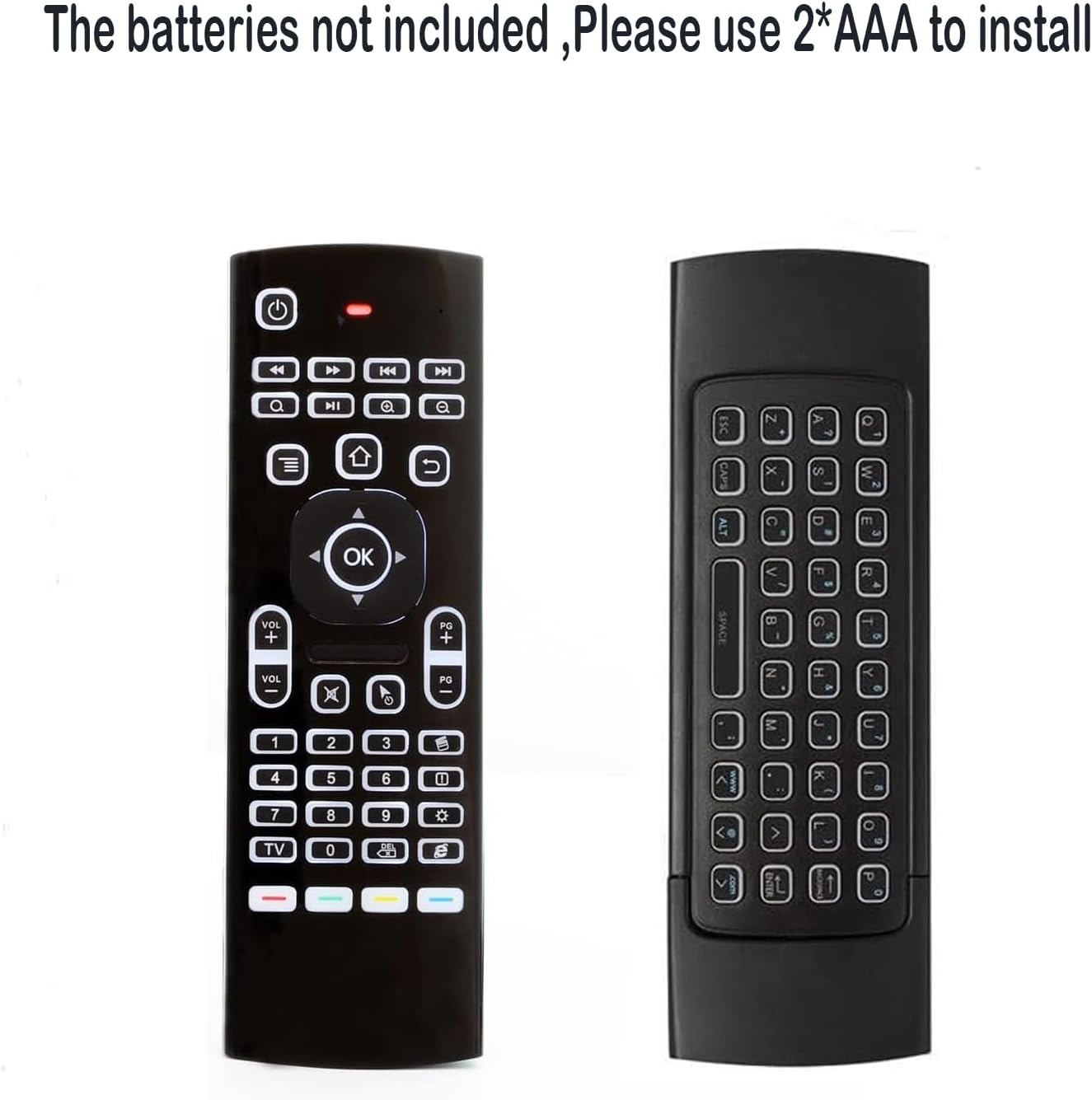


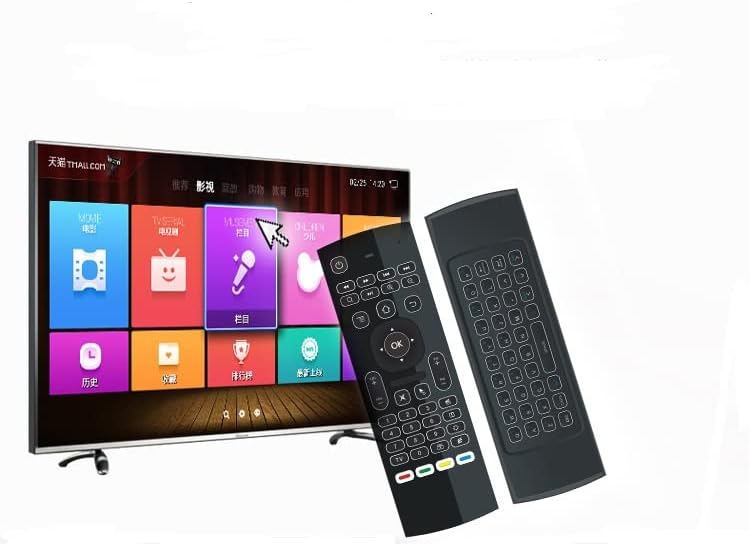

MX3 Pro Mini Keyboard Backlight Fly Remote Mouse,Android TV Remote Control,IR Learning Mini Wireless Keyboard for Android TV Box.HTPC.IPTV,Networked Set-top Box,Mini PC(Battery not Included)
$9.99
Price: $9.99
(as of Feb 11, 2026 06:06:05 UTC – Details)
Product description


Q1:many buttons do not work?
A1:this is a universal controller,the product have different codes problem by differentmanufacture,it is normal that few keys may not be responsive to your device ,thanksto the different codes by different manufacture,if the Red LED light on when youpress the key,it proves that the key is working,we advise sincerely that you can try the remote on a standard windows PC to test the most functions;
Q2:remote do not work with TV?
A2:please check that your remote control manufacture to confirm if NEC protocol issupported,if yes, please follow the instructions at back of this manual,please note that only power and four color buttons at the bottom could be programmed;
Q3:. remote do not connect?
A3:please check that you installed the new battery properly before pairing,make surethe batteries have enough power,then do repair as below:1.press OK+TV at the same time for 3 seconds, the red LED indicator will flash fast;2.then insert the USB dongle into the USB port of the device,red LED indicator stopped flashing ,means pairing succeed;
Q4:there is no usb dongle?
A4:1.Note: the USB dongle is in the cover of the remote, to slide and take out the USB dongle;
Q5:Not compatible with smart tv?
A5:1.please make sure the battery has enough power before using the remote; 2.The remote is conpatible with Android,windows,Mac, and Linux OS which has astandard USB port,Not fit for amazon Fire TV ,and Fire TV stick,or some Samsung and sony smart TV;
Multifunctional fly Remote : 2.4G wireless Keyboard and Combo, 6-Axis Somatosensory and Infrared remote control,please note that this remote do not fit for amazon fire TV and Fire TV stick ,or some samsung and sony smart TV (the User manual Attention ).
Plug and Play: With 3-Gyro + 3-Gsensor, it’s more convenient to operate in horizontal and vertical mode for games and typing,how to pair,firstly, make sure the new enough power battery install properly,secondly press OK+TV at the same time for 3 seconds,the red LED indicator will flash fast,then insert the USB dongle into the USB port of the device,red LED indicator stopped flashing,means pairing succeed.
Wireless remote keyboard with LED Backlight buttons, its much convenient for you to use in the pitch-dark night,please note that the batteries not included ,Please use 2*AAA to install,how to use,remove the back cover,and insert 2*AAA batteries,then plug the USB dongle into the USB port of your device ,remote will paired with the device automatically, test by moving remote to see if the cursor is moving,if not, and red LED indicator is not flashing,press cursor lock button and try again,if still not,try plug the USB dongle into another USB port .
It Support Android TV Box, Android Smart TV, Projector, HTPC, All-in-one PC,Xbox, Raspberry Pi,Mini PC,Networked set-top Box, etc.
This remote is a universal remote controller, it is normal thata few keys might not be applicable to your device because of different codes by different manufacturer, Up to 5 keys can be programed from your TV remote, it is much easier for you to control both TV and Android TV Box with one remote.
8 reviews for MX3 Pro Mini Keyboard Backlight Fly Remote Mouse,Android TV Remote Control,IR Learning Mini Wireless Keyboard for Android TV Box.HTPC.IPTV,Networked Set-top Box,Mini PC(Battery not Included)


Related products


Silkland 8K HDMI Extension Cable Short 1.6FT/0.5M HDMI Extender 2.1, 8K@60hz 4K@120hz Hdmi Male to Female Adapter, Ultra High Speed 48Gbps Extensor Cord Compatible with Fire Stick Roku TV Blu-Ray PS5


TP-Link Deco 7 BE25 Dual-Band BE5000 WiFi 7 Mesh Wi-Fi System | 4-Stream 5 Gbps, 240 Mhz | Covers up to 6,600 Sq.Ft | 2X 2.5G Ports Wired Backhaul | VPN,MLO, AI-Roaming, HomeShield, 3-Pack


heartoD –
The HTPC remote you’ve been looking for.
I bought (and then got 2 additional through Amazon Vine) the MX3 Pro Remote to use with my Home Theater PC, in particular, I needed a remote that would work with Plex, turn my 2016 Samsung TV on/off, and change inputs/volume of my surround sound system. The MX3 Pro did everything I needed it to with ease. I was able to set everything up in about 20 minutes after opening the box, and that included reading the instructions and playing with all the different buttons.I was able to set the power button to turn off/on the TV, and the four customizable color buttons at the bottom of the remote worked flawlessly for my surround sound. For my use case, I use 2 of the buttons for volume, one for power, and the other as a source/input button.For Plex users, many of the other remotes and controllers have syncing issues with Plex HTPC that cause errors or are ignored by Plex HTPC altogether, looking at you Xbox controller users, BUT this remote worked on Plex right out of the box with no setup once so ever!For the first time since using Plex HTPC my partner can also just grab the remote and use our living room TV without getting confused by the 3 different remotes and unique start-up procedures that we once had to deal with. The remote is so easy to use that even a child could use my complex Plex HTPC setup. This took my clunky niche hobby and made it approachable for anyone who comes over to use my home theater for only $10??? How did I not know about this until now?Next, the buttons themselves. The illuminated back lights also make all the difference in our dark living room “theater”. Even better, it only illuminates the side that is face up and only after you press a button, so it saves on battery life while still being ready to use at any moment. My stock surround sound remote has almost 50 buttons on it and none of them are illuminated. Finding the right one in the dark has been a problem since we bought it, but thanks to the MX3 Pro, there’s no more fumbling in the dark. It was not uncommon in the past for me to try to turn the sound up and accidentally change inputs or other settings, much to the chagrin of my partner.I also love being able to flip the remote over and quickly type in search bars. The navigational layout also feels natural and easy to use. You have to press the buttons quite firmly for them to register. I believe this was intentional so you don’t accidentally hit buttons. Additionally, I noticed the buttons on the upright side are the only ones that work, so you can’t accidentally hit the buttons on the bottom of the remote when trying to use it.The only con is the range of the air mouse function. It works great from about 10 feet away, but beyond that, it’s very jumpy and difficult to use. I will likely only use this feature occasionally, so it is not a big deal to me, but if you are picturing yourself lying in bed with a TV on the other side of the room, I don’t think you will be satisfied with it. There is a button on the remote if you want to disable it so the cursor isn’t scrolling all over the screen. I did try using a USB port extension and mounting the dongle on top of the TV, which helped significantly, but a cable did not come with the kit, and I don’t think this would be done in a typical install.All in all, I’d highly recommend this remote for anyone trying to get a smoother experience out of their Home Theater PC. The only thing I would change is a longer-range antenna for the USB dongle so the Air Mouse works better and I’d love even more of the programmable buttons.For the price, you really can’t beat it. I am legitimately surprised this remote is only $10.
Cheryl Mracek –
Good but quirky
Great remote for the price. Works well, backlight is bright and paired with Kodi and LibreELEC right away. The buttons are a little looser, but its expected for the price. -1 star on the product itself because it has a little quirk where the air mouse has to be turned on and off for the keyboard to recognize. However on the plus side, it does have an accelerometer so it knows which side is up and only the keys and backlight work on that side. No accidentally hitting a key on the back
erco –
FANTASTIC PRODUCT!
AMAZING! If this did nothing but basic air mouse functions, it would still be a great product but it does so much more. I use it on a mini PC media center and it works fantastic. The remote has many buttons for dedicated control functions plus 4 learning buttons for your custom configuration, and a complete QWERTY keyboard on the back. The backlight function is very useful in darkened rooms. A great addition to any tech setup. Great value on this 2-pack and I may buy more.
Shannon harte –
Handy piece for when I hook my laptop to TV
This remote is perfect and exactly what I was looking for. Being able to plug it straight into my computer and easily pause, play, and control media makes it incredibly convenient, especially when I don’t want to be right at my desk. The backlit keyboard is a great feature and makes it easy to use even in low light.The point-and-click mouse function is super handy and adds a lot of flexibility. While it’s not incredibly easy to direct at first and takes a bit of getting used to, it’s still very useful once you get the hang of it.Overall, this remote does exactly what it’s supposed to do and does it well. It’s a great addition for anyone who wants simple media control and keyboard functionality in one compact device.
Tyler M –
Wish it was better made
The mouse sometimes becomes erratic, backlight does t light up freezes up and made my TV very slow I would return but box got tossed out.
S. Gabriel –
Worked great for almost 1 month.
Worked great for almost 1 month with my 2017 Nvidia Shield Pro, then suddenly the remote no longer communicated or paired with its USB dongle. Tried all recommended fixes including new batteries but it still wouldn’t work. Returned for refund.
David R King II –
Works well
Works well. Airmouse easy to use and reposition
M. Johnsen –
OK linux support
i bought this for a htpc set up because it was cheap and said it had linux support (i am running bazzite). it does work in linux but with some caveats: the keyboard 100% works, the mouse tracking works but most of the keys on the front do nothing by default (at least for me). ok, direction keys, menu/back key (both acting as right click), pg up/dwn and the mouse movement button work and thats it. i am able to use the input mapper bazzite comes with to add buttons/remap some of them (i’ve mapped back to alt+left to go back, home to super+d to show the desktop, etc) so its not a total loss but it’d be nice if more buttons worked by default.still giving it 4 stars since it at least has some support and was $10