






Razer BlackWidow V4 Pro 75% Wireless Gaming Keyboard: OLED Display – True 4K Hz Wireless – Bluetooth – Hot Swappable – Orange Tactile Switches – Command Dial – Snap Tap – Chroma RGB – Wrist Rest
$299.99
Price: $299.99
(as of Feb 07, 2026 10:07:48 UTC – Details)
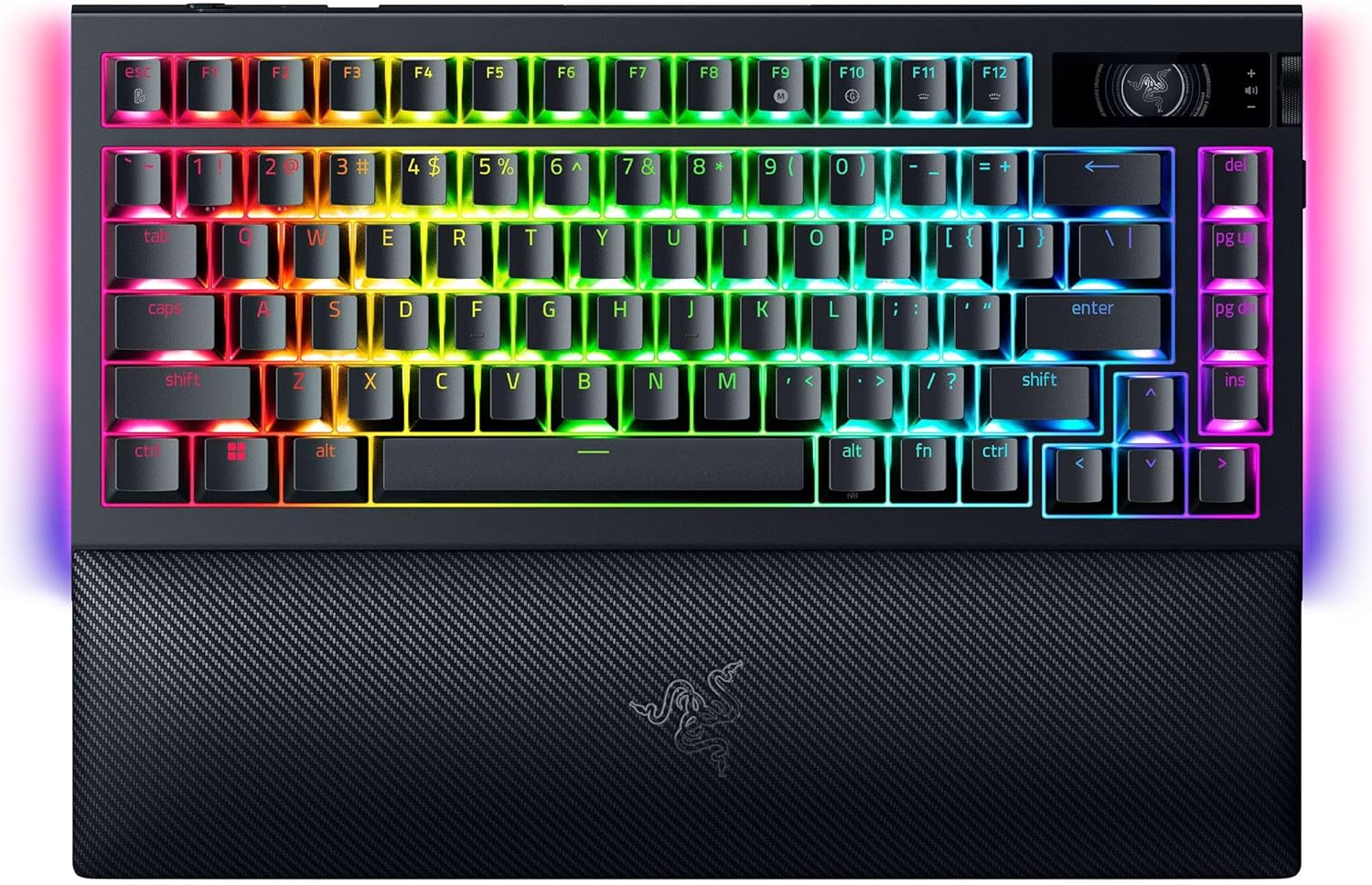
Elevate your gaming experience to newer heights with the Razer BlackWidow V4 Pro 75%—a wireless, hot-swappable gaming keyboard equipped with an all-new OLED display with Razer Command Dial.
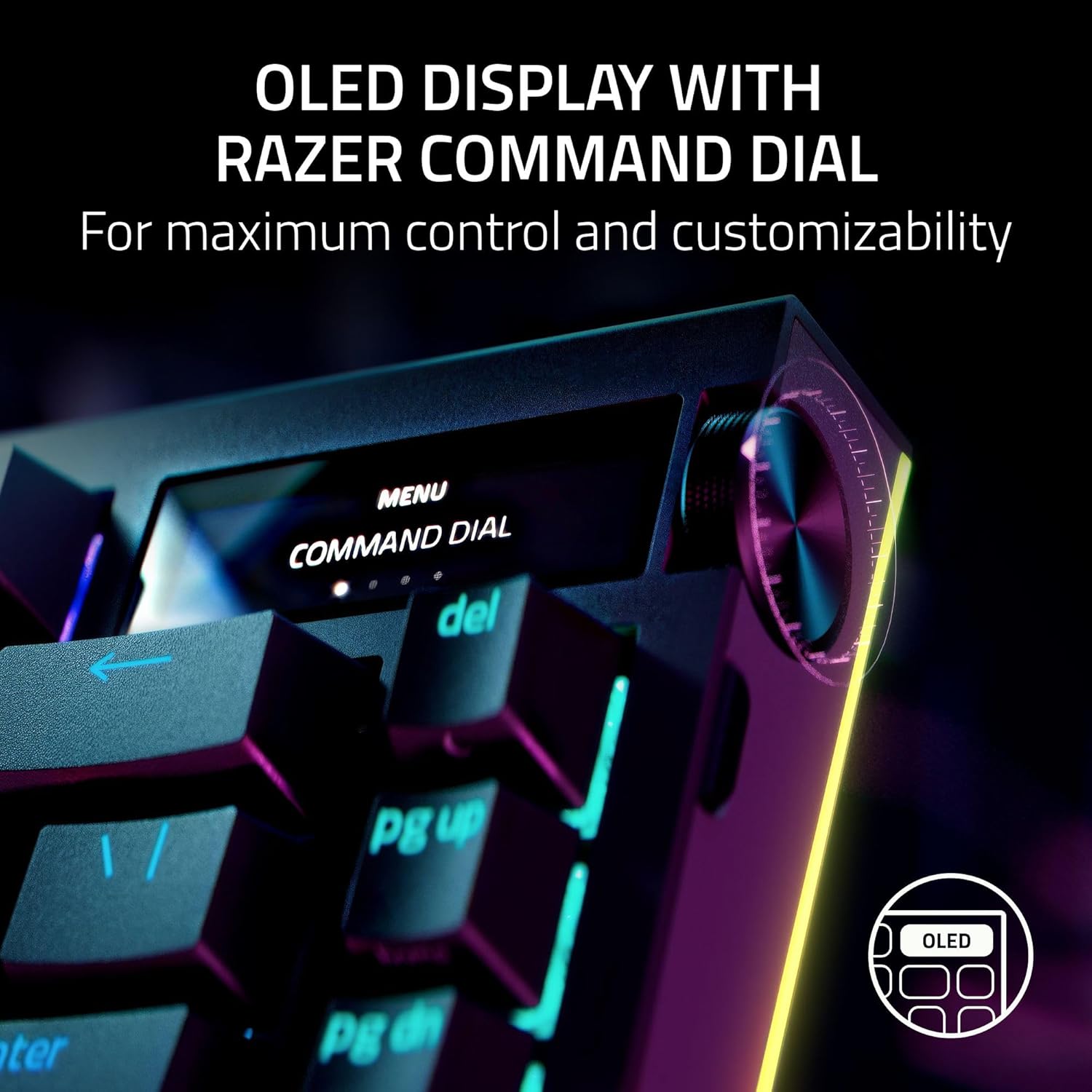
Using the OLED display with Razer Command Dial, you can now check vital information such as your PC system metrics at a glance or customize to your heart’s content with custom GIFs, Images, and more. With the use of the Razer Command Dial, expand your control with up to 100 customizable modes via Razer Synapse 4.
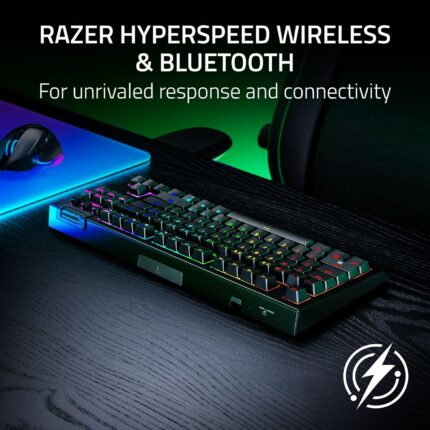
Experience peak gaming performance thanks to Razer HyperSpeed and Razer HyperPolling technology which allows you to game at a blistering 4K Hz polling rate wirelessly, ensuring unrivaled precision and responsiveness even after long hours of intense gaming. Easily multi-task by connecting and toggling between 3 different Bluetooth devices for an added layer of versatility.
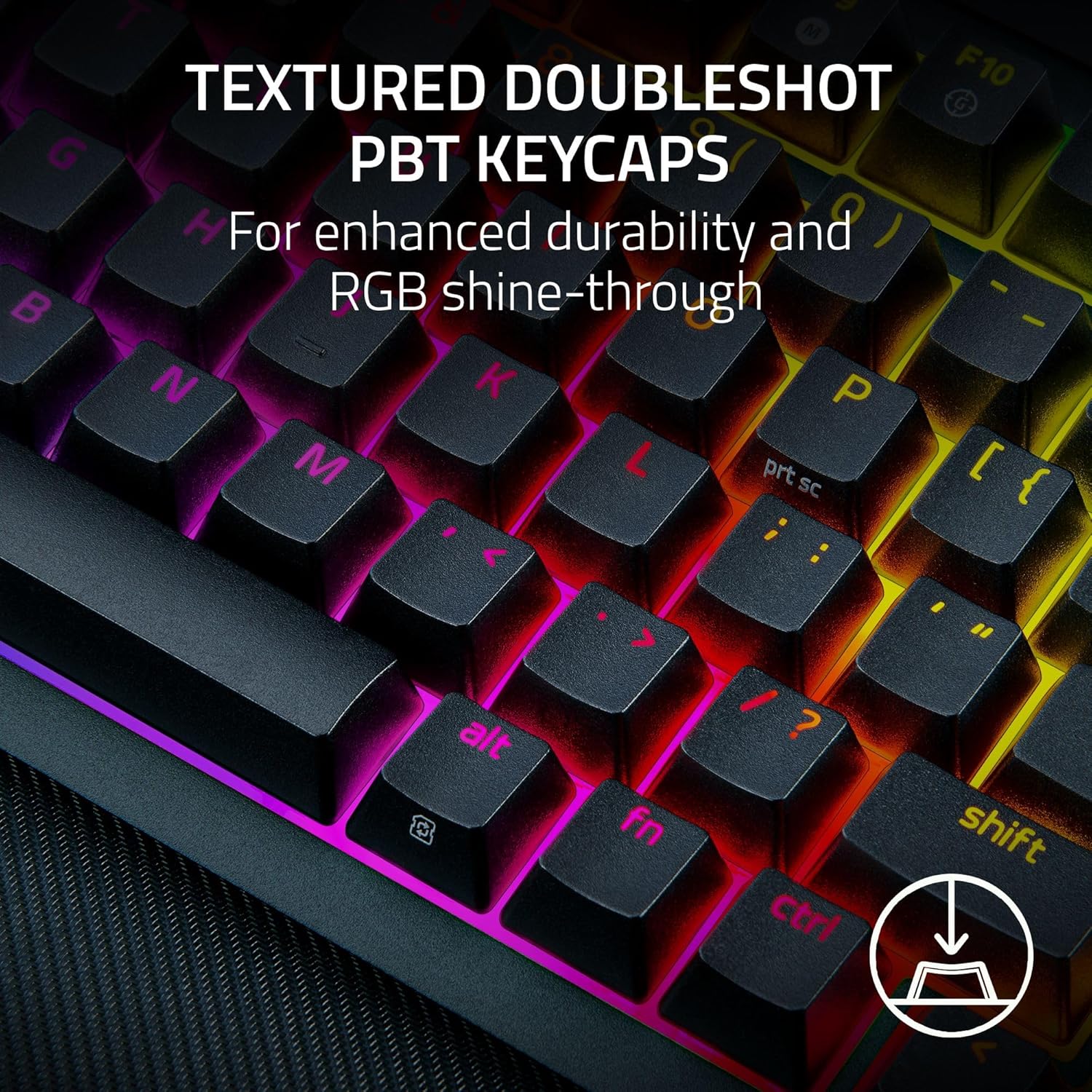
Enjoy a truly optimized typing experience thanks to a gasket-mounted FR4 plate, tape-enhanced PCB, lubricated screw-in stabilizers, and two layers of sound dampening foam. The PCB is compatible with 3 or 5-pin mechanical switches, allowing you to easily swap out its pre-loaded switches for custom ones to achieve your desire key feel. Topped off with textured doubleshot PBT keycaps which are tougher and more durable than ABS, the keycaps maintain its finish and are also optimized to promote greater backlight illumination.
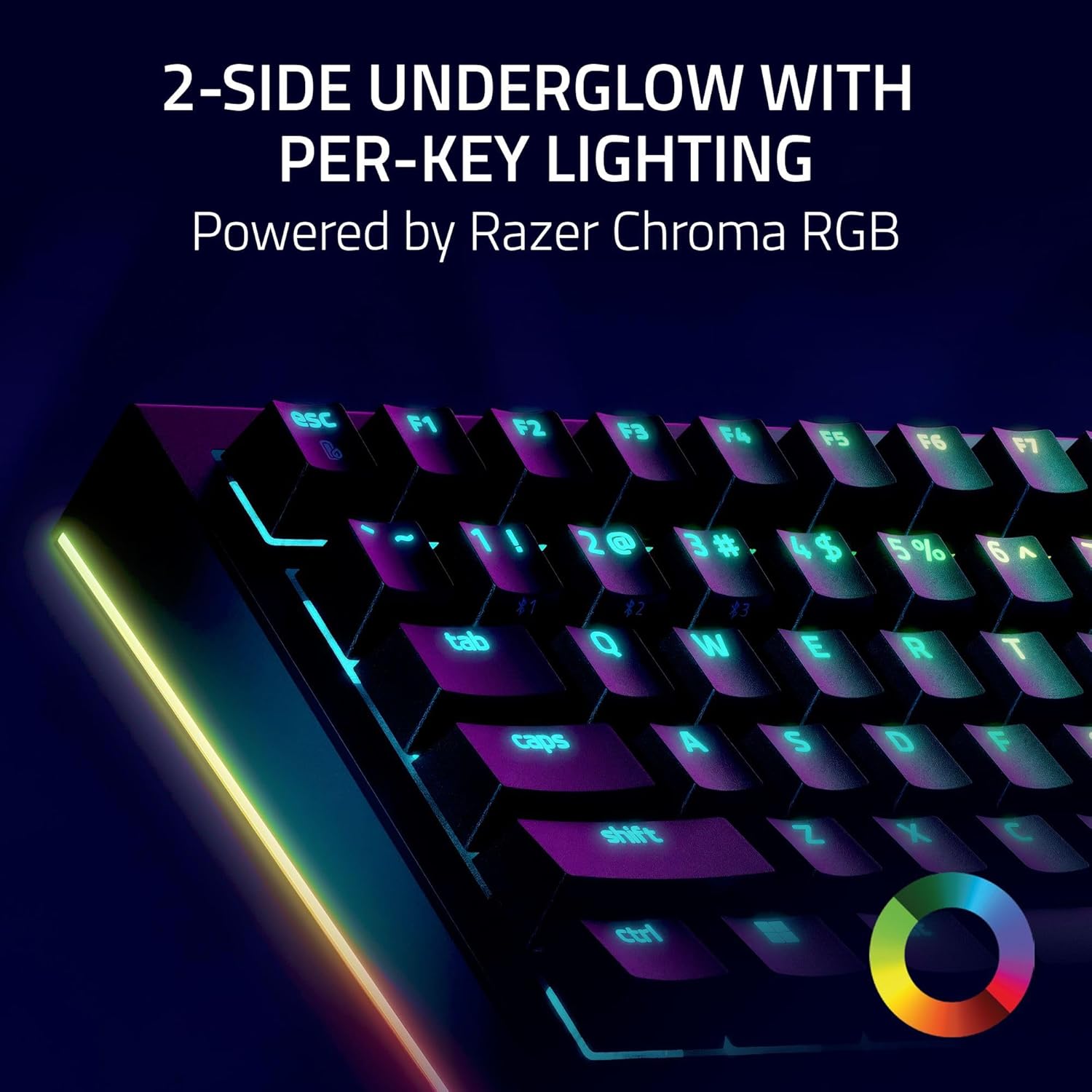
Complete your battlestation and bring it to the next level thanks to Razer Chroma RGB with per-key lighting and a striking 2-side underglow, allowing greater immersion for hundreds of Razer Chroma RGB integrated games. A soft, cushioned wrist rest completes the deal by securely snaping to the keyboard, providing long-lasting comfort throughout the most intense gaming marathons.
The BlackWidow V4 Pro 75% also introduces a new Power Saving Mode, designed to maximize battery life. This can be toggled through Razer Synapse or a simple hotkey combination FN + Esc. This allows the keyboard to have a battery life of up to 2100 hours in its idle state when fully charged.
Creating your dream keyboard now has no limits.
TRUE 4K Hz WIRELESS & BLUETOOTH 5.1 — Experience a greater level of gaming response powered by Razer HyperSpeed and Razer HyperPolling technology, and expanded control by connecting and toggling between 3 Bluetooth devices
HOT-SWAPPABLE DESIGN — Compatible with 3 or 5-pin switches, the keyboard’s socketed PCB makes it easy swap out its pre-loaded switches for custom ones to achieve desired key feel
OLED DISPLAY WITH COMMAND DIAL — Check the PC system metrics at a glance, show custom GIFs on the display, and enjoy expanded control with up to 100 customizable modes using the Razer Command Dial
OPTIMIZED TYPING EXPERIENCE — With a gasket-mounted FR4 plate, tape-enhanced PCB, lubricated screw-in stabilizers, and two layers of sound-dampening foam, enjoy a clean typing sound and feel with minimal rattling or wobble
2-SIDE UNDERGLOW WITH PER-KEY LIGHTING — Featuring per-key lighting and a striking 2-side underglow, sync the keyboard with your battlestation and enjoy greater immersion for hundreds of integrated games
9 reviews for Razer BlackWidow V4 Pro 75% Wireless Gaming Keyboard: OLED Display – True 4K Hz Wireless – Bluetooth – Hot Swappable – Orange Tactile Switches – Command Dial – Snap Tap – Chroma RGB – Wrist Rest









Light Jetton –
💔 The D doesn’t work like it used to anymore. 😏 It was good while it lasted!
I played with this keyboard a lot. Pretty much everyday since I had it. This was a beautiful keyboard. ✨☺️💖 I loved the way the lights wrapped all of the way around the wrist rest pad. It was comfortable, it was even easy to customize with fun different key caps! I spent 2 years and 4 months with it before I started having issues. 💔I’m not sure what the average lifespan of a keyboard usually is, but I guess I wore out the D after using it too much. Unfortunately, the D is now somewhat unresponsive when I touch it. Perhaps it was all of the repetitive strafing from side to side that went on in the competitive games I had been playing.The A and D keys were definitely put to work with many long hours of play sessions. It was not each time I pressed the key where it didn’t respond, but the inconsistentcy was enough to cause me to retire this keyboard.Time to move on to my next, new keyboard. ⌨️🌷RIP🌷 this beautiful keyboard. We had some good times together! Maybe I’ll get the same type, or maybe I’ll try something different. Who knows! I’m not sure yet!
Amazon Customer –
If you dont mind spending the money, the quality is absolutely there for this keyboard
Over all I will say that I typically really enjoy razer products and my wife gifted me this keyboard and I absolutely love it. the aluminum metal makes it feel very durable and just a overall great feeling so the build quality is really felt once you hold it in your hands. Easy plug and play and works well with the razer program. The extra keys are easy to program if you need it. This is a heavier keyboard so its not something I would recommend for like traveling. The color options are good just like most rgb keyboards. I personally like the clicky’ness of blue switches so I can tell you that the green switches sound great IF you like that sound. It is loud if you get the green switches so if your going to be using this near someone or just don’t want keys that are a bit loud defiantly get red switches. The keyboard just feels so nice when typing and pretty much anyone I let try it or use it falls in love with it to. It definatelly has a more premium price but you can feel it in the quality of the keyboard. If you want something that will last you and feel great I would recommend this keyboard. Highly recommend.
Jeff –
Toy wrapped in marketing façade. Fine for kids. But working professionals should steer well clear.
TLDR: slipshod programming, excellent marketeers.[NOTE: apologies for the typos – I had no time to proof my notes. But it takes ages to even list all the issues/flaws, much less document them–I’m far from the only person who has tried… and threw up their hands in defeat.]//skip to Part 2 for better grammar :)PART 1 —– THE HARDWARE —–Literally every major feature listed (on the amazon page for naga pro and blackwidow v4 pro) has a major issues1. Media keys1. Sunken down too far to be visible, aka too short to see and use easily2. Hard to see. Symbols are faint. No through-key illumination, only peripheral backlight. Very difficult to see even in good light and without glare of the backlight.2. Indicators above the arrow keys1. No backlight, cannot see the text, not that you use these often.3. Command dial – modes + comments1. Keyboard brightness® Redundant. Dedicated fn keys already exist on this very KB2. Windows zoom.® Programmed with wrong output (e.g. deprecated in newer windows os)3. Track jogging.® Limited utility. Works only when player is in focus, which defeats the main purpose® Doesn’t work will all apps® Windows media: dial ONLY WORKS WHEN FOCUS IS ALREADY ON TRACK SLIDER. Absolutley useless.® Under the hood, it’s just “shift + left arrow” and “shift + right arrow”4. Vertical scrolling.® Good use case: gaming. For button mashing quick-events; perform scroll wheel up/dn if you’ve already mapped your physical scroll wheel’s up/dn to something else® Useless? For me anyway5. Horizontal scrolling.® Actually works. Nice to have when synapse crashes, disabling horizontal scrolling on razer’s naga pro mouse. (though I haven’t tested this extensively).® UPDATE. Nvm. Does not work w/o synapse.6. Switch apps® Alt + Tab… but much worse.you already have alt-tab. But this is worse. Once you stop turning, it selects that app, but gives you little time to glance through them, so you have to key turning the dial. But if you overshoot and reverse dial turn direction…◊ It Scrolls in wrong direction // If you reverse scroll direction too quickly, it won’t recognize the change in direction, aka the wheel doessn’t work well7. Track selector® Basic next track, prev track8. Switch browser tabs® Why would you need this?9. Custom modes – user created® Can be useful, but YMMV® Gaming: map to scroll wheel4. Dedicated macro keys1. M1, M2, M3, M4, M5 – useful2. Side keys – too easy to bump by accidentOverall hardware quality – fine for <$100, but not remotely worth >$200PART 2 —– THE SOFTWARE —–No review of Razer peripherals is complete without mentioning their software, Synapse.Razer Synapse – so, so many issues1. Required for most features to work, integral to the product listed.2. Frequently crashes (especially during games). Result:i. Your profile stops working: macros and keys return to default (or to some random ghost profile that you can’t delete)ii. Your macros stop workingiii. Your lighting stops working3. Profiles1. corrupted2. Hybrid storage doesn’t work (white profile on Naga Pro): unable to retain settings when synapse disconnected3. Profiles and macros don’t work when signed IN to Synapse, but work OK on a guest account.4. Unable to sync profiles5. unable to factory reset / erase profiles (!)4. Macros don’t work in a dozen ways1. issues with combined modifiers (like win + ctrl)2. keys stuck in down-press or un-press3. keys do not respond4. corrupted in so many ways…1. random keystrokes removed from macros2. unwanted duplicates3. failure to run4. failure to duplicate correctly5. corrupted on import6. up/down keystroke pairs no longer “linked”7. no name “No macro”8. unable to edit9. unable to wipe from account5. Not synced6. Disappeared from account7. Nonfunctional1. When signed into Synapse2. When signed into specific user account3. At all8. NOTE: yes, I am sure many (if not all) the issues stem from Razer/Synapse, not the user. eg i checked the macro files themselves and discovered, for example, some were missing ID tags, had the wrong ID, sequenced my inputs differently from what was displayed in Synapse, were missing key-up lines (making your keys/buttons stuck “pressed down”), etc.9. Keys are incorrectly mappedExample: the inputs {up, down, left, right} are mapped to arrow keys® But with turbo, they are are mapped to numpad 2,4,6,8…® But Synapse doesn’t automatically deactivate num lock.® So when you think you’re rapidly commanding {up, down, left, right}, Synapse is actually putting out {8, 2, 4, 6} on the numpad.® Even when using “keyboard recording” i.e. they don’t actually record faithfuly your key presses, they estimate.® This bug is hidden. Zero indication is visible to the user. I had to parse the macro files directly to finally figure out what on earth was going on.5. resource intensive1. Consumes 1 GB of RAM2. Consumes 100 MB to 200 MB of GPU VRAM(!) while machine is idle just after rebooting.3. Generated >10 GB per user in AppData. (Razer, what on earth are you doing that requires multiple gigabytes?!)6. Seriously, it’s easdier to list what they did right than what they did wrong.This is literally the worst piece of software that I (or most people buying Razer products) will EVER use.PART 3 —– SUPPORT IS TERRIBLE —–1. Razer Support actively dissuades users from contacting support:i. they require A LOT of personal info to even start talking to you.ii. they require VERY invasive logs to even start helping you1) even if their intent is completely benign, would you really trust Razer Security™ with your personal info? If you think Synapse code is bad, do you think their internal code is any better?2. they can’t help you anyway (so what was the point of collecting all your personal info?)i. their main advice:1) uninstall/reinstall everything.2) don’t get fancy:a) don’t make complicated (useful) macros,b) don’t use USB hubs, including their own accompanying peripheral,c) don’t ‘run too many things at once’3. Support forums are littered with tons of “yes-men” who just repeat official lines from Razeri. … even if the advice is irrelevantii. … even if the advice does not work (see a comment above), eg their driver removal tool doesn’t work on recent firmware patches4. And yes I’ve tried EVERYTHING while troubleshooting over the years:1. clean Windows installs2. new machines.3. laptops/desktops.4. different OS.5. different synapse ver.6. different combinations of razer products7. different Razer accounts8. Multiple of same product9. safe mode10. lesson: RAZER PRODUCTS WORK BETTER THE LESS YOU USE THEM.1. don’t use synapse2. don’t use macros3. don’t use chroma / lighting4. don’t reassign keys5. don’t mix/match razer products6. Don’t use on multiple profiles on the same computer7. Don’t use on multiple computers8. etc. ad nauseum9. … which defeats the point!I could go on for hours… this is just the tip of the iceberg… and these are just the issues i’ve experienced this year alone.Razer has written terrible software and fielded terrible support for years and years. Do you expect them to improve any time soon?From the start and for years on, I was a big fan of Razer products because they offered features not found anywhere else on the market. But their value soured. Their broken software is a deal-breaker. If they invested half as much on software as they did on marketing, they would not need marketing.But I can no longer recommend their products any longer. Even if Razer started discounting their products AND Razer’s competitors all went on vacation (no longer true in 2024, if ever), I could not recommend buying Razer products: they just DON’T work. They are tremendously tiresome, hassle-some, fragile, inconsistent, perpetually broken, and time-consuming. They have wasted thousands of dollars of my time. At minimum.I bought Razer products because they not only accelerated my work, but also enabled me to do things I could not otherwise. So I tolerated their terrible software for a long time… until now. This is the last straw.One can’t help but wonder whether their software issues are intentional. It would make more sense than this calamitous never-ending train-wreck.(Seriously, it’s as if they slapped together every feature solely to satisfy a checkbox but performed zero user-testing and or zero quality control, especially in their software. )TERRIBLE PRODUCT.Just buy a Wooting keyboard instead. Or even a Wooting knockoff.
Frank –
Awesome keyboard.
Really neat keyboard that has some cool features. I enjoy the rgb and razer Synapse software.I know razer is a love hate brand, typically known for over priced devices, however I like the Synapse software which works with my Tartarus, cooling pad, and Balisik mouse.The RGB looks awesome and keyboard functions great.I personally need a full keyboard for gaming and fulfilling admin duties which are bound functions on my number pad.The wrist pad feels great and the full rgb can’t be beat.The only downside I see is this keyboard doesn’t have hot swapable switches, but for me isn’t a deal breaker. Im very pleased with my keyboard.I was able to get on sale and save quite a bit which is why I finally bit the bullet and moved from my Tartarus single hand keyboard.
Rogelio Gomez –
Súper teclado, honestamente es súper caro, pero me gusta mucho y es muy cómodo, estoy muy feliz con mi compra, hasta la fecha no he tenido ningún problema con el, si tienes la oportunidad de comprarlo dale, recomiendo los switches amarillos suenan bien y son cómodos.
Jac Evans –
Keyboard was great when I first got it, however it eventually started typing 2 of a few letters even after tapping the key once. It was great, just don’t get this. You’ll thank me later.
LuminolBlue –
Another great product from Razer, and since all of my gear is Razer, it only made sense to go with a Razer keyboard. I have the Green switches, and I’ve seen a few reviews of people saying how loud the green switches are, and I can tell you from experience, they are not as loud as I was expecting them to be. Razer says these are the Gen 2 Green Switches and are supposed to be better. A friend of mine has an older Razer keyboard with green switches and his keyboard is a bit louder than mine. I guess over time the keys will feel different and may sound a bit louder, but for the time being the tactile and clicky sound and feel is acceptable. Granted, I wouldn’t recommend using this keyboard in an office or a school setting, but for everyday use, this keyboard is perfect.I haven’t had a chance to use the keyboard to its full potential yet, but it does come with just about everything but the kitchen sink. There are a few miner annoyances with this keyboard. First of all, the Command Dial is too close to the Esc key, I think Razer could have left a bit more room between the two buttons. Secondly, it’s very easy to accidentally press the 3 macro keys on the left-hand side of the keyboard, so I have mine disabled. Someone may find 8 macro keys useful, however, I think it’s a bit overkill. Last but not least, you can tune this keyboard’s polling rate all the way up to 8000 Hz, but realistically speaking, there is no real-world advantage to this, so for all intents and purposes, I feel 2000 Hz of polling is adequate for most users–gamers and everyday users, alike.
Donnie –
Very pricey keyboard, but worth every penny.Synapse 4 still has software issues and I experience the odd random problem but honestly hasn’t been as bad as it was in the past with Synapse 3.Typing works great. I’ve upgraded the switches inside to baby kangaroos and they feel and sound amazing on this board. RGB lights are bright and super customizable.If you’re on the fence about buying this thing… Do it…. Do itttt…
MR G D BELLIS –
Well to start with this is NOT a UK layout keyboard even though in the Q&A the seller says it is!Lovely keyboard with still a fair amount of noise for the yellow switches, i was expecting an almost silent key press. The keyboard wil take a short time to gve used to as my previous had a large enter key and this one isnt as large and i keep pressing # and enter at the same time. Shortcut keys are a nice touch and the 3 macro buttons on the side were a surprise when i accidently pressed them. Think i will have to change the default on those for when gaming!