




RedThunder K84 Wireless Keyboard and Mouse Combo, LED Rainbow Backlit Rechargeable Battery, 75% Layout TKL Ultra Compact Gaming Keyboard & Lightweight 3200 DPI Honeycomb Optical Mouse (White-Black)
Original price was: $54.99.$49.99Current price is: $49.99.

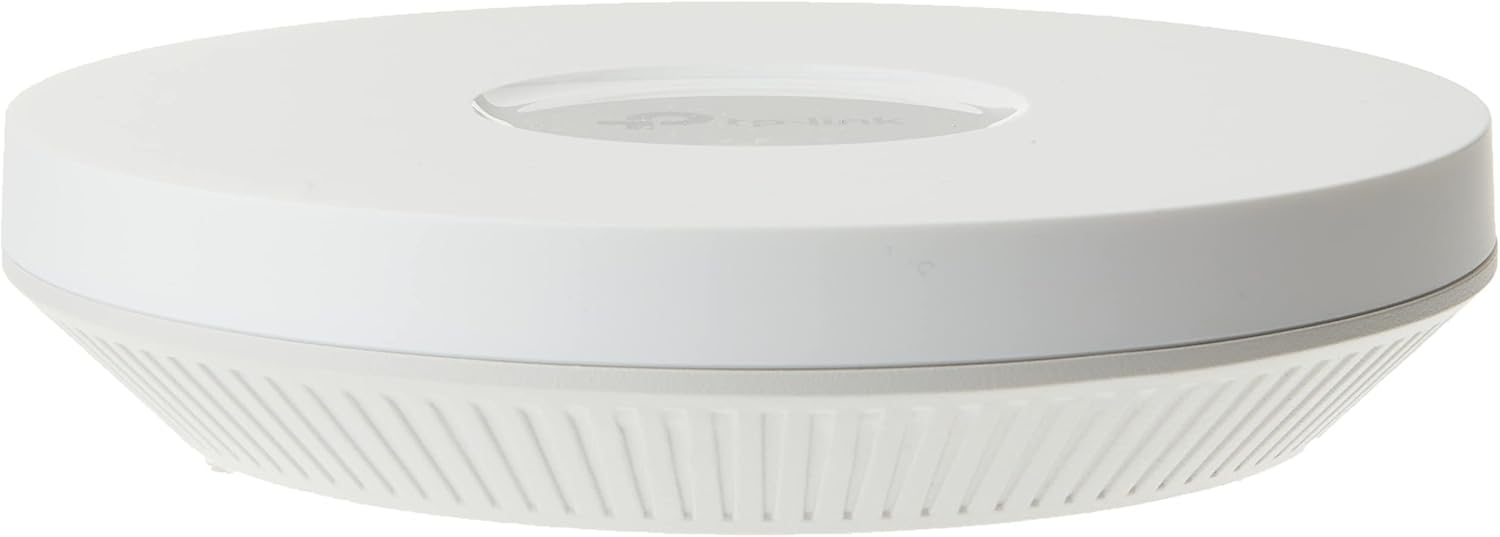
TP-Link EAP610, Omada Business WiFi 6 AX1800 Wireless Gigabit Access Point, Dual-Band, Mesh, OFDMA, Seamless Roaming & MU-MIMO, SDN Integrated, Cloud Access & Omada App, PoE+ Powered, White
Original price was: $99.99.$89.99Current price is: $89.99.
Description
Price: $99.99 - $89.99
(as of Feb 14, 2026 01:37:00 UTC – Details)
AX1800 Ceiling Mount Wi-Fi 6 Access Point
Designed with the latest wireless Wi-Fi 6 technology featuring 1024-QAM and Long OFDM Symbol
Compact design ensures simple installation while saving space
Remote Cloud access and Omada app
Supports Mesh WiFi, Seamless Roaming
Reviews (10)
10 reviews for TP-Link EAP610, Omada Business WiFi 6 AX1800 Wireless Gigabit Access Point, Dual-Band, Mesh, OFDMA, Seamless Roaming & MU-MIMO, SDN Integrated, Cloud Access & Omada App, PoE+ Powered, White
Shipping and Delivery


Related products



tomtoc 360 Protective Laptop Shoulder Bag for 13 Inch 2025 MacBook Air M4/A3240, M3/A3113, M2/A2681, M1/A2337, MacBook Pro M2/M1, 13-in Surface Pro 11th AI/10/9, Water-Resistant Accessory Case


TP-Link AC1200 WiFi Router (Archer A54) – Dual Band Wireless Internet Router, 4 x 10/100 Mbps Fast Ethernet Ports, EasyMesh Compatible, Support Guest WiFi, Access Point Mode, IPv6 & Parental Controls


Slippery Pete –
The perfect solution!
I’ve messed around with trying to place my router in my house, moving it around, changing antenna, putting in boosters… everything to try to get a better signal. I had heard about these on a podcast and decided to give them a try and they work really well. I went with the Omada ones because I picked up the OC300 as well. It has been SOOOO easy to add new access points where needed. I have one on each floor and one outside and paired with the OC300 makes setting up a breeze.Pros:* Easy to set up – if you don’t get an OC200 or OC300 (or use a Raspberry Pi or computer to run their software for free), you simply log in, set up your WiFi networks and you’re on your way. With the OC200/300, you just “adopt” the device and it sets everything up. I now change my WiFi every time I have people over so I can personalize it to them and it keeps them off my primary network.* POE – Don’t want to run power to where you want this? No problem! Just run an ethernet cable and power it over that.* Comes with everything you need for mounting* Great signal strength and covers a lot of area.* I’ve bought all of mine on sale but I would pay full price if needed one in a hurry. Extremely good value for what you get.* There are hidden solutions you can get but people have commented how it looks like I have “professional wireless” in my house. These look just like what you’ll find in an office, if that is important to you.Cons:* None – I’ve been very happy.I’ve switch everyone in my family to these along with an OC200 to run them. Since they have asked me to help them with their networking stuff in the past, it has made my life really easy to be able to run these. I highly recommend them.
RichW –
Reliable AP. Reasonably Priced. Good Performance.
For my home, I prefer a traditional access point connected to a Ubiquity EdgeRouter over Ethernet rather than an integrated consumer wireless router. I had been using a TP-Link EAP225 WiFi-5 AP for over 5 years, and it had been completely reliable. It was time to upgrade to WiFi-6. The EAP650 supports that newer standard, providing an improvement in overall performance. It has been in use for a month and has been perfectly reliable. The signal is also somewhat stronger than the old AP. Supports VLANs, and multiple SSIDs on each frequency band. Easy to configure. A real improvement over the EAP225 is the ability to upgrade the firmware in the UI without having to manually download the firmware file to a PC first. Very nice.
markr –
Excellent Outdoor Access Point
Excellent outdoor access point. Setup through the Omada app was straightforward, and the unit delivers strong, stable coverage over a long distance. Once mounted and powered, it just works. Signal stays solid even through walls and across open areas, and it handles multiple devices without dropping. If you need reliable outdoor WiFi with real range, this is a great choice. It is easy to setup, it is small and well made.
FlawlessJuiceBox –
Blazing fast, reliable, and customizable!
I’ve recently re-worked my home network to use all Omada APs and switches.One access point looks to be enough to cover my whole home, but I may add more in the future.The AP can broadcast multiple SSIDs, VLANS, and bands to allow support for older devices.Pro tip: As long as one AP is plugged into your network with Ethernet, you can connect others using “Omada Mesh”This is great for the “prosumer” who wants to standardize their home network, but is also easy enough for anyone to configure.
Jake –
Great Coverage, but Band Steering Needs Work
The Omada Access Point delivers excellent coverage and integrates smoothly with the Omada Software Controller, making setup and management simple. Speeds are fast and reliable once connected, and roaming between APs works well in my setup. My only complaint is the “seamless” band steering between 2.4GHz and 5GHz — it’s not truly seamless. I’ll sometimes have full Wi-Fi bars but can’t load anything for a few seconds while it switches bands, which can be frustrating during calls or streaming. Overall, it’s still a great AP for the price, but I hope TP-Link improves the band steering in future firmware updates.
Andrey –
Gerência diversos cenários, inclusive para rede de convidados, restringindo e o acesso à rede do cliente.
Fernando Aurelio Ruiz de Chavez Olvera –
Excelente producto!
Rick M –
Set up was a little confusing reading the directions. But after installing the app and following step-by-step, it was easy to figure out. The AX 3000 EPA 650 outdoor once installed works amazing. My outdoor Wi-Fi went from 25 MB to over 700 MB. After it was all connected. Make sure to do your research to see if this will work for you. It is a good product and provides great wifi signal where needed. I noticed that any trees or other obstructions very quickly reduce the signal. So make sure you place it in an area that will offer the best coverage.
Juan Villaseñor –
Me han endulzado la vida literalmente. Gracias por hacerme llegar el punto de acceso Eap650-outdoor. Con este equipo tengo planeado llevar el internet por wifi a una distancia muy considerable de mi casa, calculo 100 mts. Pronto actualizaré está publicación para hacer una reseña más extensa y algunas fotos de la implementación.
Mazen AL-Mesned –
من افضل الاكسس بوينت اللي شفتها ، يدعم تقنية المش والتنقل السلس ، تقدر تشبكة عن طريق محول الطاقة او عن طريق كيبل الاثيرنت اذا عندك السويتش يدعم POE ، راح تستغني عن محول الطاقة .وحجمة صغير وجميل على السقف افضل من الاصدارات السابقة