

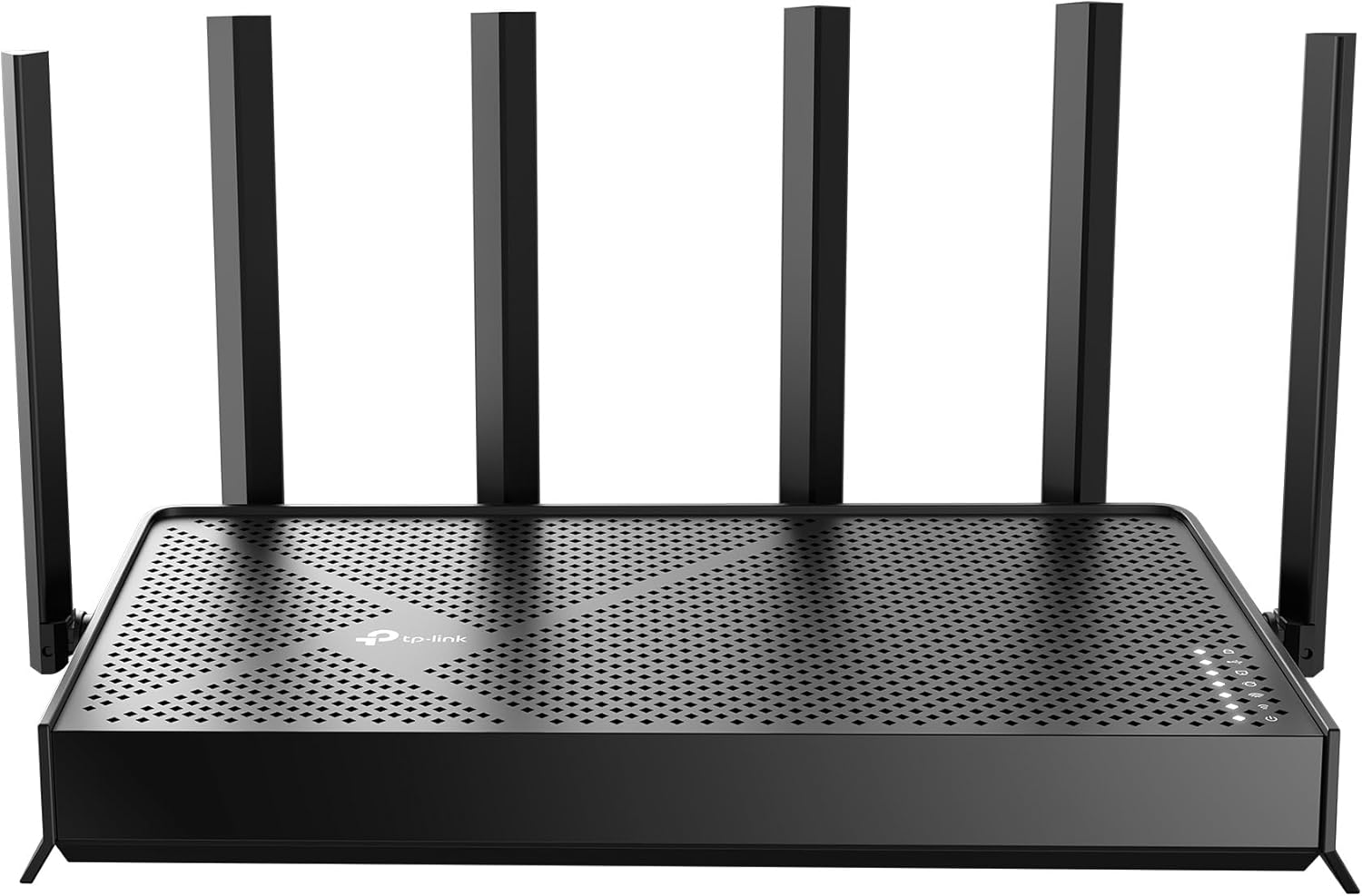


TP-Link Tri-Band BE9700 WiFi 7 Router Archer BE600 | 10G WAN/LAN +2.5G +3× 2.5G Ports, New 320Mhz Channel | Covers up to 2,600 Sq. ft and 120 Devices | VPN, HomeShield for Network Security
Original price was: $249.99.$199.99Current price is: $199.99.
Price: $249.99 - $199.99
(as of Feb 15, 2026 15:42:58 UTC – Details)
The New Era of Home Wi-Fi
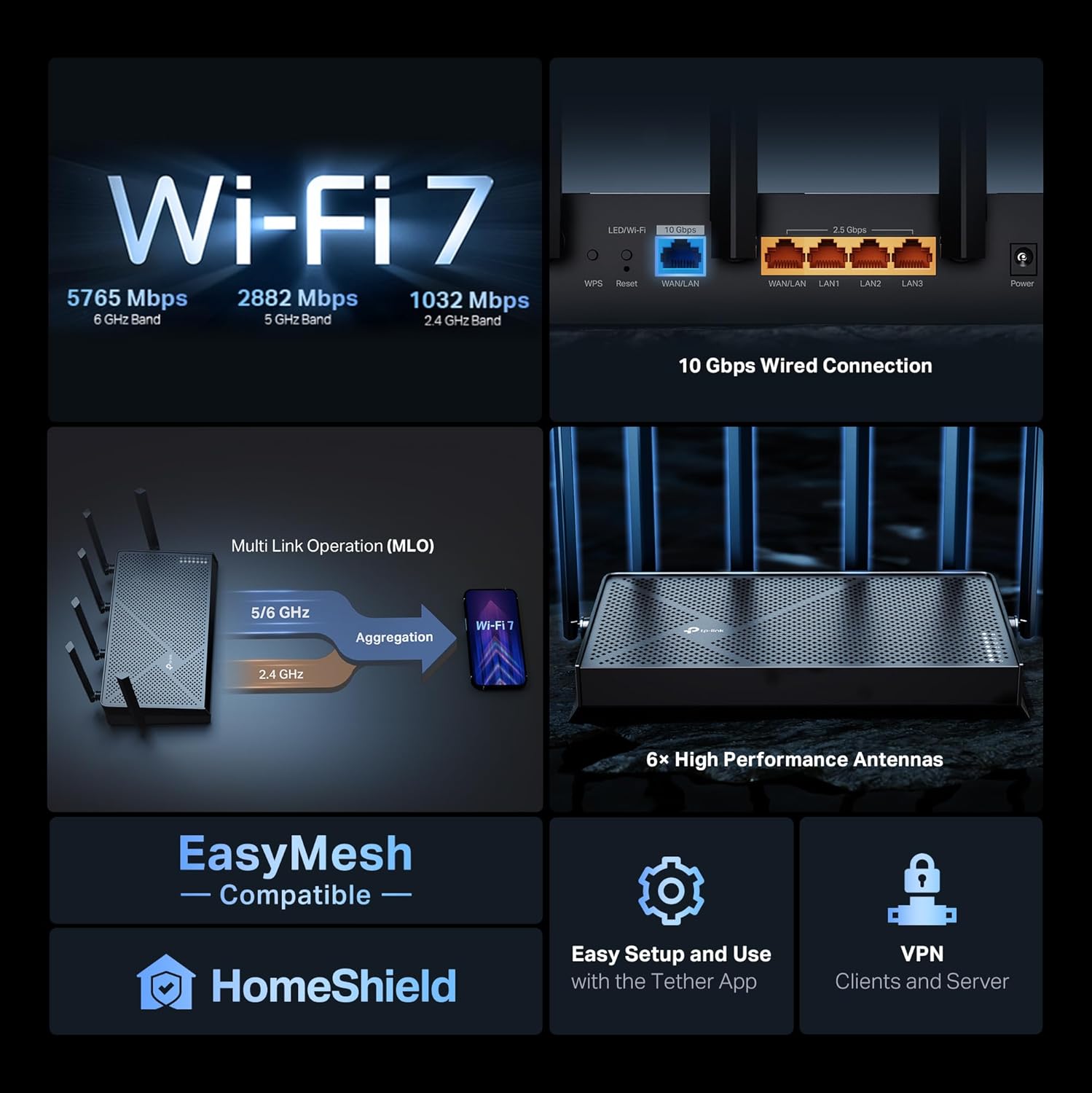
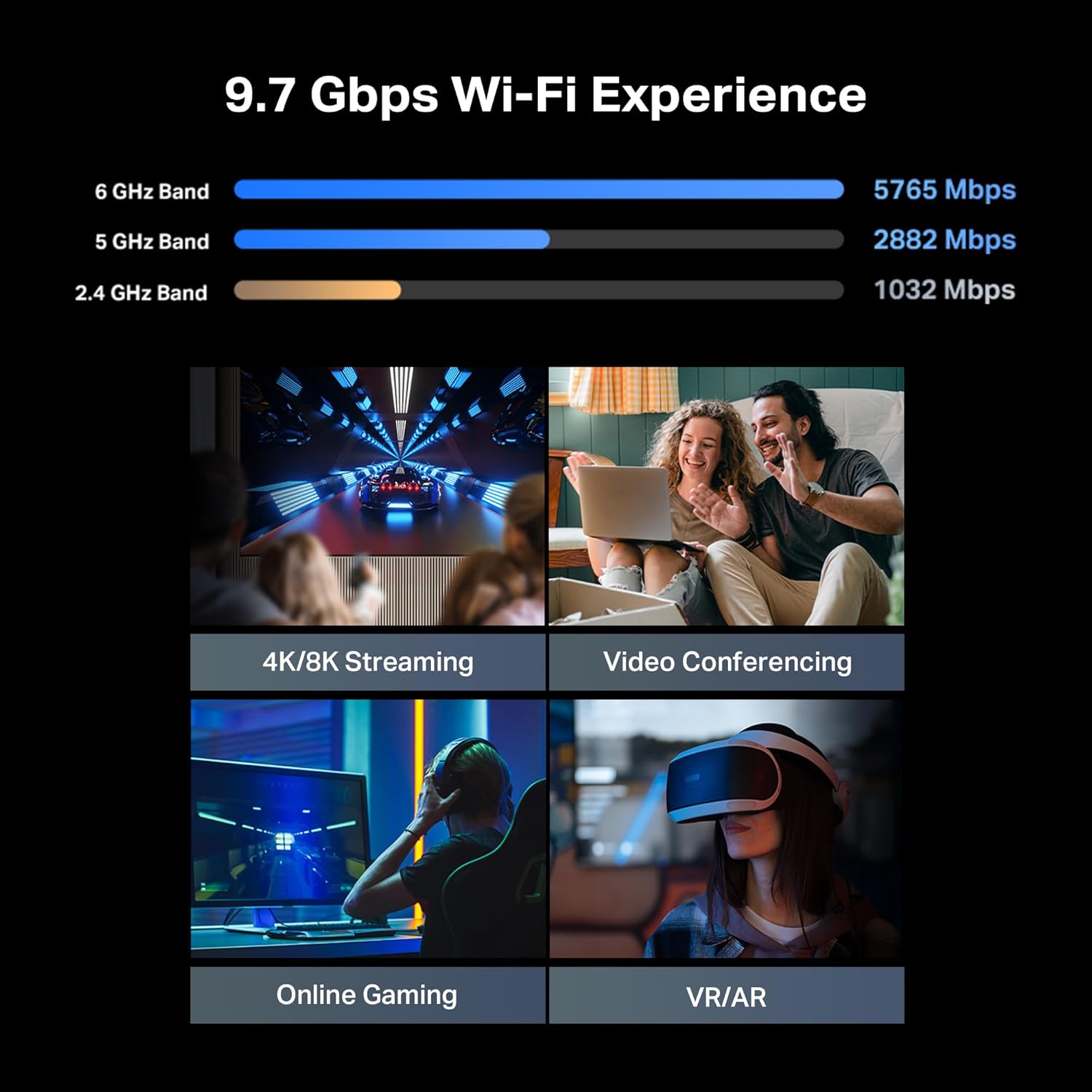
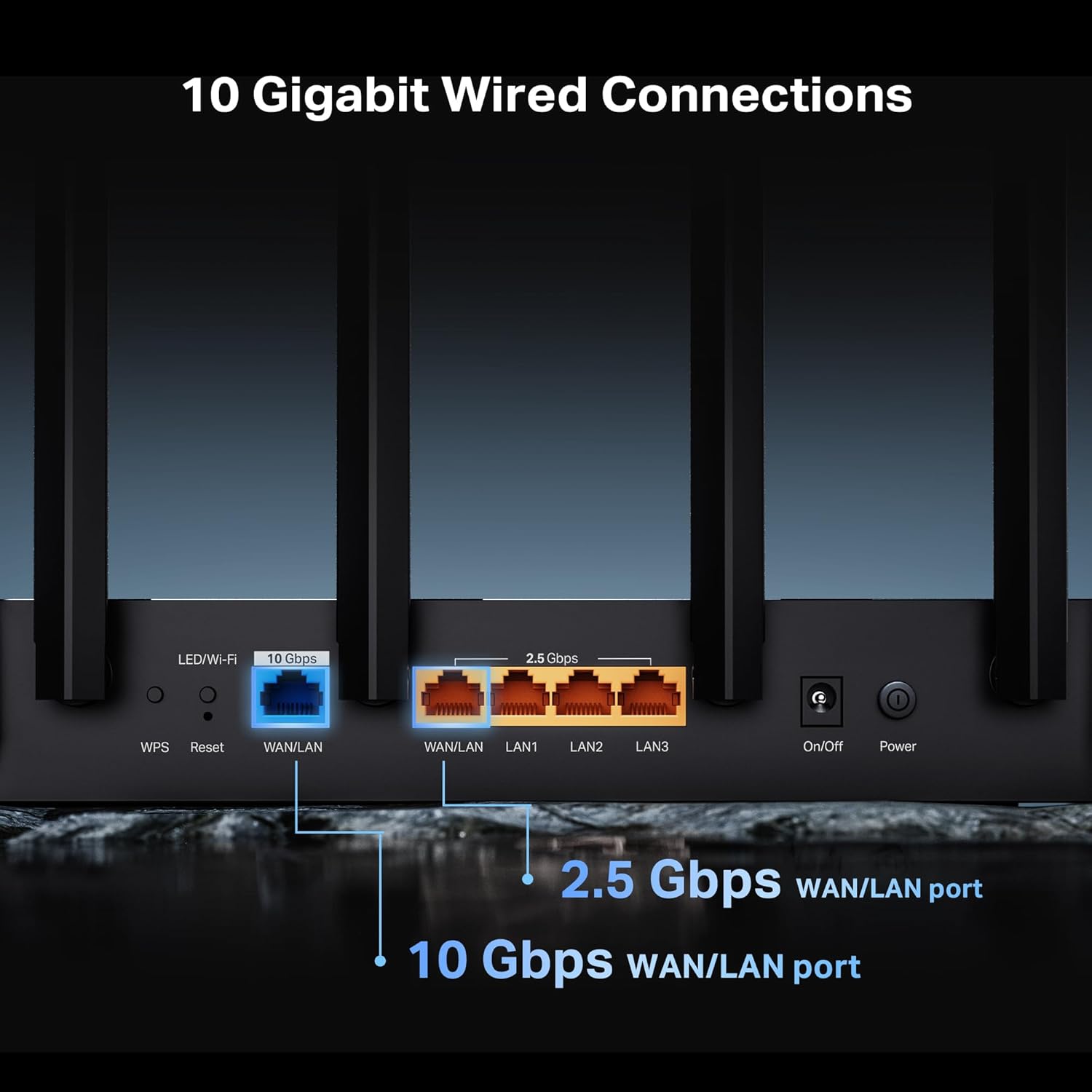
Step into a new era of home Wi-Fi with the TP-Link BE600 Tri-Band WiFi 7 Router. It offers expansive wireless coverage and impressive Wi-Fi total bandwidth of 9.7 Gbps across the 6GHz, 5GHz, and 2.4GHz bands. Plus, enjoy increased capacity to accommodate more devices simultaneously, making it the perfect router for 4K/8K streaming, lag-free online gaming, and seamless smart home connectivity. Designed for ultra-high speed, multi-gigabit internet, the Archer BE600 includes a 10 Gbps WAN/LAN port, 2.5 Gbps WAN/LAN port, 3× 2.5 Gbps LAN ports, and a USB 3.0 port.◇⌂§
The dimensions for this product are 11.29 x 6.02 x 1.87 inches. Powered by a quad-core CPU, this WiFi 7 router supports an array of advanced features, including beamforming, MU-MIMO, OFDMA, Airtime Fairness, DFS, AP mode, access control, IPTV, guest networks, LED control, port forwarding, SPI Firewall, and IP & MAC Binding. It is compatible with Alexa and Google Assistant and includes cloud services for automatic firmware updates.
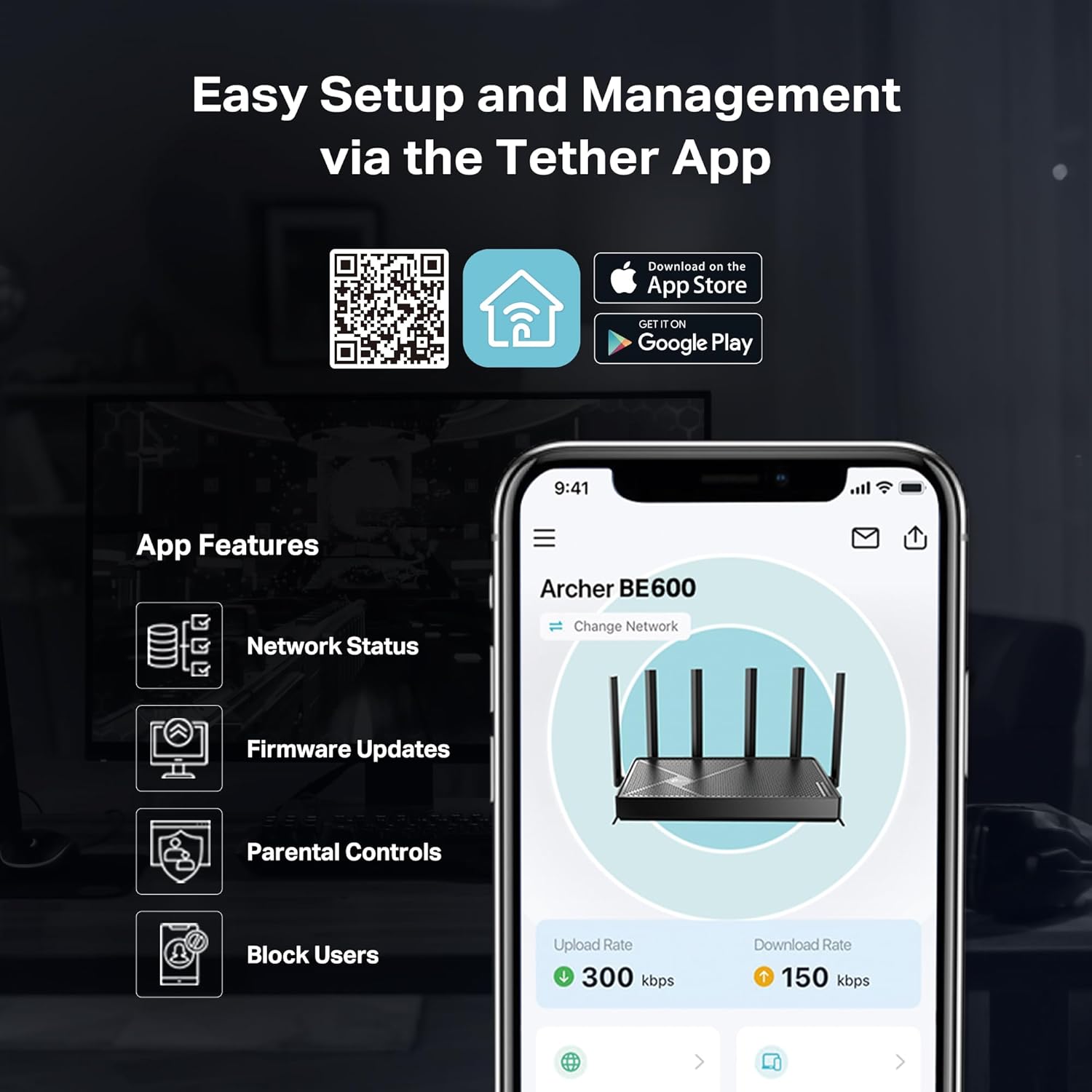
The Tether app offers intuitive network management, allowing you to monitor network status, block unauthorized users, and access TP-Link HomeShield. HomeShield has advanced security features that protect your family and network’s privacy and data. Features include a real-time home network scanner that detects potential threats and security issues, parent controls where you can manage time online and block inappropriate content, and quality of service (QoS) where you can assign your favorite devices to have the fastest connections for top performance. It also allows you to set up a separate WiFi SSID for IOT devices and enabling advanced WPA3 encryption, reducing the risk of unauthorized access to sensitive data on your main network.(1)
𝐍𝐞𝐱𝐭-𝐆𝐞𝐧 𝐖𝐢-𝐅𝐢 𝟕 – Optimize performance on latest WiFi 7 laptops and devices, like the iPhone 16 Pro, Samsung Galaxy S24 Ultra, and PS5 Pro with the latest WiFi 7 technology with Multi-Link Operation, Multi-RUs, 4K-QAM, and up to 320 MHz channels.◇△
𝟕-𝐒𝐭𝐫𝐞𝐚𝐦, 𝐁𝐄𝟗𝟕𝟎𝟎 𝐓𝐫𝐢-𝐁𝐚𝐧𝐝 𝐖𝐢-𝐅𝐢 𝟕 𝐒𝐩𝐞𝐞𝐝𝐬 – Delivers smooth 4K/8K streaming, immersive AR/VR gaming, and blazing-fast downloads with speeds up to 5,765 Mbps on the 6 GHz band, 2,882 Mbps on the 5 GHz band, and 1,032 Mbps on the 2.4 GHz band.⌂
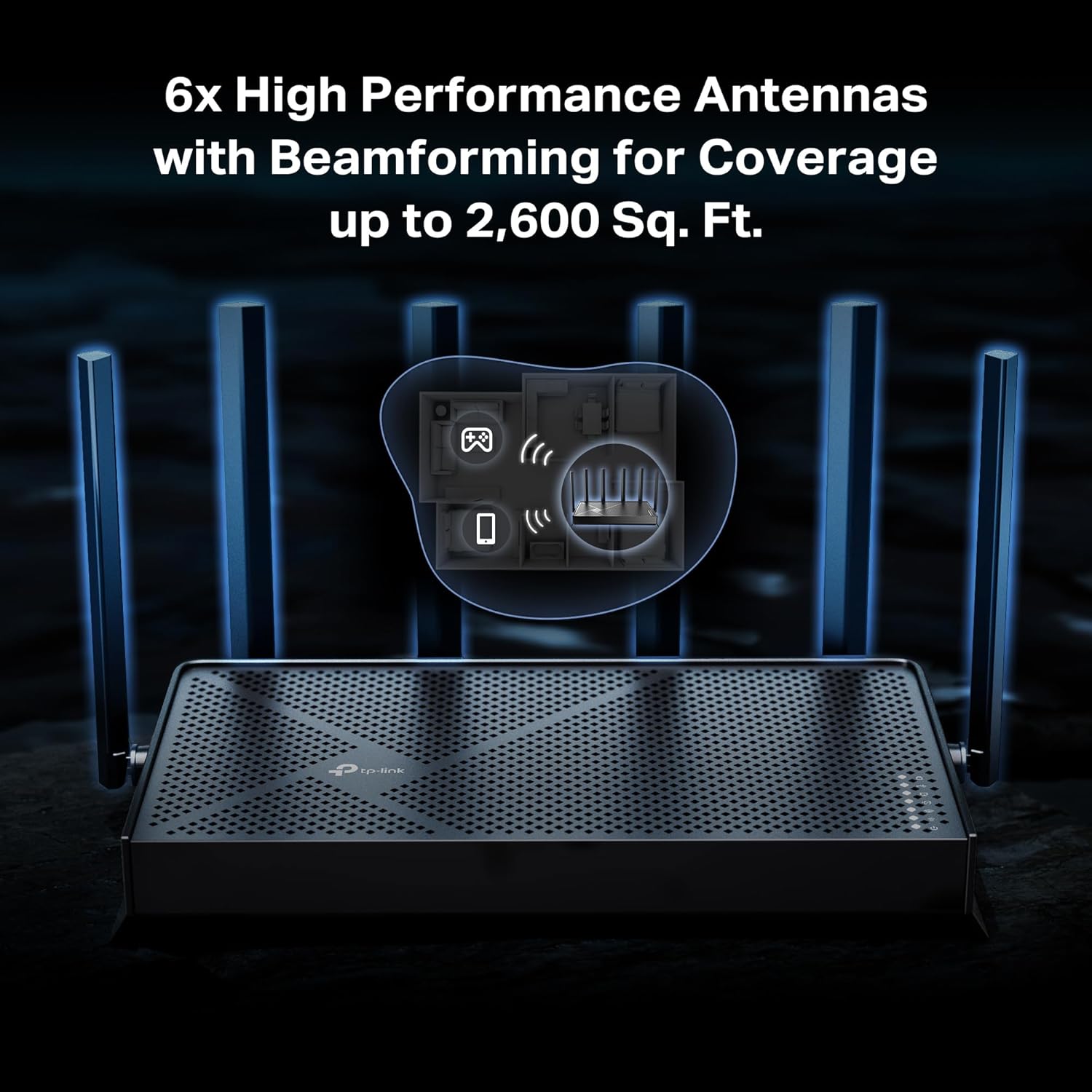
𝐌𝐚𝐱𝐢𝐦𝐢𝐳𝐞𝐝 𝐂𝐨𝐯𝐞𝐫𝐚𝐠𝐞 – Up to 2,600 sq. ft. coverage for up to 120 devices at a time. 6 optimally positioned antennas and Beamforming technology focus Wi-Fi signals toward hard-to-cover areas for stronger coverage-—ideal for those seeking the best WiFi router for large homes.
𝟏𝟎 𝐆𝐛𝐩𝐬 𝐏𝐨𝐫𝐭 𝐟𝐨𝐫 𝐌𝐮𝐥𝐭𝐢-𝐆𝐢𝐠𝐚𝐛𝐢𝐭 𝐂𝐨𝐧𝐧𝐞𝐜𝐭𝐢𝐯𝐢𝐭𝐲 – Features 1x 10 Gbps WAN/LAN port, 1x 2.5 Gbps WAN/LAN port, and 3x 2.5 Gbps LAN ports. Integrate with a multi-gig modem for fast, wired gig+ internet.
𝐎𝐮𝐫 𝐂𝐲𝐛𝐞𝐫𝐬𝐞𝐜𝐮𝐫𝐢𝐭𝐲 𝐂𝐨𝐦𝐦𝐢𝐭𝐦𝐞𝐧𝐭 – TP-Link is a signatory of the U.S. Cybersecurity and Infrastructure Security Agency’s (CISA) Secure-by-Design pledge. This device is designed, built, and maintained, with advanced security as a core requirement.
𝐌𝐮𝐥𝐭𝐢-𝐋𝐢𝐧𝐤 𝐎𝐩𝐞𝐫𝐚𝐭𝐢𝐨𝐧 (𝐌𝐋𝐎) 𝐓𝐞𝐜𝐡𝐧𝐨𝐥𝐨𝐠𝐲 – Enjoy strong, uninterrupted connections, even while moving, through the combination of multiple Wi-Fi bands into one powerful stream.§
𝐓𝐏-𝐋𝐢𝐧𝐤 𝐇𝐨𝐦𝐞𝐒𝐡𝐢𝐞𝐥𝐝 – Provides comprehensive home network protection, robust parental controls, and real-time IoT security when you are at home or on the go. A safer internet experience enhances your smart living and adds armor to your network.*
𝐄𝐚𝐬𝐲 𝐒𝐞𝐭𝐮𝐩 𝐚𝐧𝐝 𝐔𝐬𝐞 – Set up your Archer BE600 in minutes and manage network settings with the Tether app (Android or iOS) or web interface.
𝐕𝐏𝐍 𝐂𝐥𝐢𝐞𝐧𝐭𝐬 𝐚𝐧𝐝 𝐒𝐞𝐫𝐯𝐞𝐫 𝐒𝐮𝐩𝐩𝐨𝐫𝐭𝐞𝐝 – Enables home devices to access remote VPN servers without installing VPN software on each device. Supports simultaneous VPN and regular internet connections for enhanced security and flexibility.
Buy with confidence – Our highly trained support team is ready to help resolve any setup or WiFi issues at Support.USA@tp-link.com
10 reviews for TP-Link Tri-Band BE9700 WiFi 7 Router Archer BE600 | 10G WAN/LAN +2.5G +3× 2.5G Ports, New 320Mhz Channel | Covers up to 2,600 Sq. ft and 120 Devices | VPN, HomeShield for Network Security


Related products


etguuds USB A to USB C Cable 6ft, 2-Pack, 3A Fast Charging Type C Charger Cord for iPhone 17 16 15 Pro Max 16e 17 Air, Samsung Galaxy S25 S24 S23 S22 S21 S20 A17 A16 A56 A55 Flip Fold, Gray
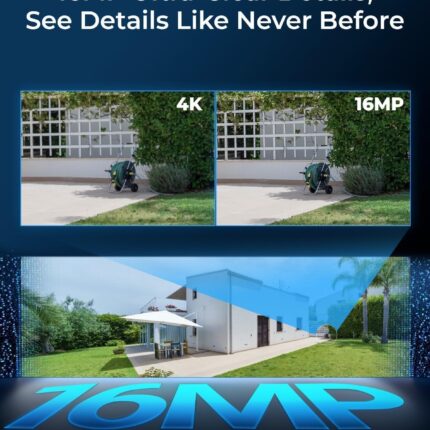
REOLINK Duo 3 PoE 16MP UHD Dual-Lens PoE Security Camera with 180° Panoramic View, Motion Track, F1.6 Color Night Vision, Person/Vehicle/Animal Detection, 2 Way Talk, Supports 24/7 Recording


Senso Bluetooth Headphones, Best Wireless Sports Earphones w/Mic IPX7 Waterproof HD Stereo Sweatproof Earbuds for Gym Running Workout 8 Hour Battery Noise Cancelling Headsets (Black Blue)


Silkland 8K HDMI Extension Cable Short 1.6FT/0.5M HDMI Extender 2.1, 8K@60hz 4K@120hz Hdmi Male to Female Adapter, Ultra High Speed 48Gbps Extensor Cord Compatible with Fire Stick Roku TV Blu-Ray PS5


TP-Link AC1200 WiFi Router (Archer A54) – Dual Band Wireless Internet Router, 4 x 10/100 Mbps Fast Ethernet Ports, EasyMesh Compatible, Support Guest WiFi, Access Point Mode, IPv6 & Parental Controls


George D. Scott –
Great Modern Router (High Processing Power)
Yay. I love my new router. I have a lot of smarthome devices, and I host a home web/game server for work. I was very afraid that my port forwarding/dynamic DNS and smarthome would be a pain to migrate to a new router. I was wrong. I used the same network name and password as my old router, and all of my devices reconnected fine (except one chinese security camera which i fixed after). The range is as decent as my old Netgear Nighthawk R7000. The lower frequencies (2.4ghz) have higher range and are better for that. But for processing power of a router, this is it baby. This thing increased my network speed by ~100mbps down and also decreased my latency, pretty impressive. This thing will easily be able to handle all of my smart home devices, server needs and gaming/streaming needs. I think it was a worthy upgrade from my 13yr old router. Quick setup tip: make sure to power down your modem and router first, because your modem is expecting the previous routers MAC address, so you might have to call your ISP and have them send a reboot signal from their end to get your modem to accept the new router MAC address. Other than that, setup was a breeze. Dynamic DNS works well, port forwarding was easy, and there are SO many features I haven’t even looked into yet.I also have a TP-LINK network switch, and the router and switch are playing nicely together. All and all, I had netgear routers for like 20 years and they were great, i’m pleased to say that TP-LINK is also great, time will tell though.
JOK –
Easy set up and very good WiFi coverage
The router I had was 10 years old and no longer supported. Our household also has so many more WiFi devices than we had 10 years ago, so it was time for an upgrade. I did some research and TP-Link kept popping up as a recommended router. I found the BE6500 to be easier to set up than I expected. I connected directly to my laptop, and in about 45 minutes I had configured the router’s IP address and WiFi settings to be the same as my existing router. I choose to configure it through a web browser, but there is also a phone app that can be used. Once the router was configured, I simply replaced it with the existing router and all my devices seamlessly connected to the new TP-Link router. The range, quality, and speed of the connections to the TP-link is much improved over our old router. I also found the EasyMesh support of this router to be a benefit. I paired this router with an EasyMesh compatible range extender (BE3200 Wi-Fi 7) and was able to extend high speed WiFi to my upstairs bedrooms with very little extra effort.
Amity Bee –
BE9700 is a Game-Changer for Home Networks!
I recently upgraded my home network with the TP-Link Tri-Band BE9700 WiFi 7 router, and I am absolutely thrilled with the results. This router deserves a solid 5/5 rating for its exceptional performance, ease of setup, and impressive speed improvements.Setting up the BE9700 was a breeze. The intuitive TP-Link tether app guided me through the process step-by-step, and I had my new network up and running in a matter of minutes. It seamlessly integrated with my existing modem, and I encountered no hitches or complications.The most noticeable improvement has been the incredible boost in speed. I replaced an older WiFi 5 router, and the difference is truly remarkable. Even with my current devices, which are only compatible with WiFi 6, I am routinely experiencing 2x to 3x faster speeds in the same locations throughout my house. Downloads are quicker, streaming is smoother, and online gaming is virtually lag-free. It’s clear that the BE9700 is optimized to deliver superior performance even to older generation devices, making it a worthwhile upgrade even if you don’t yet have WiFi 7 compatible clients.I haven’t had the chance to test it with a true WiFi 7 client yet, but based on its current performance, I have no doubt that it will deliver even more impressive speeds and a truly next-generation wireless experience. The tri-band technology ensures that there’s plenty of bandwidth for all my devices, preventing congestion and maintaining consistent, high-speed connections.If you’re looking to future-proof your home network and experience a significant leap in wireless performance, the TP-Link Tri-Band BE9700 WiFi 7 router is an outstanding choice.
John J. Wallace –
USB file share with Chromebox no-go
TP-Link BE6500/Archer BE400. I have modest home network, several WIN PCs, Samsung phones & tablets, 5 Rokus, and one Asus Chromebox. I have medium network skills. I replaced a now deprecated Netgear router with this unit. Overall I found it very good and easy to set up, EXCEPT I could not get file sharing to work where I wanted it. Critical to my selection of this unit was the USB port on the router which is my alternative to a NAS. Got the WIN 8.1, 10, & 11 on the file share with some hassle, but just could not get the Chromebox access figured out. Finally, with help of ChatGPT, I determined something about the smb implementations of Chromebox made it incompatible with this router, although no problems with my old Netgear router. Bottom line: DON’T EXPECT FILE SHARE WITH USB PORT TO WORK ON A CHROMEBOX. There is a low performance work around, namely to install a 3rd party file manager on the Chromebox that incorporates file sharing via ftp connection. Since the file sharing is a minor aspect of my home environment I won’t return the router but if this is critical to your use, don’t expect it. Otherwise, this seems like a good value for the other features. I live in an old house with Roku units in 5 different rooms; I had to use a range extender to get furthest units connected with the old Netgear unit. With this TP-Link router I have retired my range extenders and have good performance with the Rokus.
JL –
Reliable and strong
I replaced my rental router with a TP-Link router, and I’m very happy with the upgrade. The setup was straightforward, the Wi-Fi signal is stronger throughout my home, and devices connect more reliably. Compared to the rental unit, the TP-Link gives me better coverage and performance at a much lower cost. Great choice if you want to replace your rental router and get faster, more consistent Wi-Fi.
Jorge Luis Jansen Costa –
Excelente! Nunca mais problema de falha na comunicação, downloads e uploads aproveitando toda a largura de banda, maior área de cobertura e agora pega em todos os cômodos da casa com sinal forte.
GJGDIEGO –
EXCELENTE
T Jones –
Good signal with optional IoT network, well made, good value. Easy to use. Integrates with TPlink app which works well. Highly recommended for WiFi 7 on a budget. Note comes with US plug, so needs a UK plug separately
Jomar –
Produto funcionando bem até agora, melhorou o sinal da casa.
everardo vasquez –
Excelente y mejores resultado con el extensor de señal wifi .