


![Stouchi [Certified 48Gbps] Thin HDMI Cable 3.3ft, 8K Ultra High Speed HDMI® Cable Ultra Slim Flexible 8K@60Hz 4K@120Hz, eARC, HDR, Support for PS5/Xbox/Roku/Gaming Monitors/4K/8K TVs](https://bondahx.com/wp-content/uploads/2026/02/61ys-VjVkL._SL1500_-430x430.jpg)
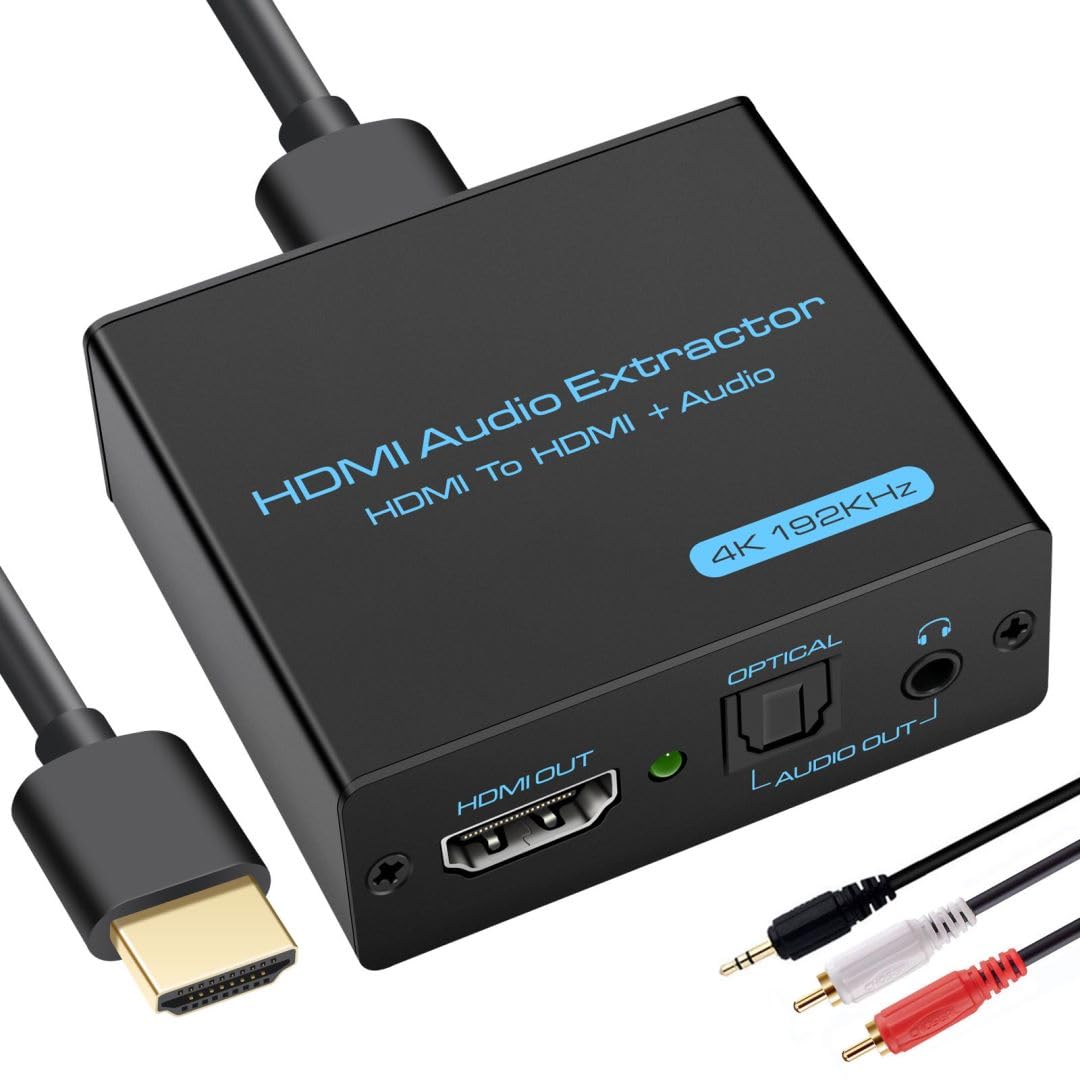
VPFET HDMI Audio Extractor 4K HDMI to Optical 3.5mm AUX Audio Adapter Splitter Converter Support HDCP Digital DTS 5.1 PCM
Original price was: $25.99.$19.99Current price is: $19.99.
Price: $25.99 - $19.99
(as of Feb 12, 2026 09:38:54 UTC – Details)
From the brand


VPFET is a high-tech enterprise integrating innovation, research and development, and manufacturing. The company’s principal products encompass audio extractors, video extenders, and various audio-visual transmission equipment. Since its inception, the company has remained committed to providing customers with exceptional products and premium services, earning market trust through its highly skilled personnel and attentive customer care.
HDMI Audio Extractor
HDMI Extender
HDMI Extender
Audio Extractor+ Converter
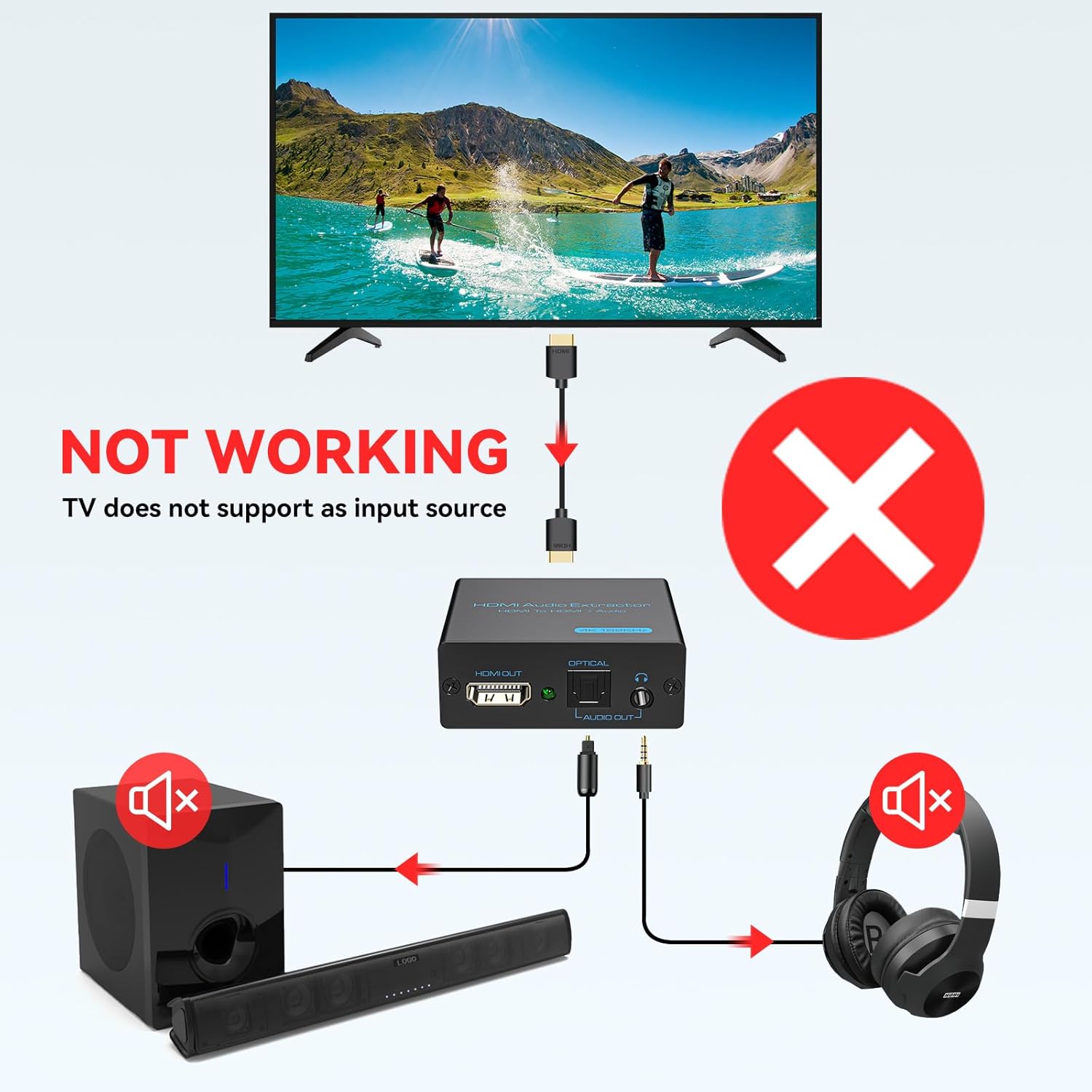
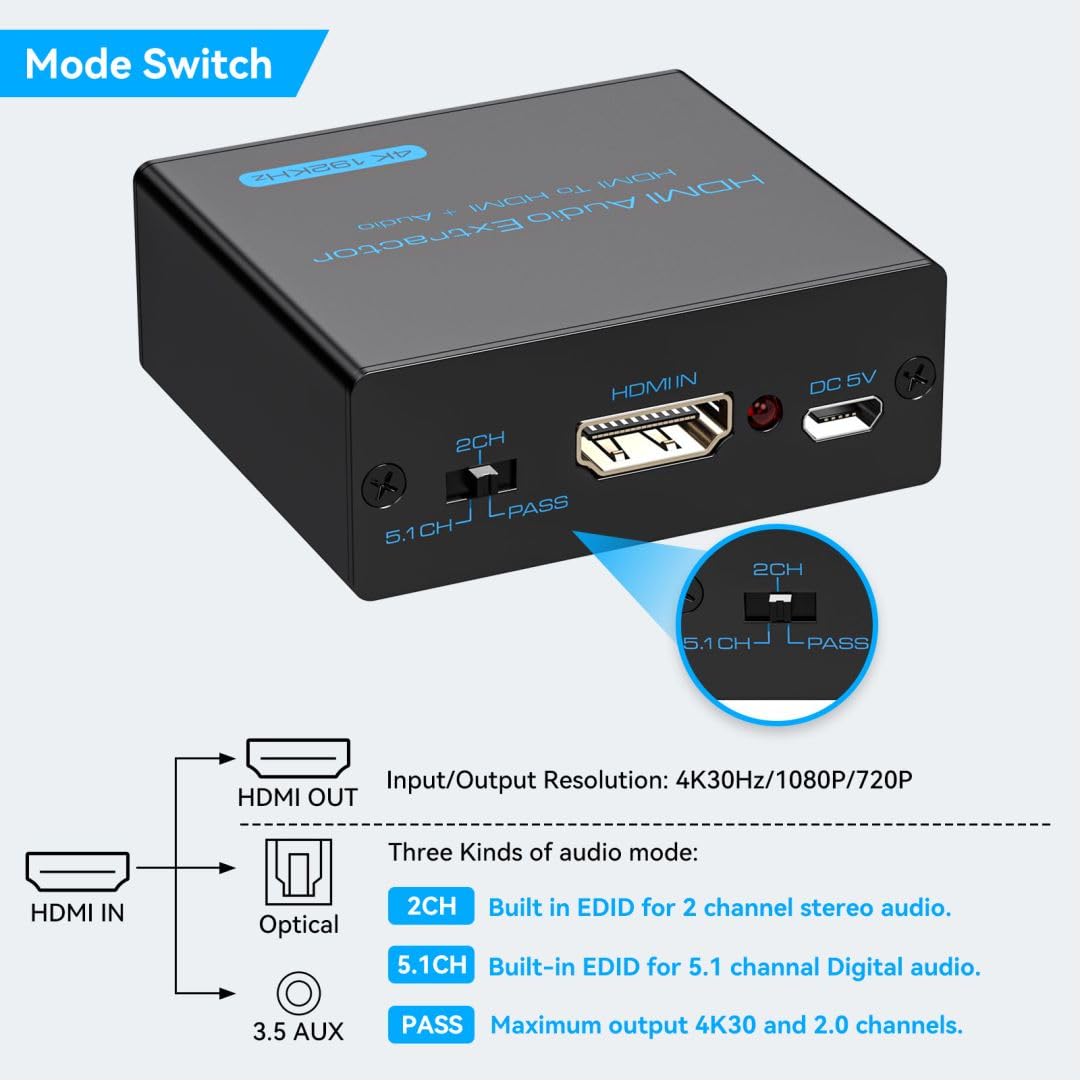
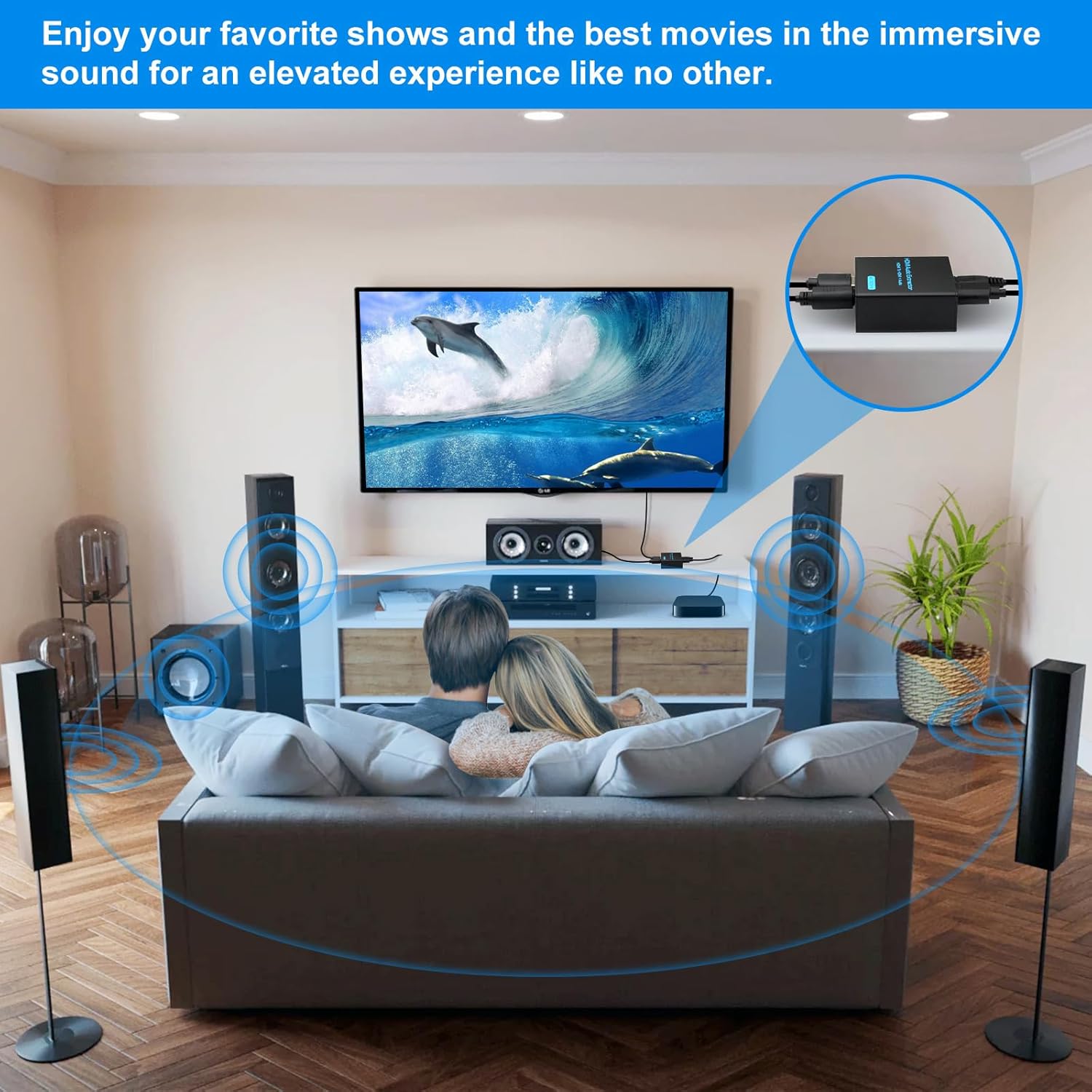
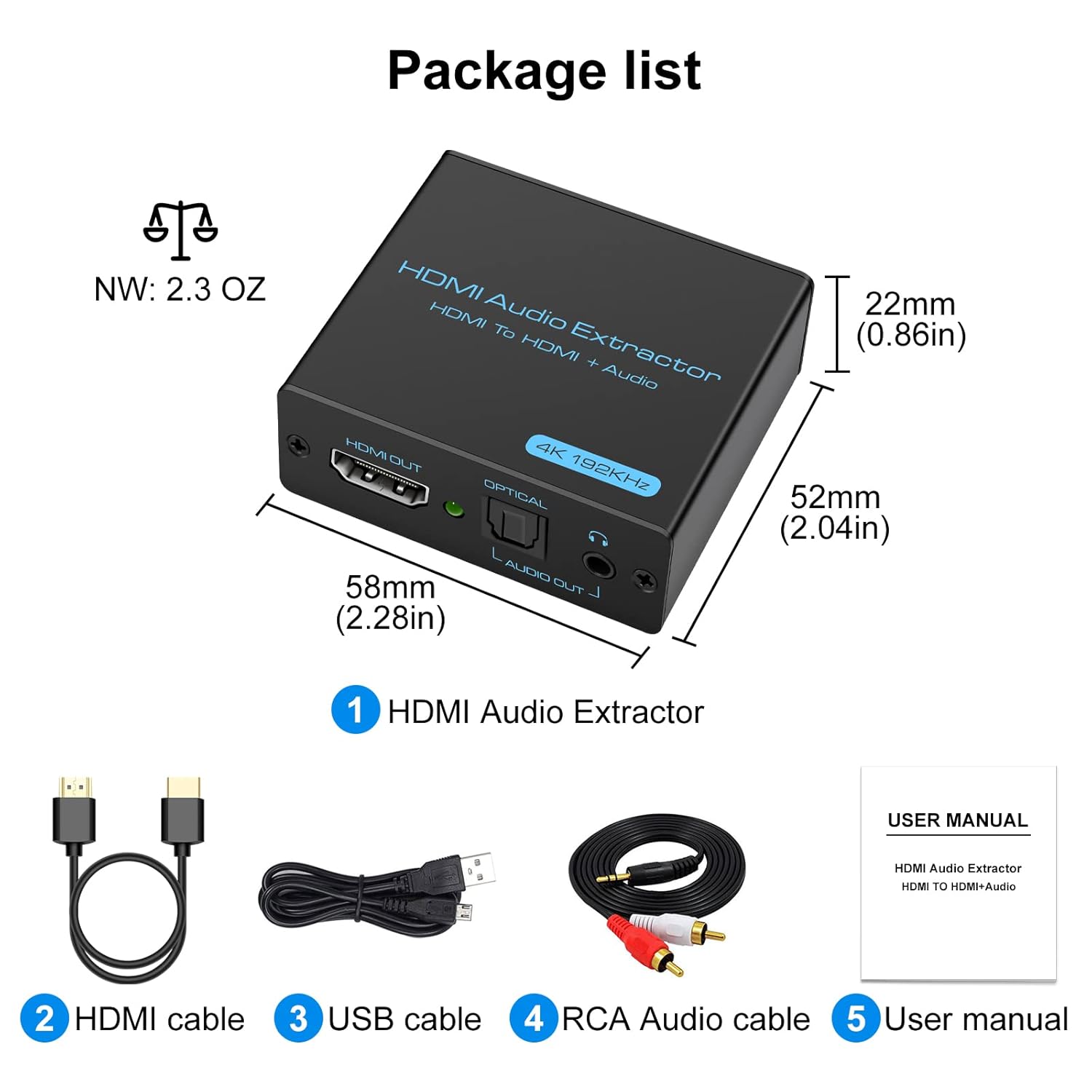
【HDMI Audio Extractor】The HDMI audio extractor can extract audio from HDMI signal and transmit it to AV receiver through optical or 3.5mm Cable.(Note: Devices do not support ARC and eARC.TV is not supported as the input source,otherwise product doesn’t p video.)
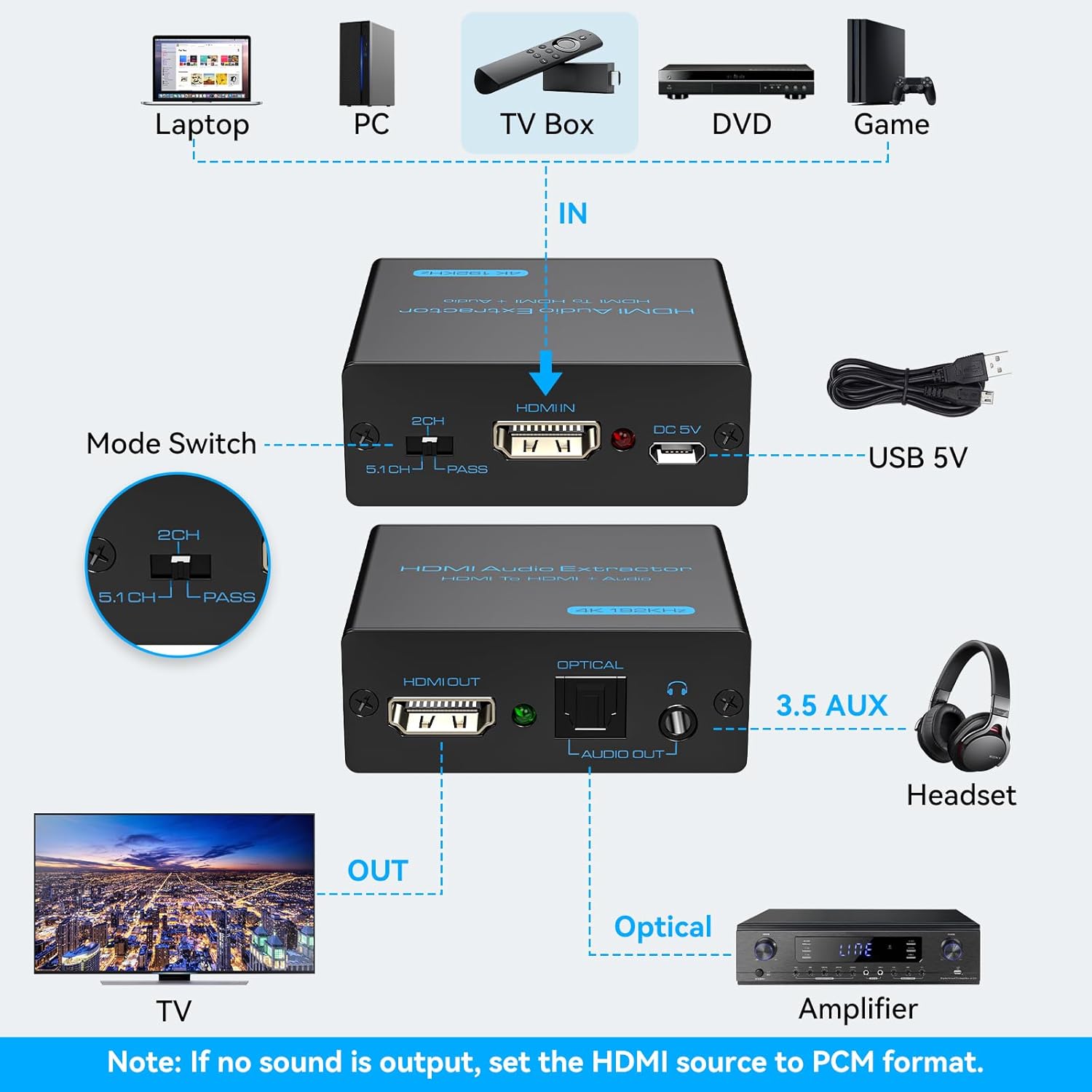
【3 modes】2.0CH, 5.1CH and PASS mode. Select 3.5mm stereo output, please use 2.0CH mode. Select optical output, please use 5.1CH mode. When you use the first and two modes and find that no audio and video signal is output, use the pass mode.
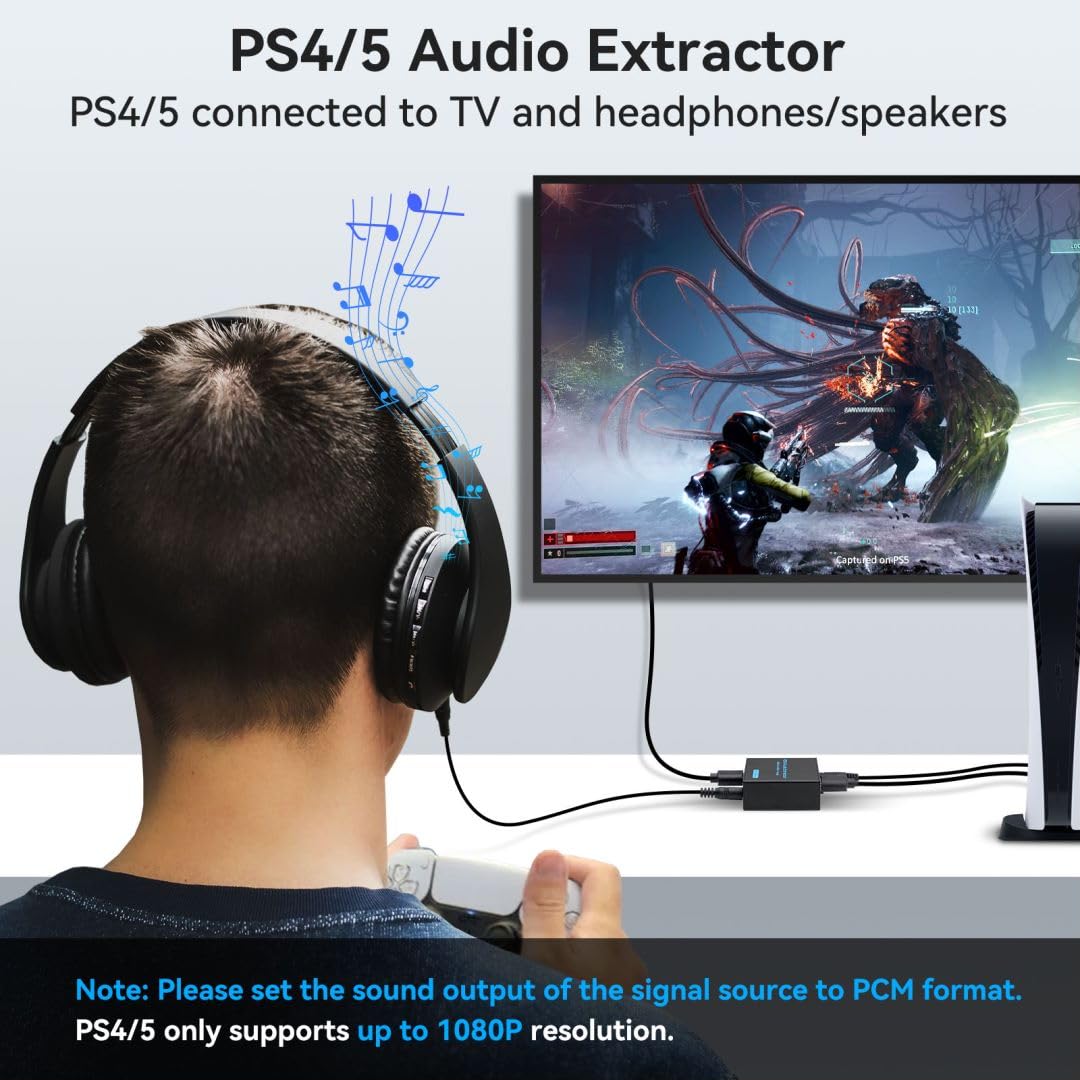
【4K Ultra-HD with HDMI 1.4V】HDMI audio converter up to 10.2G bandwidth, support HDCP1.4,4K@30Hz RGB / YUV4:4:4 Ultra high definition image quality. The optical output supports DTS 5.1. The 3.5mm output supports PCM2.0. The audio splitter does not support 7.1 channels.Note: Fire TV, Apple TV, PS4/5 etc. only support 1080p format signals and do not support 4K
【Low energy consumption】HDMI audio splitter has a low energy consumption,only requires the USB port to be connected to the 5V-USB port of another device to work. Or use your other 5V-USB power adapter
【Wide Compatibility & Plug and Play】Suitable for various HDMI source devices without dedicated audio output as well as Blu-ray/ DVD/ HD player, cable/satellite box, Amazon Fire TV, PS4,PS5, Xbox, PC/laptop etc
【Belongs to your Guarantee】If you encounter any problems in the process of use, please contact us, we will assist you until the problem is solved, within one year, if the product is damaged defects and other problems, we will provide replacement products service
8 reviews for VPFET HDMI Audio Extractor 4K HDMI to Optical 3.5mm AUX Audio Adapter Splitter Converter Support HDCP Digital DTS 5.1 PCM


Related products


Analog CCTV Camera HD 1080P 4-in-1 (TVI/AHD/CVI/CVBS) Security Dome Camera Outdoor, 2.8mm-12mm Manual Focus/Zoom Varifocal Lens, Weatherproof Metal Housing 36 IR-LEDs Day & Night Monitoring (White)


etguuds USB A to USB C Cable 6ft, 2-Pack, 3A Fast Charging Type C Charger Cord for iPhone 17 16 15 Pro Max 16e 17 Air, Samsung Galaxy S25 S24 S23 S22 S21 S20 A17 A16 A56 A55 Flip Fold, Gray


tomtoc 360 Protective Laptop Shoulder Bag for 13 Inch 2025 MacBook Air M4/A3240, M3/A3113, M2/A2681, M1/A2337, MacBook Pro M2/M1, 13-in Surface Pro 11th AI/10/9, Water-Resistant Accessory Case


Amazon Customer –
Works Good. May require an EDID Emulator.
Good Product. For a projector, monitor, or other device that does not include speakers, you’ll need to purchase and EDID Emulator, otherwise sound will be disabled. Make sure this device matches the specs required. This is only for 4K/30MHz. If you need 4K/60 MHz, choose the other model (same brand), otherwise resolution will be limited. I used it to connect a a 4K Fire TV Stick to my projector, while routing sound to my receiver.
Rachelle –
AppleTv, Old Tv meets Soundbar!!
Old tv + new sound bar was a challenge! Hooked this little sound amplifier (which I lovingly call “gizmo”) up to the soundbar using an 3.5mm av cord (not included) and HDMI (1x included) to the AppleTV (which hooked up to a second HDMI to the tv) and it worked absolutely perfectly!! Literally took me 5 min to install. Had to look up what setting to have this gizmo set at and learned “PASS” was neutral for sound. I immediately ordered another gizmo for my folks who have the same issue hooking up a soundbar but to a new tv. I’m hoping they too find the same result.
Richard –
Works good adapting Apple TV to CRT Monitor
Works good adapting my 4th gen 1080p only Apple TV to my VGA based CRT Monitor with the help of a HDMI to VGA adapter. Color look good and Im not experiencing any video stability issues like the video cutting in and out like I did with my last two adapters.
a2020 –
Some XBox Series S/X compatibility issues
I bought this since the XBox Series X doesn’t have a built-in TOSLINK port (thanks, Phil). Unfortunately, while the device clearly physically supports 4k and DTS Digital, with the XBox I have to choose one or the other. With the audio selector switch in “Pass” and an optical cable connected to my Denon receiver, the XBox detects (incorrectly) that only stereo out is supported (no surround sound), but it will output a 4k signal to my projector. When I shift the selector switch to the manual 5.1 position, the XBox now offers Dolby and DTS Digital Surround options, both of which work with my receiver and sound amazing, but the video resolution drops to 1080p. There’s still an option to switch to 4k, and it works (projector detects and displays a 4k input signal), but when I click the “Keep” button to maintain that resolution everything shifts back to 1080p, and the XBox “Video Info” dialog incorrectly reports that my display doesn’t support 4k at either 60 or 120 Hz.To be fair, the root causes here are typical Microsoft arrogance: saving maybe a buck per console by dropping a port that most customers never use (but that they supported on the 360 and XBox One, and for which a lot of gaming-specific accessories (headphones) exist), and then failing to provide a manual “Trust me, I want DTS output” option when their auto-detection fails. And I can’t think it’s anything but a bug that the Series X will let me select, and correctly display, a 4k resolution, but then insist that it’s unsupported and auto-shift back. However, I think there’s also a flaw in the way VPFET implements the audio EDIDs; when the selector switch is in PASS the extractor doesn’t correctly report capabilities of the downstream optical device, while when it’s in 5.1″ option it doesn’t correctly report capabilities of the downstream video device. There may well be a technical reason for the former (I’m not an S/PDIF expert), but the latter is surely avoidable: either overwrite just the audio portion of the EDID coming from the downstream display (leaving the supported resolutions intact), or simulate some maximally-capable UHD device. Whatever they are reporting when the switch is in 5.1 clearly isn’t satisfactory for some game consoles.Anyway, aside from this the device works great, even with other 4k sources, but I wanted to put a warning out there for anyone thinking of connecting it to an XBox that you may want to go with one of the more expensive name brands with verified support.
Keith E. –
Very Good Product, Relatively Easy To Install
My AV receiver does not generate 5.1 channel sound from the HDMI input: it requires the audio input via optical connector. My Roku does not have an optical audio out. So I plug my Roku into this device and feed the optical audio to the AV receiver and the video to my projector. Works extremely well.
detail-oriented purchaser –
worked well to split HDMI into optical out
HBO Max informed me on the screen the it could no longer be accessed with my current Roku device I upgraded to the new Roku device, but since that no longer had an optical output (required for my system) I bought this adapter. It worked well to split the audio from the HDMI input into optical out, while passing on the video output from the HDMI.
Kenny –
Splits the audio as advertised, however the video was not good exiting the adapter.
I was using this to split the audio from the HDMI to a sound system. The sound came out fine through the audio system. The problem I had was the passthrough of the HDMI Video signal was bad when using the video from the adapter. It definitely splits the audio and that part works as advertised.
Skeeter –
Good device
Great device. Did not work on my electronics. Returned