

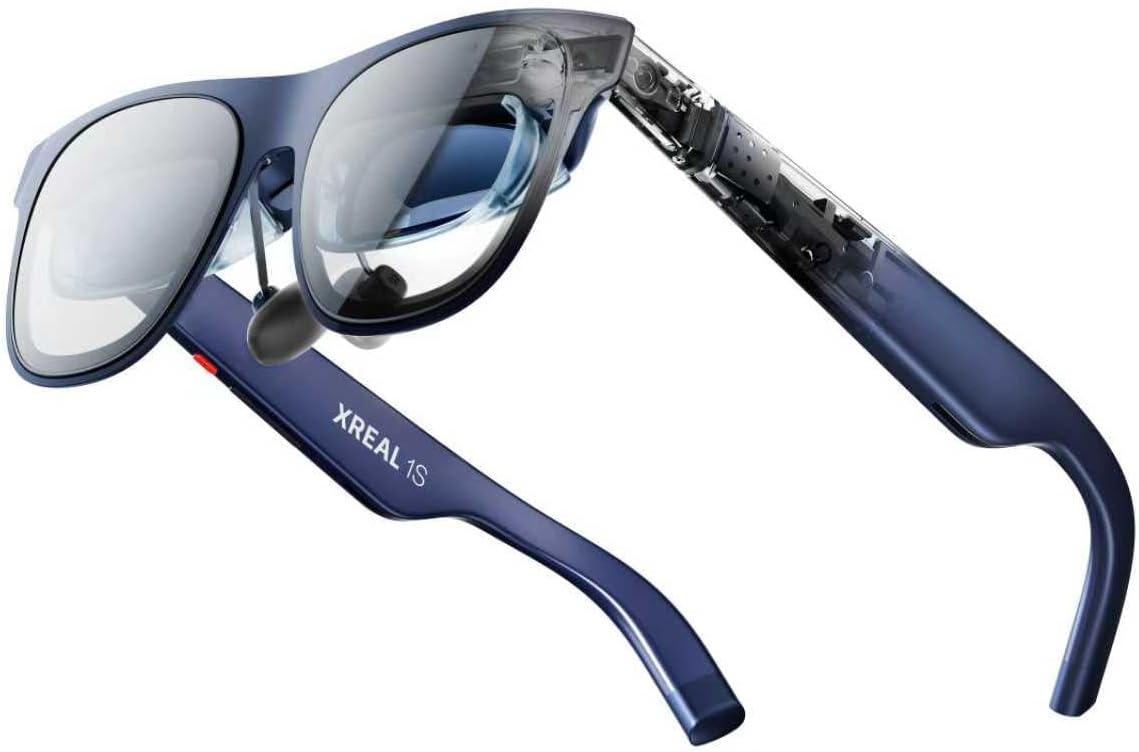





XREAL 1S AR Glasses, 500″ Virtual Screen Smart Glasses with 52° FOV, Native 3DoF, 3D Mode, Powered by X1 Chip, Supports All USB-C DP Devices Including iPhone 17/16/15, Supports Switch 2 with XREAL Neo
$449.00
Price: $449.00
(as of Feb 08, 2026 01:43:36 UTC – Details)
Product description


Anchor
Plug into Any USB-C DP Devices & Anchor your screen anywhere with a press of a button. Adjust size and distance easily with the on-screen display settings.
The video showcases the product in use.The video guides you through product setup.The video compares multiple products.The video shows the product being unpacked. Anchor 3 DoF Merchant Video
Spatial Anchor
Anchor your screen anywhere in your room, so it stays perfectly fixed in place—even as you walk around, lean in, or change your position.
The video showcases the product in use.The video guides you through product setup.The video compares multiple products.The video shows the product being unpacked. 6DoF Spatial Anchor Merchant Video
Follow
Travel far, and keep your view steady. With real-time spatial anchoring, your big screen stays locked in as you move-no blur, no drift, no motion sickness. From the morning commute to the couch at night your entertainment is always ready, and always clear.
The video showcases the product in use.The video guides you through product setup.The video compares multiple products.The video shows the product being unpacked. Follow 0 D0F Merchant Video
UltraWide
The world is wide, so should your screen. An ultrawide view gives you space to multitask, create, and unwind-letting you seamlessly shift from work to play without compromise.
The video showcases the product in use.The video guides you through product setup.The video compares multiple products.The video shows the product being unpacked. UltraWide 3 DoF Merchant Video
Side View
A mini-screen for multitaskers that want to see more of their surroundings.
The video showcases the product in use.The video guides you through product setup.The video compares multiple products.The video shows the product being unpacked. Side View 0 DoF Merchant Video


Giant Virtual Screen – Immersive Theater Anywhere: Step into a breathtaking virtual screen up to 500 inches, transforming movies, games, and apps into larger‑than‑life experiences. Whether you’re commuting, flying, or unwinding at home, your personal cinema travels with you—bringing immersive entertainment wherever life goes.
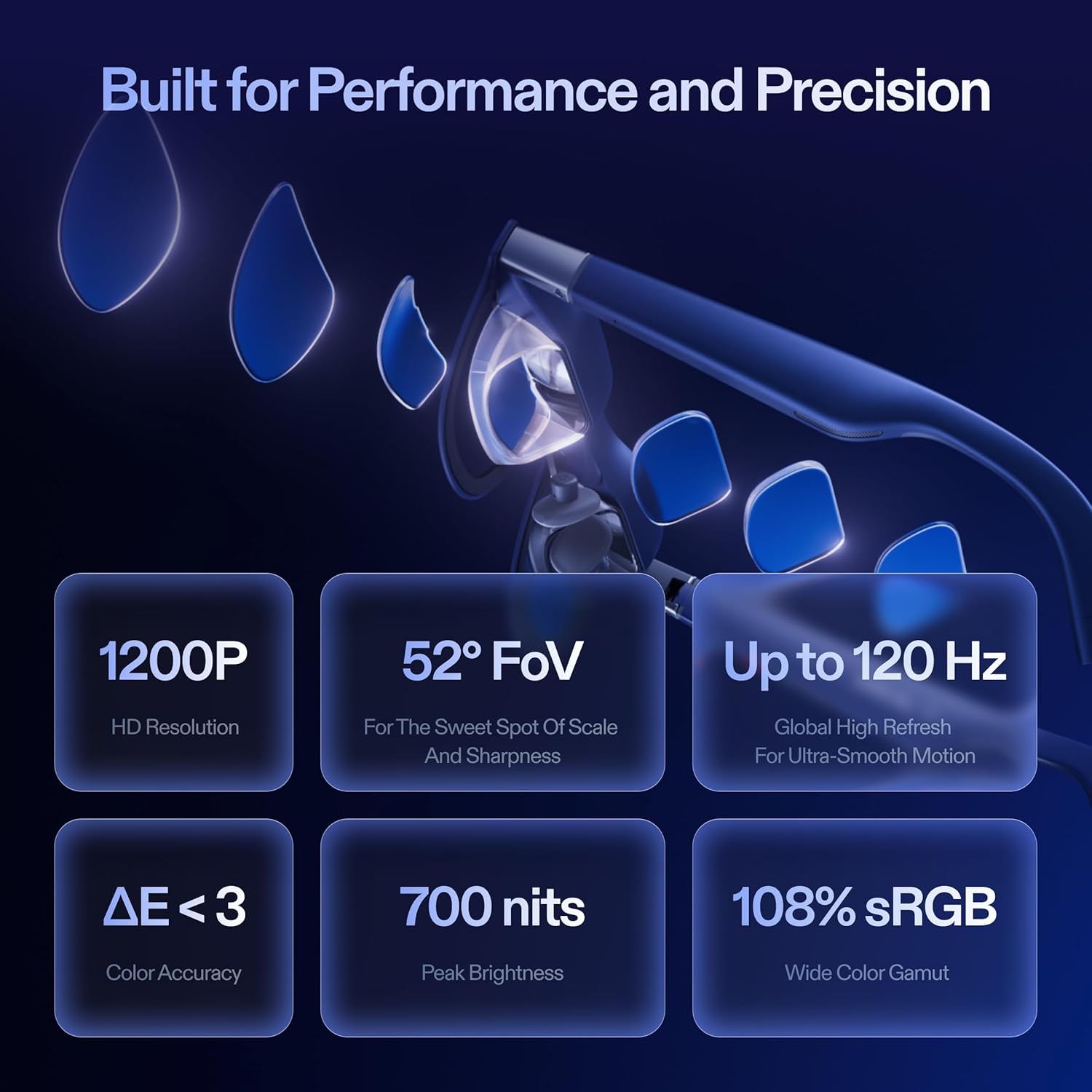
Premium Display Quality – Smooth, Sharp, and True-to-Life: XREAL 1S delivers ultra‑smooth viewing with a 120Hz refresh rate in 3DoF mode and a 90Hz global refresh that eliminates flicker and blur. Every unit is individually color‑tuned for precise, natural hues. The redesigned optical engine boosts clarity by 9%, delivering crisp detail from center to edge. Advanced optical alignment ensures each image point locks perfectly to your eye, keeping visuals sharp, vivid, and lifelike.
Spatial Viewing Modes – Work, Watch, and Play on Your Terms: Shape your environment with XREAL 1S. Effortlessly switch between 0DoF follow mode, 3DoF anchor mode, Ultrawide Mode (32:9 or 21:9), Real 3D Mode, and Side-View Mode — ideal for both deep focus and entertainment. Pair with XREAL Eye to unlock 6DoF spatial anchoring, allowing for total freedom of movement while your screen stays pinned.
Native 3DoF Spatial Screen – Plug & Play Freedom: XREAL 1S brings your AR experience to life with native 3DoF spatial viewing powered by the X1 chip. No apps, no setup — simply connect to any USB‑C DP‑enabled device and step straight into expansive spatial content. With rock‑solid stability and smooth head tracking, every session feels natural and comfortable, free from motion sickness and distractions, keeping you fully immersed.
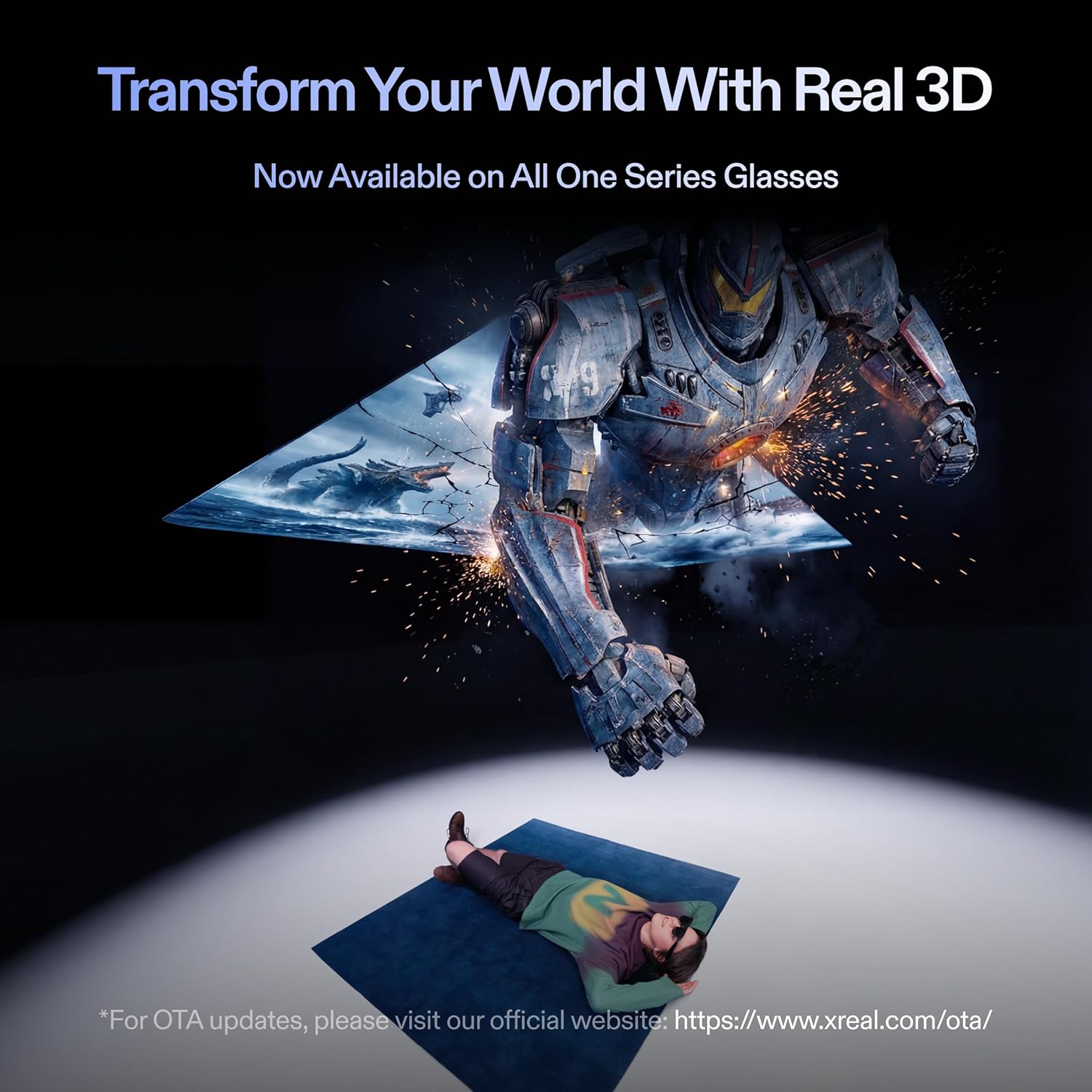
REAL 3D – Instant Spatial Depth for Everything You Watch: XREAL 1S debuts the world’s first on‑glasses REAL 3D spatial technology, instantly transforming all your content—from games and movies to apps and photos—into true 3D with a single switch. Experience richer depth and lifelike visuals across everything you watch or play, supported at up to 30fps with just 90–100ms latency for smooth, natural viewing.
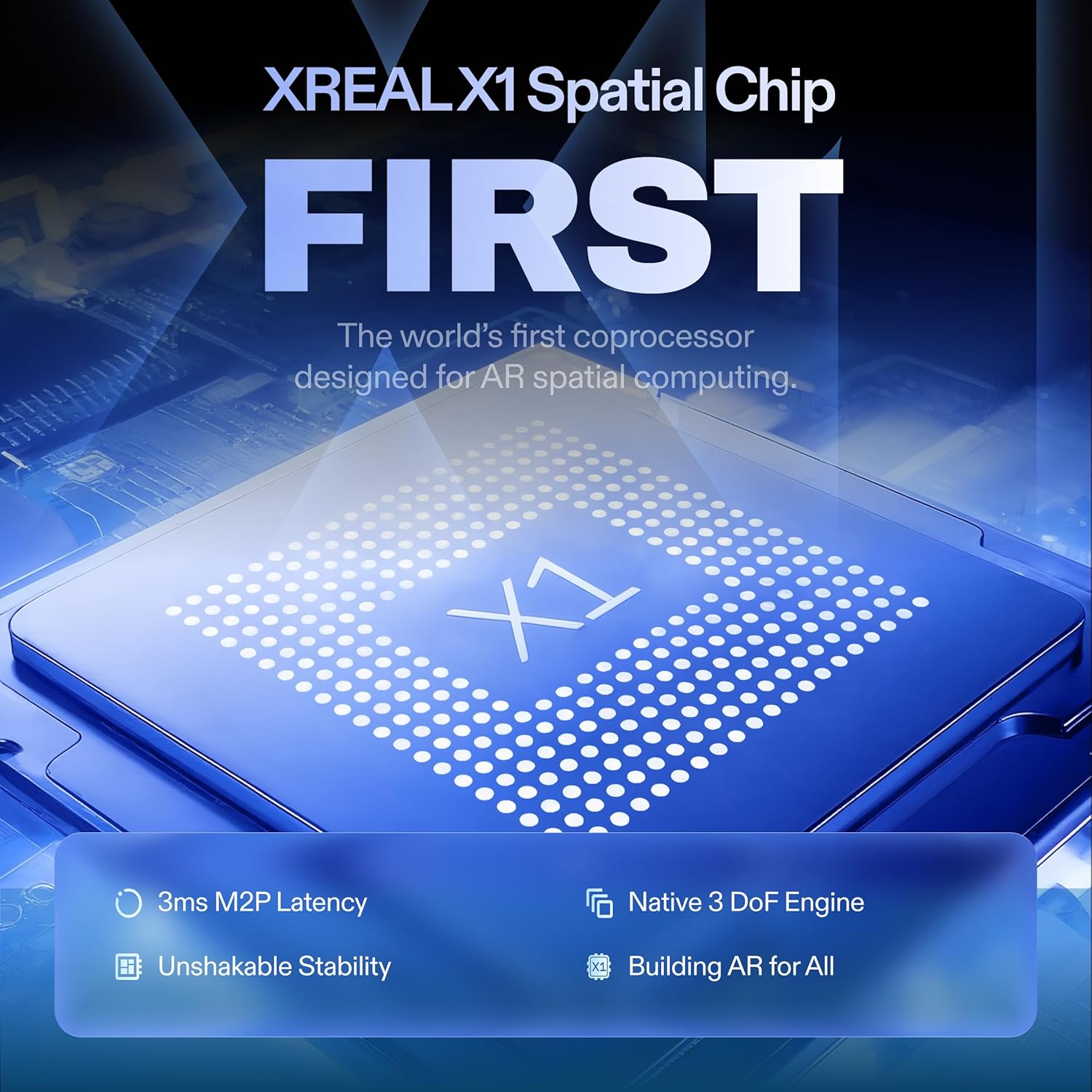
X1 Chip – Designed for AR, Built for Speed and Precision: The self‑developed X1 chip is the world’s first spatial computing processor built specifically for AR glasses, delivering 3ms motion‑to‑photon latency at 120Hz—far beyond the limits of what other AR glasses can achieve. Each unit is individually distortion‑tuned for precise, stable clarity, while X1‑powered on‑device controls let you instantly adjust brightness, color temperature, tint, distance, and 2D/3D modes with effortless precision.
The Gold Standard For Eye Comfort – TÜV Rheinland Certified: Certified by TÜV Rheinland, XREAL 1S delivers an eye‑friendly display with low blue light, flicker‑free full‑scene viewing, motion‑blur‑free 3DoF visuals, and 100% UV protection. Text remains perfectly stable without jitter or flicker, so you can enjoy long sessions with confidence and comfort. XREAL 1S features an IPD range of 59.5–70.5 mm, accommodating approximately 95% of users.
Sound by Bose – Tuned for Immersion: Co‑developed with Bose, the audio system is meticulously engineered to harness the full power of custom AR‑grade drivers and a dedicated acoustic chamber. The result is a spacious, balanced soundstage with deeper lows, crystal‑clear mids and highs, and exceptional vocal clarity—delivering one of the most immersive open‑ear audio experiences ever in AR glasses.
3 reviews for XREAL 1S AR Glasses, 500″ Virtual Screen Smart Glasses with 52° FOV, Native 3DoF, 3D Mode, Powered by X1 Chip, Supports All USB-C DP Devices Including iPhone 17/16/15, Supports Switch 2 with XREAL Neo


Related products


Anpviz 6MP PoE Camera, Turret 6MP UltraHD IP Camera Outdoor with Mic & Speaker, 100FT Smart Color Night Vision, PoE Security Cameras with AI Human Vehicle Detection, MicroSD Slot (U Series)


TP-Link AC1200 WiFi Router (Archer A54) – Dual Band Wireless Internet Router, 4 x 10/100 Mbps Fast Ethernet Ports, EasyMesh Compatible, Support Guest WiFi, Access Point Mode, IPv6 & Parental Controls


TP-Link Tri-Band BE9300 WiFi 7 Router (Archer BE550) – 6-Stream, Full 2.5G Ports w/ 6 Internal Antennas, Up to 2,000 Sq Ft, Add Easy-Mesh Device for Extended Coverage, VPN and Free Expert Support

xxCross –
SUPERB AR EXPERIENCE
I’ve been using the 1S with my Switch 2 and so far it’s been great 90% of the time. To get the Switch 2 to work you need an additional dock accessory, and from Xreal their solution is the Neo. I am however using Viture’s Pro Mobile Dock and so far they both mostly work great together despite not being the same brand. Sometimes I’ll need to unplug and replug the cable from the Switch 2 to the Pro Mobile Dock for the glasses to detect a signal. I’m not sure if the issue is the glasses, the Switch 2, or the dock. I’m thinking it’s probably a bit of the each, but the experience has been exceptional and smooth so I’m not complaining, well… at least not that much anyway!If you’re wondering, I opted for Viture’s Pro Mobile Dock because to me it just seems like the better product. I also looked at RayNeo’s dock, but ultimately chose Viture’s because of the ability to support two glasses output and 1 HDMI input. There’s also an accessory that can connect the dock to the Switch 2, but I just leave it off because it’ll mean I have to remove the Switch 2 protective case.Back to the glasses itself, the image is clean! I also have the RayNeo Air 3S and I can say with confidence that this Xreal 1S is significantly better. The real question is, at the time of this writing, is the Xreal 1S worth $250 more than the RayNeo Air 3S? I say yes and it depends.The 1S has a ton more options to change the image settings. You can change the screen size, set the screen distance, set whether the screen is a widescreen, anchored or stationary, and of course the not-a-gimmick Real3D processing. All those features I’ve just mentioned are non-existent on a more entry level model like the Air 3S. The Air 3S has the essentials to a good AR experience, a clean screen that’s smooth. If you are wanting more features and adjustments to your AR experience then it maybe worth the upgrade to the medium-high glasses like this Xreal 1S.And even though it’s not much on paper, the 1080p to 1200p is quite significant. Compared to my RayNeo Air 3S, this Xreal 1S is clearer and has better color reproduction. And because the FOV is also wider, the viewing experience feels more immersive.To me, the Real3D is a game changer. I’ve always been into the whole 3D experience, but like most people would agree it’s always been finicky at best. But holy smokes I can’t believe how well this feature works, it’s like magic! Any content of your choice, just turn on the 3D feature, and BOOM! The 3D experience that you’ve had in the past now in your face through these glasses. The image isn’t perfect and does has some artifacts, but overall it’s very good! When 3D is enabled, the graphical fidelity takes a bit and becomes a bit less clear more fuzzy, but for the 3D feature asa tradeoff, I can accept it. Imagine your playing on your Switch 2, then with 3D enabled, now the graphics looks like your handheld 3DS. Lol 😅 well maybe not that bad, but it’s not too far off?I also have been trying ultra-wide mode, which in the AR world takes a bit to get used to, but after about an hour I caught on and was able to be productive in my job. I’ve used it for a full work day so far and can imagine myself using this full time moving forward. I didn’t experience any eye fatigue, the sound from conference calls were clear, and clients on the other line didn’t have any complaints about the built-in microphone either! To me that’s super convenient, an oversized virtual monitor, excellent sound ouptut, and acceptable microphone input all into one device that fits into my pocket and face? Whoa this 1S is amazing! I’d argue the 1S and it’s competition of AR glasses are starting to be as big of a disruption in the computing and tech industry like the introduction of smart phones back in the late 2000s. It’s exciting and refreshing to see something that I’m interested in while also being genuinely useful in work and fun in gaming!The 1S however is not perfect. Like other reviews I’ve read from this and other manufacturer models (Viture Luma for example) the anchor mode is good, but would occasionally drift. It’s not a deal breaker, but more of a minor annoyance. Thankfully there’s a way to reposition, press and hold the main button then the screen will center to where you’re looking at. I’m not sure but I imagine if you purchase the 6DOF upgrade, then maybe the drift issue will be less likely to happen or eliminated altogether.In addition, a minor annoyance that I’m noticing is that I frequently have to go to the options and always change the settings back to the way that I like it. Apparently there’s no way to save your settings so that the next time the glasses device wakes it’ll start with the same settings where you last left it, but nope each time you boot the glasses it’ll start with the default loadouts. I hope they’ll eventually come out with a firmware update that’ll at least allow users to create profiles of settings so I won’t have to keep on going through the settings each time I use it. UPDATE: I learned that there’s a “Quick” button on the frame (single button on top-right arm) that you can assign it different functions. There’s 1 tap, 2 tap, and long press. For each, you can assign something different for it to toggle of which I opted for widescreen, REAL3D, and change sound mode. It’s been a lot more convenient versus having to navigate the menu each time, but its still less than perfect and I would still like for Xreal to allow us to save settings and not reset it every time.Overall, these glasses are SUPER nice. The frame are metal and the general feels of the device feels feels very durable and high quality. The cobolt blue blue looks terrific, the buttons are responsive and the UI is pretty straightforward to navigate through the settings. There are still some minor drawbacks with the anchor drifts and settings not being saved, but I’m hopeful those issues can be resolved in a couple of patches. If you’re considering AR glasses, these are an investment worth considering that won’t disappoint, highly recommended!
Angel Clare –
These are everything I dreamed about. FANTASTIC PRODUCT
These are FANTASTIC!!! Everything works great. WIthin 30 minutes of receiving these I was watching TV on a large sharp screen with these glasses. The real time 2D to 3D is very good – especially with movies and videos. I watched movies in 3D from my Apple movie library, from AMAZON PRIME and DISNEY PLUS. I also watched a lot of YOUTUBE in TV as well as the CBS EVENING NEWS in 3D on PARAMOUNT PLUS. The 3D conversion of photos is good, but not as good – meaning about 10% of my photos had some artifacts, By the way the screen is sharp edge to edge – and the anchor mode works flawlessly. THe audio is very good as is the menu system. I do not have the NEO accessory yet – so can not say how well my SWITCH 2 works with these glasses. BY the way I am a APPLE VISION PRO owner – and love them, but these are so light and simple to use – and in many ways offers me more 3D options than my VISION PRO. Good job XREAL. I may well order a second pair soon.
stephen g –
Excellent Quality
Amazing. I hooked these up to my Alienware laptop, and watched Predator Badlands 4k version. But obviouly not rendered in 4k on the glasses. But man did it look great. Everything is crystal clear, including text. The audio was perfectly fine and heard everything clearly. All I had to do was plug it into my USB C port and they were up and running. You will need to go through the menu to get everything adjusted to your view. I wanted something for another 14inch alienware laptop for work, and these will fill that void. The mini oled in the glasses are impressive. I havent tried gaming on them yet, but I”m sure it will be just fine. The Real 3D seemed to work fine as well. It was really wierd seeing the depth of field for the rendered 3d. Now it isnt like “an arm” coming out of the screen, but there were areas it looked like you were right there.If you were on a trip/vacation traveling, man these are like your own personal movie screen. They do have the lens darkening as well, it’s a manual button feature, not automatic. Has 3 levels are darkness and works well.The only issue for my taste is the included cable length. Maybe 4ft. I have a 10ft cable I use for and extra monitor and used that. I ordered some female to female connector to use the included cable with my 10ft one….I cannot try these on a table/phone. I have an older s7 and Tab A tablet. No type C on them. I am sure they would be just fine.I am glad I ordered these. Highly recommend from me, a lifetime game and digital movie watcher.