

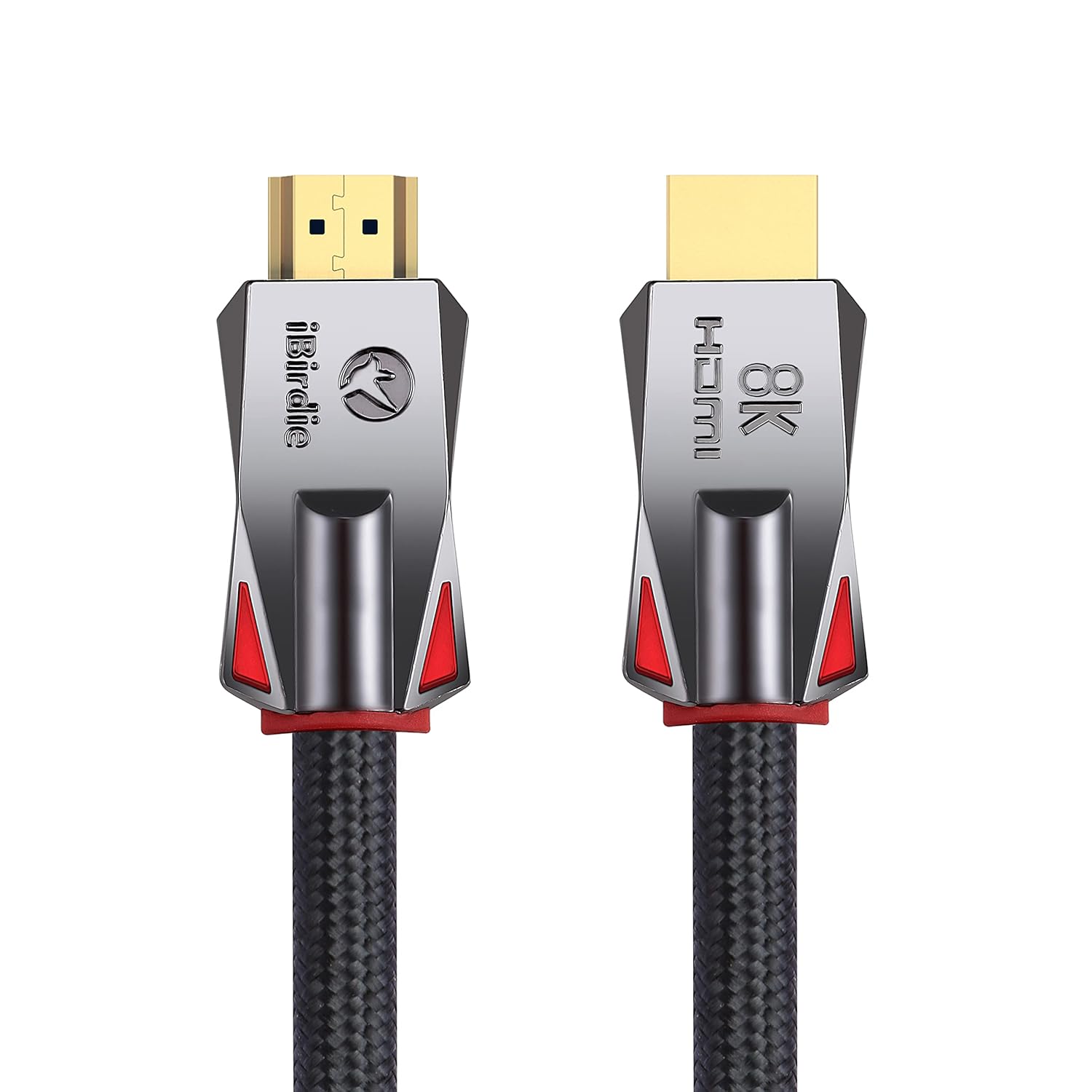
iBirdie 8K Fiber Optic HDMI Cable 50 Feet 16 Metre, Directional Active Cord 8K 60hz, 4K 120hz, 4K 144hz, HDCP 2.3 2.1, Compatible for Apple-TV PS5 4070 4080
$44.99
Price: $44.99
(as of Feb 15, 2026 08:55:55 UTC – Details)
Product description
Important instructions for installing HDMI cables
Please read the installation instructions for HDMI cables. And after installing the HDMI cable, please follow the following 8 points to eliminate the problem of HDMI cable installation errors.
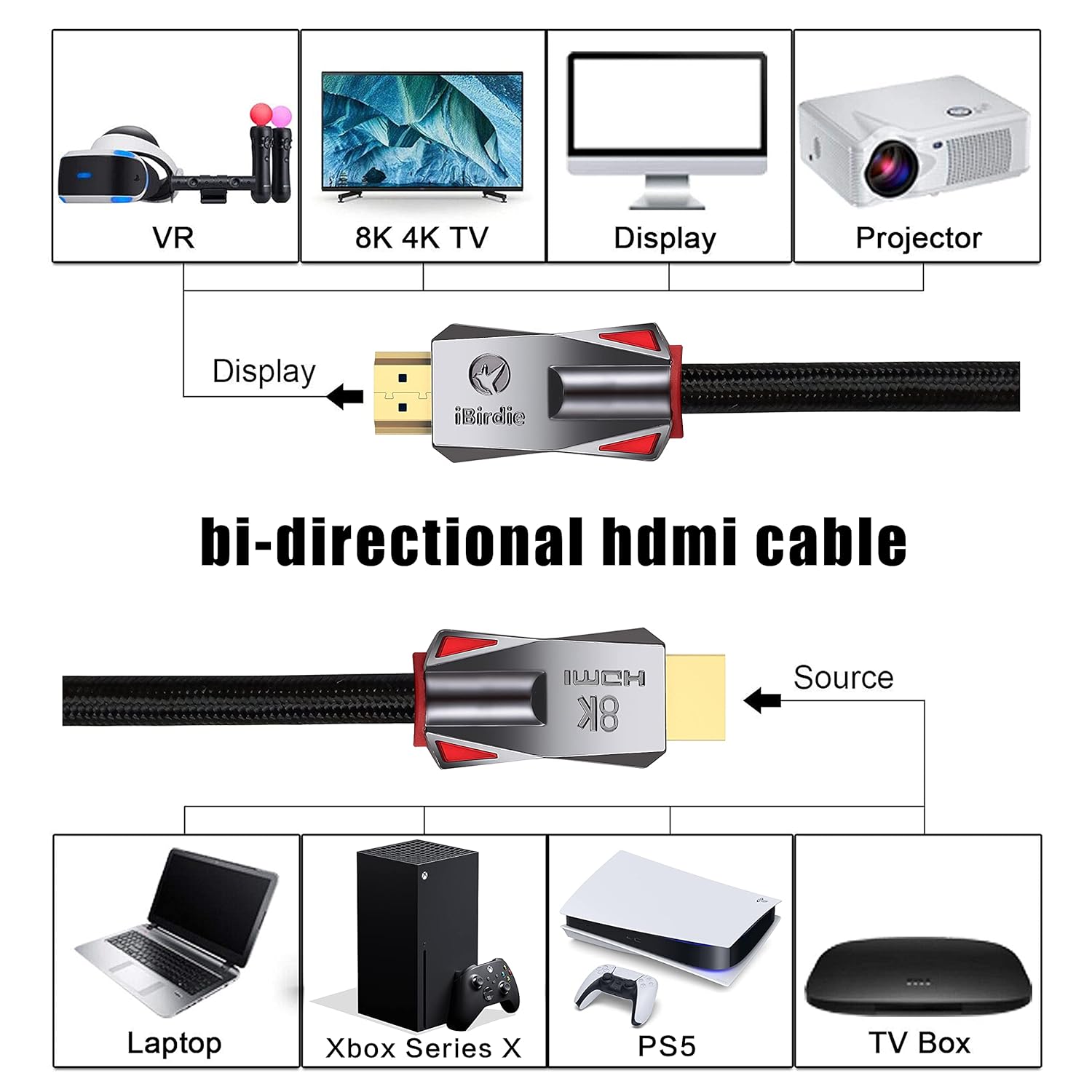
32ft to 328ft is a directional HDMI cable. The directional HDMI meaning that the source end of HDMI is required to connect to sources, must plug this end to HDMI output from source like DVD, computer, and another end is display to your monitor, TV, projector.32ft to 328ft is a active HDMI cable. The HDMI fiber optic cable is an active HDMI cable, and active HDMI cable meaning that require stable power to work, it needs enough power to work properly.32ft to 328ft, an HDMI USB cable is required. It comes with in the HDMI box; Why need use this HDMI USB cable; Since some HDMI slots, such as on CAMERA, on HUB, on SWITCH or on Splitter, cannot provide enough power for the fiber optic HDMI cable. Updating the app version or replacing the app, some TV box apps have screen flickering issues.Change TV settings: Most 4K 120 Hz TVs do not have all the features of HDMI 2.1 enabled; After installing the HDMI cable, you need to enable all HDMI 2.1 features in the TV settings by yourself; Your 4K TV will support 4K 120 Hz.Change TV settings: Most 8K TVs do not have all the features of HDMI 2.1 enabled; After installing the HDMI cable, you need to enable all HDMI 2.1 features in the TV settings by yourself; Your 8K TV will support 8K 60Hz HDR.Change TV settings: Most 4K TVs do not have all the features of HDMI 2.0 enabled; After installing the HDMI cable, you need to enable all HDMI 2.0 features in the TV settings by yourself; Your 4K TV will support full 4K 60Hz HDR.32ft to 328ft: No signal or unstable signal, please connect the HDMI USB cable to the other end of the fiber optic HDMI cable. Be sure to connect the HDMI USB cable to any 5V USB port or any 5V USB charger, except for the USB port on the HUB or on the USB adapter.

 HDMI 2.1 CABLE
HDMI 2.1 Cable features VRR, QMS, QFT, and ALLM, providing a smoother gaming experience and faster image response times
 High compatibility
HDMI 2.1 Cable is compatible with the latest devices and is also backward compatible with HDMI 2.0b/2.0a/2.0/1.4/1.3/1.2/1.1

iBirdie HDMI cable series.
Add to Cart
Add to Cart
Add to Cart
Customer Reviews
4.6 out of 5 stars 5,176
4.6 out of 5 stars 906
4.5 out of 5 stars 1,465
4.6 out of 5 stars 950
Price
—
$42.39$42.39
$29.99$29.99
$59.99$59.99
Bandwidth
48Gbps
48Gbps
18Gbps
18Gbps
in-Wall Rated
✘
✔
✘
✔
Braided
✔
✘
✘
✔
Bi-Directional
✔
✔
✘
✔
4K 120Hz
✔
✔
✘
✔
4K 60Hz
✔
✔
✔
✔
1440p 165Hz
✔
✔
✔
✔
1440p 60Hz
✔
✔
✔
✔
1080p
✔
✔
✔
✔
What if the 4K 120Hz TV does not support 4K 120hz? Part 1
For Samsung 4K 120Hz TVs, turn on game mode in the TV settings.For LG 4K 120Hz TVs, enter TV settings, HDMI settings, HDMI DEEP COLOR then select 4K.For sony 4K 120Hz TVs, please turn on HDMI enhancement and turn off Dolby Vision in the TV settings.
What if the 4K 120Hz TV does not support 4K 120hz? Part 2
Hisense 4K120Hz TVs, enter TV Settings->HDMI select HDMI Enhancement. TCL 4K120Hz TVs, enter TV settings->General, turn on HDMI advanced standard, change Graphic setting toVariable refresh rate. Update RTX 3070-3090 driver on the NVIDIA website.
What if the monitor shows no input source?
You need to modify the input source of the monitor, enter the monitor settings and find the input source SOURCE, and modify it to the port you plug in HDMI cable.
What should I do when the TV may show no input source when the MAC/Laptop/PC/Xbox/PS5 is connected to the Smart TV?
Turn on the TV first, wait for the TV to display the main interface, and then turn on the MAC/laptop/PC/Xbox/PS5. Or Manually switch the input source to HDMI in the TV settings.You also can re-plug the HDMI cable on the MAC/laptop/PC/Xbox/PS5 end
What should I do when the TV is connected to the AVR Receiver and cannot work?
First, check if the HDMI cable is connected to the HDMI ARC/eARC port of the receiver. Second, enable the ARC (eARC) function in TV settings. Finally, select the input source for the HDMI port where the HDMI cable is plugged into for the receiver.
Directional HDMI Cable: The directional HDMI meaning that the source end of HDMI is required to connect to sources, must plug this end to HDMI output from source like DVD, computer, PS5, Xbox…, and another end is display to your monitor, TV, projector
Active HDMI Cable: The HDMI fiber optic cable is an active HDMI cable, and active HDMI cable meaning that require stable power to work, it needs enough power to work properly
Use the HDMI USB Cable: It comes with in the HDMI box; Why need use this HDMI USB cable; Since some HDMI slots, such as on HUB or on switch or on splitter, cannot provide enough power for the fiber optic HDMI cable
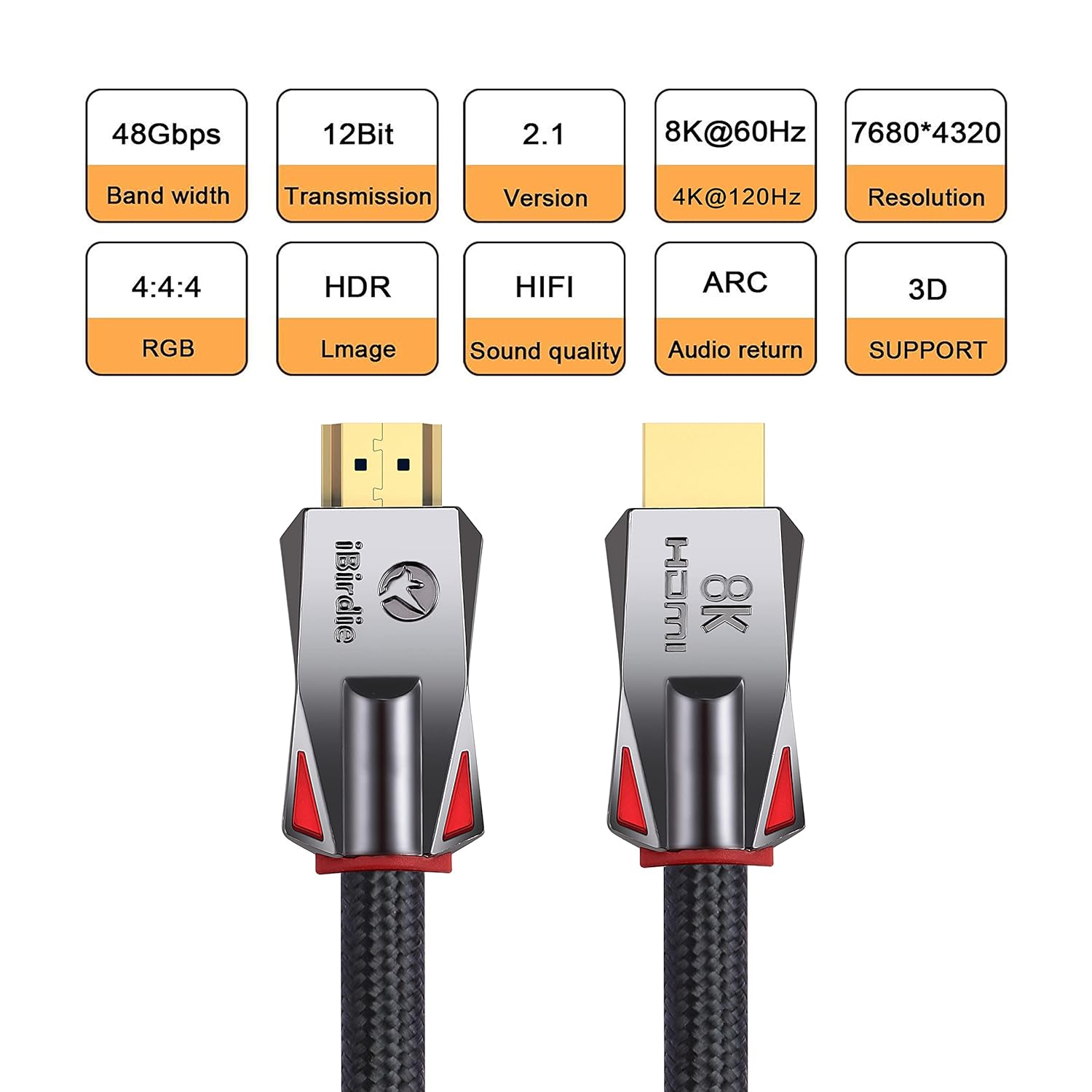
48 Gbps Bandwidth: Work on 8K 60hz, 4K 144hz, 4K 120hz, 4K 60hz, 2K 165hz, 2K 144hz, 2K 120hz, 1080p 240hz, 1080p 144hz, backward compatible with HDMI 2.1, 2.0b, 2.0a versions
EARC: 1 feet to 100 feet support Audio Return Channel ARC and EARC; And ensure that the source end of the fiber optic HDMI cable is connected to the AVR receiver and the display end is connected to the TV
Change TV settings: Most 4K 120 Hz TVs do not have all the features of HDMI 2.1 enabled; After installing the HDMI cable, you need to enable all HDMI 2.1 features in the TV settings by yourself; Your 4K TV will support 4K 120 Hz
Change TV settings: Most 4K 60 Hz TVs do not have all the features of HDMI 2.0 enabled; After installing the HDMI cable, you need to enable all HDMI 2.0 features in the TV settings by yourself; Your 4K TV will support full 4K 60 Hz HDR
13 reviews for iBirdie 8K Fiber Optic HDMI Cable 50 Feet 16 Metre, Directional Active Cord 8K 60hz, 4K 120hz, 4K 144hz, HDCP 2.3 2.1, Compatible for Apple-TV PS5 4070 4080


Related products


REOLINK Duo 3 PoE 16MP UHD Dual-Lens PoE Security Camera with 180° Panoramic View, Motion Track, F1.6 Color Night Vision, Person/Vehicle/Animal Detection, 2 Way Talk, Supports 24/7 Recording


Silkland 8K HDMI Extension Cable Short 1.6FT/0.5M HDMI Extender 2.1, 8K@60hz 4K@120hz Hdmi Male to Female Adapter, Ultra High Speed 48Gbps Extensor Cord Compatible with Fire Stick Roku TV Blu-Ray PS5


TP-Link AC1200 WiFi Router (Archer A54) – Dual Band Wireless Internet Router, 4 x 10/100 Mbps Fast Ethernet Ports, EasyMesh Compatible, Support Guest WiFi, Access Point Mode, IPv6 & Parental Controls


Danny –
Outstanding HDMI Cable – A Must-Have for Crystal-Clear Quality!
I recently purchased this HDMI cable, and I couldn’t be happier with its performance. From the moment I plugged it in, the difference in picture and sound quality was evident. The cable delivers stunning 4K resolution with vivid colors and sharp details. Whether I’m streaming movies, gaming, or connecting my laptop to a TV, the connection is stable and seamless.The build quality is exceptional – it feels durable and premium with its braided exterior, which also prevents tangling. The gold-plated connectors ensure a strong signal and zero lag, even during intensive use. It’s also surprisingly flexible, making it easy to manage in tight spaces.Another big plus is its compatibility. I’ve used it with my smart TV, gaming console, and projector without a single issue. It’s truly a plug-and-play experience.If you’re looking for a reliable, high-performance HDMI cable that won’t let you down, this one is worth every penny. Highly recommended!
Camilo –
Must have for long HDMI runs
Honestly, way better than long normal HDMI cords.I needed about 40ft of HDMI. The HDMI spec generally only goes up to 50ft.I bought a 40ish-ft normal HDMI cable, but over the months have gotten weird glitches (screen going green, not connecting, etc).I finally bought this 50ft fiber cable and not only is it significantly thinner and lighter, but it also just works perfectly.From this point on, I’ll only be buying these for runs over 25ft as they just work better and they don’t even cost more. Win win.
Andrickson Carvajal –
Buenos
excelente cables
Warrior 7 –
Fixed my loss of signal problem on 40′ run of HDMI
I could get no signal from my PC (NVIDIA GeForce RTX 2070) to my 65 inch ROKU TCL TV on a 40 foot run of HDMI cable. I tried getting an HDMI signal booster and while it did help as I was able to see a picture, it would frequently drop out and black out. The iBirdie 8K Fiber Optic HDMI 2.1 Cable 50ft (even though 10 feet longer), fixed the issue wonderfully. Thank you!
Joey –
[Updated] Got cables working.
UPDATE:I managed to get all but one of the cables working with a restart of the Xbox between cable swaps. For whatever reason I could only swap the one cable while the Xbox was on or in sleep. For the others only transmitting 480, I had to do a shutdown in the Xbox settings. I never got the cable with no signal working.ORIGINAL:Ordered three of the 12 ft. One worked, one put out 480p, and the last sent no signal.Tested this between Xbox X and LG C3.Will update when the replacements arrive.Update: Had replacements sent for the two bad ones. Both replacements are only putting out 480p. Of five cables only one works. I’m beginning to think the working one didn’t pass QA.
Joan G. –
Stellar picture quality!
High quality 4k cable that works with Dolby Vision. It exceeds the quality of my Belkin enabling similar picture formats to display that a similar Belkin cable would not. A simple win in every aspect. If you need a 4K cable get this one that’s affordable and beats out the rest.
WD –
Great for my headphones
Works fine
0Left –
Durable
I messed up when I was tidying up the extra slack under my desk, wasn’t paying attention and some how managed to pinch the cable really tight with a speaker mount. Monitor would recognize something was powered on but no video or audio would play. After fixing the pinched part everything worked just fine. Spent a good 10+ hours with video and audio playing today and no problems.
jean-claude rodrigues –
Love these cable they really grip on no moving no movement
YM –
it is having flicerking issues. I don’t use them anymore 🙁
nibras –
جيدة
Blaire Baker –
Good quality, and the length is just what I was looking for.
turki alsubhi –
I saw the biggest deferent between this cable & the old one 4K its smooth & very fast responding and the HDR Very High Quilty the shades and the voice I actually take this cable for using the best performance for Sony Bravia TV 4k its very cool & i use it with PC Nvidia GTX 1080 ZOTAC its very cool too also PS4 PRO . So if this product have more stars Ill give 10 Stars I advise to use this HDMI