

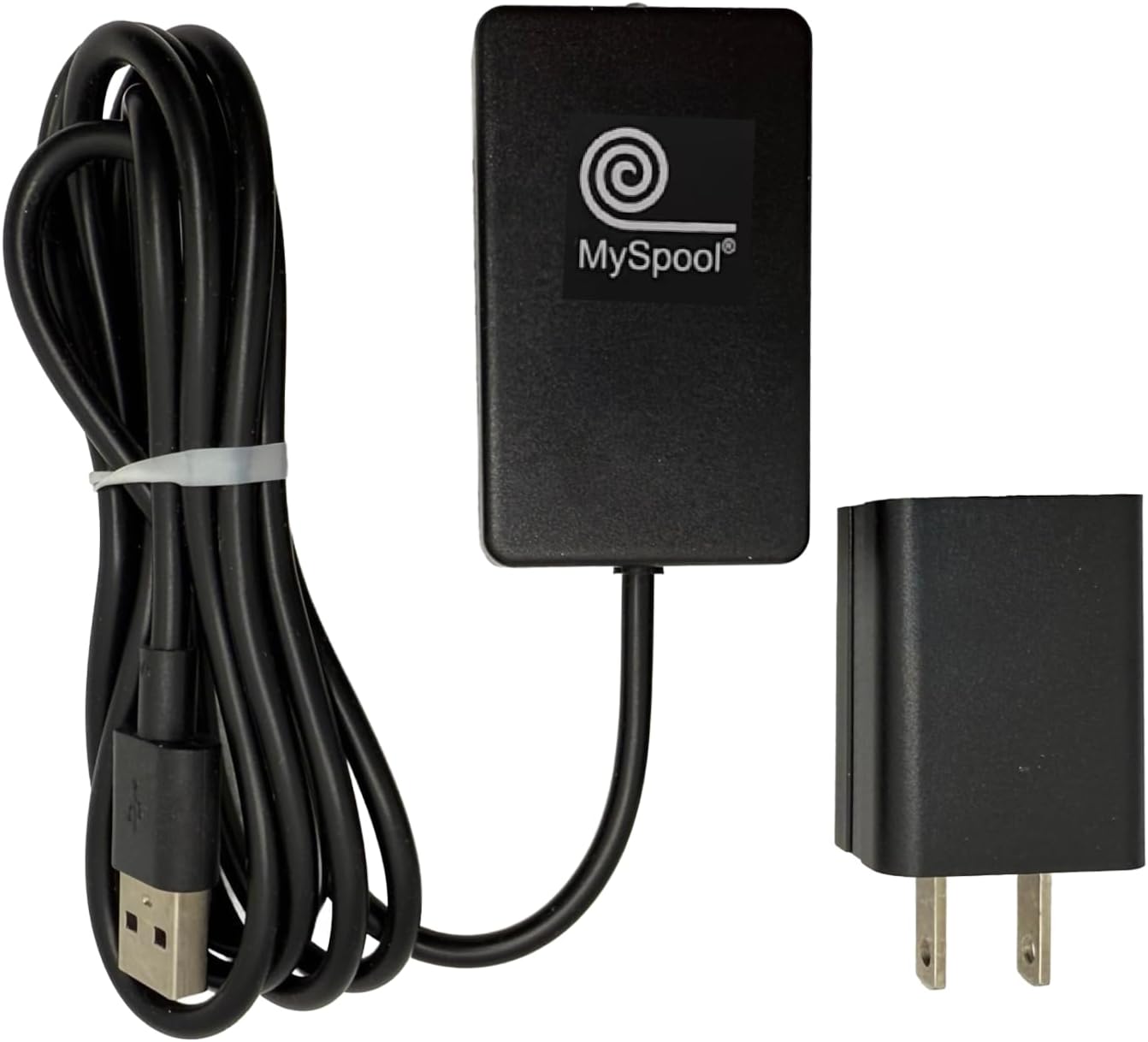


Internet WiFi Outage Detector with Text Message and Email Alerts
$47.99
Price: $47.99
(as of Feb 11, 2026 23:58:59 UTC – Details)
Product description
Add to Cart
Add to Cart
Add to Cart
Customer Reviews
3.9 out of 5 stars 19
3.8 out of 5 stars 16
4.2 out of 5 stars 76
Price
$47.99$47.99 $84.99$84.99 $109.99$109.99
Internet sensor
Yes Yes Yes
Power sensor
No Yes Yes
Water sensor
No No Yes
Temperature sensor
No No Yes
Short sensor
No No Yes
Revert notification
A text message, email, or push notification is sent when the internet service is back up. A text message, email, or push notification is sent when the A/C power is restored or the internet service is back up. A text message, email, or push notification is sent when the A/C power is restored, the internet service is back up, or water is no longer detected. An email is sent when the Short condition no longer applies.

This is the first MySpool device focused on supporting Internet Outage Detection Service exclusively. It uses a faster and more powerful processor with a new WiFi module which is much more sensitive and extends WIFi range significantly. This new hardware is what enables the new Internet Outage Detection Service.
Internet Outage Detection Service continuously monitors your WiFi connection and is used to send an Internet OFF alert in case of Internet Outage.
When internet connectivity is restored, an Internet ON alert is sent. These alerts can be configured just like all other MySpool device alerts, with customized text and email messages, multiple email recipients and available integrations. Internet Outage sensitivity can be adjusted to suit your needs.
Whether you are running a coffee shop with free wifi or have gadgets that rely on wifi at home, it helps to know when your internet service becomes unavailable.
Up to 5 email addresses can be added to receive Internet OFF and ON alerts. All or some of them can be used to receive text notifications.
All notifications are limited to one per minute.
All MySpool services are free.
A robust and dependable industrial strength cloud infrastructure is behind every MySpool device. It provides support for both single and multi-device consumer and commercial deployments that can be managed on a secure website independent of geographical location or a mobile phone. That is what differentiates our industrial-strength services such as device management, monitoring, and notifications.

Setup Instructions for all myspool devices are available online on myspool.com. This is a summary:
Connect your device to WiFi Create an account on myspool.com and click on email link to confirm it or login to your existing accountConfirm your email subscription for this device to receive alert notifications
You are done: check your device status on myspool.com MY DEVICES page for last updates
You can add a phone number and change message and other settings at any time.
Device Configuration: 3 steps

MySpool device setup Summary
1. Connect your device to WiFi
2. Create account on myspool.com
3. Configure your email and text message on myspool.com
The first step is the most challenging one. It should also be done first so that MySpool servers can identify your device when you login to configure it.

Step 1. Connect your device to WiFi
Open your phone, go to Settings, and choose Wi-Fi. Under the CHOOSE A NETWORK tab you will see available networks. One of them will be the MySpool Device. It will look like SASensor-000000 where “000000” is the unique device ID. In the example it is shown as SASensor-2336877. Click on it.
Once connection is established, which may take a few seconds, it will open a browser window with Alerts WiFi Manager.

Step 1, continued. Configure WiFi
Click Configure WiFI. You will see a list of networks that MySpool device can use.
Select your WiFi router and enter its password. Click Save. Note: SAS network will not be visible on your phone after this step.
You can now use your laptop or smartphone to create an account on myspool.com and specify where you want your emails and text messages sent.


Internet Outage alerts are sent using your WiFi, no app to install and no hub is required. Receive text message notifications on your phone as well as emails. Up to 5 email addresses can be added to receive internet ON and OFF alerts.
Internet detection service sends multiple status updates to MySpool cloud service per minute. If one or two are missed, the service sends Internet OFF alert. It usually takes 1-3 minutes for this alert to be generated and delivered. Once internet connectivity is restored, an Internet ON alert is sent. Both Internet ON and Internet OFF notifications are configured independently; both can be disabled if desired. All MySpool notification and monitoring services are free.
View device status and recent activity on a dedicated secure web page. Internet ON and OFF alerts are displayed with time stamps.
8 reviews for Internet WiFi Outage Detector with Text Message and Email Alerts


Related products


Electrical Outlet Extender Long Stick with 180° Swivel | Extends 23-35 in for Hard-to-Reach Places | 2 AC Outlets + 3 Ports (USB-C/USB-A) for Bed, Dorm, Office & Sofa





Mike K7FLA –
Great Internet Outage Detector, works well, easy to setup
Great device works as expected, easy setup and installation. I also have the Power Outage Detector and both detectors work perfectly. Great value and quality for my purposes and highly recommended to anyone that wants to monitor whether the Internet is out when not at home.
RJB –
WiFi status indicator – great find
Excellent product. Works flawlessly. Easy to install. Set it and forget it. Only suggestion would be to add a small indicator light to show that it’s powered on.Worth the money easily.
K –
Does not send notifications quickly
It takes about 45 minutes tosend notifications when the Internet is out
Steve C. –
Great product!
Great product, received it tested it and it works. I needed it so when my internet goes down I can enable my backup internet from my phone.
M. Miller –
Too many false positives
These are good, in theory, but there are too many “outages” that must be outages at MySpool’s data center because I get alerts about multiple different locations going down at the same time, but they’re not down.They just happen to alert down at the same time and then alert back up at the same time but my internets are fine.It would be better if they charged a nominal monitoring fee and updated their infrastructure.
Elizabeth C –
Set up is “unusual”
Interesting device. Locate and read trouble shooting guide online BEFORESet up. This will help you immensly. Device does great job of offline notification, but not so great when back online. In my case at least, I need to do a power reset once every 24 hours with a 10 minute delay to keep it “active” and reporting correctly.
Kenneth Taylor –
Two Thump Ups! Due to deafness, I heavily depend on FaceTime and Sorenson videophone for chats.
I’m very happy with MySpool Internet WiFi Outage Detector.Recently my power outage had happened and TWO minutes later I received offline alerts on my Apply watch and iPhone. My home security system sent me alerts 30 minutes later.Easy to install and setup.
JPoldoian –
Innovative product at a fairly good price.
Great customer support via email. Wish they had phone support. Only works on 2.4G band. Cannot work from ethernet, must have WiFi. Only one SMS message but can notify 5 email addresses.