






Thrustmaster T-Flight Hotas One Microsoft Flight Simulator 2024 Collector’s Edition – Flight Stick & Throttle Controller for Xbox Series X|S & PC, Official Flight Simulator Controller
$109.99
Price: $109.99
(as of Feb 09, 2026 14:32:59 UTC – Details)
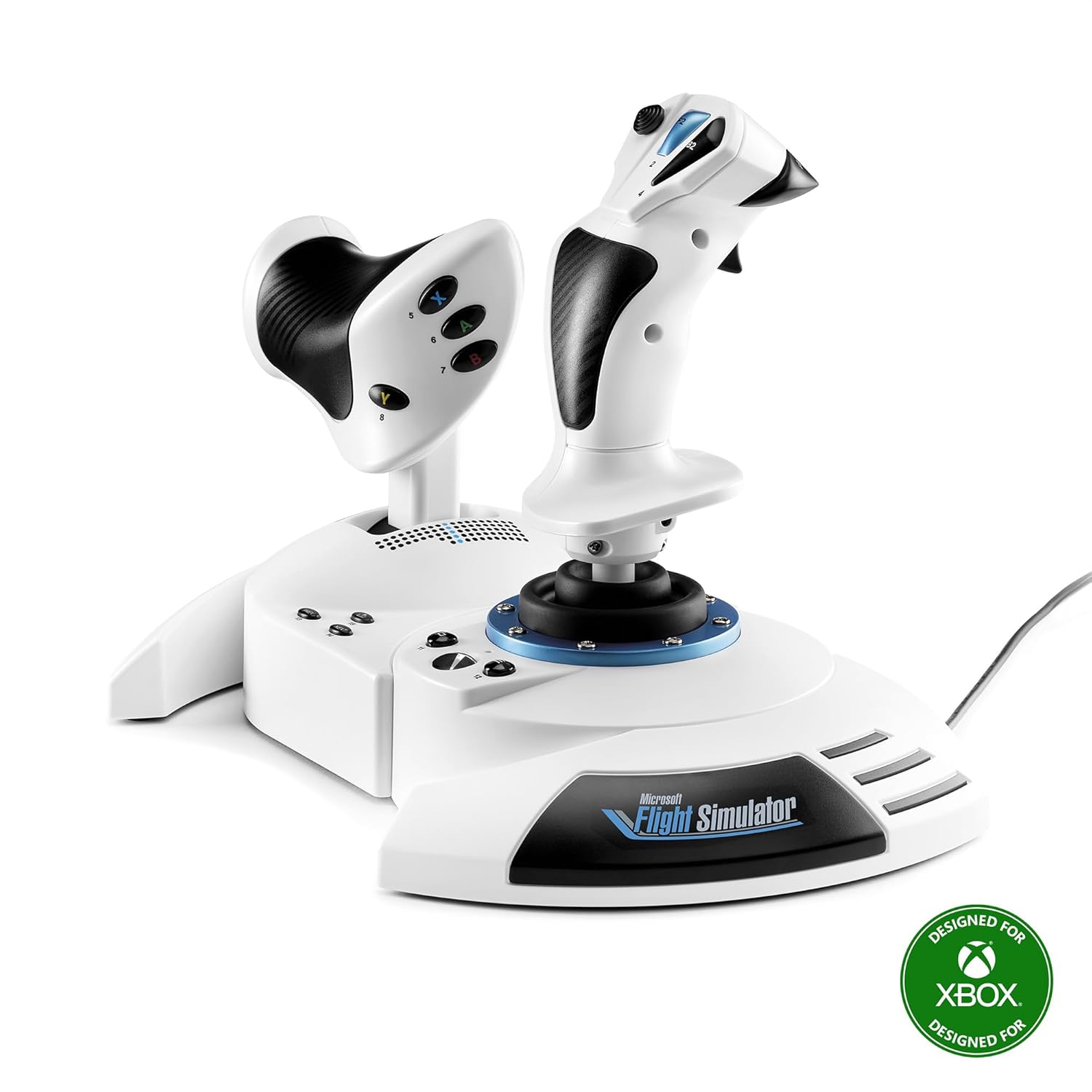
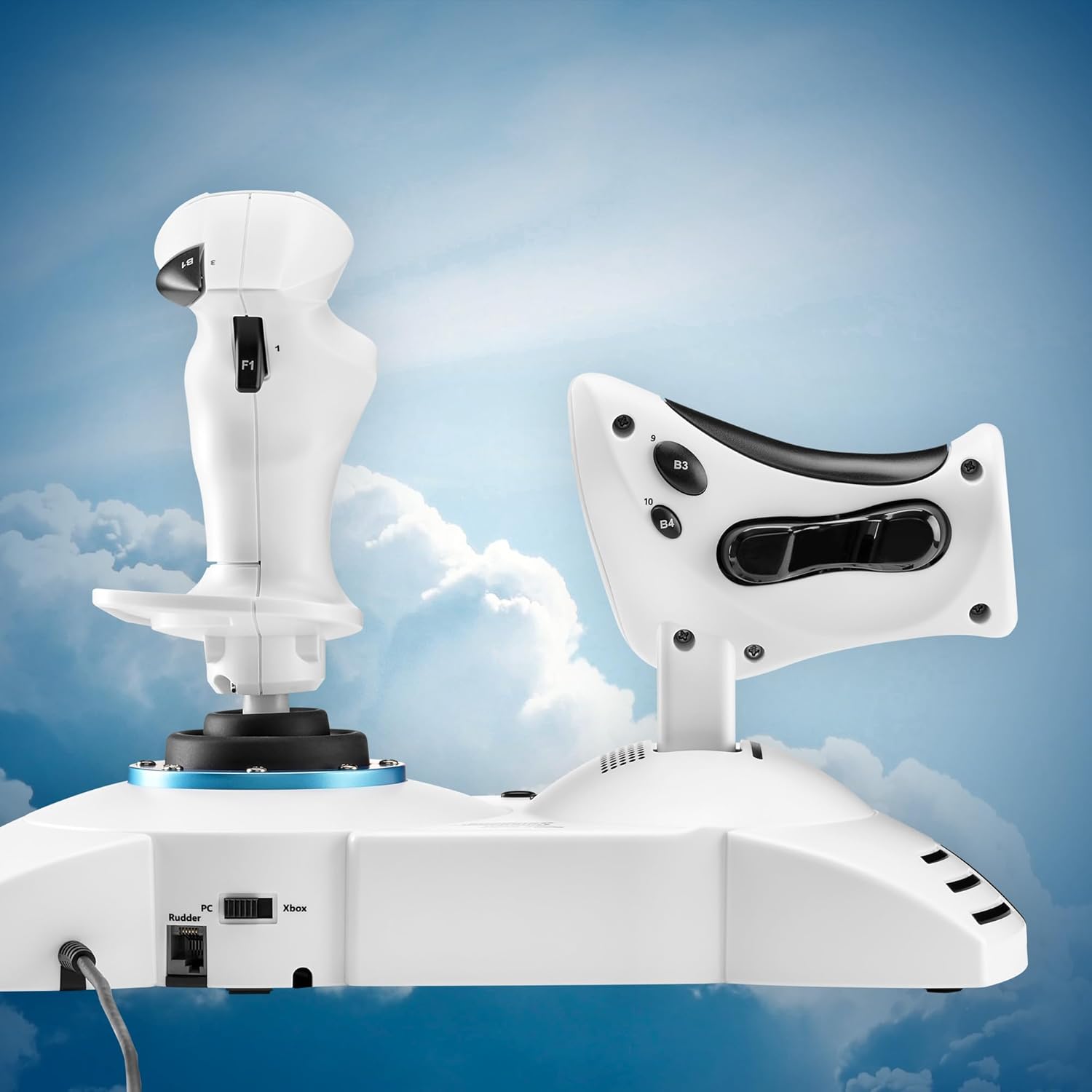
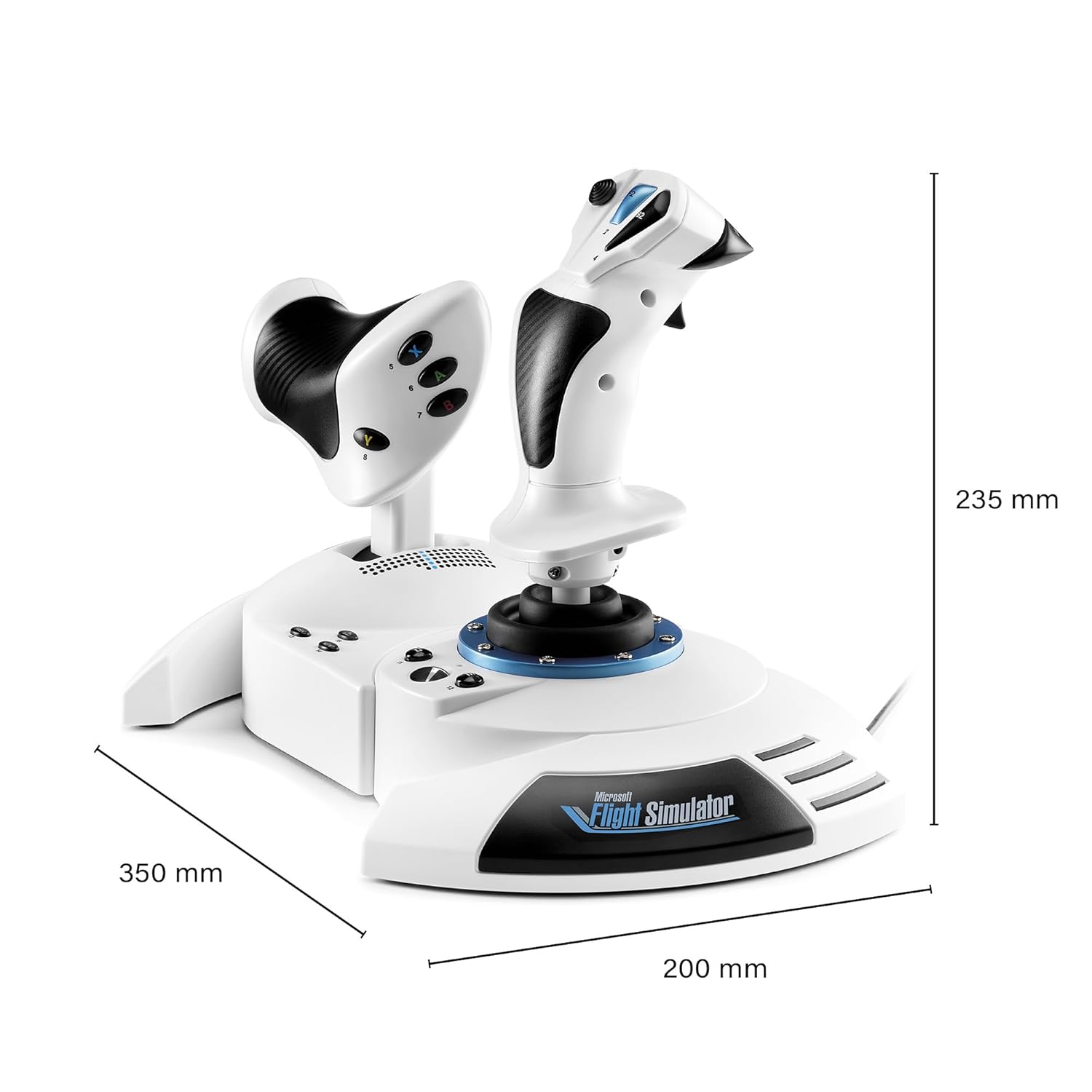
Awaken your inner pilot with the Thrustmaster T-Flight Hotas One Microsoft Flight Simulator 2024 Collector’s Edition, a complete flight control system designed for immersive and precise flying on Xbox Series X|S and PC. Officially licensed by Microsoft Flight Simulator, this advanced flight joystick and throttle controller delivers realistic flight sensations with smooth, accurate inputs. The system features 10-bit precision, five independent axes, and a dual rudder system, allowing for fine-tuned aircraft control whether you’re piloting commercial airliners, fighter jets, or helicopters. The detachable throttle offers flexible ergonomics, letting you customize your setup for desk-mounted or lap-based play. Adjustable joystick resistance ensures comfort and control across long flight sessions, while intuitive button placement keeps essential flight controls within easy reach. With true plug-and-play compatibility, the T-Flight HOTAS One is instantly recognized by Microsoft Flight Simulator 2024 on both PC and Xbox, eliminating setup delays and getting you airborne faster. Expand your flight simulator ecosystem with compatibility for Thrustmaster rudder pedals (sold separately) for an even more realistic experience. Whether you’re a beginner or an experienced virtual pilot, this flight stick delivers authentic control, precision handling, and total immersion in the skies.
OFFICIAL MICROSOFT FLIGHT SIMULATOR CONTROLS – Officially licensed flight joystick for Microsoft Flight Simulator 2024, fully compatible with Xbox Series X|S and PC for seamless plug-and-play flight simulation.
COMPLETE FLIGHT CONTROLS WITH HIGH PRECISION – Features 10-bit precision with 5 axes including Z-axis rudder control, 14 action buttons, rapid trigger, and multidirectional hat switch for realistic flight deck control.
DETACHABLE THROTTLE FOR VERSATILE SETUPS – Modular design allows the flight stick and throttle to be used together on a desk or separately on your lap, ideal for cockpit, desk, or casual flight simulator setups.
DUAL RUDDER SYSTEM FOR REALISTIC MANEUVERS – Control aircrafts using the joystick Z-axis or the integrated rudder lever on the throttle, providing authentic flight simulator handling for jets, helicopters, and prop aircraft.
ADAPTED FOR ALL FLIGHT SIMULATION TYPES – Adjustable joystick resistance and ergonomically placed buttons deliver precise control across all aircraft categories. Ideal for commercial aviation, combat jets, and helicopters, making it perfect for both beginner pilots and seasoned flight sim enthusiasts.
EXPANDABLE FLIGHT SIMULATOR ECOSYSTEM – Compatible with Thrustmaster TFRP rudder pedals (sold separately), featuring the S.M.A.R.T. sliding rail system for smooth, precise steering and enhanced flight simulator control.
10 reviews for Thrustmaster T-Flight Hotas One Microsoft Flight Simulator 2024 Collector’s Edition – Flight Stick & Throttle Controller for Xbox Series X|S & PC, Official Flight Simulator Controller


Related products


Capture Card Nintendo Switch, 4K HDMI Video Capture Card, 1080P 60FPS, HDMI to USB 3.0 Capture Card for Streaming Work with Camera/Xbox/PS4/PS5/PC/OBS

Gaming Chair with Footrest Racing Style Lumbar Support Massager Video Game Chair with Metal Legs, High Back Reclining Gamer Chair with Headrest, 360° Swivel Office Computer Desk Chair (White)

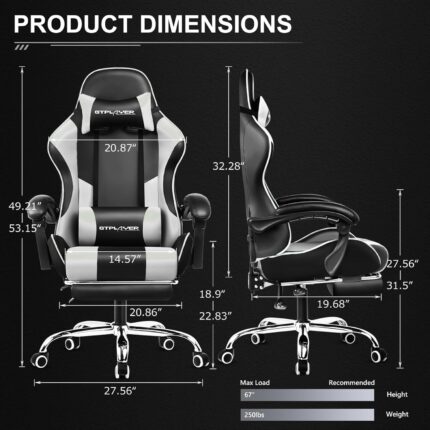
GTPLAYER Gaming Chair, Computer Chair with Footrest and Lumbar Support, Height Adjustable Game Chair with 360°-Swivel Seat and Headrest and for Office or Gaming (Pearl White)



KTRIO Large Gaming Mouse Pad Desk Mat, Superior Micro-Weave Cloth for Precise Mouse Control, Non-Slip Rubber Base, Stitched Edges, Water-Resistant, for Gamer, Office & Home, 31.5″ x 11.8″ inches



Brian Gonzalez –
Great Entry-Level HOTAS – Smooth Controls and Perfect for Flight Sim Beginners
The Thrustmaster T-Flight Hotas One is an awesome starter setup if you’re getting into Microsoft Flight Simulator or any flying games on Xbox or PC. The controls feel solid and responsive, and the throttle + joystick combo gives a much more realistic flight experience compared to a standard controller.Setup was extremely easy — literally plug in and go. The joystick has a nice weight to it, the buttons are well placed, and the adjustable resistance is a nice touch. The throttle moves smoothly and gives you good control during takeoff, cruising, and landing. I also like that you can separate the throttle from the stick if you want more realistic spacing.For the price, the performance is excellent. You’re not getting the super high-end metal feel of a premium HOTAS, but everything works reliably and feels good in the hand. Perfect for new pilots, casual sim players, or anyone who wants a big upgrade from using a controller.If you’re looking for an affordable and dependable HOTAS setup for Xbox or PC, this one is absolutely worth it…..
Casel John –
Good product
Came straight in the box, works great, no issues, shipped really fast aswell. Good job. 10/10 will buy again.
Cake Fighter –
It disappears. What every good controller should do. (Xbox One User)
You get so into using the device that it ceases to exist. You aren’t thinking about it being there. It just melts away because the actions you perform with it become so natural, that belief is suspended. You get these easy muscle memories for actions.”Oh, there’s a star. Hard bank right, throttle up, turn out, wait until you hit 1c, then throttle back and tap the system map to pick dock.”You think that. Then your hands just do it and you aren’t thinking about it. Because it’s such a good controller. It feels cooooooooooool using it. I can’t put it any other way. It’s not good for shooters. I tried to use it to drive tanks in War Thunder, but that’s a twitch shooter’s world. Not a stick world. Not unless you are flying the planes. Perfect for that. But it will take a lot of TIME to get the stick to play nice with War Thunder. Their default settings aren’t just bad, they are dangerous. No rudder control to speak of. You have to remap it off the stick because it’s way too high, even if you set it to 0 in settings. Remap it to the toggle button on the back of the throttle.But Elite Dangerous? It’s like they sat down with the folks behind the game and made SURE it would just be perfect out of the box. Because it was. I haven’t changed a single button, setting, or mapping. I adore the default setup for this stick with Elite Dangerous on Xbox One. This alone, for me, is enough of a reason to buy this thing. It’s one of the most rewarding gaming experiences I’ve ever had.”Throttle up to engage light engines.”Sure thing. And you slam that throttle forward and start hurtling through fields of stars.
Jim Tapp –
MUCH better than the “HORI Ace Combat 7 Hotas Flight Stick for Xbox One”!
These are a quality flight stick setup! Accurate and with very little dead zone or “wobble” around center. I am enjoying playing Ace Combat 7 with them very much! They are huge upgrade compared to the “HORI Ace Combat 7 Hotas Flight Stick for Xbox One” – which I had pre-ordered first, at more than double the cost of this! Those are unbelievably bad – go read my review on them for a comparison.Pros: I love the twist stick rudder on these, very useful. Also very happy with the detent at 50% throttle. The buttons are quality though a little “clicky” like microswitches. The bases are heavy and the rubber feet are nice and sticky – I play with these on an oversized lap pad for 17″ laptops and they work great on that. As someone who plays in a pitch black home theatre, I really appreciate how dim the little white power/connection light is!Neutral: The ability to attach them together is… a neat idea, though probably much better suited for children. I have them about 6″ apart when I play. There is a joystick tension knob on the bottom, but I find that I want it all the way to max which is how it is out of the box. In fact I wish you could add a little MORE tension if anything. I also wish the throttle had such a tension knob. Also what is up with the weird “wings” at the bottom of each base that extend toward you? They limit how close you can move them to yourself. Why not just make the base a little wider? Looks like this was done for looks.Cons: There is no headset connector, which is a real bummer. Have to use Kinect voice chat, or have another controller turned on so you can plug a headset into that, and I’m not even sure how that’s gonna work with multiplayer yet. Not sure how that got overlooked. Also, there is vibration/rumble on these, or force feedback. I would have gladly paid more for that. Overall the feel on these is bit… cheap. Lots of plastic, no rubberized finish or rubber pads for comfort. Very little visible metal. All buttons are plastic. The movement of the joystick has a bit of “clunk” near the top of full travel that you can hear/feel. All in all, these feel a bit cheap and not like the Thrustmaster of old that I’m used too from the PC days. They feel like they should be maybe $20 less, which appears to be how much the PC version is! As usual it appears we’re paying the “console tax” with a more expensive product just for licensing probably.However, considering I was willing to shell out $200 for the Hori sticks (Which ended up being garbage) – I would gladly have spent 2x this much, on an “Elite” version like I did for the Xbox One Elite controller which is far better too. I would love to see a version of this with metal trigger, metal bases, rubber pads and rubber grips for comfort, better joystick motion/smoothness, better quality buttons, higher quality materials all around.All in all though, considering how long we waited for a real HOTAS setup on Xbox One, I’m happy enough with these, especially for less than half the cost of the garbage HORI ones.
Santiago –
Great addition for a fly sim enthusiast
It works great with my mac and Xplane 12, It’s a great addition/upgrade from using a PS5 controller. It feels sturdy and has great things for the price.
tara Mills –
Easy to use, qreat quality and just what he wanted
Robin Panigrahi –
Excellent. Everyone should take it. It makes adventure to play Games .
Fernando R –
Es una buena adición para el simulador, además de que incluye los botones de xbox por si lo juegas en el xbox series. yo lo conecte a la pc y ha funcionado muy bien con MSFS 2020, 2024 y X-Plane 12. tiene varios botones para poder configurar a tu gusto
jan prokopec –
Un joystick davvero eccellente e intelligente … pienamente soddisfa la mia modalità di gestire gli strumenti di vari aerei per volare in MSFS 2020. Grazie
Ten –
Cant find any HOTAS combo for under 100 SGD, i would say this is a good product for anyone trying to get into flight sim as it is very affordable and customisable.