

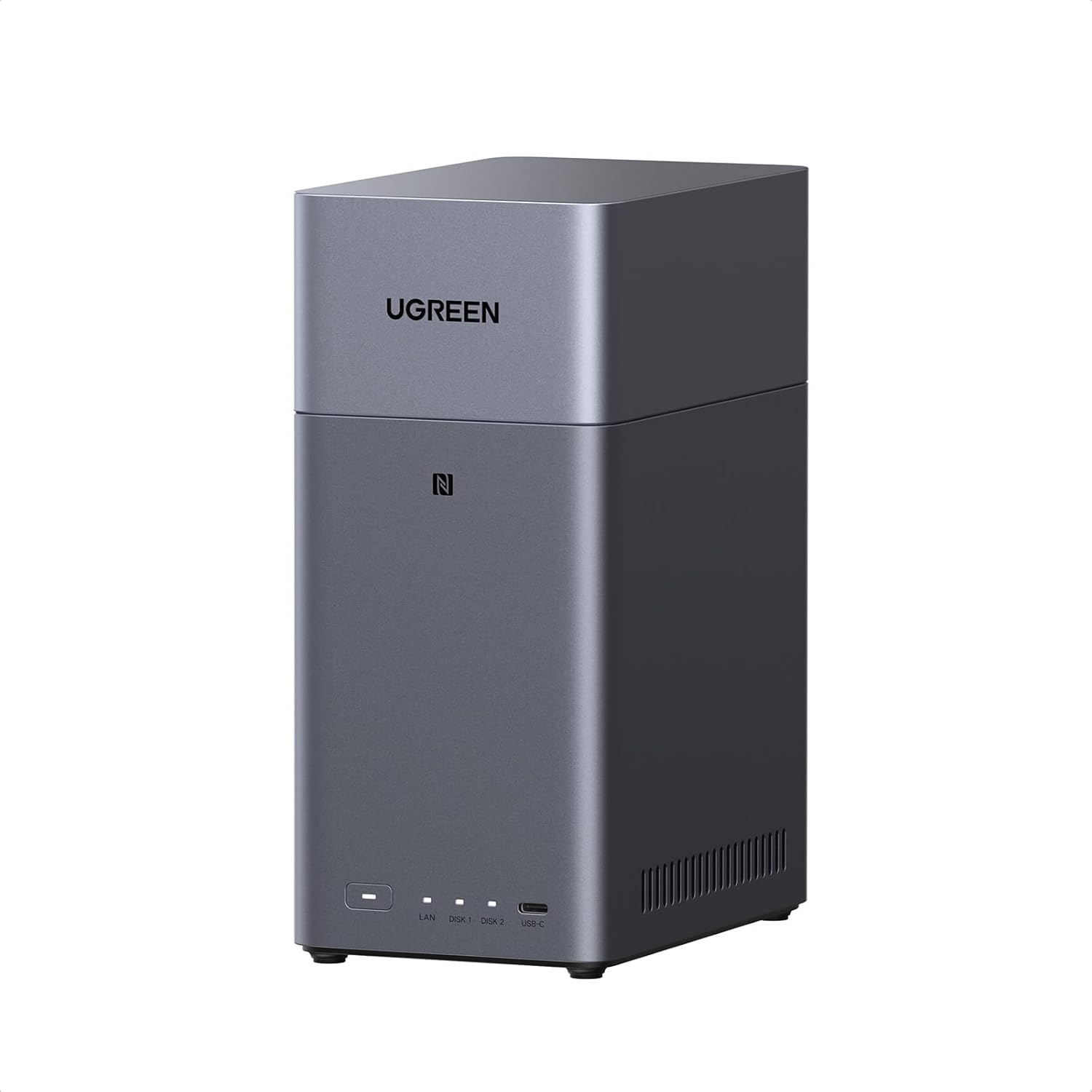



UGREEN NAS DH2300 2-Bay Desktop NASync, Support Capacity 60TB (Diskless), Remote Access, AI Photo Album, Beginner Friendly System, 4GB on Board RAM,1GbE, 4K HDMI, Network Attached Storage(Diskless)
Original price was: $209.99.$199.99Current price is: $199.99.
Price: $209.99 - $199.99
(as of Feb 12, 2026 22:52:26 UTC – Details)
Product description
Entry-level NAS Personal Storage: UGREEN NAS DH2300, Your First NAS Made Easy.
The video showcases the product in use.The video guides you through product setup.The video compares multiple products.The video shows the product being unpacked. Ugreen nas 2300 Merchant Video
Entry-level NAS 2-bay perfect for home entertainment, photo storage, and easy data backup (doesn’t support Docker or virtual machines).
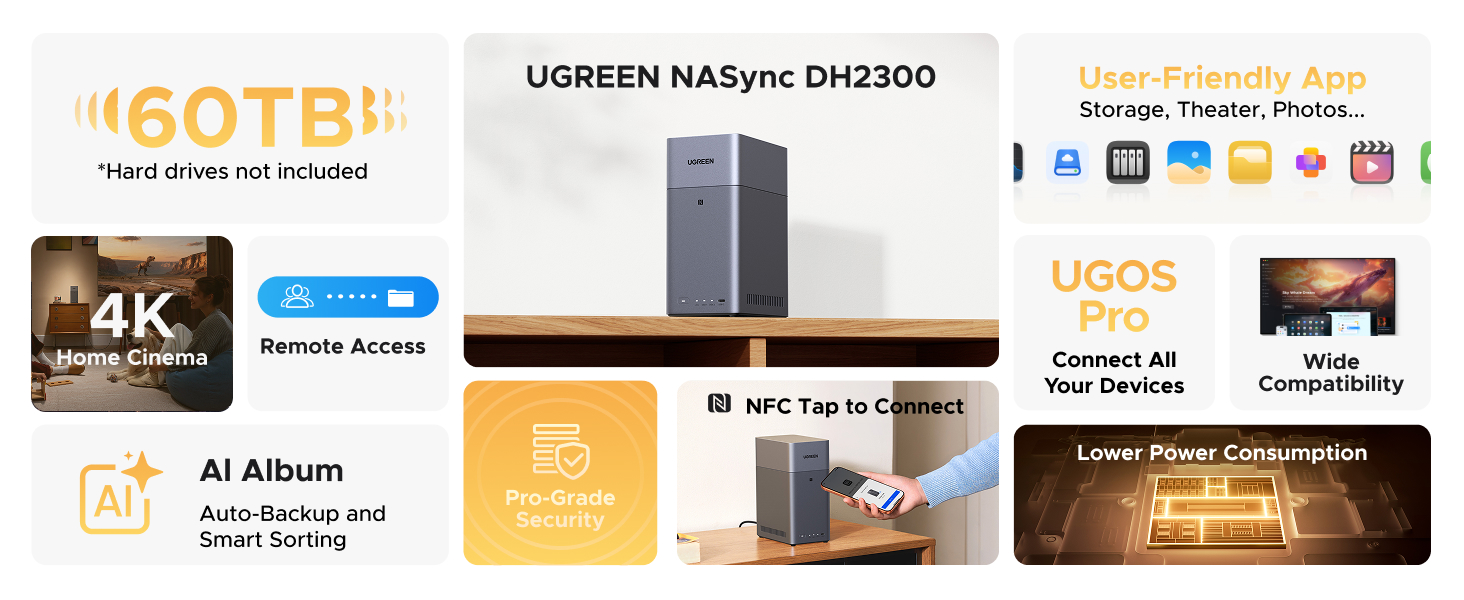



1 Large Capacity
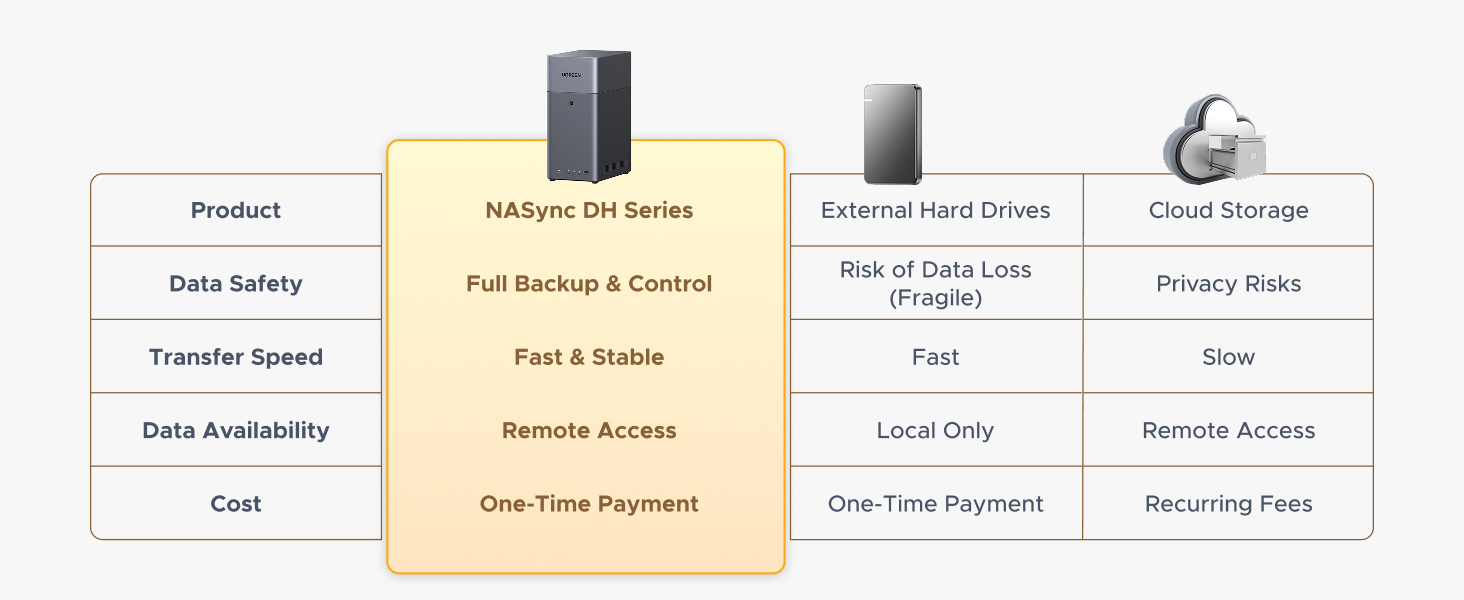
2 Long-Term Savings
3 0 Monthly Fee
4 Ultimate Solution
5 Low Noise



1 Simplify It All
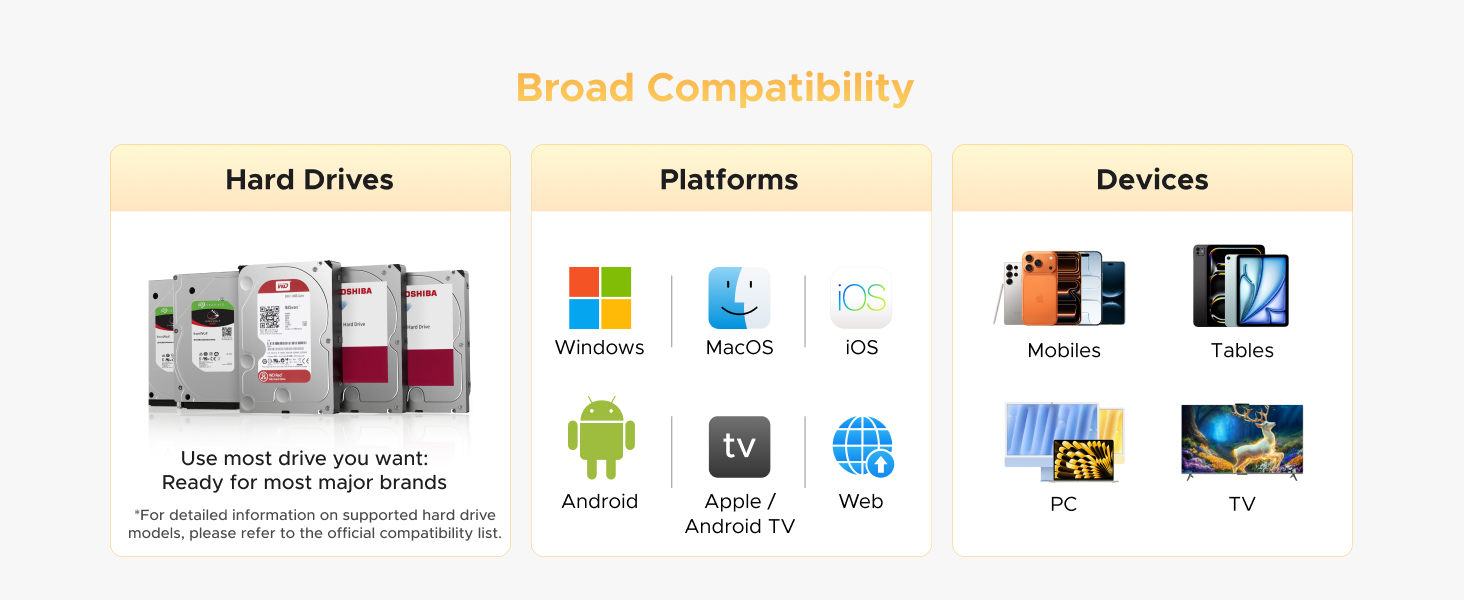
2 Broad Compatibility
3 Easy Installation
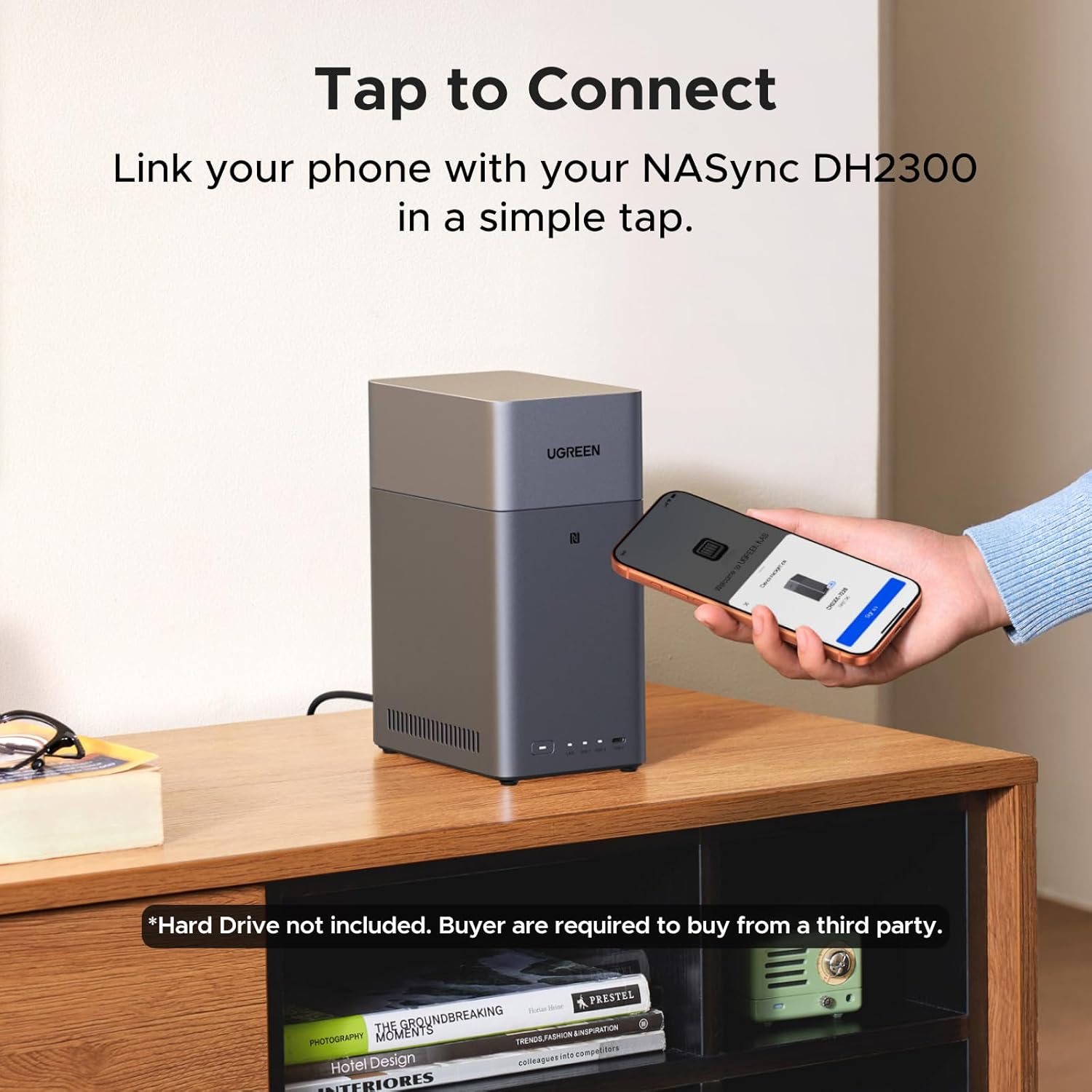
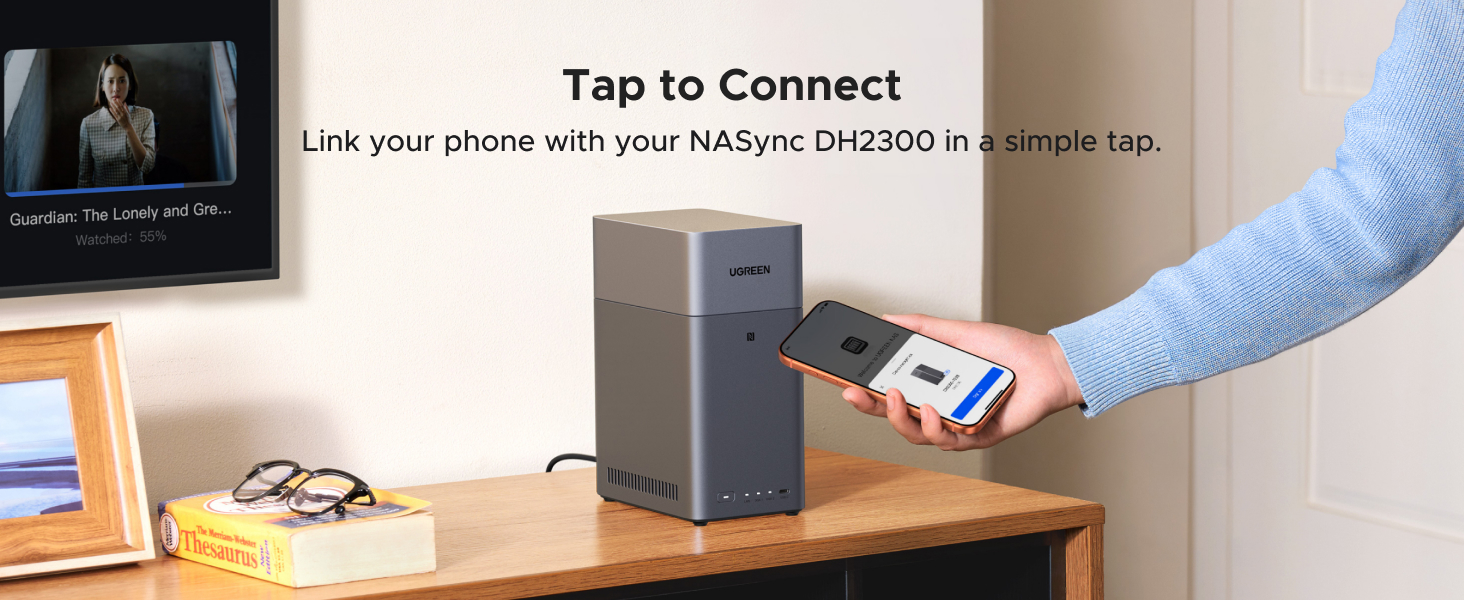
4 Tap to Connect
5 Media Recognition

1 AI powered
2 Collaboration Hub
3 4K Home Cinema
4 Smart Media Libraries
5 Specialist Support
1 Data Security
2 Privacy Protection
3 Data Backup
4 Authentication Code
5 Specialist Support

1 Super Transfer Speed
2 High Performance
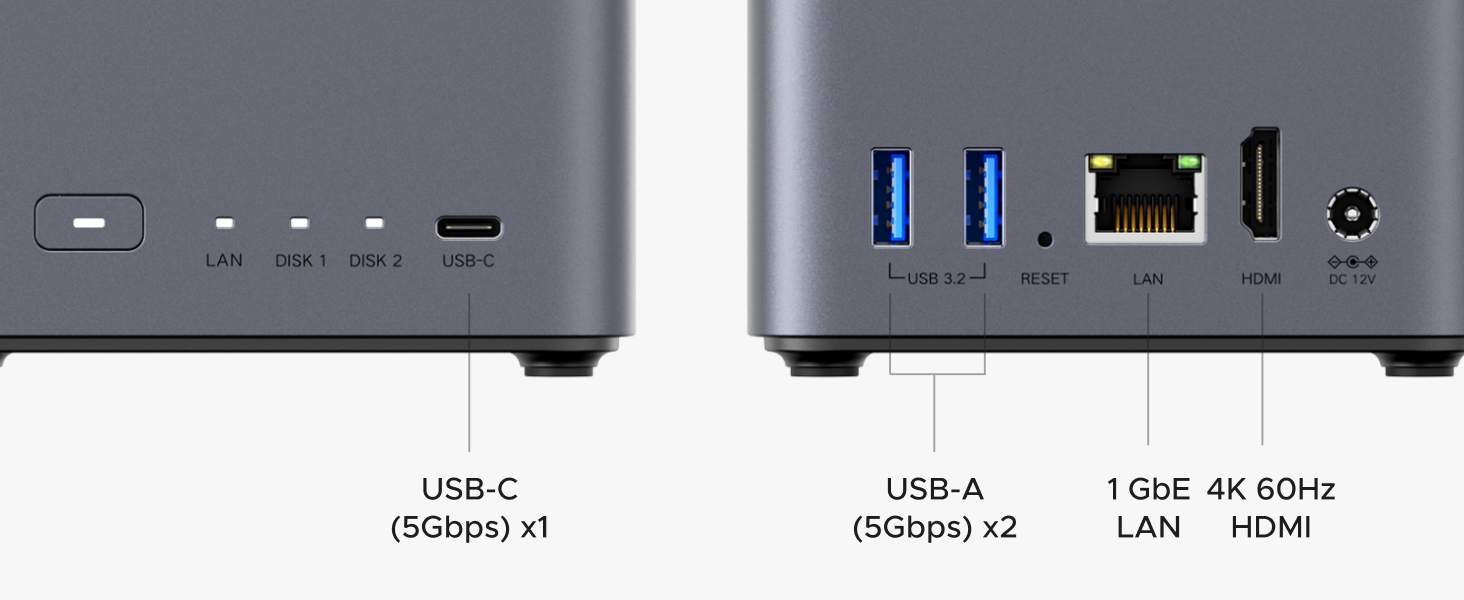
3 Versatile Interfaces
4 Packages Included
5 Specialist Support
Entry-level NAS Personal Storage:UGREEN NAS DH2300 is your first and best NAS made easy. It is designed for beginners who want a simple, private way to store videos, photos and personal files, which is intuitive for users moving from cloud storage or external drives and move away from scattered date across devices. This entry-level NAS 2-bay perfect for personal entertainment, photo storage, and easy data backup (doesn’t support Docker or virtual machines).
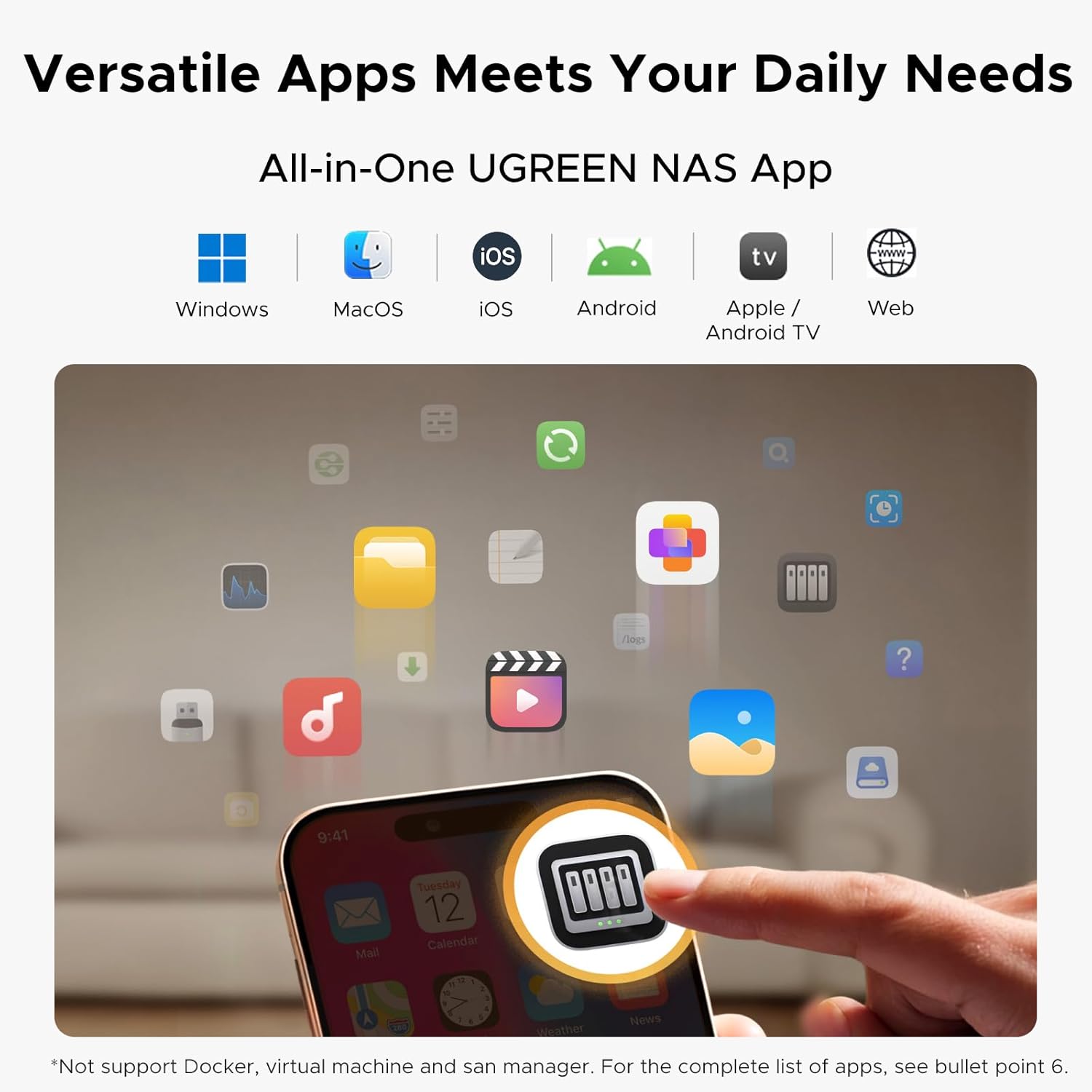
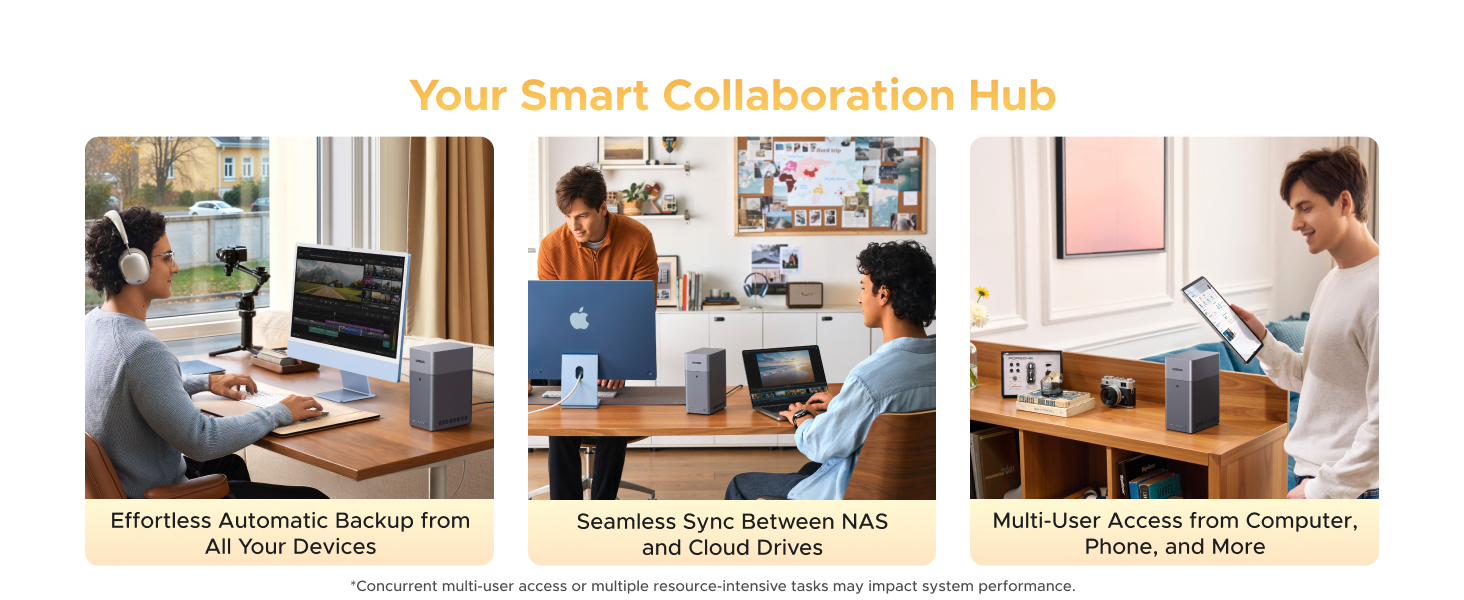
Set Your Devices Free, Expand Your Digital World: This unified storage hub supports massive capacity up to 60TB.*Storage drives not included. Stop Deleting, Start Storing. You can store 20 million 3MB images, or 2 million 30MB songs, or 40K 1.5GB movies or 62 million 1MB documents! UGREEN NAS is a better way to free up storage across all your devices such as phones, computers, tablets and also does automatic backups across devices regardless of the operating system—Window, iOS, Android or macOS.
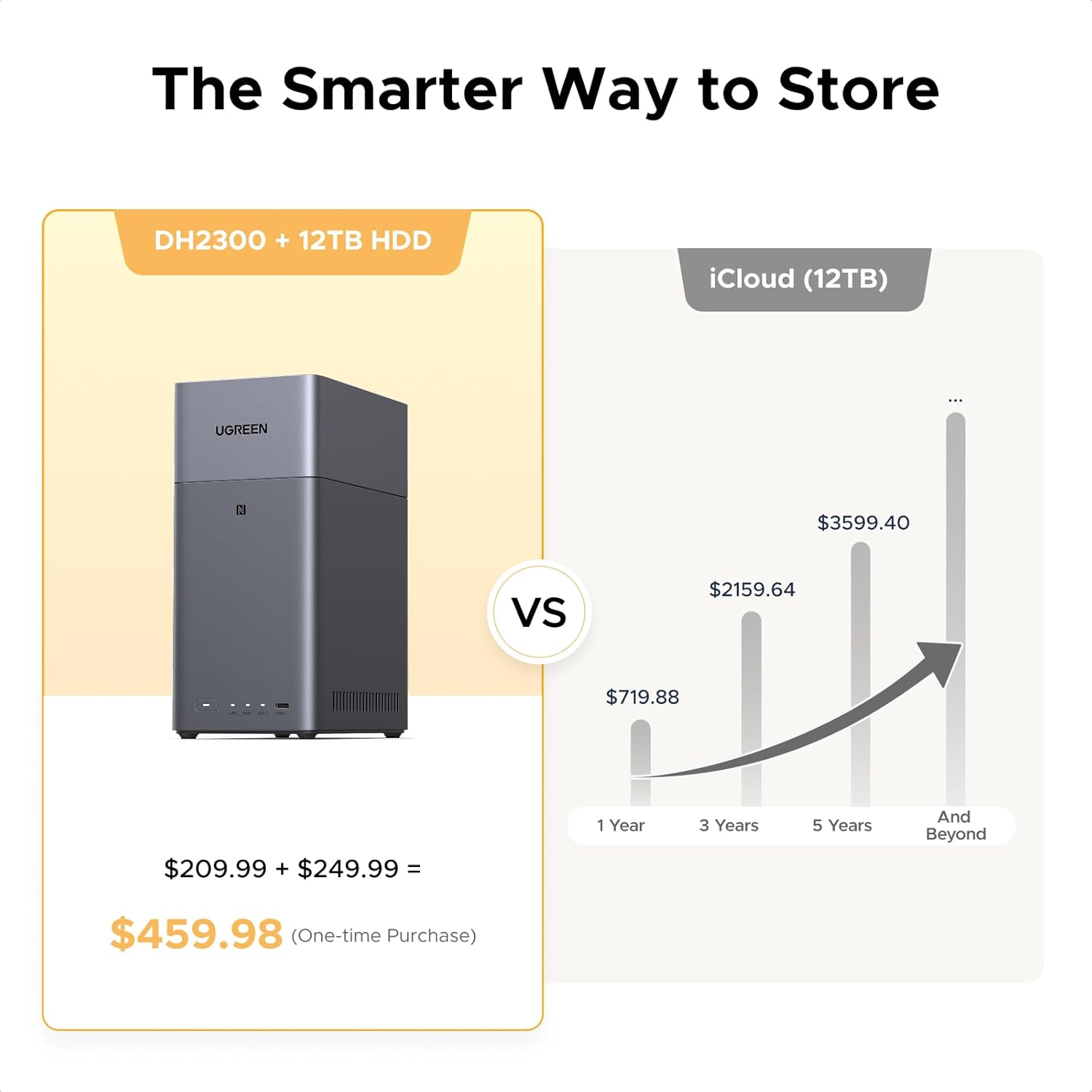
The Smarter Long-term Way to Store: Unlike cloud storage with recurring monthly fees, a UGREEN NAS enclosure requires only a one-time purchase for long-term use. For example, you only need to pay $459.98 for a NAS, while for cloud storage, you need to pay $719.88 per year, $2,159.64 for 3 years, $3,599.40 for 5 years. You will save $6,738.82 over 10 years with UGREEN NAS! *NAS cost based on DH2300 + 12TB HDD; cloud cost based on 12TB plan (e.g. $59.99/month).
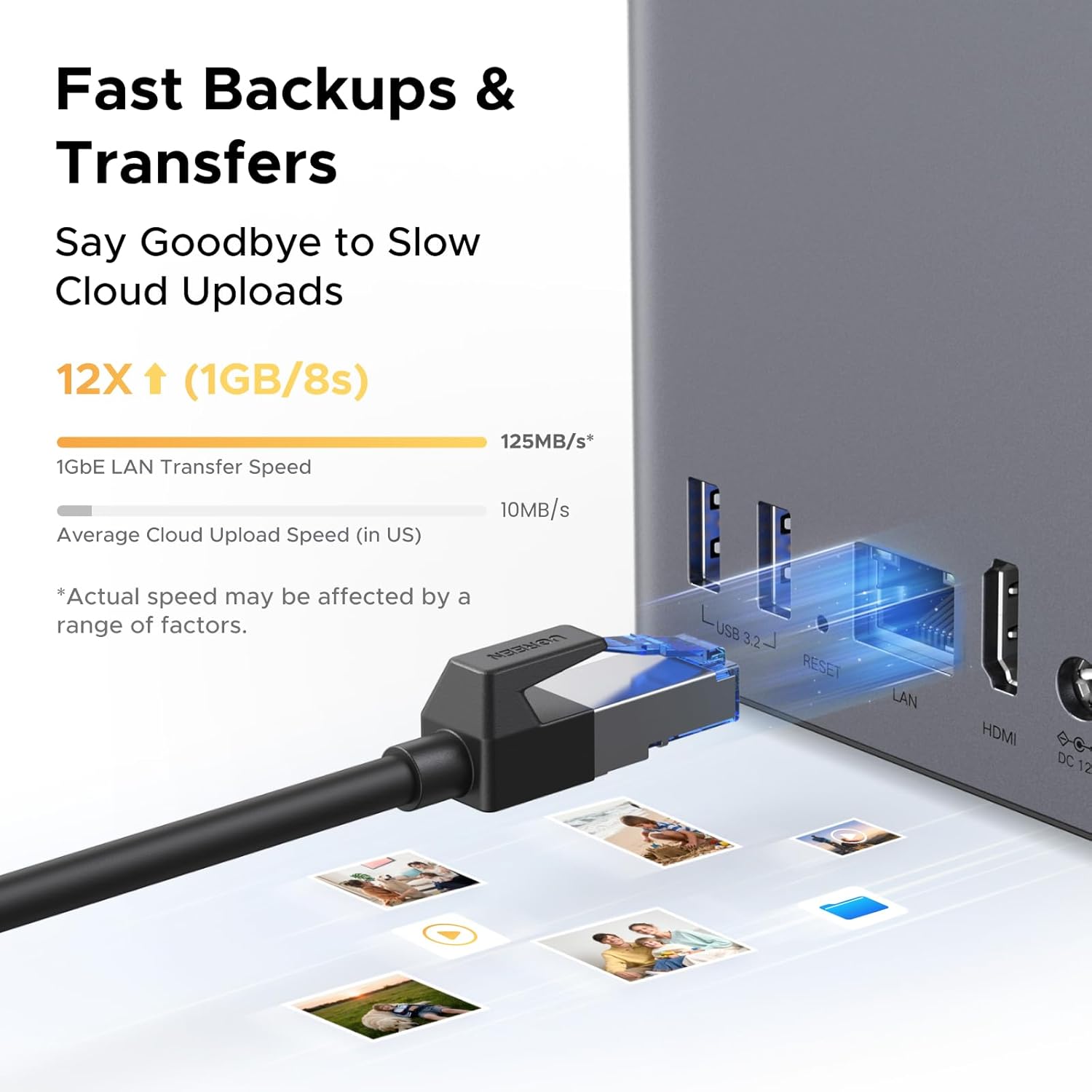
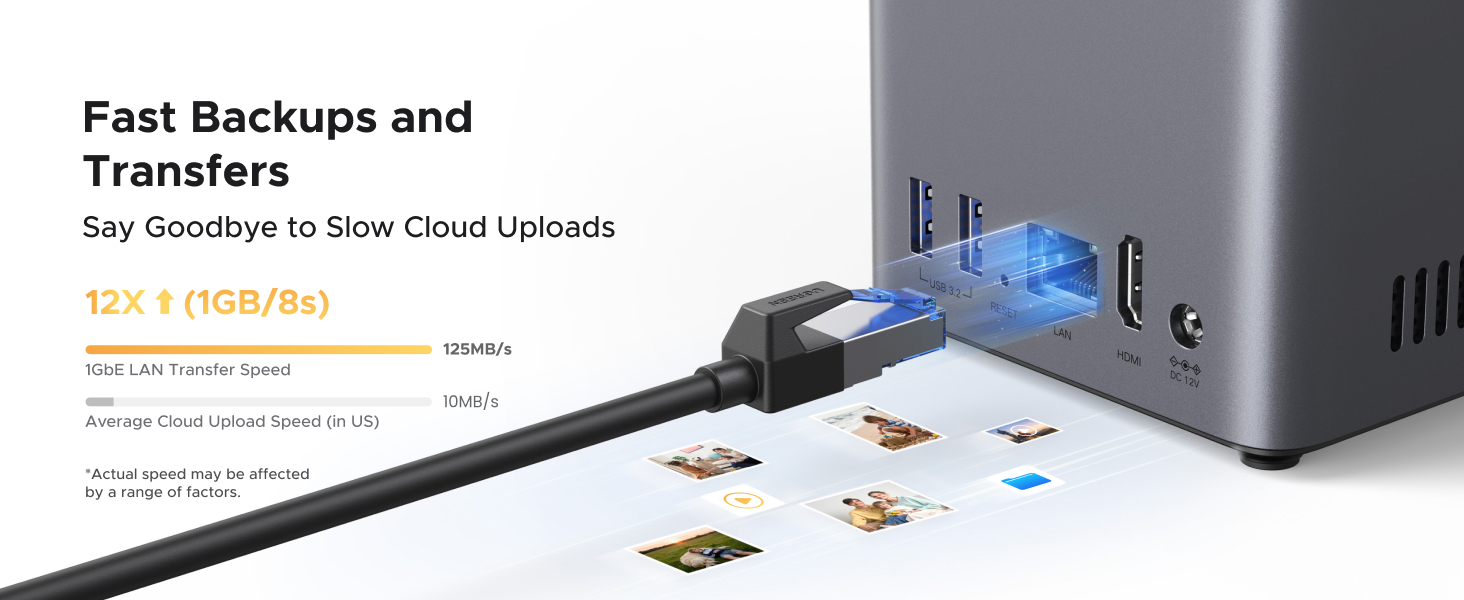
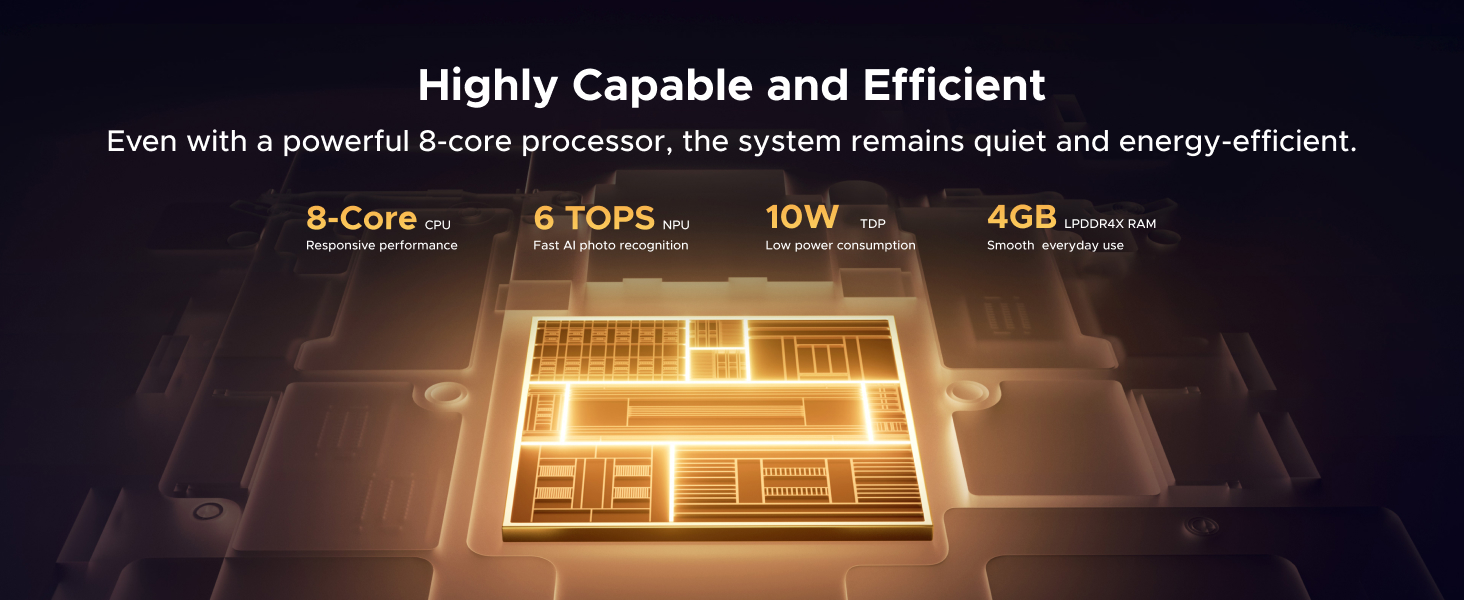
Blazing Speed, Minimal Power: Equipped with a high-performance processor, 1GbE port, and 4GB LPDDR4X RAM, this NAS handles multiple tasks with ease. File transfers reach up to 125MB/s—a 1GB file takes only 8 seconds. Don’t let slow clouds hold you back; they often need over 100 seconds for the same task. The difference is clear.
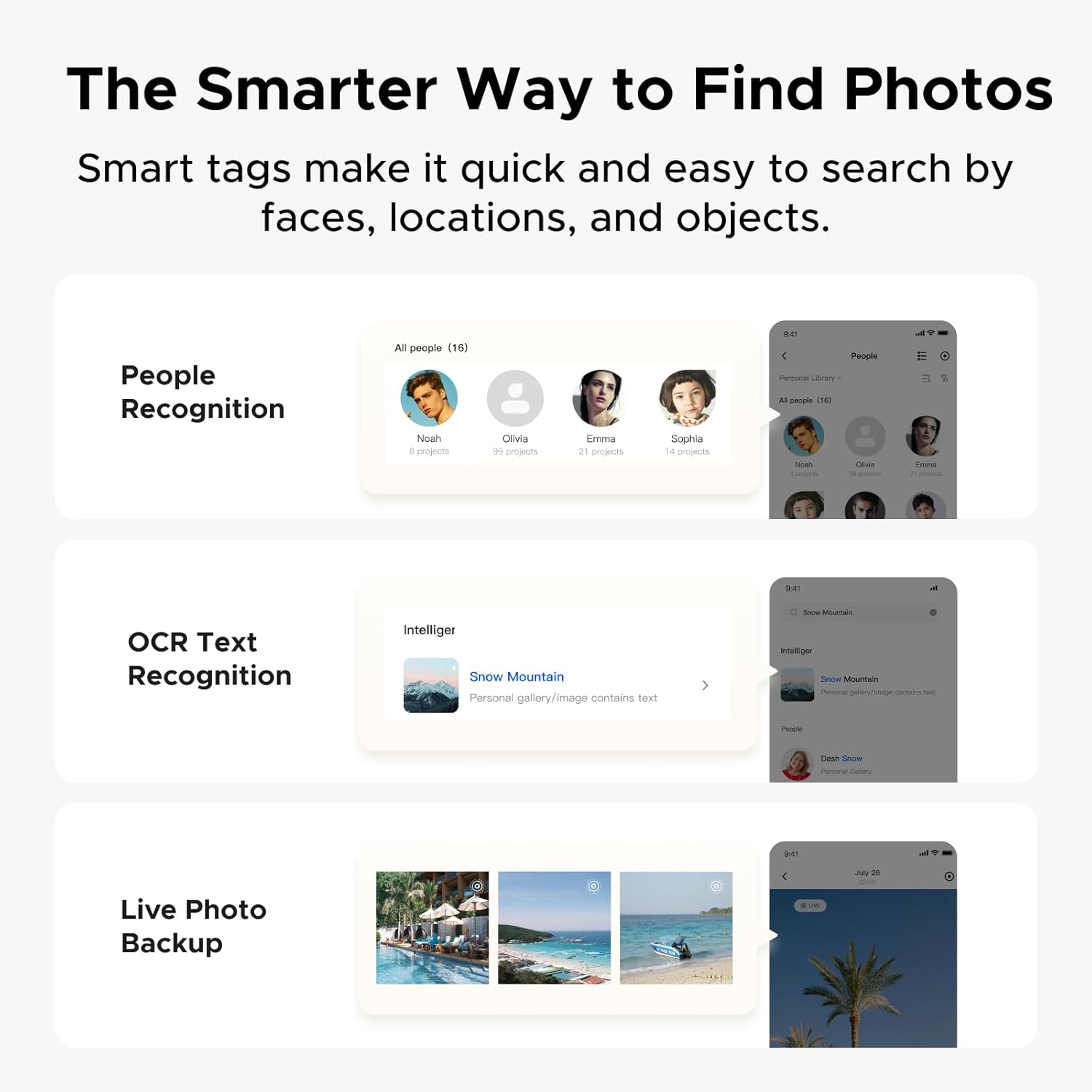
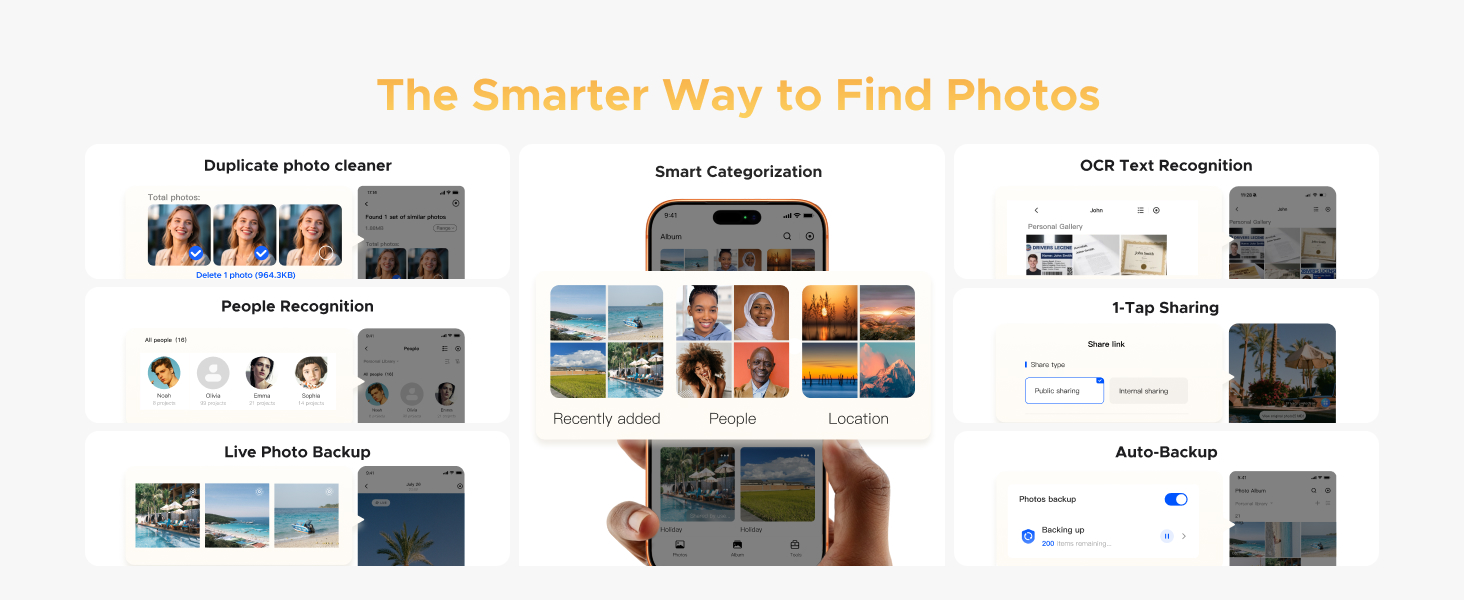
Let AI Better Organize Your Memories: UGREEN NAS uses AI to tag faces, locations, texts, and objects—so you can effortlessly find any photo by searching for who or what’s in it in seconds. It also automatically finds and deletes similar or duplicate photo, backs up live photos and allows you to share them with your friends or family with just one tap. Everything stays effortlessly organized, powered by intelligent tagging and recognition.
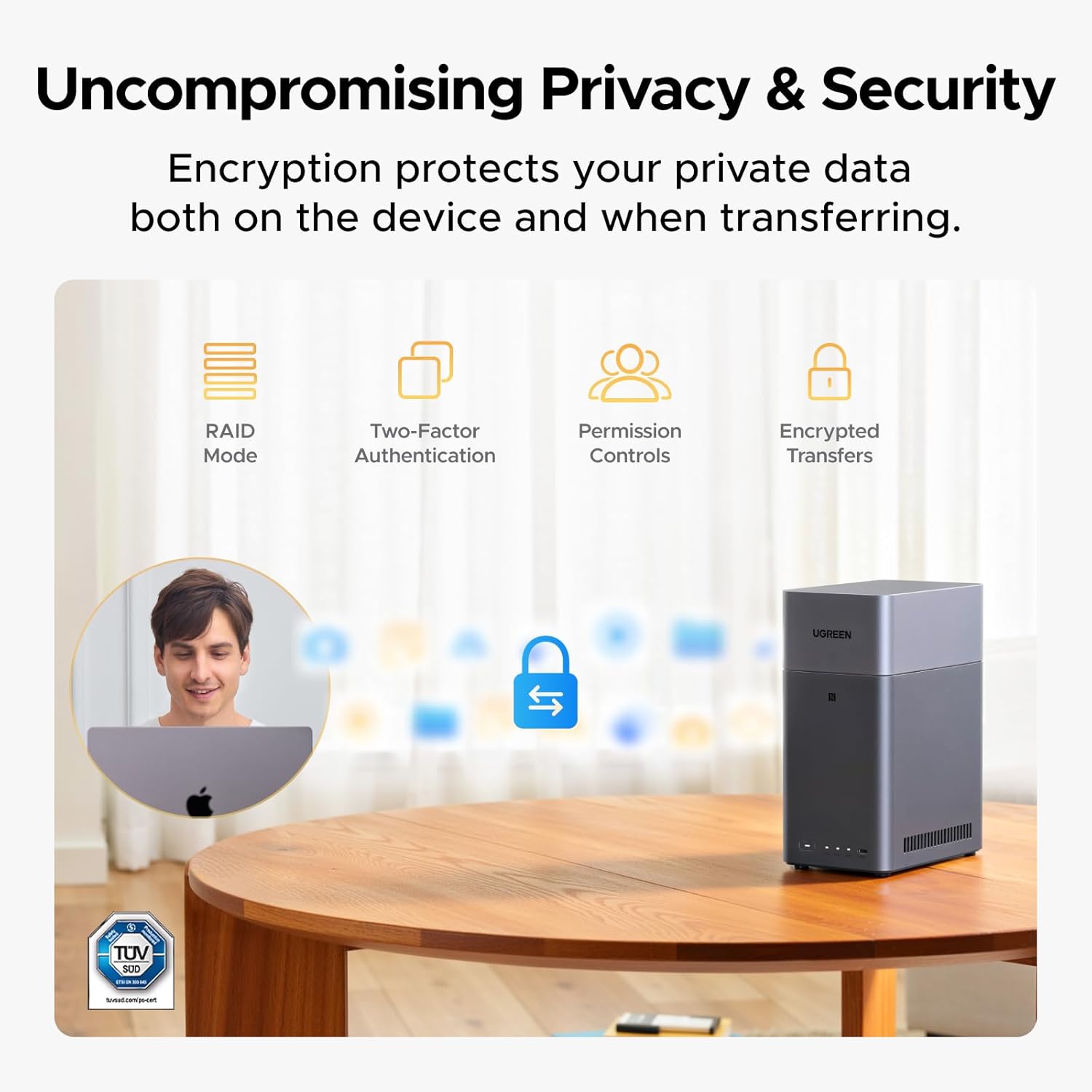
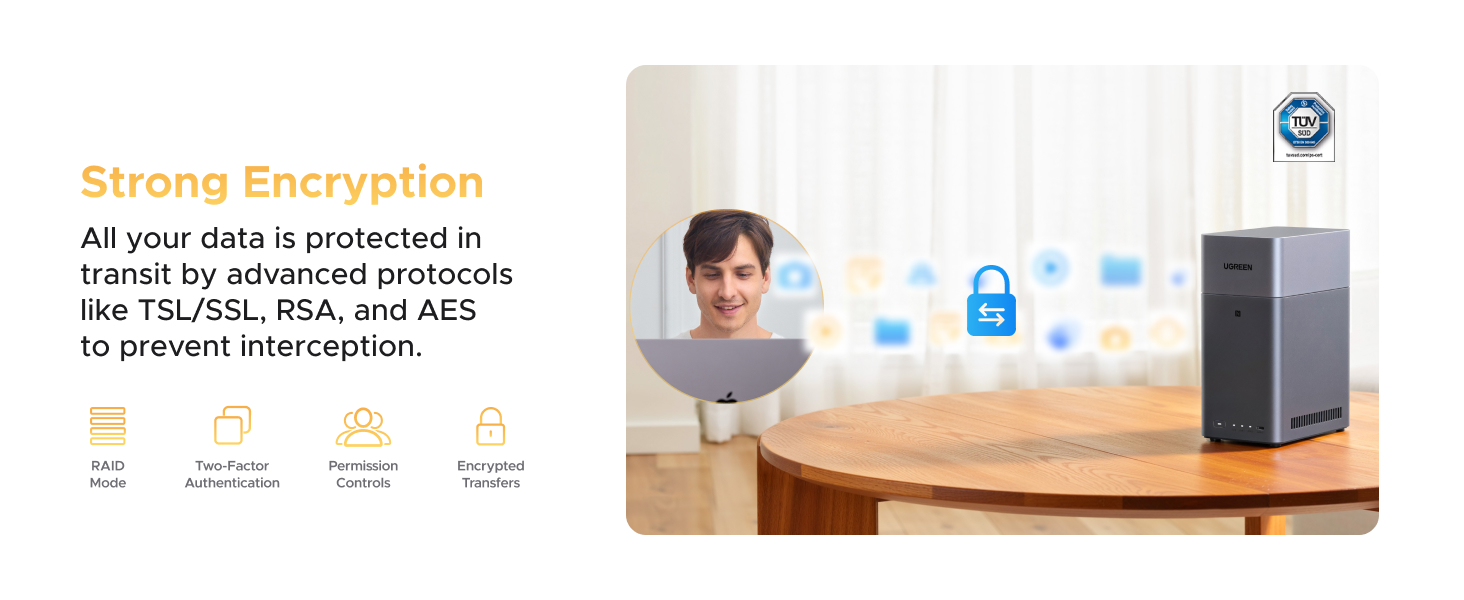
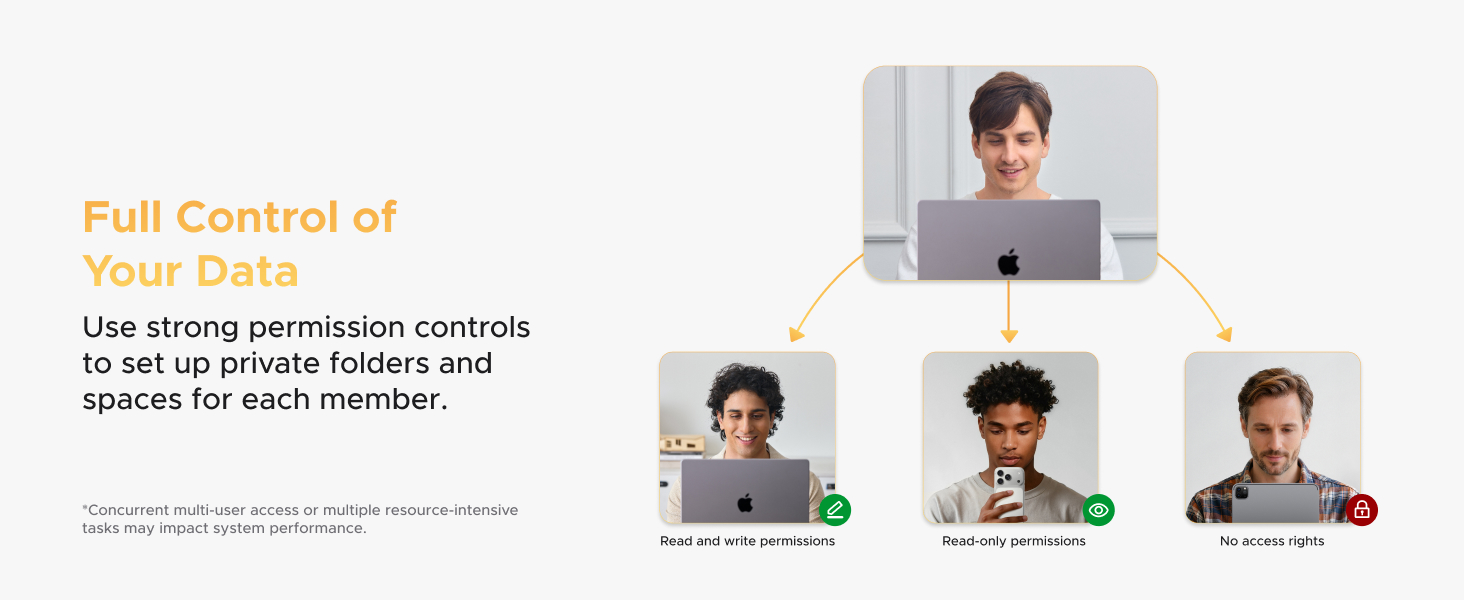
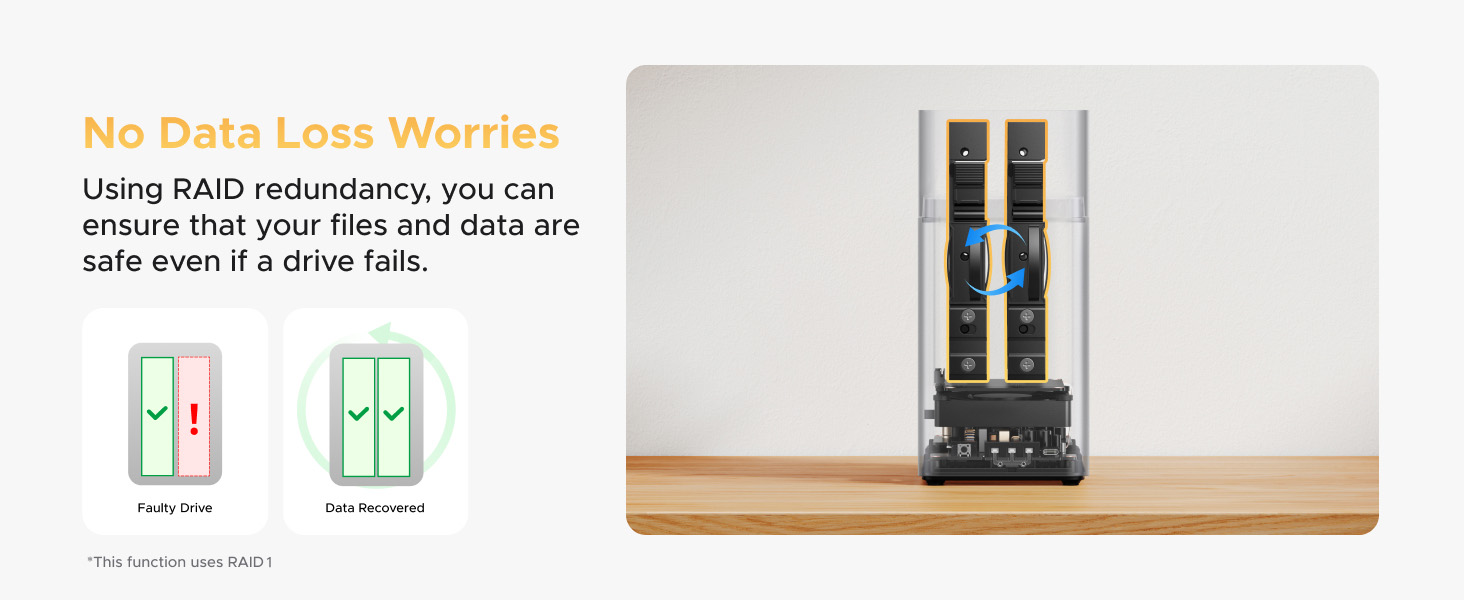
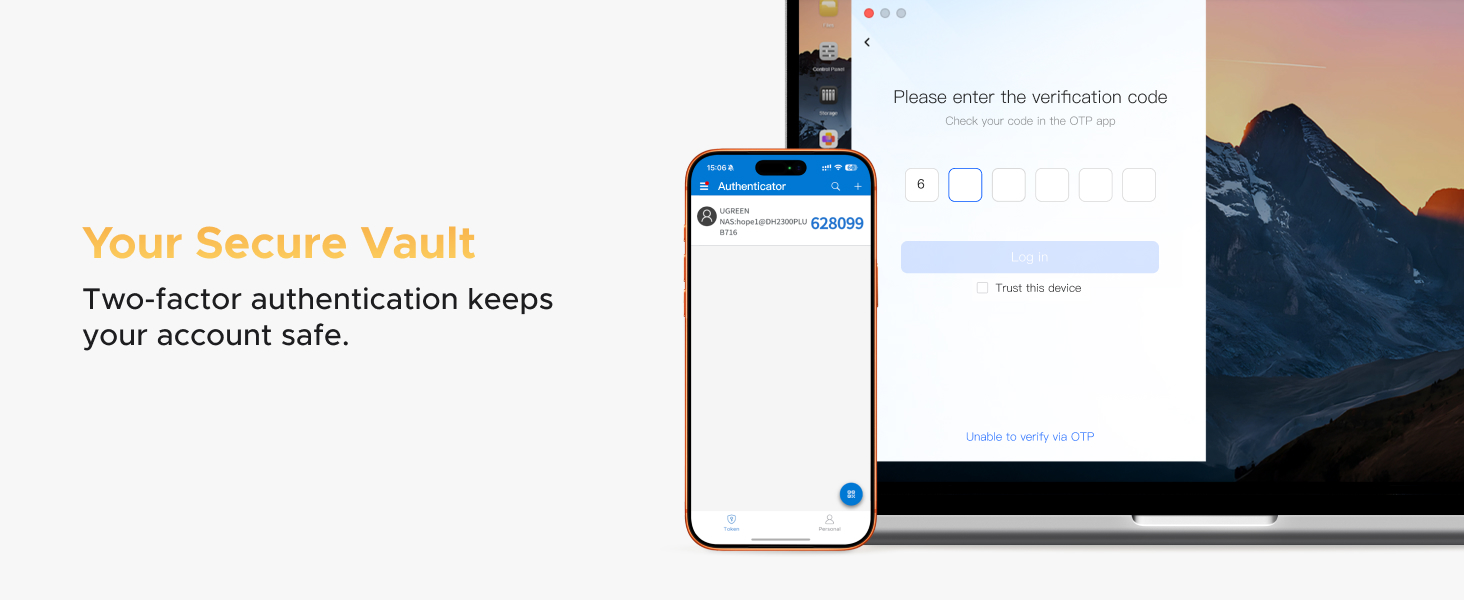
Uncompromising Privacy & Security: You own your data, stored on your drives—no third-party clouds, no hidden access. To provide end-to-end protection for your data against leaks or loss—whether the data is stored or in transit—this UGREEN NAS incorporates layered security features like RAID modes, two-Factor Authentication, permission controls, and encrypted transfers. Backed by TRUSTe certification, it’s also the first and only NAS certified by TÜV SÜD to meet the ETSI EN 303 645 standard.
Wide Hard Drive Compatibility Except for M.2 NVMe: UGREEN NAS is compatible with Western Digital, Seagate, Toshiba, and many other third-party hard drives, but it doesn’t support M.2 NVMe drive. Please check our compatibility list for full details. *Storage hard drives are not included and need to be purchased separately.Please carefully check before ordering.
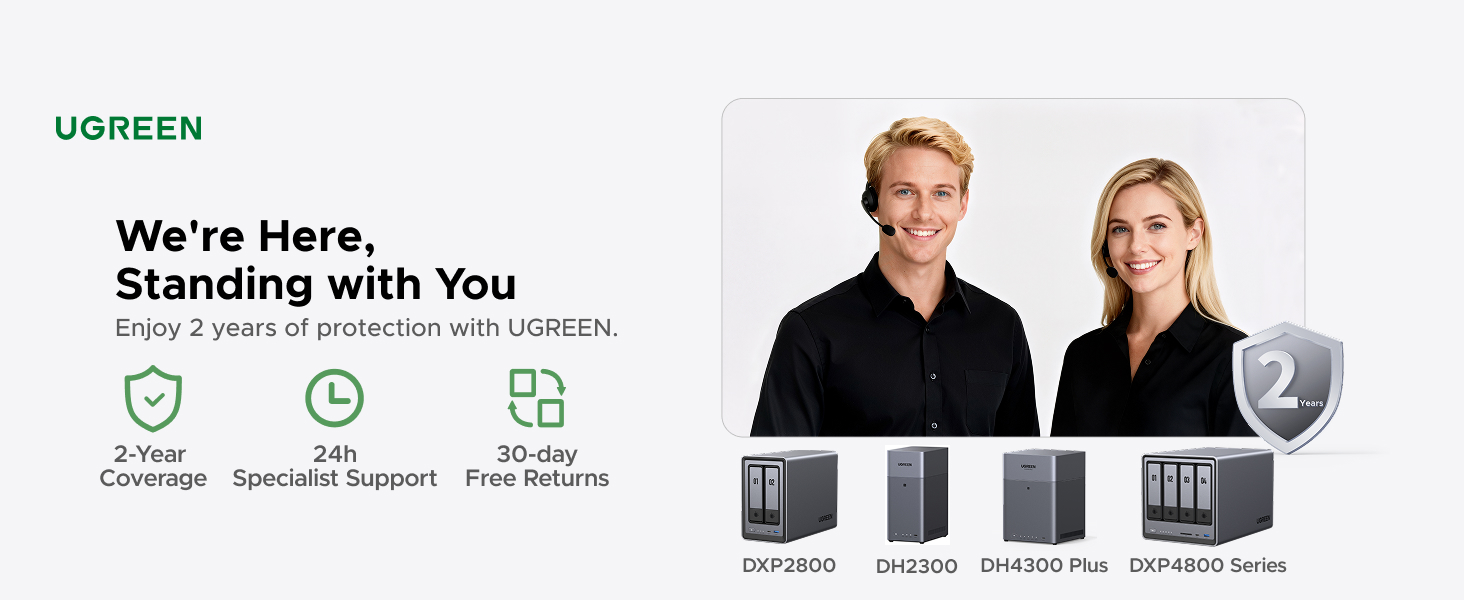
NAS Knowledge & Support Center: You will enjoy 2 years of protection with UGREEN and lifetime service. For any questions or issues, please contact Amazon Customer Service or visit the UGREEN Knowledge Center or the ‘Support’ section in the NAS app.
10 reviews for UGREEN NAS DH2300 2-Bay Desktop NASync, Support Capacity 60TB (Diskless), Remote Access, AI Photo Album, Beginner Friendly System, 4GB on Board RAM,1GbE, 4K HDMI, Network Attached Storage(Diskless)


Related products


Anpviz 6MP PoE Camera, Turret 6MP UltraHD IP Camera Outdoor with Mic & Speaker, 100FT Smart Color Night Vision, PoE Security Cameras with AI Human Vehicle Detection, MicroSD Slot (U Series)


etguuds USB A to USB C Cable 6ft, 2-Pack, 3A Fast Charging Type C Charger Cord for iPhone 17 16 15 Pro Max 16e 17 Air, Samsung Galaxy S25 S24 S23 S22 S21 S20 A17 A16 A56 A55 Flip Fold, Gray

Linsoul KZ ZS10 Pro, 4BA+1DD 5 Driver in Ear Monitor, HiFi Wired Earbuds, Gaming Earbuds, Hybrid IEM Earphones with Stainless Steel Faceplate, Detachable Cable for Musician(Without Mic, Black)


TP-Link AC1200 WiFi Router (Archer A54) – Dual Band Wireless Internet Router, 4 x 10/100 Mbps Fast Ethernet Ports, EasyMesh Compatible, Support Guest WiFi, Access Point Mode, IPv6 & Parental Controls


TP-Link Deco 7 BE25 Dual-Band BE5000 WiFi 7 Mesh Wi-Fi System | 4-Stream 5 Gbps, 240 Mhz | Covers up to 6,600 Sq.Ft | 2X 2.5G Ports Wired Backhaul | VPN,MLO, AI-Roaming, HomeShield, 3-Pack


Luis V. –
Excellent product, it meets all expectations.
The Ugreen NAS DH2300 is one of those purchases that won’t disappoint; it delivers on its promises. This Ugreen model is definitely for homes or small businesses, offering up to 64TB of storage, more than enough for most people. Of course, it’s worth noting that this also depends on the configuration you choose. The Ugos Pro operating system is very easy to use for anyone, regardless of experience with this type of system. While there are a few configuration options that might require some assistance, nothing that can’t be easily resolved with the manual or support. Although it doesn’t come with hard drives, they are readily available. Seagate IronWolf and WD Red Plus drives are recommended. My conclusion: An excellent device for getting started with NAS systems for home and small businesses. The price-to-performance ratio is excellent, and its features are unmatched in the market for what it offers at this price point.
Yosef Ergil –
Easy to Use and Very Reliable
I’ve been really happy with the UGREEN NAS DH4300 Plus so far. The setup was surprisingly easy — I connected through the browser and the app, and everything just worked. No headaches, no complicated configuration. It felt smooth from the first power-on.Connecting it to my computer was just as simple. Using an SMB shared folder, it shows up in Finder on macOS like a regular hard drive. Once it’s there, you basically forget it’s a NAS and just use it like local storage.Sharing files through the app also works great. Access is fast, simple, and very convenient, whether I’m on my local network or just quickly checking files. The app feels solid and reliable, not clunky or slow.I installed an 18TB drive and plan to add another 12TB in the future, so expandability was important to me. So far, the system handles large storage without any issues, and I feel confident expanding it later.Transfer speeds are quite good. With both my computer and the NAS connected to the router via Ethernet, I’m getting around 200 MB/s on average, which is more than fast enough for large files and everyday work.One feature I really like is the ability to connect external drives directly to the NAS and view or edit files straight from them. Not having to copy everything over first is a big plus and saves a lot of time.The only downside I noticed is that I couldn’t connect the NAS directly to my computer with a cable and use it like a DAS. At least in my case, that didn’t work. If you’re looking for direct, local-only usage, this might be a limitation.Overall, this NAS feels fast, stable, and very easy to live with. It does exactly what I expect a network storage device to do, and it does it well.
Brian J. Lamb –
So far, I love it. Easy plug and play NAS
From beginning to end, I am really satisfied with this unit.Over the years I have accumulated a ton of digital photos and videos that were impossible for me to sort. They were spread over multiple SD cards, saved on multiple phones, and linked to different cloud storage options. Scattered over Amazon photos, Google Drive, iCloud, DropBox, and One Drive, I needed a way to free up space, consolidate my photos, purge duplicates, and sort them. The DH2300 was an easy answer.On setup, it connects with ease. It feels sturdy and solid and it looks pretty nice. The unit is compact and discreet. Mine is connected via ethernet to my private network. I am running two 2 terabytes drives in RAID1 configuration amg so far I have no complaints. I also have a 2.5 inch external 500 gig hard drive connected to it via USB for additional partitioned storage.Installing the Ugreen software opens up a control panel, file access, profile management, and security functions. The NAS itself can install tools that allow you to sort your photos, scan the entire drive for duplicates, sort, etc. Which is perfect for my needs. I am able to connect it to my cloud drives, sync the drives to the unit, and then purge the drives to free up space, and to bring all of my files in house. I offloaded all of my photos from old tech and storage onto the NAS and wiped those devices, getting up usb sticks and sd cards. Using the duplicate finder I can then clean up all of the redundant clutter that has been stored across multiple devices and drives.I setup a Drive in my laptop and linked it to my personal folders on the DH2300. When it is on, I can either drag and drop into the drive or open up the dashboard. Logins are password protected and you can set up MFA. There are other security features that I am not using, so I can’t speak to them.I also purchased the UPS that mates up to this. It’s a great addition because it spins down the unit when it detects a power failure and sounds it back up safely when the power is restored to protect the drives.The only non glowing remark I can make is that it can be a little loud depending on where you have it setup. In a quiet room you will definitely hear it.
Je’Daii –
Nice little NAS for personal use
Nice little unit. Small. Easy to setup and install drives Not the best instructions but if you are buying one of these you know about PCs. Use of the apps etc you need to learn on your own or watch a lot of YouTube videos. Remote access if smooth and so far flawless.
Anthony –
Mighty and Small
I am surprised how well this little guy handles. For 2 bays, I believe each bay can hold 30TB. So that is pretty darn good. Easy to set up, register and get going. It is quiet even when fans are at full blast, connects to internet easy, best to use the ethernet ports. There is quite a few devices that accepts the app right off the bat such as Tvs and PCs, you can side load the app on other devices such as amazon firesticks, or even just sign in thru a web browser and watch it on the build in Theatre App. Overall it blew my mind on all the features and functionality, it can do in this compatible with so many devices. I can not wait until the day I can try its Bigger Brother. This for sure is awesome to start off with.
Di Mitri Sky –
Great NAS system for beginners. Fairly easy to setup (lots of “how to” videos on YouTube). Long-term reliability remains to be seen, but so far everything looks promising. I installed 2 x 2TB SATA SSD’s with RAID 1 configuration and everything works as expected. I can access my NAS storage using UGREEN NAS web interface, Windows 11 file manager (need to setup network access – YouTube video shows how) and from my mobile phone. So far, so good…
Devlin –
LIKES:Good unit, relatively easy to use. MOST settings can be accessed via a phone/tablet AppDISLIKES:A large number of more complex settings are available only via the Windows app which requires Windows 11, nuh ah..Returned
beg –
Installation rapide et facileFonctionne très bien
Jason Kaul –
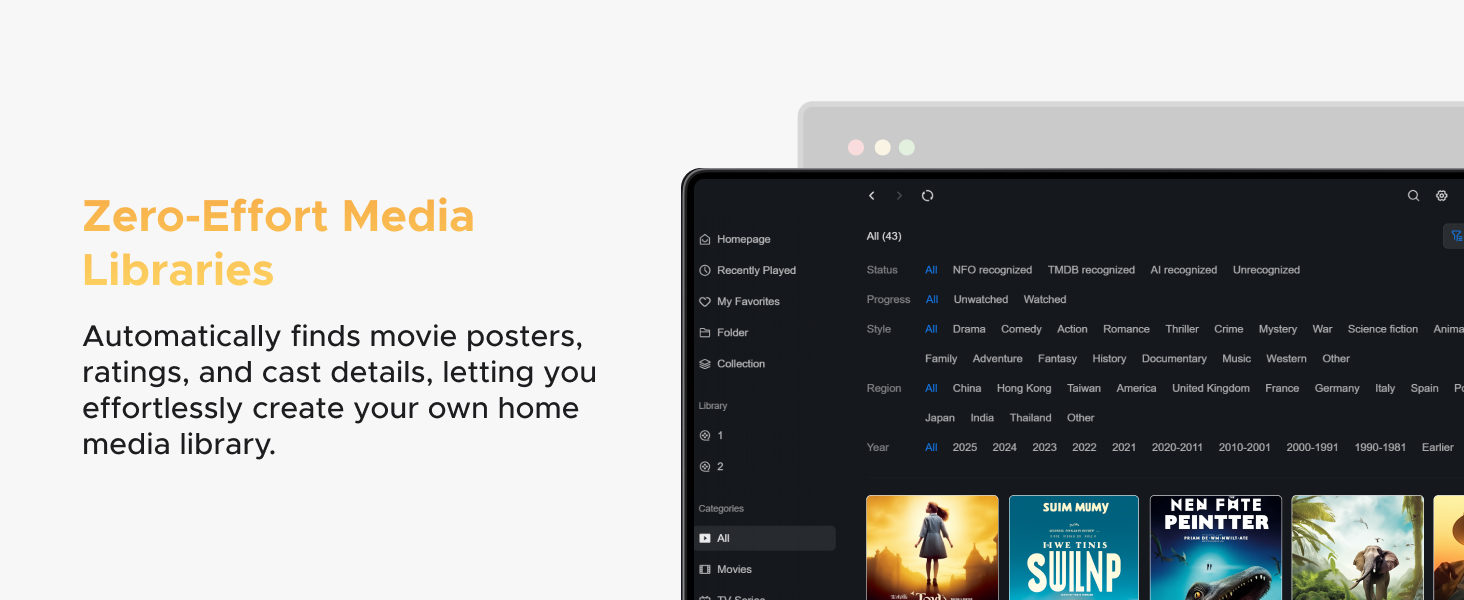
Fantastic 2 bay NAS for backups and files. Can’t really run Plex on it as there isn’t the power to run Docker but I am very pleased with their UGreen Theater app. Very similar to Plex and it runs great. Very good intro NAS and makes for a good cheap media server.
Technical Reviewer –
EnclosureThe enclosure has a magnetic top, that lifts off easily to access the drive bays inside. Unfortunately, the drive trays require screws rather than having tool-less mounting clips.STANDARD USEThe following apps are pre-installed and are standard on most NAS devices: Control Panel, Files, Logs, Storage, Support, Task Manager. That’s all I need as I’m generally only interested in SMB file shares accessed locally or via internet.DISLIKES- Window states aren’t remembered when you logout/loginOTHER APPSFor those users that want other functionality, other apps directly available in the App Center, at the time of this review, are listed below. Note that some app descriptions are quite poor, so I interpreted as best I could. Additional information for some apps can be found on Ugreen’s website. Other apps can be added via Docker, for example Tailscale.Media and Entertainment- Jellyfin: Open-source media server- Photos: Photo manager- Music: Music player- Theater: Video media serviceUtility- Cloud Drives: View and access netdisk data- DLNA: DLNA media server- Docker: Install, run and manage container apps- Downloads: Downloads HTTP, FTP, BT/PT files- EasyNVR: Connect to various cameras to serve as an NVR, and manage multiple NVR devices in batches- File Version Explorer: Record and manage the version history of all files- Firefox: Web browser- Home Assistant: Home automation platform- Online Office: Collaborative office app that allows people to edit, collaborate, and share documents online- qBittorent: BitTorrent client- Qinglong: Scheduled task management platform supporting Python3, JavaScript, Shell, and Typescript scripting- SAN Manager: Allows clients to access a volume as if it were a local drive- Security: Clamav virus scanner- SiYuan: Personal knowledge management system- Snapshot: Backup data at specific points in time for quick restoration to any historical state- Sync & Backup: Syncs data between different devices- TextEdit: Plain text editor- Vault: Encrypt and store sensitive data with access control